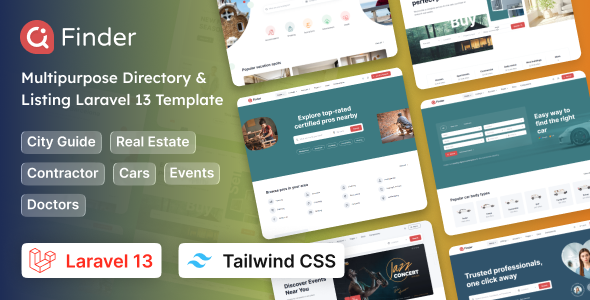
Finder – Multipurpose Tailwind CSS 4 Directory & Listing Laravel 13 Template is a modern web template designed for building directory websites, business listing platforms, service discovery portals, and location-based online directories. Combining the Laravel 13 framework with Tailwind CSS 4, Finder provides a development foundation for creating organized listing experiences where users can discover businesses, explore services, browse categories, and find relevant information through a structured website interface.
Whether you are planning a local business directory, a professional service marketplace, a property listing portal, a travel directory, or a platform that connects customers with service providers, Finder can serve as a starting point for developing your project. Its multipurpose positioning allows developers to adapt the design to different listing niches while customizing the interface, content structure, and application functionality to suit specific business requirements.
For freelancers, development agencies, startups, and entrepreneurs, a directory-focused template can reduce the initial effort involved in designing a listing website. Instead of building every interface element from scratch, developers can customize the available layouts and extend the application with the necessary business logic.
Directory websites help users discover relevant businesses, services, places, and professional providers in one organized location. A successful directory needs a clear navigation structure, useful listing information, and an interface that makes browsing straightforward.
Finder is positioned for projects where listing discovery and information organization are central to the website experience. Depending on the layouts included in the package, developers can adapt its design to display business profiles, listing cards, category sections, search interfaces, and supporting information pages.
The visual presentation can be customized to match different business models. A local business directory may prioritize company details and contact information, while a travel directory may emphasize destinations, attractions, and accommodation listings.
Developers can also adapt typography, colors, imagery, spacing, and page composition to establish a distinctive brand identity. The actual pages, layouts, and interactive elements included should be verified against the product documentation.
Laravel is a PHP framework designed to simplify the development of modern web applications. It provides tools and conventions for routing, request handling, database interactions, validation, authentication, and other common application requirements.
Finder’s Laravel 13 positioning makes it relevant to developers who want a framework-based foundation for a directory or listing platform. Depending on the supplied implementation, developers may be able to extend the application with listing management, user accounts, category organization, administrative workflows, and other features needed by the intended business.
Laravel’s structured architecture can also help developers maintain application logic as a project grows. Controllers, models, routes, services, and database migrations can be organized according to the needs of the implementation.
Before installation, review the package’s documentation and dependency configuration to confirm the required PHP version, Composer dependencies, database requirements, environment variables, and installation commands. Compatibility should be verified using the actual package rather than assumed from the product title alone.
Tailwind CSS 4 provides a modern utility-first approach to styling web interfaces. It allows developers to compose layouts and visual elements using utility classes for spacing, typography, colors, borders, grids, and responsive behavior.
For a directory website, consistent styling is important because users may interact with many different page types, including search results, category pages, individual listings, and account interfaces. A shared visual system helps maintain a cohesive experience across these areas.
With Tailwind CSS 4, developers can customize the interface to reflect the project’s brand, establish consistent spacing rules, and refine layouts for different screen sizes. Depending on the supplied codebase, existing components and utility classes may be adapted to support the required design.
Common styling adjustments include:
The precise styling configuration and reusable components depend on the included package.
A directory platform typically organizes listings into categories and presents the information users need to make decisions. Depending on the project’s requirements, a listing may include a business name, description, address, contact details, images, operating hours, website URL, and relevant category.
Finder can provide a starting point for presenting these details in an organized interface. Developers can define listing structures that suit the selected niche and extend the application to support additional information where necessary.
Potential directory applications include:
Local Business Directories: Help visitors discover restaurants, shops, repair services, clinics, and other local businesses.
Professional Service Listings: Organize profiles for consultants, freelancers, contractors, and service providers.
Real Estate Directories: Present property listings, location information, and relevant property details when the necessary functionality is implemented.
Travel and Tourism Directories: Showcase destinations, attractions, hotels, and visitor services.
Automotive Directories: Organize vehicle dealers, garages, service centers, and related automotive businesses.
Event and Venue Listings: Present event locations, venues, and useful visitor information.
These are possible use cases rather than a guarantee that dedicated industry demos or complete business modules are included.
Search and filtering are important components of many directory websites. Visitors generally want to narrow down a large collection of listings and find options that match their specific needs.
A directory project built with Finder can be extended to support search by keyword, category, location, or other relevant attributes. Depending on the implementation, additional filters might include price range, service type, rating, availability, or other listing-specific criteria.
An effective search interface should clearly communicate the available filters and make it easy to revise a search. Search results should also present useful information consistently so visitors can compare relevant options without opening every listing.
However, a search field or filter interface in a template does not automatically mean that functional search logic is included. Dynamic filtering, database queries, pagination, sorting, and location-based search may require additional backend implementation.
For larger directories, developers should also consider query performance, database indexing, validation, and the handling of empty or unsuccessful search results.
Directory platforms often display many items on a single page. Clear listing cards and category layouts can help users scan information efficiently and identify the options that interest them.
Depending on the supplied layouts, Finder can be adapted to display listing titles, images, descriptions, category labels, and other relevant information. Developers can organize these elements to suit the intended directory and prioritize the details most useful to visitors.
Category pages can group related listings under meaningful headings, helping users browse by interest or service type. For example, a local directory might organize businesses into food, healthcare, home services, shopping, and entertainment categories.
Responsive grid layouts are especially useful for directories because they allow multiple cards to fit comfortably on larger screens while remaining readable on mobile devices. Developers should verify how the supplied layouts behave at different breakpoints and adjust spacing, image sizes, and text lengths where necessary.
Many directory businesses allow users or business owners to submit and manage their own listings. This model can help a platform expand its catalog without requiring every update to be handled manually by an administrator.
A Finder-based project can be extended with account and listing submission workflows where required. Potential functionality includes user registration, login, profile management, listing creation, editing, submission for review, and status tracking.
A complete implementation may also require ownership checks to ensure that users can only modify listings they are authorized to manage. Administrators may need tools for reviewing submissions, correcting inappropriate information, and managing published content.
These features require suitable backend logic and should not be assumed to be included simply because the template is built with Laravel. Developers should confirm which account and listing-management functions are provided in the actual package.
An individual listing page should help visitors understand what a business or service offers. The information displayed will depend on the directory niche, but clarity and accuracy should remain priorities.
For a local business, a detail page might contain the business description, contact information, address, opening hours, website link, and relevant photographs. For a service provider, the page might emphasize service descriptions, areas served, qualifications, and inquiry options.
If supported by the implementation, developers may also add image galleries, maps, reviews, social links, or related listings. Integrations such as interactive maps and review systems generally require appropriate services, data sources, and configuration.
The final page structure should prioritize relevant information and provide clear next steps for visitors, such as contacting a provider or visiting an official website.
A directory platform needs a reliable way to manage its growing collection of listings. Depending on the business model, administrators may need to maintain categories, review submissions, update listing details, manage users, and monitor content quality.
Laravel can support the development of these administrative workflows, but the available dashboard functionality depends on the actual Finder package.
Additional administrative features may include listing approval, status management, featured listing controls, user permissions, reporting, and moderation tools. These capabilities should be verified before they are advertised as included features.
When building an administration system, developers should apply appropriate authorization rules, validate submitted information, and protect sensitive operations. Separating ordinary user permissions from administrative privileges helps maintain the integrity of the directory.
Directory websites can support different business models, depending on the target market and services offered. Once the core listing experience is established, a platform owner may choose to introduce monetization features.
Potential models include paid listing submissions, premium business profiles, featured placement, subscription packages, sponsored categories, and advertising placements.
A Laravel-based application can be extended to support these models where the required backend functionality is developed. Paid plans may require subscription management, payment gateway integration, billing records, and rules that determine which listing features each plan provides.
These features are not guaranteed by the template’s directory-focused positioning. Developers should confirm whether payment processing, subscription management, or paid listing functionality is included before planning a production launch around it.
Performance and search engine optimization are important for directories because users may discover individual business pages directly through search engines.
Developers can improve performance by optimizing listing images, reducing unnecessary assets, applying suitable caching, and ensuring that database queries remain efficient as the number of records increases. Pagination and appropriate database indexing can be particularly important for large directories.
SEO implementation should include descriptive page titles, meaningful headings, readable URLs, accurate listing descriptions, and appropriate image alternative text. Where relevant, developers may also implement structured data for eligible businesses or other listing types.
Accessibility deserves equal attention. Forms should have clear labels, interactive controls should be keyboard accessible, and text should maintain sufficient contrast. Error messages and validation feedback should help users understand how to correct problems.
A template alone does not guarantee search visibility, accessibility compliance, or high performance. These outcomes depend on the completed implementation, content quality, hosting environment, and ongoing maintenance.
Finder may be suitable for Laravel developers, web development agencies, startups, entrepreneurs, and businesses planning a directory or listing platform.
It can be a useful starting point for developers who want to build a niche directory, a local business discovery website, or a service-oriented listing portal using Laravel and Tailwind CSS. Its potential flexibility may also benefit agencies creating customized solutions for clients in different industries.
Before purchasing or deploying the template, review the package documentation, source code, included pages, supported framework versions, licensing terms, and required dependencies. Confirm whether the features essential to your business model are already implemented or require additional development.
Finder – Multipurpose Tailwind CSS 4 Directory & Listing Laravel 13 Template provides a potential foundation for building modern directory websites and listing platforms. Its Laravel framework positioning and Tailwind CSS 4 styling approach make it relevant to developers who need a customizable interface and a structured environment for extending application functionality.
With appropriate listing data structures, functional search, responsive layouts, secure user workflows, and carefully selected integrations, developers can adapt Finder to a variety of directory-based business concepts. Reviewing the included features and verifying technical compatibility before deployment will help ensure that the finished platform meets its intended design, operational, and business requirements.
1. All digital products are the most recent version, with no possibility of free updates. After payment, you can request an update to the most recent version for 5 days if a new version is released. We free support within 5 days.
2. If a license is required (Excludes WHMCS license , we provide only method not license), please contact us via email or ticket for assistance with activation. Our license is only valid for activation and does not include support.
3. We provide Mobile, PHP script installation services for $19.90 / ₹1700. Please create a backup after installation as we do not support re-installation. For mobile app source code, we do not offer installation services.
4. If you have any questions, please contact us by email [email protected] or create a ticket on this page
5. Please note that any digital products presented on the website do not contain malicious code, viruses or advertising. You will receive the original files from the developers. We do not sell any products that have been downloaded from other websites.
6. The response time can last up to 6 hours.
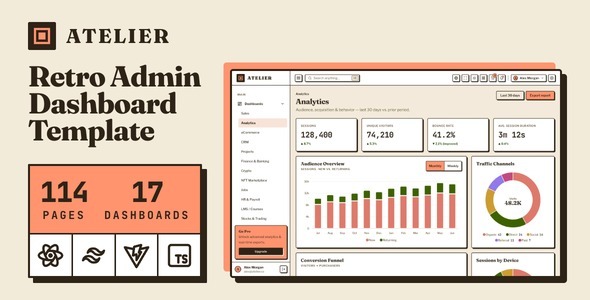
Atelier | Retro Style Admin & Dashboard Template Atelier | Retro Style Admin & Dashboard Template is a distinctive administrative interface template...

Eduport - LMS, Education and Course PHP Template (Tailwind CSS) Eduport - LMS, Education and Course PHP Template (Tailwind CSS) is a...

Matterly - AI Law Firm Management SaaS With Smart Forms Matterly is a modern and intelligent law firm management SaaS platform designed...
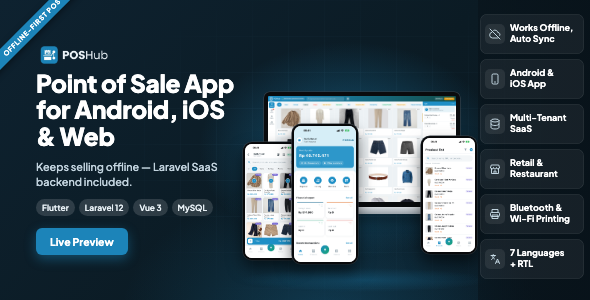
POSHub | Offline-First POS Flutter App for Retail & Restaurant with Laravel SaaS Backend POSHub | Offline-First POS Flutter App for Retail...
