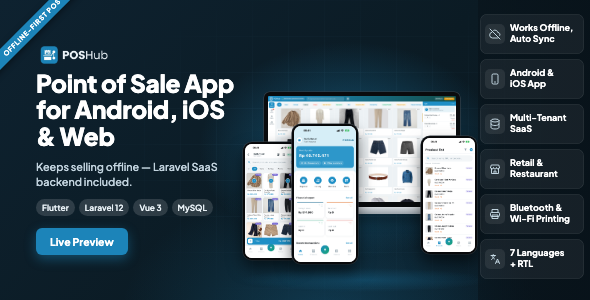
POSHub | Offline-First POS Flutter App for Retail & Restaurant with Laravel SaaS Backend is a point-of-sale software solution designed to help retail stores, restaurants, and other businesses manage sales through a Flutter-based application supported by a Laravel SaaS backend. With an offline-first approach, POSHub is intended to support business workflows where internet connectivity may be unreliable, while providing a foundation for synchronizing data with a centralized backend when connectivity is available.
Combining a mobile application interface with a Laravel-based backend architecture, POSHub can serve as a starting point for businesses looking to modernize billing, product management, order handling, and day-to-day sales operations. Its retail and restaurant focus makes it relevant to shops, cafés, food outlets, and other businesses that need an organized point-of-sale experience.
The exact features, supported devices, offline capabilities, and administrative modules should be verified against the package documentation.
Reliable billing is important for businesses that cannot afford to stop serving customers whenever an internet connection drops. POSHub’s offline-first positioning makes it relevant to businesses that need a POS workflow designed with intermittent connectivity in mind.
Depending on its implementation, an offline-capable POS can use local storage to retain selected business data and record transactions while disconnected. Once the connection returns, queued changes may be synchronized with the central backend.
For dependable offline operation, the implementation should define which functions remain available without internet access, how local records are stored, and how synchronization conflicts are resolved. Payment processing, live inventory updates, cloud reporting, and other network-dependent functions may still require connectivity or a supported offline alternative.
Retail businesses need an efficient way to find products, calculate transaction totals, and complete customer purchases. POSHub provides a foundation for building a retail-focused point-of-sale experience.
Depending on the included functionality, retail workflows may be extended to support:
These capabilities can help create a more organized checkout process for grocery shops, convenience stores, clothing retailers, electronics outlets, and other product-based businesses. Actual tax calculations, stock deduction rules, receipt printing, and payment handling must be confirmed in the included implementation.
Restaurants and cafés often require order-entry workflows that differ from conventional retail checkout. POSHub’s restaurant-oriented positioning provides a starting point for adapting the POS experience to food-service operations.
Potential restaurant workflows include:
The availability of features such as table management, kitchen display screens, kitchen printing, modifiers, split bills, and takeaway order handling depends on the actual package. Additional development or integrations may be required to support a complete restaurant management workflow.
Laravel is a PHP framework commonly used to build web applications, APIs, and backend services. POSHub pairs its Flutter application with a Laravel SaaS backend, offering a foundation for centralized data management and multi-business software deployment.
Depending on the included backend modules, the system may be adapted to support:
A SaaS architecture can be useful when offering POS software to multiple independent businesses. However, multi-tenant data isolation, subscription billing, role-based access control, backups, and tenant administration should be verified rather than assumed from the SaaS label alone.
An offline-first POS needs a clearly defined strategy for managing data across local devices and the server. POSHub’s intended architecture can provide a foundation for building this capability.
A robust implementation may include local transaction storage, queued synchronization requests, retry handling, duplicate transaction protection, and conflict resolution. These mechanisms help maintain consistent records when devices reconnect after working offline.
Businesses should confirm which records are available offline, how long unsynchronized transactions remain stored, how stock changes are reconciled, and what happens if the same account is used on multiple devices. Synchronization should be tested under interrupted connections and repeated requests before the application is used for live transactions.
Sales reporting can help business owners understand revenue patterns, identify popular products, and review daily operations. If reporting modules are included or developed, POSHub can be extended to present relevant business information through the Laravel backend.
Possible reporting options include:
The accuracy of these reports depends on reliable transaction recording, consistent synchronization, and correctly implemented reporting logic. Confirm which reports are included in the package.
POSHub can serve as a starting point for businesses and developers who need a POS application tailored to their operational requirements.
Potential customization areas include:
Hardware compatibility is particularly important for POS systems. Barcode scanners, receipt printers, cash drawers, and payment terminals may require specific device support, drivers, plugins, or integration work. Verify compatibility before deploying the system in a live store.
A POS application handles important business records, including sales, product information, staff access, and potentially customer data. A production deployment should therefore use appropriate security controls.
Recommended considerations include secure API authentication, server-side permission checks, encrypted network communication, protected local storage where appropriate, validated transaction requests, database backups, and secure management of application credentials.
Offline transaction records should also be protected against unauthorized access or modification. For SaaS deployments, each business must be restricted to its own authorized data. These controls need to be verified in the actual code and configured correctly; they should not be assumed to be fully implemented merely because Laravel is used.
POSHub may be suitable for:
Before installation, review the documentation and confirm the required Flutter, Dart, PHP, Laravel, database, and server versions. The exact requirements depend on the package release.
A typical setup may involve configuring the Laravel backend, creating the database, setting environment variables, generating application credentials, installing backend dependencies, configuring API access, and building the Flutter application for supported devices.
Before purchasing or deploying POSHub, verify:
Test billing, transaction recovery, stock updates, synchronization, access permissions, and backup restoration before using the system for real business operations.
POSHub combines an offline-first POS concept, Flutter application development, and a Laravel SaaS backend in a solution aimed at retail and restaurant businesses. This combination provides a potential foundation for developers who want to build a connected point-of-sale platform without starting the entire interface and backend architecture from scratch.
Its retail and restaurant focus also provides room to adapt workflows to different business models, while the offline-first approach makes connectivity resilience an important part of the product concept.
POSHub | Offline-First POS Flutter App for Retail & Restaurant with Laravel SaaS Backend is a POS software foundation for developers, entrepreneurs, and businesses looking to create a more organized sales and billing experience. Its combination of Flutter and Laravel can support the development of mobile POS workflows and centralized business management, while its offline-first positioning addresses an important consideration for real-world checkout environments.
For a successful deployment, verify the included functionality and technical requirements, then thoroughly test offline transactions, synchronization, security, inventory consistency, and any required payment or hardware integrations before using POSHub in a live retail store or restaurant.
1. All digital products are the most recent version, with no possibility of free updates. After payment, you can request an update to the most recent version for 5 days if a new version is released. We free support within 5 days.
2. If a license is required (Excludes WHMCS license , we provide only method not license), please contact us via email or ticket for assistance with activation. Our license is only valid for activation and does not include support.
3. We provide Mobile, PHP script installation services for $19.90 / ₹1700. Please create a backup after installation as we do not support re-installation. For mobile app source code, we do not offer installation services.
4. If you have any questions, please contact us by email [email protected] or create a ticket on this page
5. Please note that any digital products presented on the website do not contain malicious code, viruses or advertising. You will receive the original files from the developers. We do not sell any products that have been downloaded from other websites.
6. The response time can last up to 6 hours.
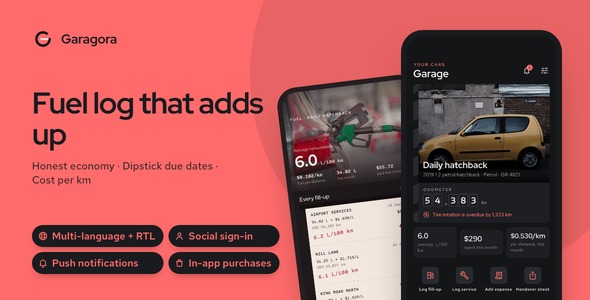
Garagora | Flutter Car Maintenance and Fuel Log App with Laravel Cloud Backup Keep vehicle maintenance organized, track fuel expenses, and manage...
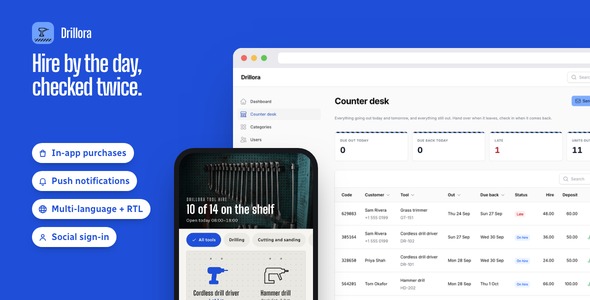
Drillora | Flutter Tool and Equipment Hire App with Laravel Admin Simplify equipment rentals, manage tool bookings, and connect customers with the...
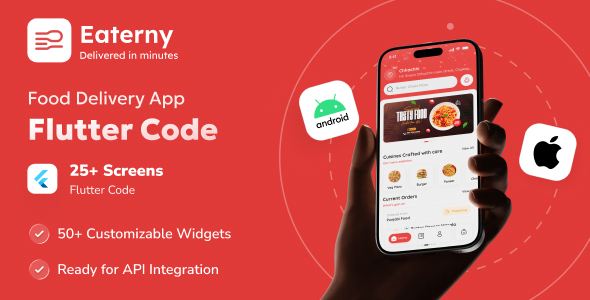
Eaterny | Food Delivery and Restaurant Flutter App UI Template Eaterny | Food Delivery and Restaurant Flutter App UI Template is a...

ReadyLMS Pro | Learning Management System With Website, Student App and Admin Dashboard ReadyLMS Pro | Learning Management System With Website, Student...
