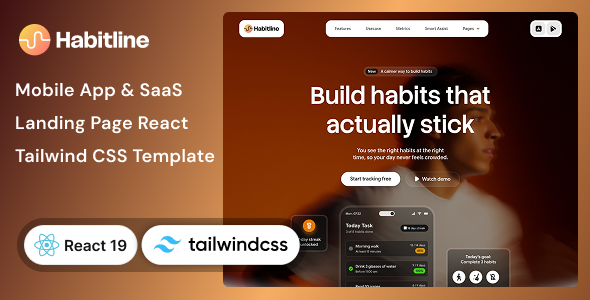
Habitline – Mobile App, SaaS Landing Page React & Tailwind CSS Template is a modern website template designed for mobile application developers, SaaS startups, productivity platforms, habit-tracking applications, and digital businesses looking to establish a professional online presence. Built with React and Tailwind CSS, Habitline provides a customizable front-end foundation for presenting an app, communicating its benefits, highlighting key features, and encouraging visitors to download an application or explore a software product.
Whether you are launching a habit-tracking app, promoting a personal productivity tool, introducing a wellness application, or marketing a subscription-based software service, Habitline can help you communicate your product’s value through a structured landing page. Its mobile-app and SaaS-oriented design makes it suitable for businesses that need to explain how their product works, showcase its user experience, and guide potential customers toward a clear next step.
Instead of developing every section from scratch, developers can use the supplied template as a starting point and customize its layouts, content, colors, typography, and supporting graphics. This can simplify the front-end development process while providing flexibility to align the website with a specific product identity.
A landing page is often the first point of contact between a digital product and a potential user. It should explain what the product does, who it helps, and why someone might want to try it.
Habitline is intended for this type of product-focused presentation. You can adapt the available layouts to introduce your application, communicate its main benefits, showcase important features, and direct visitors toward downloading the app, signing up, or learning more.
For a habit-tracking product, the website could explain how users create routines, monitor consistency, and work toward personal goals. For a broader SaaS platform, the same design foundation could be adapted to present productivity tools, workflow features, subscription options, or software benefits.
A consistent visual hierarchy, concise messaging, and well-placed calls to action can help visitors understand the product without having to navigate a complicated website.
Habitline uses React and Tailwind CSS, two technologies commonly used to develop modern web interfaces.
React supports reusable interface components, allowing developers to organize a website into manageable sections and update repeated elements more efficiently. Tailwind CSS provides utility classes for styling layouts, spacing, typography, colors, and responsive behavior.
This combination is useful for developers who want direct control over a landing page’s structure and appearance. Rather than manually creating every style from scratch, developers can work with reusable components and utility-based styling to customize the design.
Depending on the supplied project files, you may be able to modify the hero section, feature blocks, navigation, app previews, pricing content, testimonials, and footer elements.
Before beginning development, check the official documentation for the included React version, build tooling, Tailwind CSS version, dependencies, and setup requirements. The exact implementation details should be confirmed from the supplied package.
Although Habitline is positioned for mobile applications and SaaS landing pages, its design approach can be adapted to a range of digital products.
Potential applications include:
These are possible customization scenarios, not a guarantee that every category has a dedicated ready-made page in the package.
The hero section plays an important role in communicating a product’s purpose immediately. Visitors should be able to understand the main benefit and identify the next step without searching through multiple sections.
Habitline can serve as a starting point for a hero area featuring a headline, supporting description, product imagery, and prominent calls to action, depending on the supplied layout.
For a habit-tracking application, the headline might focus on helping users build consistent routines. A productivity platform could instead emphasize better organization, while a SaaS product might highlight the problem it solves for customers.
You can replace demonstration content with concise messaging that explains your actual product. Supporting visuals, such as application screenshots or interface mockups, can help visitors understand the experience before installing or subscribing.
Make sure download buttons lead to the correct app store listing or that signup links point to a working registration page.
Potential customers often compare several applications before choosing one. A well-structured feature section helps explain what makes your product useful and how it supports the user’s goals.
You can customize the available feature layouts to present the capabilities of your application. Depending on the product, these might include reminders, daily checklists, progress summaries, task organization, habit streaks, productivity reports, or personalization options.
For a SaaS product, feature descriptions could focus on automation, collaboration, reporting, integrations, or workflow management.
A useful feature section should explain the benefit of each capability rather than simply listing technical terms. For example, instead of saying that an application has progress tracking, explain how users can review their activity and recognize patterns over time.
Only promote functionality that your application actually supports. A landing page template provides the visual presentation; the underlying mobile app or SaaS product must implement the features being advertised.
Application screenshots can make a landing page more informative by showing potential users what the product looks like in practice.
Habitline can be adapted to present mobile app previews, product mockups, interface images, and supporting illustrations if the supplied layouts accommodate them. These visuals can demonstrate the main user journey and help visitors connect the written feature descriptions with the actual application.
For the best results, use clear screenshots captured from the real app or carefully prepared product mockups. Keep image quality consistent and ensure that text inside screenshots remains legible.
If your product is available on both Android and iOS, you can display relevant previews from each platform. If the application is still under development, make sure promotional mockups accurately represent the intended experience and do not imply that unavailable functionality is already live.
Optimize images before uploading them to avoid unnecessarily slowing down the landing page.
A product landing page should guide visitors toward a meaningful action. Depending on your business model, this might involve downloading a mobile app, creating an account, joining a waiting list, booking a demonstration, or starting a subscription.
Habitline’s available buttons and content areas can be adapted to support these conversion goals. You might provide links to the Apple App Store and Google Play Store, direct users to a web application, or invite visitors to register for early access.
If your product uses a freemium model, the landing page can explain the difference between the free experience and any paid subscription options. A SaaS product may instead emphasize trial access or a demo request.
Functional registration, payment processing, account creation, and subscription management require supporting application services or third-party integrations. These features should not be assumed to be included in a front-end template unless explicitly documented.
For subscription-based products, pricing information can help potential customers evaluate whether the service meets their needs and budget.
If the supplied template includes a pricing section, you can customize it to present your available plans, billing periods, usage limits, and included benefits. Alternatively, a pricing layout can be added during development.
A useful pricing presentation should clearly explain the difference between each plan. For example, you might distinguish personal usage from advanced features or business-level capabilities, depending on what your software actually offers.
If you provide monthly and annual subscriptions, display the billing terms clearly. Avoid presenting discounts, trial periods, or usage limits that are not supported by your actual pricing model.
A visual pricing table does not process payments or manage recurring subscriptions by itself. Payment gateways, billing logic, account entitlements, and subscription management generally require a backend or external service.
Visitors may discover your application through a mobile browser, social media link, search engine, or desktop computer. A responsive landing page helps deliver a consistent experience across different screen sizes.
When supported by the supplied implementation, Tailwind CSS responsive utilities can be used to adjust layouts, spacing, typography, and visibility for different viewport sizes.
After customization, test the website on smartphones, tablets, and desktop screens. Verify that the navigation remains usable, feature sections are readable, app screenshots scale appropriately, and calls to action are easy to select.
Pay particular attention to mobile download buttons and signup forms. Buttons should have comfortable touch targets, and important information should not be hidden or pushed too far down the page.
Actual responsive behavior depends on the included components, styles, assets, and any changes made during development.
A distinctive brand identity helps users recognize your application and understand its personality. Habitline’s React and Tailwind CSS foundation can provide a starting point for adapting the website to your visual guidelines.
Customization may include:
A wellness app might benefit from a calm, approachable presentation, while a productivity tool could use a more structured and energetic style. Choose a design that reflects the actual experience your product offers.
Developers can also adapt reusable components to maintain consistency across sections and make future updates easier. The exact component structure depends on the supplied source code.
A landing page can support organic discovery by communicating the product’s purpose clearly and providing search engines with useful, well-organized content. However, using a React template does not automatically guarantee rankings or search traffic.
Recommended practices include:
For React-based websites, SEO considerations depend on the framework setup and how page content is rendered. If the supplied project uses a client-side rendering approach, developers should review whether server-side rendering, static generation, or other supported rendering options are appropriate.
Search visibility also depends on content quality, competition, technical implementation, and the overall authority of the website.
A fast-loading landing page can help visitors explore the product and reach important actions without unnecessary delays.
To support good performance, optimize images, remove unused assets, avoid unnecessary dependencies, and review how scripts and external resources are loaded. Use the build tools supplied with the project and test the production version rather than relying only on the development server.
Because React interfaces can become complex as features are added, maintain a clear component structure and avoid duplicating large sections of code. Reusable components can simplify future changes to navigation, buttons, feature cards, and other repeated elements.
Review the browser console for errors and test all links, forms, and responsive states before publishing the website. Performance will depend on the implementation, hosting environment, media assets, and external integrations rather than the template alone.
A landing page often needs to connect visitors to the main application or related services. Habitline may be adapted to integrate with external tools, subject to the supplied code and the requirements of each service.
Potential integrations include:
Some integrations may require API credentials, environment variables, backend endpoints, or external subscriptions. Sensitive credentials should never be placed in publicly accessible front-end code.
Verify which integrations are already configured and which must be implemented separately.
Getting started with Habitline generally involves preparing a compatible development environment and configuring the supplied React project.
A typical workflow includes:
The precise setup commands depend on the package configuration and included tooling. Review the documentation before changing dependencies or selecting a deployment environment.
Habitline may be suitable for a range of digital product creators and development teams.
The template is most appropriate for users who want an editable front-end design and can configure any additional functionality their application requires.
Before using Habitline, review the official product listing, live demo, included files, documentation, dependencies, and licensing terms. Confirm the required React and Tailwind CSS versions and check whether any additional libraries or build tools are necessary.
It is also important to distinguish between a landing page design and a complete application. App authentication, user dashboards, habit synchronization, cloud storage, reminders, analytics, subscription billing, and other operational features require the appropriate application logic or external services.
A landing page can explain and promote those capabilities, but the actual product must implement them. Confirm the supplied package’s scope before estimating development time or planning integrations.
Habitline – Mobile App, SaaS Landing Page React & Tailwind CSS Template provides a customizable front-end foundation for promoting mobile applications, SaaS products, productivity tools, and digital services. Its React and Tailwind CSS approach gives developers flexibility to adapt the interface, organize product information, and create a visual identity aligned with their application.
By combining clear messaging, relevant app previews, feature descriptions, responsive layouts, and effective calls to action, you can create a landing page that helps potential users understand your product and discover the next step.
For app developers, SaaS founders, freelancers, and digital agencies seeking a modern landing page starting point, Habitline is worth evaluating against its official demo and documented technical requirements before implementation.
1. All digital products are the most recent version, with no possibility of free updates. After payment, you can request an update to the most recent version for 5 days if a new version is released. We free support within 5 days.
2. If a license is required (Excludes WHMCS license , we provide only method not license), please contact us via email or ticket for assistance with activation. Our license is only valid for activation and does not include support.
3. We provide Mobile, PHP script installation services for $19.90 / ₹1700. Please create a backup after installation as we do not support re-installation. For mobile app source code, we do not offer installation services.
4. If you have any questions, please contact us by email [email protected] or create a ticket on this page
5. Please note that any digital products presented on the website do not contain malicious code, viruses or advertising. You will receive the original files from the developers. We do not sell any products that have been downloaded from other websites.
6. The response time can last up to 6 hours.
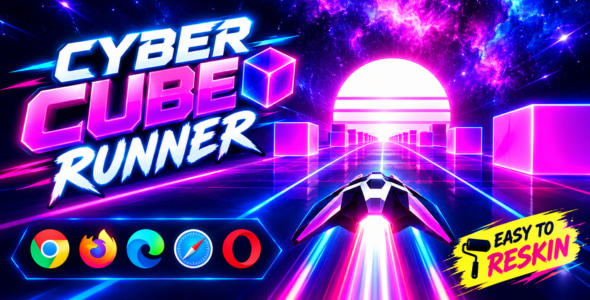
Cyber Cube Runner 3D | Cyberpunk Endless Space Runner HTML5 Game Enter a futuristic digital universe with Cyber Cube Runner 3D |...
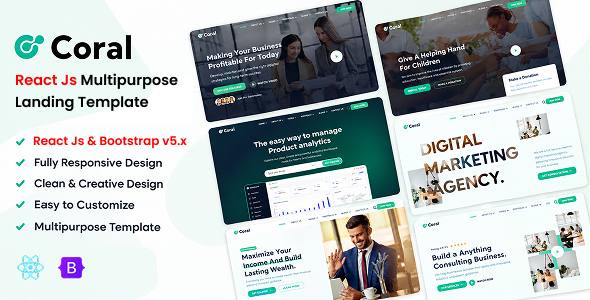
Coral - Multipurpose React Js Landing Template Coral - Multipurpose React Js Landing Template is a modern, responsive, and professionally designed landing...
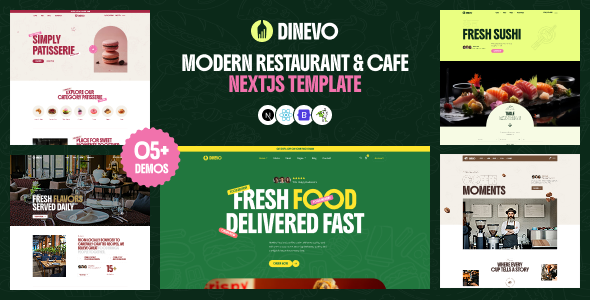
Dinevo – Modern Restaurant & Cafe Next.js Template Dinevo – Modern Restaurant & Cafe Next.js Template is a stylish and contemporary website...
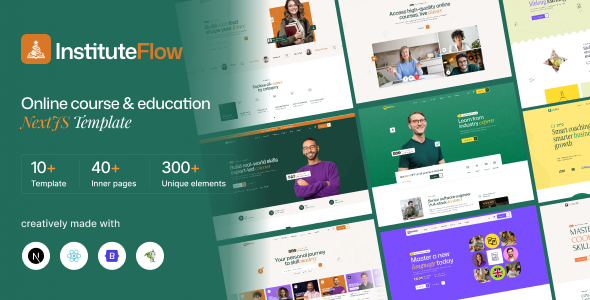
InstituteFlow - Education & Online Course NextJS Template InstituteFlow - Education & Online Course NextJS Template is a modern website template designed...
