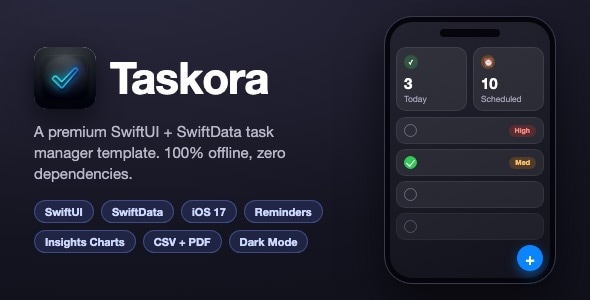
Taskora | Task Manager and To-Do List App With Reminders, Insights and CSV Export – SwiftUI is a modern iOS application template designed to help users organize daily tasks, manage to-do lists, schedule reminders, and review productivity through insightful summaries. Built with SwiftUI, Taskora provides a foundation for creating a structured task management application that combines everyday planning, deadline awareness, progress tracking, and data export in a convenient mobile experience.
Managing personal responsibilities, work assignments, study schedules, and recurring activities can quickly become complicated without a reliable organization system. Tasks scattered across notes, messages, and calendars can be difficult to prioritize and track. A dedicated task management application helps bring these responsibilities together, making it easier to understand what needs to be done and when.
Taskora addresses this need through a task-oriented workflow that emphasizes reminders, productivity insights, and exportable records. Whether users want to organize their daily routine, track work-related responsibilities, or manage personal projects, the application offers a starting point for building a more organized planning experience.
For iOS developers, startups, and digital product entrepreneurs, Taskora provides a SwiftUI-based foundation for developing a task management and productivity application that can be customized to suit different audiences and business requirements.
Task management begins with capturing responsibilities and organizing them into a format that is easy to understand and maintain.
Taskora is designed around the core concept of creating and managing to-do items through a dedicated mobile interface. Depending on the supplied implementation, users may be able to add tasks, edit existing entries, mark tasks as completed, and review outstanding responsibilities.
A structured task list can help users reduce the need to remember every small detail throughout the day. Instead, they can refer to a central location to review their planned activities and identify what requires attention.
Typical use cases include:
The exact task fields, list organization options, and available editing controls should be verified against the original product demo and documentation.
A task manager becomes more useful when it helps users remember important activities at the right time.
Taskora highlights reminders as a key part of its intended functionality, providing a foundation for connecting tasks with scheduled notifications or other reminder mechanisms.
Depending on the supplied implementation, users may be able to assign reminder dates or times to tasks and receive notifications for selected activities.
Reminders can be particularly valuable for appointments, deadlines, follow-up messages, study schedules, and everyday responsibilities that should not be overlooked.
A well-designed reminder workflow can help users maintain awareness of upcoming tasks without requiring them to check their entire task list repeatedly.
The precise notification behavior should be confirmed in the product documentation, including whether reminders use local notifications, support recurring schedules, or provide additional scheduling options.
Developers should also test notification permissions, time-zone changes, device settings, and behavior when the application is not actively open.
Taskora includes a focus on insights, making productivity-related summaries an important part of its intended experience.
Insights can help users understand how they manage their tasks by presenting information about completed activities, outstanding responsibilities, or other recorded task data.
Depending on the included implementation, the application may provide summary views or visual indicators that help users review their progress.
For example, a task manager could display completed versus pending tasks or summarize activity over a selected period. These are illustrative possibilities; the actual metrics and chart types should be confirmed against the supplied version.
Productivity insights can help users reflect on their routines and identify areas where their planning process could improve.
Potential enhancements include weekly activity summaries, completion trends, overdue-task counts, and goal-based reporting. These features may require additional development if they are not already included.
A useful productivity application should allow users to retain control over their information. CSV export provides a practical way to transfer structured task records into compatible spreadsheet and data-analysis tools.
Taskora highlights CSV export as part of its intended feature set, providing a foundation for making task information available outside the application.
Depending on the supplied implementation, exported data may include selected task fields such as titles, descriptions, statuses, dates, or other stored information.
CSV files can be useful for creating personal archives, preparing progress reports, reviewing tasks in spreadsheet software, or transferring information into another workflow.
For example, a user could export a list of completed assignments to review their activity or create a spreadsheet of upcoming responsibilities.
The exact export format, available fields, filtering options, and file-sharing workflow should be confirmed in the original documentation.
Additional formats, such as PDF or JSON, could be considered for future development if they are not included in the supplied version.
Taskora is built with SwiftUI, Apple’s declarative framework for developing interfaces across supported Apple platforms.
SwiftUI enables developers to create reusable interface components, state-driven layouts, and interactive controls using a modern development approach.
For a task management application, this framework is suitable for building screens for task lists, task details, reminder settings, productivity summaries, and export controls, depending on the structure of the supplied project.
A native iOS-oriented interface can help create a familiar experience for users who expect straightforward navigation and consistent platform conventions.
Developers can customize the visual design through typography, spacing, colors, icons, navigation structures, and interactive elements.
Before modifying the project, review the included Swift version, Xcode requirements, deployment target, dependencies, and code organization.
A growing task list can become difficult to manage if all responsibilities appear in one unstructured collection.
Taskora provides a foundation for organizing tasks through a dedicated planning interface. Depending on the supplied functionality, users may be able to review task information, distinguish completed items from pending ones, and organize their daily responsibilities.
Potential extensions include categories, priority labels, project-based grouping, tags, and separate views for personal and professional tasks.
For example, a user might organize activities around work, study, home, and personal development. A more advanced implementation could allow tasks to be filtered by priority, status, or deadline.
These organizational features should be verified against the actual product documentation before being treated as included functionality.
A well-designed organization system helps users focus on relevant responsibilities without making everyday planning unnecessarily complicated.
Not every task has the same importance or urgency. A useful productivity workflow should help users distinguish activities that need immediate attention from those that can be completed later.
Depending on the supplied implementation, Taskora may provide basic task information that users can use to manage their planned activities. Additional priority and deadline features could make this workflow more flexible.
Potential enhancements include high-, medium-, and low-priority labels, due-date sorting, overdue indicators, and dedicated views for tasks approaching their deadlines.
These features can be especially valuable for students, professionals, freelancers, and project-oriented users who handle several responsibilities simultaneously.
The actual availability of priority settings, advanced filtering, and deadline-based sorting should be confirmed in the original package.
Many everyday responsibilities repeat on a regular schedule. Examples include weekly planning, household activities, exercise routines, and recurring work assignments.
A task management application can become more useful when it supports these repeated activities without requiring users to recreate each item manually.
Taskora can serve as a foundation for exploring recurring-task workflows, depending on the capabilities included in the supplied implementation.
Potential extensions include daily, weekly, or monthly recurrence rules, configurable repeat intervals, and automatic creation of future task instances.
Recurring tasks can help users establish consistent routines and maintain a more structured schedule.
However, recurring scheduling should be treated as an optional extension unless it is explicitly listed in the product documentation. Developers should also consider how reminders, completed tasks, and changes to a recurring schedule interact.
A task manager should make it easy to capture information quickly, understand task status, and complete routine actions without unnecessary navigation.
Taskora’s SwiftUI foundation provides a starting point for customizing these interactions and creating a focused productivity experience.
Depending on the supplied screens, developers may be able to adapt task list layouts, task details, reminder controls, insight summaries, and export interfaces.
Potential design improvements include compact task cards, accessible controls, configurable themes, clearer status indicators, and onboarding screens.
A consistent visual hierarchy can help users understand which activities need attention and how to access common functions.
The exact screens and customization options depend on the supplied source code and original design.
Taskora’s general-purpose task management concept can support several everyday productivity scenarios.
Professionals: Organize assignments, follow-up activities, and work-related deadlines.
Students: Track coursework, revision schedules, projects, and academic responsibilities.
Freelancers: Manage client tasks, personal deadlines, and daily work priorities.
Entrepreneurs: Maintain task lists related to operations, marketing, administration, and business development.
Personal users: Organize errands, household responsibilities, appointments, and individual goals.
Small teams and project-oriented users: Evaluate the application as a starting point for a more specialized task workflow, subject to the availability of collaboration functionality.
The supplied template should be assessed against the intended use case, particularly if team collaboration, shared task lists, or multi-user access is required.
Task management applications need a reliable approach to storing task records and preserving changes over time.
Before deploying Taskora, developers should review how the supplied application stores task data and whether it relies on local device storage, a backend service, or another persistence mechanism.
Local storage can be suitable for personal task management, while cloud-based storage may be useful when users need synchronization across devices or access to shared information.
Potential future enhancements include account-based access, cloud backup, synchronization, and data recovery features.
These capabilities should not be assumed to be included unless explicitly documented. If cloud functionality is added, developers should consider authentication, secure communication, access controls, and appropriate backup procedures.
CSV export can complement the application’s storage approach by giving users a portable copy of supported task records.
Reminders can help users keep important responsibilities visible throughout the day. Additional integrations may further improve the relationship between task management and everyday scheduling.
Depending on the supplied implementation, Taskora may support notification-based reminders for selected tasks.
Potential future enhancements include calendar integration, recurring notifications, configurable reminder intervals, and links between tasks and scheduled events.
Calendar integration could help users view responsibilities alongside appointments, while recurring reminders may be useful for routine activities.
These features require appropriate implementation and platform permissions. They should be verified in the current feature list rather than assumed to be included.
Developers should also ensure that notifications remain clear, reliable, and easy for users to configure or disable.
Taskora can serve as a starting point for developers who want to create a more specialized productivity application.
Potential extensions include project-based task organization, advanced priority systems, task tags, recurring schedules, custom productivity charts, and additional export formats.
Other possibilities include widgets, search and filtering, configurable reminders, theme customization, and integration with external productivity services.
A more advanced version could introduce user accounts, cross-device synchronization, or team collaboration, depending on the target audience and business requirements.
These features may require new data models, additional interface screens, backend development, or external service integrations. They should be treated as customization opportunities unless explicitly included in the supplied package.
Before implementing extensions, review the existing architecture, storage approach, dependencies, and licensing permissions.
Task lists can contain personal plans, business responsibilities, project details, and other information that users may prefer to keep private.
Before launching Taskora commercially, developers should review where task records are stored, whether data is transmitted to external services, and what control users have over their information.
If cloud synchronization or account functionality is introduced, appropriate authentication, secure communication, and access permissions should be considered.
Export functionality should also be designed carefully so that users understand where their CSV files are saved and can choose how to share them.
Local-only storage, encrypted backups, and cloud synchronization should not be assumed to be included unless explicitly documented.
A transparent approach to data handling can help users feel more confident about using the application for everyday planning.
Taskora may be suitable for several audiences and development projects.
Its suitability depends on the included functionality, technical requirements, and the intended business model.
Before using Taskora, review the supplied documentation for its development environment, dependencies, and supported iOS versions.
A typical SwiftUI development workflow may require a compatible Mac, an appropriate version of Xcode, the required iOS SDK, and an Apple development account for certain testing and distribution activities.
Setup may involve opening the project in Xcode, resolving dependencies, configuring the application identifier, and testing the app on a simulator or supported physical device.
If reminders use local notifications, verify the permission flow and scheduling behavior. If CSV export relies on the iOS file-sharing interface, test the generated files and confirm that their contents are formatted correctly.
Before release, test task creation, editing, completion, reminders, insight calculations, and export behavior.
Confirm whether the supplied package includes source code, installation instructions, updates, and technical support.
Before purchasing Taskora, review the original demo, screenshots, feature list, and technical documentation to confirm the features included in the current version.
Pay particular attention to task creation and editing, reminder scheduling, insight metrics, CSV export, data persistence, and any external dependencies.
Do not assume that team collaboration, cloud synchronization, recurring tasks, calendar integration, widgets, or advanced analytics are included unless the seller explicitly documents these capabilities.
Review the licensing terms and Apple’s current platform requirements before launching a commercial application. If you plan to customize the template, consider the additional development and testing required for your intended feature set.
Taskora | Task Manager and To-Do List App With Reminders, Insights and CSV Export – SwiftUI offers a practical foundation for building a native iOS productivity application centered on task organization and everyday planning.
With its focus on to-do lists, reminders, productivity insights, and CSV export, Taskora can help developers explore a structured way for users to manage responsibilities and review their progress.
Whether you are developing a personal productivity tool, creating a specialized planning application, or customizing a SwiftUI project for a commercial product, Taskora is worth evaluating as a starting point. Review the included features, technical requirements, data-storage approach, and licensing terms to determine whether it fits your development goals.
1. All digital products are the most recent version, with no possibility of free updates. After payment, you can request an update to the most recent version for 5 days if a new version is released. We free support within 5 days.
2. If a license is required (Excludes WHMCS license , we provide only method not license), please contact us via email or ticket for assistance with activation. Our license is only valid for activation and does not include support.
3. We provide Mobile, PHP script installation services for $19.90 / ₹1700. Please create a backup after installation as we do not support re-installation. For mobile app source code, we do not offer installation services.
4. If you have any questions, please contact us by email [email protected] or create a ticket on this page
5. Please note that any digital products presented on the website do not contain malicious code, viruses or advertising. You will receive the original files from the developers. We do not sell any products that have been downloaded from other websites.
6. The response time can last up to 6 hours.
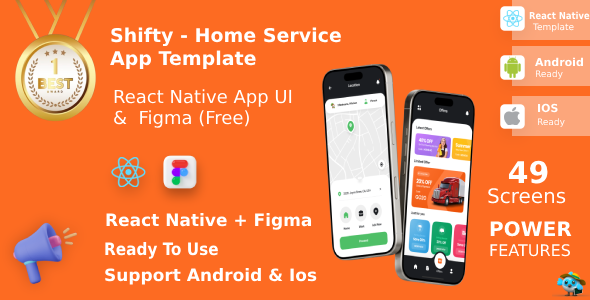
Shifty | Multi-Service Booking App UI Kit for React Shifty | Multi-Service Booking App UI Kit for React is a modern user...
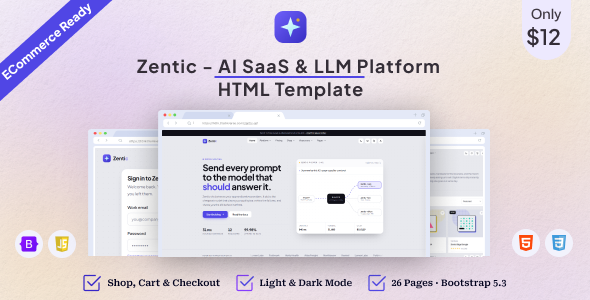
Zentic - AI SaaS & LLM Platform HTML Template Zentic - AI SaaS & LLM Platform HTML Template is a modern website...

AVAVA Home - Real Estate Marketplace HTML Template AVAVA Home - Real Estate Marketplace HTML Template is a modern website template designed...
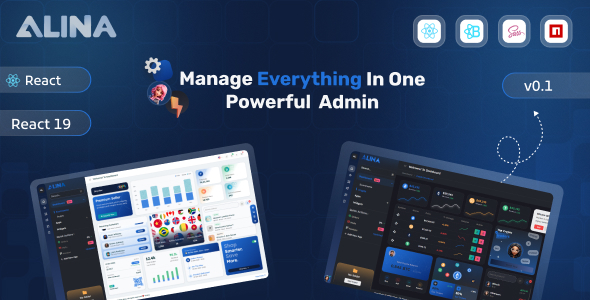
Alina React 19 + Typescript Admin Dashboard Template Alina React 19 + Typescript Admin Dashboard Template is a modern administrative dashboard template...
