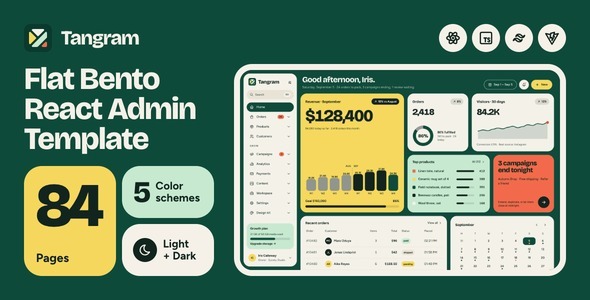
Tangram | React & Tailwind CSS Admin Dashboard Template is a modern dashboard UI template designed for developers, startups, businesses, and software teams building administrative interfaces and web application control panels. Combining the component-based development approach of React with the utility-first styling capabilities of Tailwind CSS, Tangram provides a foundation for creating responsive, maintainable, and visually consistent dashboard interfaces.
Administrative dashboards are essential for managing application data, monitoring business performance, organizing user accounts, and accessing important operational information from a centralized interface. Whether you are developing a SaaS platform, an internal business management system, a customer relationship management application, or an analytics dashboard, a well-structured admin interface can improve usability and simplify everyday workflows.
Tangram is intended for projects that need a professional dashboard design without requiring developers to build every interface element from scratch. Its React-based architecture can support the development of reusable UI components, while Tailwind CSS provides a flexible approach to styling layouts, navigation elements, forms, tables, and other interface components.
For frontend developers and development agencies, this template can serve as a starting point for building customized administration panels that align with specific product requirements and brand guidelines.
A good admin dashboard should make complex information easy to understand and important actions easy to access. Users may need to review statistics, manage records, navigate between application modules, and monitor business activity throughout the day.
Tangram is positioned as a dashboard interface solution for projects that require an organized administrative environment.
A typical admin dashboard may contain a navigation sidebar, a top header, summary cards, data tables, charts, notification areas, and account controls. These elements help users move between different sections while maintaining a consistent interface.
For example, a business management application may use dashboard cards to present total customers, active projects, pending tasks, and recent activity. An analytics platform might emphasize performance indicators and visual reports, while a SaaS application may focus on account activity, subscriptions, and usage metrics.
The actual components and layouts available in Tangram depend on the supplied template package. Developers should review its official documentation to identify the included pages, widgets, and interface elements.
React is a widely used JavaScript library for building interactive user interfaces. Its component-based approach allows developers to divide a complex interface into smaller, reusable building blocks.
Tangram’s React-oriented structure is relevant for developers creating modern web applications that require a flexible frontend architecture.
Instead of duplicating the same interface elements across multiple pages, developers can organize common elements into reusable components. Examples may include navigation menus, page headers, buttons, form controls, information cards, and table layouts.
This approach can make an application easier to maintain as the number of pages and features grows.
For example, a customer management dashboard may reuse the same table component for customer records, invoices, support requests, and subscription information. Shared components can help maintain consistent spacing, typography, and interaction patterns throughout the application.
React also supports the development of interactive interfaces that respond to user input and application state.
However, a React dashboard template does not automatically provide a complete backend system. Authentication, database operations, business rules, and server-side processing generally require separate implementation or integration with an existing application backend.
Tailwind CSS uses utility classes to style components directly within markup and component templates. This approach allows developers to build custom interfaces by combining small, focused styling utilities.
In a dashboard project, Tailwind CSS can help manage layout spacing, typography, responsive behavior, borders, backgrounds, and other visual properties.
Tangram’s React and Tailwind CSS combination is intended to provide a flexible starting point for developers who prefer utility-first styling.
Common customization tasks may include adjusting dashboard card layouts, changing spacing between interface elements, defining consistent text sizes, and modifying the appearance of buttons or navigation menus.
For example, a financial dashboard may use a restrained visual hierarchy to emphasize important figures, while a creative SaaS platform may prefer a more expressive design.
Tailwind CSS can support these variations without requiring developers to create separate stylesheets for every small design adjustment.
Before installation, verify the exact Tailwind CSS version used by the template and follow its documented setup instructions. Configuration conventions can differ between major versions, and build-tool requirements should be checked before modifying the project.
Navigation is one of the most important elements of an administrative interface. Users should be able to move between application sections quickly and understand where they are within the system.
A dashboard template may provide a foundation for common navigation patterns, including sidebars, header menus, page titles, breadcrumbs, and account controls.
Tangram can be evaluated for projects that need a structured layout for accessing different application modules.
Depending on the available components, developers may adapt the navigation structure to support sections such as:
These sections are examples of common dashboard requirements rather than a guarantee that every module is included in Tangram.
A well-planned navigation hierarchy helps users find frequently used features while keeping less common administrative functions organized.
Developers should also consider responsive navigation for smaller screens, where a full desktop sidebar may need to collapse or transform into a mobile-friendly menu.
Administrative applications frequently need to display structured records. Data tables are useful for reviewing customer information, managing inventory, inspecting transactions, and monitoring application activity.
A suitable dashboard interface should make tabular information easy to scan and understand.
Tangram can serve as a starting point for implementing table-based interfaces using the components and layouts available in the template.
A typical administrative table may include column headings, record details, status indicators, action buttons, and pagination controls.
For example, a customer management application might display customer names, email addresses, account status, registration dates, and available administrative actions.
A project management dashboard could use a similar interface to show task names, assigned users, deadlines, and completion statuses.
Advanced features such as server-side pagination, sorting, filtering, bulk actions, and live data updates require appropriate implementation if they are not already included.
When building large administrative systems, developers should also consider accessibility, keyboard navigation, and the readability of tables on mobile devices.
Dashboards are frequently used to monitor key performance indicators and summarize large amounts of information.
Charts, graphs, and summary cards can help users identify trends, compare results, and understand the current state of a business or application.
Tangram may provide a suitable visual foundation for analytics interfaces, depending on its included components and supported integrations.
A business dashboard could present metrics such as total revenue, new registrations, active users, conversion rates, or pending transactions.
An operational dashboard might focus on completed tasks, service requests, inventory levels, or application performance indicators.
When adding charts, developers should select visualizations that match the data being presented. Line charts can help illustrate changes over time, bar charts can compare categories, and summary cards can emphasize individual metrics.
Chart libraries and data integrations may need to be installed separately if they are not included with the template.
A dashboard interface also needs a reliable data source. Real-time analytics, historical reports, and automatically updated statistics require appropriate backend endpoints or data-processing logic.
Forms are essential for managing records and configuring application settings.
Administrative users may need to create accounts, update customer details, add products, modify system preferences, or submit information to a backend service.
Tangram can provide a design starting point for form-based interfaces using the form controls and layouts included in its component collection.
Typical form elements may include text fields, email inputs, dropdown menus, checkboxes, radio buttons, text areas, and action buttons.
A well-designed form should provide clear labels, explain required fields, communicate validation errors, and confirm successful submissions.
For example, a user management form might collect a person’s name, email address, assigned role, and account status.
The visual interface alone does not guarantee secure validation or successful data processing. Developers must implement appropriate client-side and server-side validation, permissions, and data persistence.
For forms that handle sensitive information, access controls and secure communication should be treated as essential requirements.
Modern administrative applications are accessed through a variety of devices. Although many administrative tasks take place on desktop computers, users may also need to review records or monitor business activity from tablets and smartphones.
A responsive dashboard should adapt its layout to different screen widths without making important controls difficult to use.
Tailwind CSS provides responsive styling utilities that developers can use to define layout behavior at different breakpoints.
When customizing Tangram, developers should test navigation, data tables, dashboard cards, charts, and forms across a range of screen sizes.
Wide tables may require horizontal scrolling or alternative mobile layouts. Navigation sidebars may need to collapse, while multi-column card layouts may need to become single-column arrangements.
Buttons and form controls should remain easy to interact with on touchscreens.
The final responsive behavior depends on the template’s implementation and any customizations made during development, so testing is necessary before deployment.
One of the main advantages of a React dashboard template is the ability to adapt the interface to different application requirements.
Tangram can serve as a starting point for a range of business and software projects, subject to the capabilities of its included components.
For example, a SaaS platform may need account management, usage metrics, and subscription information. A CRM system may prioritize customer records, sales pipelines, and communication history. An inventory management application may focus on product tables, stock levels, and transaction records.
Developers can customize supported layouts, interface labels, colors, typography, and component arrangements to suit the intended application.
Tailwind CSS can help maintain consistent styling across the interface, while React components can support reusable application elements.
The underlying business logic must still be implemented separately. A dashboard designed for a CRM does not automatically include a working sales pipeline, database, email integration, or customer management backend.
Reviewing the template’s source structure and documentation before development can help identify which parts can be reused and which require additional work.
An administrative dashboard becomes useful when it can display and manage real application data.
React applications can communicate with backend services through APIs, allowing the frontend to retrieve records, submit changes, and respond to server-side results.
Tangram may serve as the presentation layer for applications that connect to REST APIs or other compatible backend services.
Possible integrations include:
These integrations require appropriate development and configuration. They should not be assumed to be included merely because the template uses React.
Developers should plan how authentication tokens are stored, how API errors are handled, and how loading states are communicated to users.
For applications that manage sensitive business information, backend authorization must enforce access rules rather than relying only on frontend visibility controls.
Many admin dashboards are designed for applications where different users have different levels of access.
For example, an administrator may manage application settings, a manager may review reports, and a standard user may only access specific records.
Tangram can provide the interface foundation for authentication-related pages or account controls if the relevant components are included in the package.
However, authentication and role-based access control usually require integration with a backend or identity provider.
A secure implementation should validate user identity, enforce permissions on the server, protect sensitive API endpoints, and handle expired sessions appropriately.
Developers should also follow secure coding practices, including input validation, safe error handling, dependency maintenance, and protection against common web application vulnerabilities.
Do not assume that a dashboard template includes a secure login system simply because it is intended for administrative applications. Verify its actual capabilities and implement the necessary security architecture.
Performance and maintainability are important considerations for dashboards that contain numerous pages, components, and data-driven interfaces.
React supports component reuse, while Tailwind CSS provides a consistent approach to styling. Together, these technologies can help developers organize the frontend when used with a well-planned project structure.
Developers should still review the template’s dependencies, build configuration, component organization, and asset usage.
Potential optimization practices include reducing unnecessary JavaScript, optimizing images, avoiding redundant component updates, and loading large sections only when required.
For dashboards that display substantial amounts of data, efficient pagination and data-fetching strategies can help maintain responsiveness.
Keeping dependencies updated and documenting custom components can also make future maintenance easier.
The actual performance of Tangram will depend on its implementation, the size of the application, the libraries used, and the backend services supplying its data.
Administrative dashboards are generally designed for authenticated users rather than public search traffic. As a result, their main priorities differ from those of content-focused websites.
For most private dashboard applications, developers should prioritize usability, accessibility, performance, security, and reliable data handling over public-facing SEO.
If a project also includes publicly accessible pages, those pages may need separate metadata, semantic HTML, accessible navigation, and an appropriate rendering strategy.
Developers should determine which sections need to be publicly indexed and which should remain private.
Sensitive administrative pages and authenticated application data should not be exposed through public routes or search engine indexing.
The appropriate approach depends on the application’s architecture, hosting environment, and intended audience.
Tangram is intended for developers and teams that need a React and Tailwind CSS foundation for building administrative interfaces.
Potential use cases include:
The suitability of Tangram depends on the included components, the developer’s preferred workflow, and the requirements of the application being built.
Tangram | React & Tailwind CSS Admin Dashboard Template is a frontend design solution for developers building modern administrative interfaces and web application dashboards.
Its combination of React and Tailwind CSS provides a foundation for creating reusable interface components, organizing application layouts, and customizing the visual presentation of business software.
The template may be useful for projects involving SaaS administration, customer management, analytics, inventory tracking, project management, and other data-driven workflows.
However, a frontend dashboard template should not be confused with a complete business application. Authentication, database integration, role-based permissions, API connectivity, and other backend features may require additional development or external services.
Before using Tangram in a production project, review the official documentation for its included pages, component library, React version, Tailwind CSS version, build tooling, dependencies, and licensing conditions.
With suitable customization and a secure backend implementation, Tangram can provide a starting point for developing a professional, responsive administrative interface.
Important Note: Tangram is a frontend dashboard template, not necessarily a complete application or backend management system. Verify the actual included pages, components, React and Tailwind CSS versions, dependencies, authentication features, build requirements, and licensing terms in the official product documentation before purchase or implementation.
1. All digital products are the most recent version, with no possibility of free updates. After payment, you can request an update to the most recent version for 5 days if a new version is released. We free support within 5 days.
2. If a license is required (Excludes WHMCS license , we provide only method not license), please contact us via email or ticket for assistance with activation. Our license is only valid for activation and does not include support.
3. We provide Mobile, PHP script installation services for $19.90 / ₹1700. Please create a backup after installation as we do not support re-installation. For mobile app source code, we do not offer installation services.
4. If you have any questions, please contact us by email [email protected] or create a ticket on this page
5. Please note that any digital products presented on the website do not contain malicious code, viruses or advertising. You will receive the original files from the developers. We do not sell any products that have been downloaded from other websites.
6. The response time can last up to 6 hours.
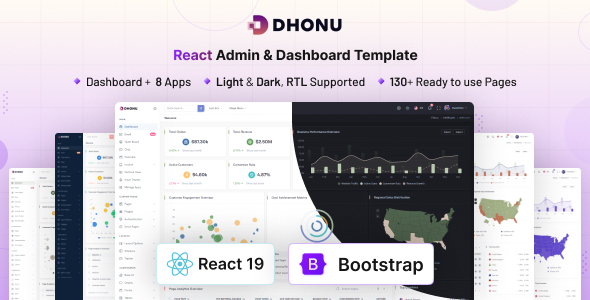
Dhonu - React Admin & Dashboard Template Dhonu - React Admin & Dashboard Template is a modern web interface template designed for...
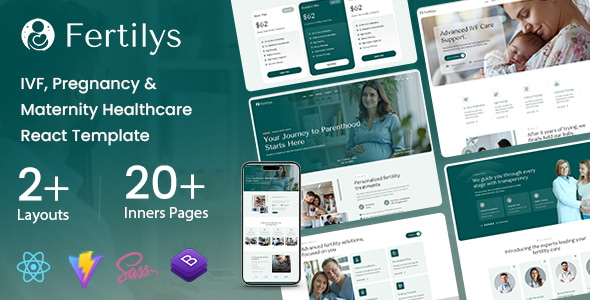
Fertilys – IVF, Pregnancy React Template Fertilys – IVF, Pregnancy React Template is a modern and professionally designed website template created for...

Ornato - NextJS Elegant Jewelry Store Landing Page Template Ornato is a luxurious and professionally crafted NextJS landing page template designed specifically...
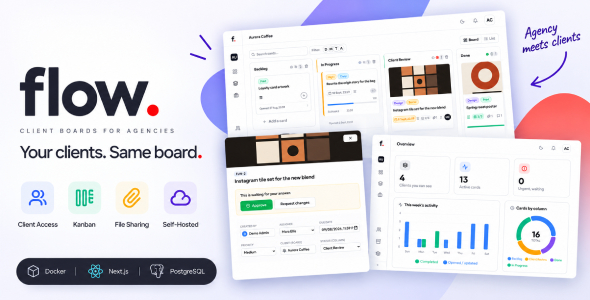
Flow | Client Portal and Kanban Project Management for Agencies Flow | Client Portal and Kanban Project Management for Agencies is a...
