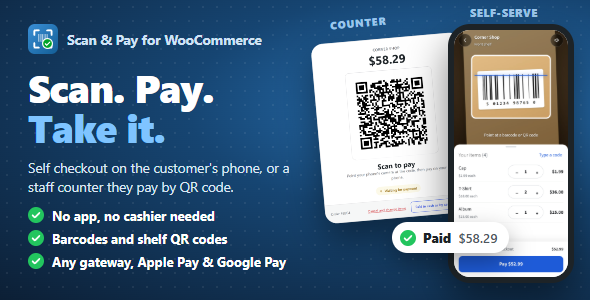
Scan & Pay for WooCommerce – Self Checkout with QR Codes & Barcodes is an eCommerce solution designed to simplify the shopping and checkout experience by allowing customers to scan QR codes or product barcodes and move through a self-checkout workflow. Built for WooCommerce-powered WordPress stores, this plugin is intended to help retailers connect physical product displays with digital shopping and payment processes. It is particularly relevant for retail shops, supermarkets, convenience stores, showrooms, boutiques, and hybrid businesses that want to offer customers a more convenient way to identify products, add items to their shopping list, and complete purchases.
Traditional checkout processes often require customers to wait in queues, manually search for products, or depend on staff assistance to identify items. A scan-and-pay workflow offers an alternative by using QR codes and barcodes to connect physical products with their corresponding online store listings. Customers can scan a code using a compatible device, review product information, and proceed through a WooCommerce checkout experience, depending on the plugin’s implementation.
Self-checkout is becoming an important feature for modern retail businesses. It allows customers to complete selected shopping activities independently instead of relying entirely on traditional cashier-assisted processes.
Scan & Pay for WooCommerce focuses on bringing this concept into a WordPress and WooCommerce environment. By using QR codes and barcodes, retailers can provide customers with a convenient way to identify products and access their online store checkout workflow.
A customized implementation can support a shopping journey in which customers scan products, review selected items, and proceed to payment through a compatible WooCommerce checkout process.
This approach can be useful for businesses looking to modernize their retail experience while continuing to use their existing WooCommerce product catalog.
QR codes provide a convenient way to connect physical products with digital information. Retailers can display QR codes on product packaging, shelf labels, display stands, or promotional materials.
Customers can scan these codes using a compatible smartphone camera or scanning interface to access the associated product information.
Potential QR code use cases include:
The exact scanning process and available customer actions depend on the plugin’s supported QR code workflow.
Barcodes are widely used in retail environments to identify products quickly and consistently. Integrating barcode-based product identification with WooCommerce can help connect existing retail inventory information to an online shopping experience.
Scan & Pay for WooCommerce focuses on QR code and barcode scanning, making it relevant to stores that already use product identifiers in their daily operations.
A compatible barcode workflow can help customers or store employees identify products without manually searching through a large catalog.
Potential barcode applications include:
Barcode compatibility depends on the supported barcode formats, scanning hardware, and plugin implementation.
WooCommerce provides the foundation for managing products, prices, variations, inventory, customer orders, and checkout processes within WordPress.
A scan-and-pay extension can connect product identification workflows with this existing eCommerce environment.
Instead of creating an entirely separate product catalog, a compatible implementation can use WooCommerce product information to support scanning and purchasing activities.
Potential integration areas include:
The exact data fields and synchronization behavior depend on the plugin’s supported WooCommerce integration.
After identifying products through scanning, customers need a convenient way to review their selected items before making payment.
A self-checkout workflow can be designed to display a shopping cart containing the products customers intend to purchase.
Potential cart-related functionality includes:
These features can help customers understand their purchases and verify the order before completing payment. Actual cart behavior depends on the plugin’s implementation and WooCommerce configuration.
Checkout is a critical stage of the customer shopping journey. A complicated checkout process can create unnecessary friction and discourage customers from completing their purchases.
Scan & Pay for WooCommerce is designed around a self-checkout concept that can help simplify the transition from product identification to payment.
A customized workflow may include product scanning, cart review, customer information, shipping or pickup selection, and payment processing through supported WooCommerce checkout methods.
The plugin can work alongside compatible payment gateway extensions, subject to the supported checkout architecture.
One of the most useful applications of QR-based shopping is connecting physical retail environments with digital purchasing experiences.
Retailers can place QR codes beside products or on display materials so customers can access product information directly from their smartphones.
This can be useful in different retail environments:
Supermarkets: Customers can scan selected products and build a digital shopping order.
Clothing Stores: QR codes can connect customers with product information, sizes, colors, and available variations.
Electronics Showrooms: Customers can scan displayed devices to review specifications and prices.
Furniture Stores: Product codes can connect showroom displays with detailed product pages.
Convenience Stores: QR-based product identification can support faster digital shopping workflows.
Boutiques: Store owners can offer customers a more interactive product discovery experience.
These use cases may require additional configuration and operational procedures depending on how the plugin handles product scanning and checkout.
Product SKUs and barcodes help retailers maintain consistent product identification across different sales channels.
WooCommerce stores can use product identifiers to organize inventory and distinguish between products or variations.
A compatible scanning workflow can use these identifiers to locate the corresponding product in the store catalog.
This can be particularly useful for businesses with large product inventories, where manually searching for individual items can become time-consuming.
Retailers should ensure that barcode values and WooCommerce product identifiers are configured consistently to reduce product matching errors.
A self-checkout experience becomes more useful when customers can complete payments through convenient payment methods.
WooCommerce supports a wide range of payment gateway extensions, allowing store owners to configure payment options according to their business requirements.
Depending on the plugin’s checkout compatibility, Scan & Pay for WooCommerce can be used as part of a payment workflow involving supported WooCommerce gateways.
Potential payment options may include:
Payment availability depends on the installed gateway, merchant account configuration, supported checkout flow, and regional payment requirements. The scanning plugin itself should not be assumed to provide independent payment processing.
Accurate product information is important for any scan-and-pay system. When a customer scans a product, the application needs to identify the correct listing and display relevant details.
WooCommerce provides product management capabilities that can support this process.
Retailers can organize their product catalog using categories, attributes, SKUs, prices, variations, and inventory settings.
A properly configured catalog can help maintain consistency between physical product labels and digital store records.
Potential inventory-related workflows include:
Real-time stock updates and advanced inventory synchronization depend on the plugin’s implementation and any additional inventory extensions.
Introducing self-checkout capabilities can help businesses explore alternative ways to serve customers and organize retail operations.
Potential business advantages include:
The actual impact on checkout time and operational efficiency depends on store size, customer adoption, hardware availability, and implementation quality.
Different retail businesses have different operational requirements. A supermarket may need a high-volume scanning workflow, while a boutique may prefer a simple product discovery and payment experience.
WordPress and WooCommerce provide opportunities to customize the store environment according to these needs.
Possible extensions include:
Developers should review the plugin’s available settings, hooks, and integration documentation before implementing additional functionality.
Supermarkets and Grocery Stores: Explore QR and barcode-based product identification for convenient shopping.
Retail Shops: Connect physical products with WooCommerce listings and digital checkout workflows.
Electronics Stores: Allow customers to access product specifications and pricing through scannable codes.
Fashion and Apparel Stores: Create digital product discovery experiences for clothing and accessories.
Showrooms: Provide customers with convenient access to product information without requiring staff assistance for every inquiry.
WooCommerce Developers: Extend existing WordPress stores with scanning-based shopping and self-checkout workflows.
Hybrid Retail Businesses: Connect physical product displays with an existing online store and payment infrastructure.
Scan & Pay for WooCommerce focuses on connecting QR codes, barcodes, and WooCommerce shopping workflows. It is relevant to retailers who want to explore self-service purchasing and provide customers with a more interactive way to identify products.
Key highlights include:
Scan & Pay for WooCommerce – Self Checkout with QR Codes & Barcodes is a practical solution for retailers and WooCommerce store owners interested in modernizing the shopping and checkout experience. By connecting physical products with digital product information through QR codes and barcodes, it provides a foundation for creating convenient self-service shopping workflows.
Whether you operate a supermarket, retail shop, electronics showroom, fashion store, or hybrid eCommerce business, a scan-and-pay approach can help bridge the gap between physical shopping and online purchasing. With the appropriate WooCommerce configuration, compatible payment gateways, and scanning setup, businesses can develop a more flexible retail experience. Review the official plugin documentation, supported scanning methods, checkout compatibility, and WooCommerce requirements to confirm the exact features before installation.
1. All digital products are the most recent version, with no possibility of free updates. After payment, you can request an update to the most recent version for 5 days if a new version is released. We free support within 5 days.
2. If a license is required (Excludes WHMCS license , we provide only method not license), please contact us via email or ticket for assistance with activation. Our license is only valid for activation and does not include support.
3. We provide Mobile, PHP script installation services for $19.90 / ₹1700. Please create a backup after installation as we do not support re-installation. For mobile app source code, we do not offer installation services.
4. If you have any questions, please contact us by email [email protected] or create a ticket on this page
5. Please note that any digital products presented on the website do not contain malicious code, viruses or advertising. You will receive the original files from the developers. We do not sell any products that have been downloaded from other websites.
6. The response time can last up to 6 hours.
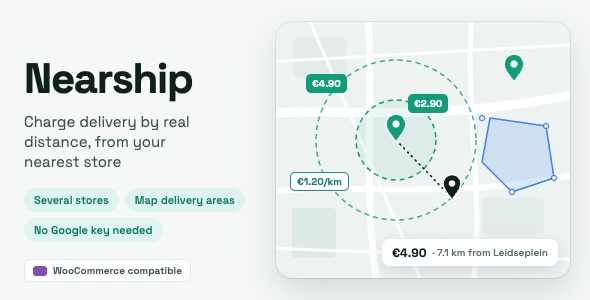
Nearship | Distance-Based Shipping & Local Delivery for WooCommerce Nearship is a powerful WooCommerce shipping and delivery plugin designed to calculate shipping...

RentCam - Camera Rental Elementor Pro Template Kit RentCam - Camera Rental Elementor Pro Template Kit is a modern and professional website...
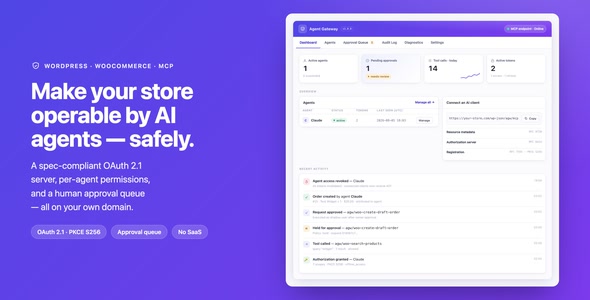
Agent Gateway: AI Agents for WooCommerce & WordPress (MCP + OAuth 2.1) Agent Gateway is an advanced AI integration plugin designed for...
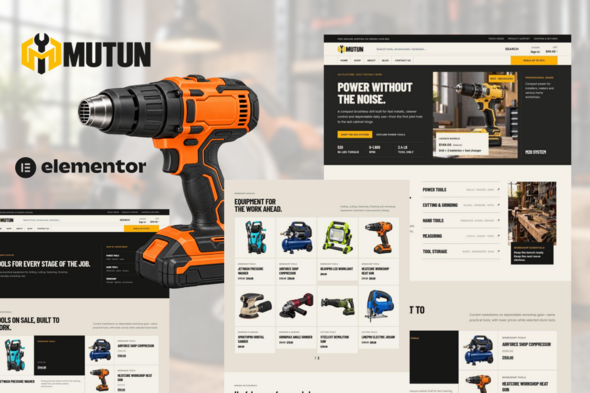
Mutun — Power Tools & Hardware Store Elementor Pro Template Kit Mutun — Power Tools & Hardware Store Elementor Pro Template Kit...
