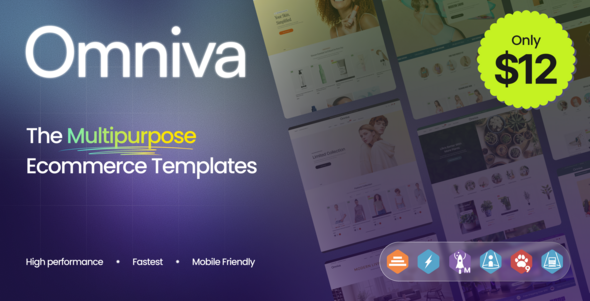
Omniva – Multipurpose eCommerce HTML, Bootstrap is a versatile website template designed for businesses that want to build a modern, professional, and visually appealing online shopping experience. Built around HTML and the Bootstrap framework, Omniva provides a customizable front-end foundation for presenting product catalogs, highlighting special offers, organizing shopping categories, and creating an engaging storefront for customers across different devices. Its multipurpose approach makes it suitable for a wide range of retail businesses, including fashion boutiques, electronics stores, beauty and cosmetics brands, furniture retailers, lifestyle shops, accessory stores, and general merchandise businesses.
A successful eCommerce website needs more than attractive product images. It should help visitors discover products, navigate categories, understand product details, and find clear paths toward making a purchase. Omniva can help developers establish this visual foundation without creating every page layout from scratch. By customizing the included designs, product content, brand colors, typography, and visual assets, businesses can adapt the website to their specific products and target audience.
Whether you are launching a new online store, refreshing an existing retail website, or developing a storefront for a client, Omniva offers a starting point for building a structured and responsive shopping interface. As an HTML and Bootstrap template, it is particularly relevant to developers who want direct control over front-end code and flexibility when customizing the website.
An online store should make products easy to discover while maintaining a consistent and recognizable visual identity. Omniva can be customized to create a polished storefront that combines product presentation, category navigation, promotional content, and important shopping information.
Its multipurpose positioning makes it adaptable to different retail industries. A fashion retailer can emphasize seasonal collections and product photography, while an electronics business can focus on featured devices, specifications, and accessories. Beauty brands can highlight product ranges and promotional collections, and home decor businesses can showcase furniture, lighting, and interior accessories.
The final appearance depends on the layouts and components included in the template package. Developers can review the available pages and adapt suitable sections to match their store’s goals.
A consistent design system helps make the shopping experience more recognizable. Coordinated colors, readable typography, appropriate spacing, and clear visual hierarchy can guide visitors through the catalog without overwhelming them with unnecessary information.
Omniva uses HTML and Bootstrap as the foundation for its front-end structure and styling. HTML defines the content and page structure, while Bootstrap provides a framework of responsive layout utilities and interface styling conventions that can help accelerate website development.
Bootstrap’s grid system makes it easier to organize content into rows and columns, while its responsive utilities can help developers adjust the presentation for different screen sizes. Depending on the version and components included in the template, Bootstrap may also support common interface elements such as navigation menus, buttons, cards, and responsive content sections.
The HTML-based structure gives developers direct access to page markup, stylesheets, scripts, and assets. This makes it possible to customize existing layouts, replace demonstration content, adjust visual styles, and extend the website with additional pages.
Before development begins, verify the Bootstrap version and dependencies specified in the supplied files. Existing components and customization methods may vary between framework versions.
Product discovery is one of the most important parts of an eCommerce website. Customers should be able to identify product categories, browse collections, and locate items that match their needs.
Omniva can serve as a foundation for organizing products into a structured catalog. Depending on the available layouts, developers may adapt the storefront to present featured products, new arrivals, popular items, promotional collections, and category-specific listings.
Potential catalog sections include:
The actual availability of these sections should be confirmed against the included files. Additional sections can be developed using the existing HTML, Bootstrap, and JavaScript structure when necessary.
For larger stores, clear category labels and logical navigation can help customers move through the catalog more efficiently. Consistent product presentation also makes it easier to compare items.
Product cards provide customers with an initial overview of the items available in a store. Clear product images, descriptive titles, pricing information, and relevant actions can help visitors decide which products deserve a closer look.
Omniva can be customized to display product information in a consistent format. Depending on the supplied components, developers may be able to adapt image areas, product titles, price labels, promotional badges, and shopping-related buttons.
Detailed product pages can provide additional information, including longer descriptions, specifications, available sizes or colors, product imagery, materials, dimensions, and compatibility details.
High-quality product photography is particularly important because customers often rely on images when evaluating items online. Images should be appropriately sized, clearly presented, and representative of the actual products being sold.
If the template includes product cards or shopping buttons, verify whether they are connected to working application logic. A visual button does not automatically provide functional cart operations, product variations, inventory checks, or order processing.
Modern eCommerce websites must accommodate customers using smartphones, tablets, laptops, and desktop computers. Responsive design helps maintain usability when the screen size changes.
Bootstrap provides responsive grid and utility classes that developers can use to adapt the layout of product grids, navigation menus, banners, and content sections. Omniva can be customized to make its storefront easier to browse across different devices.
For example, a product listing that displays several columns on a desktop can be adjusted to show fewer columns on a tablet or smartphone. Navigation elements can be adapted for smaller screens, and product images can be resized to maintain suitable proportions.
Responsive behavior depends on the supplied implementation and any modifications made during development. Test the finished website across different viewport sizes, checking for overlapping content, cropped images, horizontal scrolling, and difficult-to-use buttons.
A distinctive brand identity helps an online store stand apart from competitors. Omniva’s front-end structure allows developers to customize its appearance to match a retailer’s brand guidelines, target audience, and product positioning.
Customization opportunities may include:
A consistent design system can simplify future updates. Establish brand colors, typography choices, image guidelines, and button styles before applying changes across multiple pages.
Developers should also verify that internal links, image paths, scripts, and interactive components continue to work after customization.
Promotional content helps retailers communicate special offers, new arrivals, seasonal collections, and featured products. A well-designed campaign section can draw attention to important products and guide visitors toward relevant catalog pages.
Omniva can be adapted to display promotional content using the available banner and content layouts. Depending on the included design, this may involve campaign graphics, featured product sections, highlighted categories, or sale announcements.
Fashion stores can promote seasonal collections, electronics retailers can highlight new devices, and home decor businesses can showcase curated room designs or limited-time offers.
For effective campaigns, use concise headlines, relevant images, accurate discount information, and clear calls to action. Promotional links should direct visitors to the appropriate products or categories.
If the template contains sliders or rotating banners, test their usability on mobile devices and make sure important content remains accessible.
Search engine optimization can help potential customers discover products through relevant searches. Omniva provides a front-end foundation that can be adapted to support a structured and search-friendly eCommerce website.
Important optimization practices include:
Product and category pages should use descriptive content that accurately reflects the inventory. For eligible stores, structured data for product details, pricing, availability, and reviews may also help search engines interpret page content when implemented correctly.
An HTML template does not guarantee higher rankings or automatically include every advanced SEO feature. Developers should review metadata, indexing behavior, structured data, and sitemap requirements before launch.
Website performance affects how quickly customers can browse products and interact with the storefront. A responsive and efficient interface can help reduce friction, especially for mobile shoppers.
When customizing Omniva, optimize images, remove unused assets where practical, minimize unnecessary scripts, and avoid loading oversized media files. Use suitable image formats and dimensions based on where the assets appear on the page.
Bootstrap can help organize responsive layouts, but actual performance depends on the implementation, external resources, hosting environment, and additional features. Measure the finished website with browser developer tools and appropriate performance testing services.
Accessibility should also be considered. Use semantic HTML, readable text sizes, sufficient color contrast, descriptive links, properly labeled forms, and visible keyboard focus indicators. Navigation and essential shopping information should remain accessible without depending exclusively on mouse interactions.
These improvements help create a more usable experience for a wider range of customers.
Omniva is an HTML and Bootstrap template, so its role is primarily to provide the front-end presentation of an online store. A complete commerce solution may require additional application logic and backend integration.
Depending on business requirements, the finished website may be extended with:
These capabilities should not be assumed to be included unless the product documentation explicitly confirms them. A production store needs a suitable commerce platform or backend to manage orders, inventory, customer records, and payments.
For payment processing, use a reputable provider and follow its security requirements. Sensitive customer and payment information should not be handled through unprotected front-end code.
Before choosing an integration, confirm its compatibility with the template and determine whether the project needs a custom backend or an established eCommerce platform.
Getting started with Omniva generally involves reviewing the downloaded files, identifying the main HTML pages and supporting assets, and preparing the template for customization.
A typical development workflow includes:
These are general steps for an HTML and Bootstrap project. Refer to the supplied documentation for the exact dependencies, setup instructions, and package-specific requirements.
Omniva is suitable for web developers, freelance designers, digital agencies, entrepreneurs, and retailers who need a customizable front-end foundation for an online shopping website.
Potential applications include fashion stores, electronics retailers, beauty and cosmetics shops, home decor businesses, lifestyle brands, accessory stores, and general merchandise retailers.
Developers can use the template to accelerate front-end work, while agencies can adapt the design to different client requirements, subject to the applicable license.
Businesses that need advanced inventory management, customer accounts, secure checkout, order fulfillment, and payment processing should evaluate the required backend or commerce platform separately.
Before purchasing or deploying Omniva, review the official product listing and live demo to confirm the included pages, Bootstrap version, supported browsers, available components, documentation, and licensing conditions.
Omniva – Multipurpose eCommerce HTML, Bootstrap provides a flexible starting point for building a professional online storefront for a variety of retail businesses. Its HTML foundation and Bootstrap-based approach allow developers to customize product layouts, shopping categories, promotional sections, branding, and responsive page structures.
With clear navigation, high-quality product imagery, accurate product information, and appropriate SEO and performance optimization, a customized Omniva website can help businesses present their catalogs professionally and improve the customer browsing experience.
For a fully operational online store, integrate the front-end template with the appropriate commerce platform or backend services needed for product management, cart functionality, checkout, payments, and order processing. Always verify the actual package features and documentation before implementation to ensure that Omniva matches your project requirements.
1. All digital products are the most recent version, with no possibility of free updates. After payment, you can request an update to the most recent version for 5 days if a new version is released. We free support within 5 days.
2. If a license is required (Excludes WHMCS license , we provide only method not license), please contact us via email or ticket for assistance with activation. Our license is only valid for activation and does not include support.
3. We provide Mobile, PHP script installation services for $19.90 / ₹1700. Please create a backup after installation as we do not support re-installation. For mobile app source code, we do not offer installation services.
4. If you have any questions, please contact us by email [email protected] or create a ticket on this page
5. Please note that any digital products presented on the website do not contain malicious code, viruses or advertising. You will receive the original files from the developers. We do not sell any products that have been downloaded from other websites.
6. The response time can last up to 6 hours.
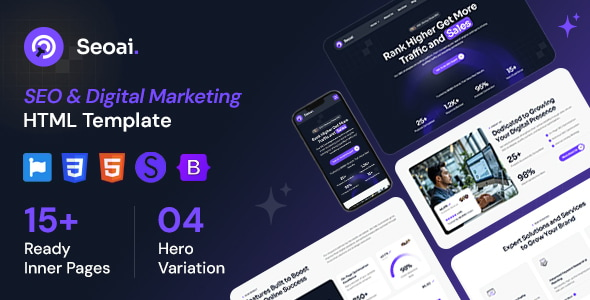
Seoai - SEO Agency & Digital Marketing HTML Template Seoai - SEO Agency & Digital Marketing HTML Template is a modern and...
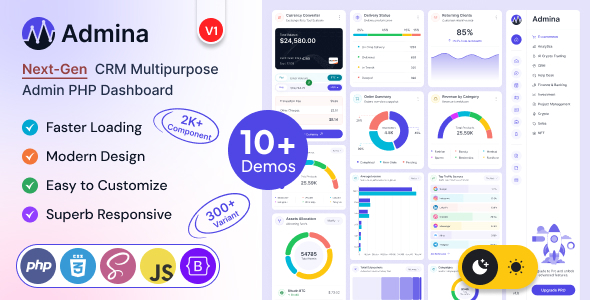
Admina – Php Admin Dashboard Template Multipurpose Admina – Php Admin Dashboard Template Multipurpose is a versatile administrative dashboard template designed for...
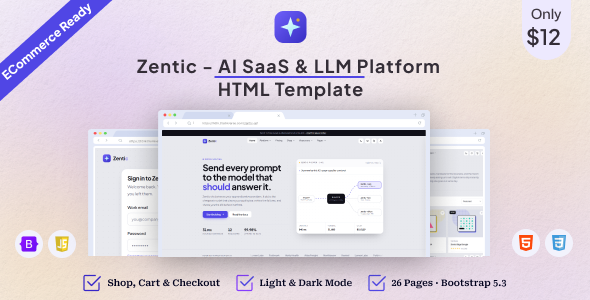
Zentic - AI SaaS & LLM Platform HTML Template Zentic - AI SaaS & LLM Platform HTML Template is a modern website...
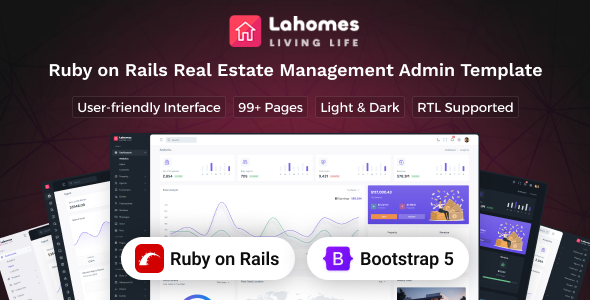
Lahomes - Ruby on Rails Real Estate Management Admin & Dashboard Template Lahomes - Ruby on Rails Real Estate Management Admin &...
