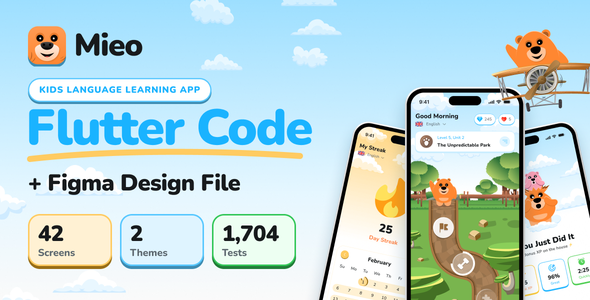
Mieo | Language Learning Flutter App UI Template for Kids is a modern and colorful Flutter mobile application UI template designed for developers, educational technology startups, teachers, and businesses looking to create an engaging language learning experience for children. With a child-friendly design approach and an educational application concept, Mieo provides a visual foundation for building a mobile learning platform focused on vocabulary development, language practice, and interactive educational activities.
Designed for young learners, this UI template can help developers create an inviting digital environment where children can explore lessons, discover new words, and participate in learning activities. Its Flutter-based structure also provides opportunities to develop a consistent application experience across Android and iOS platforms.
Whether you are planning to launch a children’s educational application, develop a language learning startup, or create a customized learning platform for schools and families, Mieo offers a starting point for your project.
Children’s educational applications benefit from interfaces that are simple, visually appealing, and easy to understand. A well-organized design can help young users navigate learning sections without unnecessary complexity.
Mieo focuses on a child-oriented visual experience that can be customized for different age groups and educational requirements.
The template provides a foundation for presenting educational information through organized screens, colorful visual elements, and accessible navigation.
Developers can adapt the interface to create a learning environment that feels friendly and encourages children to explore different lessons and activities.
Mieo is designed around Flutter, Google’s cross-platform application development framework. Flutter allows developers to create mobile applications for Android and iOS using a shared codebase.
This makes the template useful for developers who want to build a consistent mobile learning experience while maintaining a common development structure.
As a UI template, Mieo provides the visual components and interface foundation for a language learning application. Developers can customize the screens, connect backend services, and implement the required educational functionality.
The actual Flutter SDK requirements, dependencies, and supported platform configurations should be checked in the supplied product documentation.
Introducing a new language at an early age can be supported through simple vocabulary exercises, visual learning materials, and regular practice.
Mieo can be customized to present educational content in an organized format that makes language learning more approachable for children.
Potential learning topics include:
These topics can be organized into lessons and learning categories according to the educational structure of the final application.
Interactive activities can make language learning more engaging by encouraging children to participate rather than simply read educational content.
Mieo offers a UI foundation that can be extended with different activity formats according to the application’s learning objectives.
Possible interactive learning experiences include:
These features require the appropriate application logic and educational content unless they are already implemented in the supplied source code.
A visually engaging interface can help make educational applications more appealing to young users.
Mieo provides a design foundation that can be adapted with colorful elements, illustrations, icons, and clearly organized learning sections.
Developers can customize the visual presentation through:
A consistent visual design can help children recognize different sections and navigate the application more comfortably.
Flashcards are a popular educational format for introducing new words and reinforcing vocabulary.
A customized Mieo application can use flashcard-style layouts to present words alongside images, explanations, and pronunciation information.
For example, an animal vocabulary lesson could display an animal illustration, its name, and an audio pronunciation option.
Similar learning cards can be created for colors, numbers, food items, household objects, and other everyday vocabulary.
The template can provide the visual foundation for these learning experiences, while developers implement the required content, navigation, and interaction logic.
Listening activities can help children become familiar with the sounds and pronunciation of new words.
A complete language learning application can include audio features that allow children to listen to vocabulary and practice speaking.
Depending on the selected implementation, Mieo can be extended with:
Audio playback and recording require suitable Flutter packages and application logic. Speech recognition and automated pronunciation evaluation may require additional third-party APIs or services.
Gamification can make educational applications more engaging by introducing goals, challenges, and achievement-based experiences.
Developers can extend Mieo with reward mechanisms that encourage children to complete lessons and continue practicing.
Potential gamification features include:
These features can help create a more interactive learning environment, although their availability depends on the original implementation and additional customization.
Parents and educators may want to monitor a child’s learning activity and understand how lessons are progressing.
A customized application can include progress tracking to record completed lessons, quiz results, and learning achievements.
Possible progress-related features include:
Progress tracking generally requires application logic and data storage. Cloud synchronization and parent dashboards may require additional backend development.
Mieo can be customized to support different language learning programs depending on the target audience and educational content.
Potential learning options include:
Developers can organize learning content according to language, difficulty, topic, and educational level.
A multilingual application may also require localization, translated content, language-specific fonts, and appropriate audio resources.
Mieo can be used as a starting point for several educational application projects.
EdTech Startups: Develop a branded language learning application for children.
Schools and Educational Institutions: Create supplementary mobile learning experiences for students.
Language Learning Businesses: Build an application for teaching basic vocabulary and language skills.
Teachers and Tutors: Organize digital lessons and interactive learning materials.
Family Learning Platforms: Develop educational tools for children to use at home.
Mobile App Developers: Customize the Flutter UI template for educational projects and client applications.
Businesses and educational organizations often require an application that reflects their own brand identity and teaching approach.
Mieo provides a customizable UI foundation that developers can adapt according to their requirements.
Possible customization areas include:
Developers can also introduce custom educational content, additional learning sections, and new activity formats.
A children’s language learning application can support different commercial models depending on its features and target audience.
Freemium Learning: Offer basic lessons for free and provide additional educational content through premium access.
Subscription Plans: Introduce monthly or annual subscriptions for structured language learning programs.
Premium Lesson Packages: Offer additional vocabulary collections, language courses, and learning modules.
Educational Partnerships: Develop customized learning solutions for schools, tutors, and educational organizations.
Institutional Licensing: Provide access to educational institutions through suitable licensing arrangements.
Payment processing, subscription management, premium access restrictions, and user entitlement systems require additional implementation unless included in the original project.
For applications targeting children, advertising, payments, account creation, and data collection should be designed with applicable child privacy regulations and app store policies in mind.
Mieo is a UI template, not necessarily a complete ready-to-operate language learning platform. Developers should review the supplied source code to understand which screens and components are included and which features require additional implementation.
Potential integrations include:
Child-focused applications should also consider age-appropriate content, parental controls, secure data handling, and relevant privacy requirements.
A typical development workflow may include:
The final application functionality will depend on the supplied source code, integrations, and additional development.
Mieo provides a child-focused Flutter UI foundation for developers and businesses interested in creating modern language learning applications.
Key highlights include:
Mieo | Language Learning Flutter App UI Template for Kids is a mobile UI solution for developers, educators, and businesses looking to create an engaging language learning experience for children. With its Flutter-based structure and child-oriented design concept, it provides a foundation for developing an educational application focused on vocabulary, interactive lessons, and language practice.
Whether you are planning to launch a children’s language learning app, create a digital education product, or develop a customized EdTech platform, Mieo offers a starting point for designing your mobile learning experience.
Note: Please review the official product documentation before purchasing or deploying. Confirm the included Flutter source code, available UI screens, educational assets, Flutter SDK compatibility, and whether quizzes, audio playback, speech recognition, backend services, progress tracking, and other learning features require additional development or third-party integrations.
1. All digital products are the most recent version, with no possibility of free updates. After payment, you can request an update to the most recent version for 5 days if a new version is released. We free support within 5 days.
2. If a license is required (Excludes WHMCS license , we provide only method not license), please contact us via email or ticket for assistance with activation. Our license is only valid for activation and does not include support.
3. We provide Mobile, PHP script installation services for $19.90 / ₹1700. Please create a backup after installation as we do not support re-installation. For mobile app source code, we do not offer installation services.
4. If you have any questions, please contact us by email [email protected] or create a ticket on this page
5. Please note that any digital products presented on the website do not contain malicious code, viruses or advertising. You will receive the original files from the developers. We do not sell any products that have been downloaded from other websites.
6. The response time can last up to 6 hours.
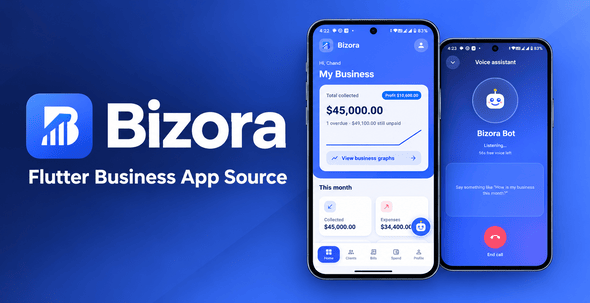
Bizora | Flutter Business App – Invoices, Inventory and Staff Bizora | Flutter Business App – Invoices, Inventory and Staff is a...
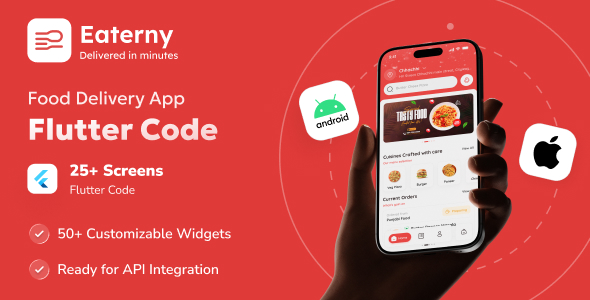
Eaterny | Food Delivery and Restaurant Flutter App UI Template Eaterny | Food Delivery and Restaurant Flutter App UI Template is a...
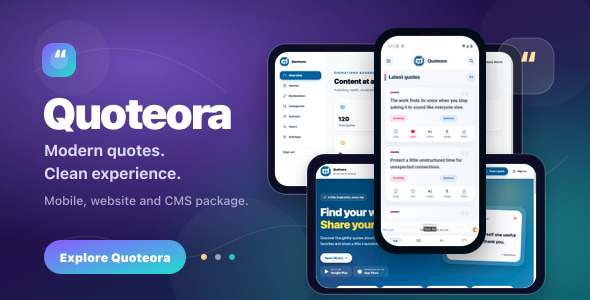
Quoteora | Flutter Quote App With Website and Admin CMS Quoteora | Flutter Quote App With Website and Admin CMS is a...

TallySeller | Third-Party eBay-Compatible Profit Tracker and Analytics SaaS | Laravel and Flutter TallySeller | Third-Party eBay-Compatible Profit Tracker and Analytics SaaS...
