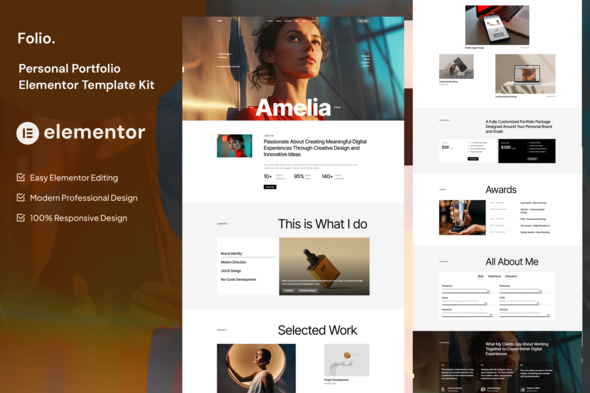
Folio – Personal Portfolio Elementor Template Kit is a modern website design solution created for freelancers, designers, developers, photographers, creative professionals, and individuals who want to showcase their skills and experience online. Designed for WordPress and Elementor, Folio provides a customizable foundation for building a professional portfolio website without having to create every page layout from scratch.
A personal portfolio website helps you present your expertise, highlight completed projects, introduce your professional background, and connect with potential clients or employers. Folio offers a starting point for organizing this information into a visually appealing and easy-to-navigate website. You can customize its layouts, colors, typography, images, and content to reflect your personal brand.
Whether you are a web developer building a professional portfolio, a graphic designer displaying creative projects, or a freelancer promoting your services, Folio can help you establish a strong online presence. Its Elementor-based workflow also makes it easier to customize website sections through a visual editing interface.
A professional portfolio should communicate your skills and personality while making your work easy to explore. Folio is designed for personal portfolio websites, making it a suitable starting point for individuals who want to present their professional identity in a polished format.
You can adapt the visual design to match your personal branding. Customize colors, typography, spacing, images, headings, and content sections to create a website that represents your style and professional goals.
For example, a UI/UX designer may focus on visual case studies, while a software developer may emphasize technical skills, completed applications, and development experience. A photographer might prioritize large images and creative projects.
A consistent design helps visitors understand your background and navigate your work more easily. Clear section headings and visible contact options can also encourage visitors to explore your services or discuss potential opportunities.
The exact layouts and design options depend on the included template kit. Review the official demo and documentation to confirm the available pages before purchase.
Folio is an Elementor Template Kit intended for use within the WordPress ecosystem. Elementor provides a visual page-building interface that allows users to customize page layouts and content through a drag-and-drop workflow.
This approach can make portfolio website creation more accessible to freelancers, designers, and business owners who prefer visual customization over extensive manual coding.
Depending on the included templates, you may be able to adapt page sections, headings, images, buttons, content blocks, and other design elements using the Elementor editor.
WordPress also provides a flexible foundation for managing website pages, publishing articles, and maintaining portfolio content.
However, an Elementor Template Kit is not necessarily a complete WordPress theme or a standalone website installation. It generally provides importable page designs and related templates that require a compatible WordPress setup. Check the kit’s documentation for its Elementor requirements, supported plugins, and any additional dependencies.
Folio can be adapted to a variety of personal branding and portfolio projects.
Web Developers: Showcase websites, applications, development projects, technical skills, and professional experience.
UI/UX Designers: Present interface designs, user experience projects, design processes, and case studies.
Graphic Designers: Display branding work, logos, illustrations, marketing graphics, and other creative projects.
Digital Marketing Professionals: Highlight SEO campaigns, advertising projects, marketing services, and verified performance results.
Photographers: Create a portfolio that emphasizes photography collections, creative projects, and professional services.
Freelancers and Consultants: Introduce your expertise, explain your services, and provide potential clients with a convenient way to get in touch.
Content Creators: Present published work, creative collaborations, professional achievements, and contact information.
Students and Job Seekers: Build an online portfolio that organizes academic projects, practical experience, skills, and professional interests.
These are potential applications rather than a guarantee that dedicated layouts for every profession are included. You can adapt the available templates to suit your specific needs.
A portfolio is often the most important part of a personal website. It gives visitors an opportunity to evaluate your work and understand your professional capabilities.
Folio can provide a starting point for displaying selected projects with images, titles, descriptions, and relevant details. You can organize your work into categories based on your skills, industries, or project types.
For example, a web developer might showcase business websites, e-commerce projects, and custom applications. A designer may present branding concepts, interface designs, and creative campaigns.
You can also add project descriptions that explain the challenge, your approach, and the final outcome. This helps visitors understand not only what you created but also the value of your contribution.
Where appropriate, include genuine project links, screenshots, and measurable results. Clear and accurate case studies can help demonstrate your experience and make your portfolio more informative.
Advanced portfolio filtering, dynamic project databases, and automatically generated project pages may require additional plugins or development if they are not included in the kit.
Your portfolio should explain who you are and what makes your work distinctive. An about section gives visitors a concise introduction to your professional background, interests, and areas of expertise.
You can customize the available content sections to include your biography, professional journey, qualifications, achievements, and working approach.
For example, a freelance developer may describe their experience with website development and application technologies. A creative professional may explain their design philosophy and the types of projects they enjoy working on.
A well-written introduction helps potential clients and employers understand your strengths. Keep the content relevant to your target audience and focus on the experience that best supports your professional goals.
If the template includes suitable profile layouts, you can also incorporate a professional photograph, introductory statement, and links to your social profiles.
A portfolio becomes more useful when visitors can quickly understand your capabilities. A skills and services section can help organize your professional expertise into clear categories.
Depending on the included layouts, Folio can be customized to present technical skills, creative specialties, professional services, and relevant experience.
For example, a web developer might list WordPress development, frontend development, website maintenance, and performance optimization. A digital marketing specialist may highlight search engine optimization, paid advertising, content strategy, and campaign reporting.
You can also describe your professional experience through roles, responsibilities, achievements, and completed projects.
If the template includes timeline or progress-style elements, verify that they fit your needs before using them. Present skills and experience accurately, and avoid unsupported claims about expertise or results.
One of the key benefits of using an Elementor Template Kit is the ability to customize supported page layouts through a visual editing workflow.
Instead of manually rewriting every section, you can use the Elementor editor to adjust text, replace images, modify spacing, and reorganize supported content elements.
This can be useful when updating your portfolio as your experience grows. For example, you can replace older projects with recent work, revise your service descriptions, and update your professional introduction.
You can also adapt the overall design to match your personal branding by changing the color palette, typography, buttons, and other supported styling options.
The exact editing capabilities depend on the supplied kit, your Elementor version, and any required add-ons. Some advanced design elements may depend on Elementor Pro or additional plugins, so confirm these requirements before installation.
Potential clients and employers may visit your portfolio from smartphones, tablets, laptops, and desktop computers. A responsive layout helps make your work accessible across different screen sizes.
During customization, review the appearance of project galleries, navigation menus, profile sections, text blocks, and contact buttons on mobile and desktop devices.
Ensure that images display correctly, text remains readable, and important information is easy to find on smaller screens.
A well-organized mobile experience is particularly valuable for creative portfolios because visitors should be able to explore your projects without unnecessary scrolling or difficult navigation.
Actual responsive behavior depends on the supplied layouts, Elementor settings, and any modifications made during customization. Test the finished website across common devices and browsers before publishing it.
A personal portfolio should make it easy for interested visitors to contact you. Clear contact information helps turn portfolio visits into potential job opportunities, collaborations, and freelance projects.
You can customize contact sections with your email address, telephone number, location, professional social profiles, and other relevant details.
If the template kit includes a contact form layout, you can adapt its fields to collect information such as a visitor’s name, email address, project type, and message.
For freelancers, a project inquiry form can help gather useful information before an initial discussion. For job seekers, clear contact details can help recruiters reach them more easily.
However, a visual contact form does not automatically deliver messages. Functional form submissions may require a compatible form plugin, email configuration, or an external service. Confirm that the form works correctly before launching the website.
Search engine optimization can help potential clients discover your portfolio when they search for relevant skills and services.
Folio provides a starting point for organizing professional content into clear pages and sections. During customization, use descriptive page titles, useful meta descriptions, meaningful image alternative text, logical headings, and relevant internal links.
For example, a WordPress developer could create content describing website development services, while a designer might publish individual project case studies.
You can also maintain a blog to share professional insights, tutorials, project experiences, or industry knowledge, provided that your website setup supports this functionality.
An Elementor Template Kit does not automatically guarantee search rankings or complete technical SEO. Results depend on content quality, website performance, competition, and the final WordPress configuration.
For production use, review metadata, indexing settings, image optimization, mobile usability, and any SEO plugin configuration.
A personal portfolio should evolve as your skills, experience, and projects change. WordPress and Elementor can provide a practical workflow for updating supported page content and layouts.
You can refresh your project gallery, add recent achievements, revise service descriptions, and update contact information as your professional goals develop.
Keeping your portfolio current helps visitors understand your latest capabilities and gives them a more accurate view of your work.
Before making major changes, maintain a backup of your website and verify that your WordPress installation, Elementor version, theme, and required plugins remain compatible.
The exact maintenance workflow depends on the WordPress configuration and the components included in the kit.
Folio is an option for professionals who want to build a personalized portfolio website using WordPress and Elementor.
Its intended focus on personal branding makes it relevant to developers, designers, freelancers, photographers, consultants, and other professionals who need to present their work online.
The visual editing workflow can help simplify common customization tasks, while the available layouts can provide a starting point for showcasing projects, explaining skills, and communicating professional experience.
For WordPress developers and web design agencies, Folio may also serve as a foundation for suitable portfolio projects for clients.
The final result depends on the included templates, the WordPress environment, the quality of customization, and any additional plugins required.
Before purchasing or installing Folio, review the official product listing and documentation to confirm:
A Template Kit generally provides importable design templates rather than a complete WordPress theme or fully configured website. You may need an existing WordPress installation, a compatible theme, Elementor, and other specified dependencies.
Folio – Personal Portfolio Elementor Template Kit is a practical option to consider when creating a professional online portfolio for showcasing skills, projects, experience, and services.
Its WordPress and Elementor foundation provides a customizable starting point for building a personal brand and presenting your work in an organized format. With relevant content, genuine project examples, and appropriate customization, you can create a portfolio that reflects your professional identity and helps potential clients or employers understand your capabilities.
Review the official demo and product documentation before purchase to ensure that the included layouts and plugin requirements match your project.
Product Type: Elementor Template Kit
Category: Personal Portfolio, Creative Portfolio, Freelancer Website, Professional Branding
Platform: WordPress and Elementor
Ideal For: Developers, Designers, Freelancers, Photographers, Consultants, Students, and Creative Professionals
Included Templates, Plugin Requirements, and License: Refer to the official product listing and package documentation for exact details.
1. All digital products are the most recent version, with no possibility of free updates. After payment, you can request an update to the most recent version for 5 days if a new version is released. We free support within 5 days.
2. If a license is required (Excludes WHMCS license , we provide only method not license), please contact us via email or ticket for assistance with activation. Our license is only valid for activation and does not include support.
3. We provide Mobile, PHP script installation services for $19.90 / ₹1700. Please create a backup after installation as we do not support re-installation. For mobile app source code, we do not offer installation services.
4. If you have any questions, please contact us by email [email protected] or create a ticket on this page
5. Please note that any digital products presented on the website do not contain malicious code, viruses or advertising. You will receive the original files from the developers. We do not sell any products that have been downloaded from other websites.
6. The response time can last up to 6 hours.
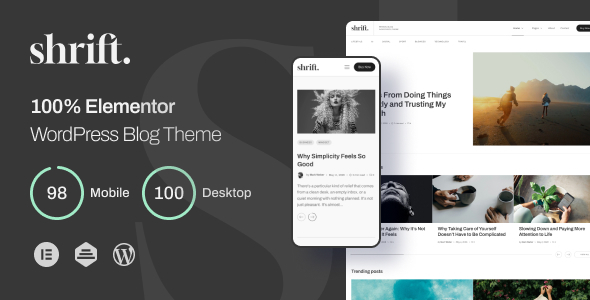
Shrift – 100% Elementor Blog WordPress Theme Shrift – 100% Elementor Blog WordPress Theme is a modern WordPress theme designed for bloggers,...
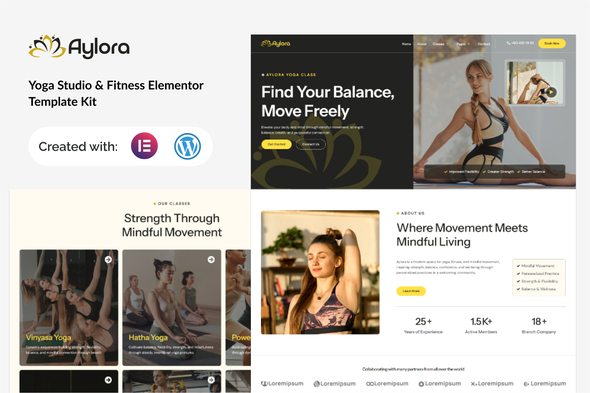
Aylora - Yoga Studio & Fitness Elementor Template Kit Aylora - Yoga Studio & Fitness Elementor Template Kit is a modern website...
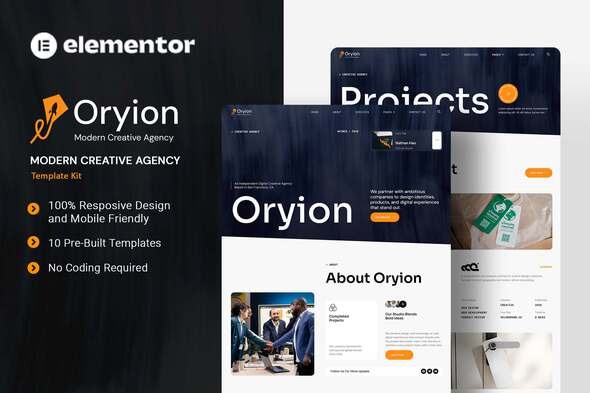
Oryion - Modern Creative Agency Elementor Template Kit Oryion - Modern Creative Agency Elementor Template Kit is a contemporary website design solution...
Luckex - Creative Portfolio HTML Template Luckex - Creative Portfolio HTML Template is a modern and visually engaging website template designed for...
