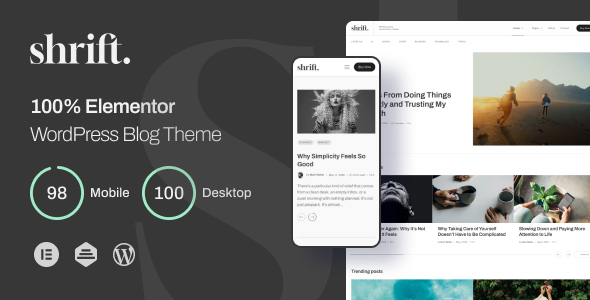
Shrift – 100% Elementor Blog WordPress Theme is a modern WordPress theme designed for bloggers, content creators, writers, publishers, and online magazines that want to build an attractive and professional website. With its Elementor-focused design approach, Shrift provides a foundation for creating engaging blog layouts and presenting articles in a clear, visually appealing format.
Whether you publish lifestyle stories, travel guides, fashion updates, technology articles, food recipes, personal experiences, or business insights, Shrift can help you establish your online presence. You can organize your content into categories, highlight featured articles, and create a consistent visual identity that reflects your publishing style.
The theme is intended for users who want to build and customize a blog through WordPress rather than develop every page from scratch. Its Elementor-oriented approach can make website design more accessible, depending on the widgets, templates, and customization options included in the product package.
A successful blog needs an attractive presentation and a clear content structure. Shrift offers a starting point for building a website where readers can discover articles, explore topics, and navigate between different sections.
You can use your homepage to introduce your publication, feature important posts, and direct visitors toward your latest content. Article cards, category sections, and organized content areas can help create a consistent browsing experience, depending on the layouts available in the theme.
Furthermore, a well-planned design helps readers focus on your writing. Use readable typography, appropriate spacing, high-quality images, and clear headings to make articles easier to explore. You can also customize the website’s visual style to match your brand, whether you prefer a minimalist editorial appearance or a more colorful magazine-inspired design.
Shrift can serve as a starting point for both personal blogs and professional content websites. Customize the available layouts to support your publishing goals and create a recognizable online identity.
Shrift is suitable for bloggers and publishers working across a wide range of topics. Its intended purpose makes it a potential option for projects that rely on regular article publishing and organized content presentation.
Potential use cases include:
The final layout and functionality depend on the theme’s included templates and supported features. Review the live demo to confirm whether its design fits your preferred blogging niche.
Elementor is a visual page builder for WordPress that allows users to create page layouts through a drag-and-drop editing interface. Shrift is positioned as a 100% Elementor blog theme, making Elementor compatibility a central part of its intended design approach.
With the supported Elementor setup, you can customize page layouts visually rather than relying entirely on custom code. Depending on the included templates and available widgets, you may be able to adjust content sections, headings, images, buttons, spacing, and other visual elements.
This approach can be useful for bloggers who want greater control over the appearance of their website. You can adapt page layouts to suit your content strategy and maintain a consistent visual style across the site.
However, Elementor compatibility does not automatically mean that every theme component is editable with the free version of Elementor. Some features may require Elementor Pro, additional plugins, or theme-specific widgets. Check the official product documentation to confirm the exact requirements before purchasing.
Content organization plays an important role in the reader experience. Shrift can provide a foundation for presenting blog posts in a structured format, depending on its included archive and article templates.
You can organize articles by category, allowing readers to explore the subjects that interest them. For example, a technology blog may separate tutorials, software reviews, industry news, and product comparisons. A lifestyle publication may organize content around fashion, travel, wellness, and home inspiration.
A carefully structured homepage can highlight recent articles and direct visitors toward important categories. You can also use featured images and descriptive article titles to help readers understand what each post covers before opening it.
In addition, a consistent layout makes your website easier to maintain as your content library grows. Establish a clear hierarchy for titles, summaries, metadata, and article content so readers can navigate your publication comfortably.
Verify the theme’s included blog, category archive, and post layouts before relying on specific display options.
The article page is one of the most important parts of a blog website. It is where visitors spend time reading your content, viewing images, and exploring related information.
Shrift can provide a design foundation for presenting individual blog posts in an organized and readable format. Depending on the included templates, you may be able to customize the article title, featured image, main content area, author information, publication details, and other supported elements.
For a better reading experience, use short paragraphs, descriptive subheadings, relevant images, and meaningful internal links. Break long articles into sections so readers can quickly identify the information they need.
You can also create consistent formatting guidelines for your blog. For example, use the same heading hierarchy, image style, and introductory paragraph format across related articles. This approach creates a more cohesive publication and helps simplify ongoing content production.
Features such as author biographies, related posts, social sharing buttons, and reading-time indicators should be confirmed in the product demo or documentation, as they may require additional configuration or plugins.
Readers may discover your articles through search engines, social media platforms, and direct links on smartphones, tablets, laptops, and desktop computers. A responsive website helps present content across these different screen sizes.
When setting up Shrift, review how the homepage, article cards, navigation menus, images, and single post pages appear on mobile devices. Text should remain readable, images should fit their containers, and navigation controls should be easy to use.
Elementor-based layouts can offer controls for adjusting selected design elements across different device sizes, depending on the available editing options. You can use these controls to improve spacing, typography, and section arrangements.
However, responsive behavior can vary with customizations, plugins, and content. Test your finished website on different screen sizes before launch. Optimize large images and avoid unnecessary visual elements that could make mobile pages difficult to browse.
WordPress provides a flexible content management system for creating and maintaining blogs. With Shrift, you can use the WordPress dashboard to publish articles, manage categories, add featured images, and organize your website’s content, subject to the theme’s compatibility and configuration.
You can create important pages such as About Us, Contact, Privacy Policy, Terms and Conditions, and Advertise With Us. These pages help visitors understand your publication and provide useful information about your website.
The built-in WordPress publishing workflow can also support a regular content schedule. You can draft articles, review them before publication, update existing posts, and organize content into relevant categories.
If multiple writers contribute to your blog, WordPress user roles can help manage publishing responsibilities. Configure permissions carefully so contributors have access only to the tools they need.
Before installation, verify the supported WordPress version, required plugins, and any theme-specific setup instructions.
Search engine optimization helps readers discover your articles through relevant search queries. Shrift provides a design foundation for a blog, while your content quality, technical configuration, and ongoing SEO work influence its visibility.
Start by publishing original, useful articles that address specific reader questions. Use descriptive titles, logical headings, relevant internal links, and concise meta descriptions. Organize related posts into categories so readers and search engines can better understand your site’s content structure.
Image optimization is also important. Compress images where appropriate and use descriptive alternative text for meaningful images. Keep URLs readable and avoid publishing multiple pages with substantially duplicated content.
You can use a compatible SEO plugin to manage metadata, XML sitemaps, canonical URLs, and other supported SEO settings. Verify that your theme works correctly with your chosen plugin.
For better results, focus on consistent publishing and helpful information rather than repeating keywords excessively. A WordPress theme cannot guarantee rankings or organic traffic, but a well-organized website can support a broader SEO strategy.
A blog should encourage readers to discover more content without making navigation complicated. Shrift can serve as a foundation for building an intuitive browsing experience that supports your editorial goals.
Use clear navigation labels and group related topics together. Highlight important categories and direct visitors toward useful articles. A well-structured menu can help readers move between your homepage, archive pages, and other key sections.
Depending on the theme’s available features and your WordPress configuration, you may also be able to add search functionality, social media links, newsletter signup forms, or related content sections through compatible plugins.
These integrations can help visitors find articles and stay connected with your publication. However, some features may require third-party services or additional configuration.
Before launch, test every important link and interactive element. Make sure contact forms work correctly, navigation menus are accessible, and any newsletter or social media integrations operate as expected.
A well-maintained blog offers a more reliable experience for readers. Website speed, security, and regular updates are important considerations when using any WordPress theme.
Optimize images, use suitable hosting, and remove plugins that you no longer need. Avoid adding unnecessary animations or large media files that could slow down article pages. You should also create regular backups and keep WordPress, your theme, and compatible plugins updated.
After installing Shrift, test the website’s loading performance and review any errors that appear in the browser or WordPress dashboard. Custom fonts, page-builder widgets, and third-party scripts can affect performance, so review the complete installation rather than relying only on the theme demo.
Use HTTPS and strong administrator passwords. Limit access to trusted contributors and review user permissions regularly. These practices help maintain a more dependable publishing environment.
Shrift is worth considering if you want to create a WordPress blog with an Elementor-focused design workflow. It may suit independent bloggers, content creators, writers, publishers, freelancers, and agencies building websites for clients.
It can also be considered for niche content websites covering travel, lifestyle, technology, food, fashion, entertainment, and other editorial topics. The most suitable use case depends on the layouts and features included in the actual product package.
If you prefer visual page editing, Elementor compatibility may be an important advantage. However, check whether the theme requires a paid page-builder version or additional plugins for specific templates and design features.
Before purchasing, review the live demo, product documentation, licensing terms, supported WordPress versions, and included files. Confirm whether demo content, premium extensions, and advanced blog features are included or require separate purchases.
Shrift – 100% Elementor Blog WordPress Theme offers a potential starting point for building a modern blog with WordPress and Elementor. Its intended focus on blogging and visual page customization makes it worth considering for creators who want to present articles in a structured and attractive format.
For the best results, combine the theme with original content, clear navigation, readable typography, optimized images, and a consistent publishing strategy. Verify its actual templates, Elementor requirements, and included features before purchase.
With thoughtful customization and regular maintenance, you can develop a blog website that reflects your brand, showcases your content, and provides readers with an engaging browsing experience.
1. All digital products are the most recent version, with no possibility of free updates. After payment, you can request an update to the most recent version for 5 days if a new version is released. We free support within 5 days.
2. If a license is required (Excludes WHMCS license , we provide only method not license), please contact us via email or ticket for assistance with activation. Our license is only valid for activation and does not include support.
3. We provide Mobile, PHP script installation services for $19.90 / ₹1700. Please create a backup after installation as we do not support re-installation. For mobile app source code, we do not offer installation services.
4. If you have any questions, please contact us by email [email protected] or create a ticket on this page
5. Please note that any digital products presented on the website do not contain malicious code, viruses or advertising. You will receive the original files from the developers. We do not sell any products that have been downloaded from other websites.
6. The response time can last up to 6 hours.
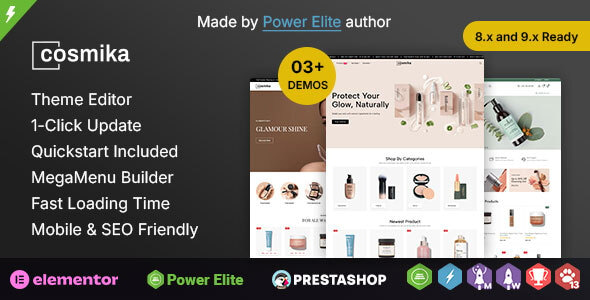
Cosmika - Cosmetics & SkinCare Elementor Prestashop Responsive Theme Cosmika is a beautifully designed and feature-rich PrestaShop theme created specifically for cosmetics...
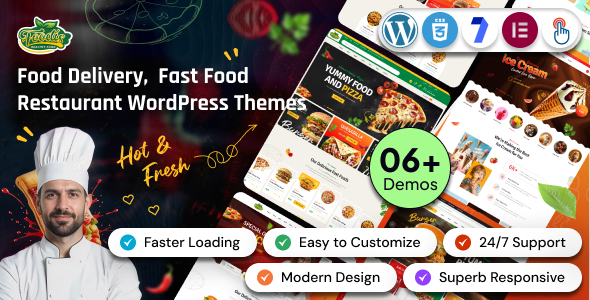
Foodis – Restaurant & Fast Food WordPress Theme Foodis – Restaurant & Fast Food WordPress Theme is a modern, stylish, and versatile...
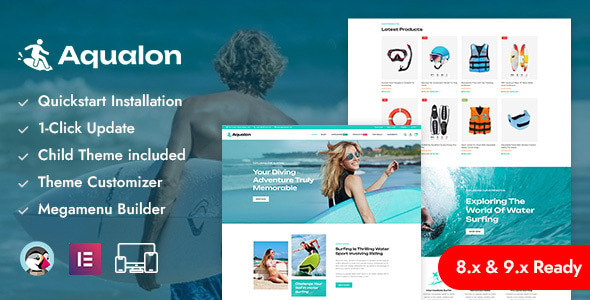
Aqualon – Surfing Board & Water Sports PrestaShop Responsive Theme Aqualon is a dynamic and visually stunning PrestaShop theme designed specifically for...
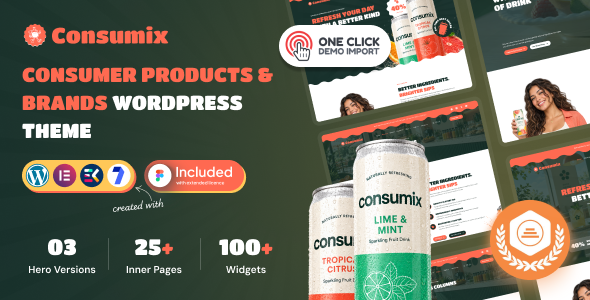
Consumix | Consumer Products & Brands WordPress Theme Consumix is a modern and professionally designed Consumer Products & Brands WordPress Theme created...
