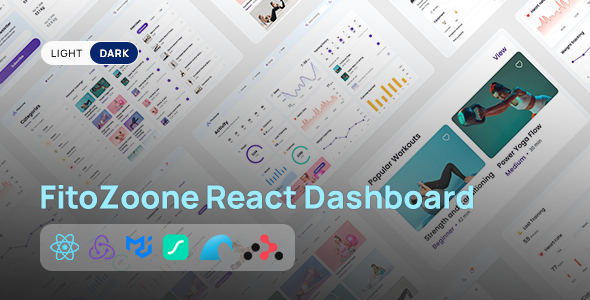
FitooZone React Fitness Dashboard UI is a modern and interactive user interface template designed for fitness tracking platforms, workout management applications, personal training dashboards, gym management systems, and health and wellness products. Built around the React development ecosystem, FitooZone provides a customizable starting point for creating visually engaging fitness dashboards that help users organize workout information, review activity statistics, monitor fitness goals, and explore training-related data through a structured interface.
As digital fitness platforms continue to evolve, users increasingly expect convenient dashboards that present their progress and activity information in a clear, organized, and accessible way. FitooZone offers a design foundation for building these experiences, combining a fitness-focused visual direction with reusable interface elements that can be adapted to different application requirements.
Whether you are developing a workout tracking application, a fitness coaching platform, a gym member portal, or a wellness analytics dashboard, FitooZone can help streamline the initial UI development process. Developers can customize the design, integrate suitable data sources, and extend the interface to support the needs of their projects.
A fitness dashboard should make important information easy to understand without overwhelming users with unnecessary complexity. FitooZone is intended to provide a clean, organized interface suitable for displaying workout summaries, fitness statistics, training information, and other wellness-related data.
A well-structured dashboard can help users understand their recent activity, review progress toward personal goals, and navigate between different sections of a fitness application. Visual elements such as summary cards, progress indicators, charts, and activity lists can be used to present information in an understandable format, depending on the components included in the template.
The design can be customized to match different product identities, from energetic workout applications to professional fitness coaching platforms. Developers can adapt colors, typography, spacing, icons, and layout elements to create a consistent visual experience.
By combining thoughtful interface design with useful functionality, FitooZone can serve as a starting point for building a fitness application that is both visually appealing and practical to use.
React is a widely used JavaScript library for building interactive user interfaces. A React-based UI template can help developers organize an application into reusable components, making it easier to maintain consistent design patterns across different screens.
FitooZone provides a foundation for developers who want to build a fitness dashboard using a component-oriented development approach. Depending on the supplied source code and project structure, developers may be able to customize individual interface sections, reuse common elements, and connect the UI to application logic.
This can be useful when developing dashboards with multiple views, such as a main overview, workout history, activity statistics, and user settings.
Developers can also extend the existing interface with suitable APIs, authentication systems, backend services, or database connections. These integrations depend on the requirements of the project and are not automatically provided by a UI template.
The exact React version, dependencies, build tooling, and setup requirements should be verified in the official product documentation.
A central dashboard provides users with an overview of their fitness-related information. FitooZone can serve as a starting point for organizing important data into clearly defined sections.
Depending on the interface components and integrations implemented, a fitness overview may include:
These elements can help users understand their activity patterns and identify areas where they may want to improve consistency.
For the dashboard to display meaningful information, developers must connect the relevant components to real application data or implement appropriate sample data for demonstration purposes. Any calorie estimates or fitness metrics should be clearly defined and interpreted appropriately.
Workout management is a core use case for many fitness applications. A structured interface can help users browse exercise routines, review training plans, and organize workout sessions.
FitooZone can be adapted to present workout-related information through lists, cards, detail panels, or other suitable interface components available in the supplied design.
A workout interface might display exercise names, training categories, session duration, difficulty levels, or planned workout schedules. A more advanced implementation could include workout history, completed-session records, and options to update training plans.
Developers can customize the layout for different training styles, including strength training, cardio, flexibility exercises, home workouts, and gym-based programs.
Features such as creating routines, saving workouts, recording repetitions, and tracking sets require appropriate application logic and data storage. The UI template should be treated as the presentation foundation rather than a complete fitness tracking system unless the product documentation explicitly states otherwise.
Visualizing activity data can make a fitness dashboard more informative. Instead of presenting every metric as plain text, developers can use charts, progress bars, and summary indicators to communicate trends and comparisons.
FitooZone can provide a starting point for incorporating fitness-related data visualizations where supported by the included components. Potential applications include weekly workout frequency, activity duration, progress toward goals, and changes in recorded performance over time.
For example, a dashboard might display a weekly activity chart that helps users compare training consistency across different days. A progress indicator could show the proportion of a selected goal that has been completed.
When developing these features, ensure that charts accurately reflect the underlying data and include understandable labels, units, and time periods. Additional chart libraries or custom components may be needed depending on the supplied package.
The quality of the final visualization depends on both the UI implementation and the accuracy of the data source.
Personal goals can help users structure their fitness routines and monitor progress over time. FitooZone can be customized to include goal-oriented interface elements, depending on the available layouts and components.
Potential goal categories include workout frequency, training duration, exercise completion, and other user-defined activity targets. A dashboard might display a goal summary, a progress indicator, or a historical comparison showing how activity has changed.
Developers can also adapt the interface to support different user profiles, such as beginners, experienced gym members, personal training clients, or users following a structured workout program.
For functional goal tracking, the application needs logic to define goals, store user activity, calculate progress, and update the interface. A backend or persistent storage solution may be required if information needs to remain available across sessions and devices.
These capabilities should be implemented according to the requirements of the fitness platform rather than assumed to be included in the design template.
Personalized dashboards often require a profile section where users can view or update their account information. FitooZone can serve as a starting point for designing profile-related screens and related navigation.
A fitness profile might contain a user’s name, profile image, preferred training activities, selected fitness goals, and other relevant preferences. Depending on the application, additional information may be stored for personalization purposes.
Developers can customize profile layouts to suit the intended audience and keep important settings easy to find.
Account registration, secure login, password recovery, role management, and profile persistence require separate authentication and application logic unless explicitly included in the original package.
Sensitive personal or health-related information should be collected only when necessary and handled using appropriate security and privacy practices.
FitooZone is not limited to individual fitness tracking. Its dashboard-oriented design can also be adapted for other fitness-related products.
Potential applications include:
Each application may require additional modules for scheduling, payments, memberships, coach-client communication, or content delivery. The template can provide the front-end foundation for these features, but their availability depends on the implementation.
Modern fitness applications should be usable across different screen sizes. Users may review their workout information on desktop computers, tablets, or smartphones, depending on the application.
FitooZone can serve as a starting point for a responsive dashboard experience. Developers should review how the navigation, cards, charts, tables, and other interface elements behave at different viewport widths.
On smaller screens, it may be useful to simplify complex layouts, stack dashboard cards vertically, adjust chart dimensions, and make navigation controls easier to access.
Responsive design should also consider readability, touch target sizes, visual hierarchy, and accessibility. Important statistics should remain understandable without requiring users to zoom in or scroll through unnecessarily wide content.
The final responsive behavior depends on the supplied styles, components, and any modifications made during development.
A fitness product’s interface should reflect its target audience and overall brand identity. FitooZone can be customized to create a distinctive experience for different fitness businesses and software products.
Developers can adapt the color palette, typography, icons, spacing, component styles, and other supported visual elements. An energetic workout platform might use bold visual accents, while a premium coaching application may favor a restrained and minimal interface.
Consistent styling helps users understand the relationship between different screens and interact with the application more confidently.
The interface can also be adapted to include a brand logo, application name, custom navigation labels, and product-specific terminology.
Before making extensive modifications, review the source code structure and identify shared components and styling conventions. A consistent component approach can make future maintenance easier.
A React UI template can provide the visual layer of an application, while backend services supply the data and business logic required for a complete product.
Depending on your project, FitooZone may be extended to communicate with APIs that provide user profiles, workout records, activity summaries, and other application data.
Potential integrations include:
The implementation should account for loading states, empty results, validation errors, failed requests, and authentication issues so that the interface remains understandable when data is unavailable.
API credentials and sensitive configuration should be handled securely. Private keys and server secrets should never be embedded in publicly accessible front-end code.
The available integration options depend on the source code, project architecture, and external services selected for development.
A well-structured React application can make it easier to extend a dashboard as requirements evolve. Reusable components, clear naming conventions, and consistent styling help reduce duplication and simplify maintenance.
When adapting FitooZone, developers should review the package structure, remove unnecessary demonstration content, and keep components organized according to their responsibilities.
Performance improvements may include optimizing images, avoiding unnecessary component updates, reducing unused dependencies, and loading large sections only when needed. The appropriate techniques depend on the application’s size and complexity.
Before deployment, run the available build and validation commands, resolve relevant errors, and test the dashboard in supported browsers.
Actual performance depends on the implementation, external dependencies, hosting environment, and the amount of data being displayed.
FitooZone can be a practical starting point for independent developers, startup teams, software companies, and web development agencies creating fitness-related digital products.
Instead of designing every dashboard component from the beginning, developers can use the supplied UI as a foundation and concentrate on implementing the application’s unique features.
Startups can use the design as a base for a fitness product prototype, while agencies can adapt the interface for client projects involving gyms, trainers, workout applications, or wellness services.
Before selecting the template for a production project, review its licensing terms, documentation, dependencies, and compatibility with your intended technology stack.
A UI template can reduce initial design work, but the final product still requires suitable application logic, data handling, security, testing, and deployment.
To begin using FitooZone, you will generally need a development environment compatible with the React project and its supplied dependencies.
A typical workflow includes:
Exact commands, supported React versions, dependencies, and deployment requirements depend on the official FitooZone package.
FitooZone offers a fitness-focused interface foundation for developers building workout tracking applications, gym dashboards, personal training platforms, and other fitness-related digital products.
Its React-oriented approach can support component-based development and provide a starting point for presenting activity summaries, workout information, user profiles, and fitness statistics. The interface can be adapted to match different product identities and expanded through suitable APIs, backend services, and additional components.
For developers who want to focus on application functionality instead of building every visual element from scratch, a ready-made dashboard UI can help establish an initial design direction and accelerate early development work.
The final result will depend on the supplied components, the quality of customization, and the functionality implemented around the interface.
FitooZone React Fitness Dashboard UI is a user interface template designed for fitness tracking applications, gym management platforms, workout dashboards, personal training products, and wellness-related software.
It provides a starting point for creating a structured fitness dashboard that can present activity information, organize workout-related content, display statistics, and support personalized user experiences. Developers can customize its appearance and extend the interface to suit the requirements of their own applications.
Whether you are building a fitness startup prototype, a gym member portal, or a workout management platform, FitooZone can help establish a visual foundation for your React project. With suitable backend integration, reliable data handling, responsive design, and thorough testing, the interface can become part of a complete fitness application.
Note: The exact pages, components, React version, styling framework, chart integrations, included assets, dependencies, and functional features depend on the official FitooZone product package and its documentation.
1. All digital products are the most recent version, with no possibility of free updates. After payment, you can request an update to the most recent version for 5 days if a new version is released. We free support within 5 days.
2. If a license is required (Excludes WHMCS license , we provide only method not license), please contact us via email or ticket for assistance with activation. Our license is only valid for activation and does not include support.
3. We provide Mobile, PHP script installation services for $19.90 / ₹1700. Please create a backup after installation as we do not support re-installation. For mobile app source code, we do not offer installation services.
4. If you have any questions, please contact us by email [email protected] or create a ticket on this page
5. Please note that any digital products presented on the website do not contain malicious code, viruses or advertising. You will receive the original files from the developers. We do not sell any products that have been downloaded from other websites.
6. The response time can last up to 6 hours.
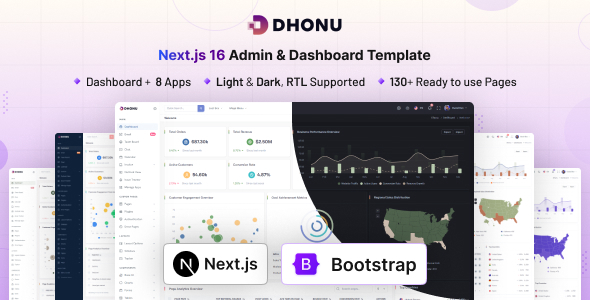
Dhonu - Next.js Admin & Dashboard Template Dhonu - Next.js Admin & Dashboard Template is a modern dashboard template designed for developers,...

Ornato - NextJS Elegant Jewelry Store Landing Page Template Ornato is a luxurious and professionally crafted NextJS landing page template designed specifically...
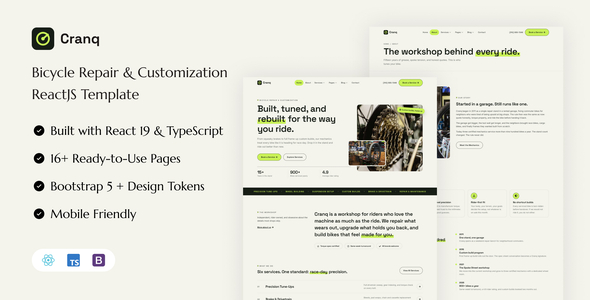
Cranq - Bicycle Repair & Customization React Template Cranq - Bicycle Repair & Customization React Template is a modern website template designed...
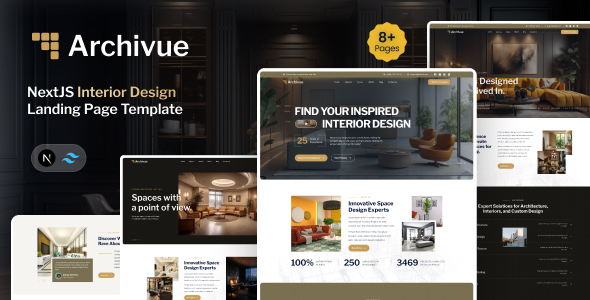
Archivue - NextJS Interior Design Landing Page Template Archivue - NextJS Interior Design Landing Page Template is a modern website template designed...
