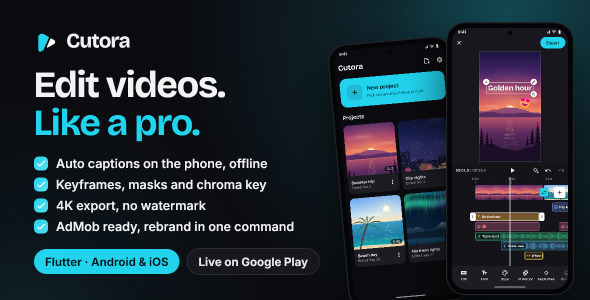
Cutora | Flutter Video Editor App for Android and iOS is a modern mobile application template designed for developers, startups, creative businesses, and entrepreneurs looking to build their own video editing application. Developed with Flutter, Cutora provides a cross-platform foundation for creating video editing experiences for Android and iOS devices through a shared development approach.
Designed for the growing demand for mobile content creation, Cutora offers a starting point for developing an application where users can work with video content, customize their creative projects, and produce videos directly from their smartphones. Its mobile-focused concept makes it suitable for projects targeting social media creators, influencers, content marketers, vloggers, and everyday users who want convenient video editing tools.
Whether you are launching a video editing startup, building a creative content application, or developing a customized editing solution for clients, Cutora provides a flexible foundation that can be adapted to different video editing requirements.
Cutora is built with Flutter, Google’s cross-platform framework for developing mobile applications using a shared codebase. Flutter provides developers with tools for creating modern user interfaces and delivering consistent experiences across supported platforms.
With its Flutter-based structure, developers can customize application screens, navigation, editing controls, visual components, and other interface elements according to their project requirements.
Potential customization areas include:
The exact platform compatibility, Flutter version, and required dependencies should be verified against the supplied source code and documentation.
A good video editing application should make creative tools accessible through a simple and organized interface. Cutora provides a foundation for developing a mobile editing experience where users can work with video content through dedicated application screens and editing controls.
The application can be customized to support different editing workflows, from basic video adjustments to more advanced creative operations, depending on the supplied implementation and integrated video processing libraries.
Developers can adapt the interface to make editing controls easier to discover and use on smartphone screens.
The first step in most video editing workflows is selecting the media that users want to include in their projects.
Cutora can be customized with media selection functionality that allows users to access supported video and image files from their devices.
Potential media-related features include:
Access to device storage and media libraries requires suitable Flutter plugins and platform permissions. Supported file formats depend on the integrated media processing implementation.
Trimming and cutting are fundamental video editing operations that allow users to remove unwanted sections and focus on the most important parts of their footage.
Cutora can serve as a starting point for implementing video trimming interfaces and editing workflows.
Possible editing operations include:
Actual video processing and rendering require a compatible editing engine or media processing library. Developers should verify which editing operations are already implemented in the supplied project.
Visual effects and filters can help users customize their videos and create different visual styles.
Cutora can be extended with filter and effect functionality according to the selected video processing technology.
Potential customization options include:
The availability of specific filters and real-time preview functionality depends on the supplied implementation and integrated libraries.
Adding text to videos is useful for creating social media content, tutorials, promotional videos, and personal projects.
Cutora can be customized to support text-based video editing tools where the required functionality is available.
Potential features may include:
Advanced subtitle generation, automatic speech recognition, and synchronized captions require additional speech-processing functionality or third-party services.
Audio plays an important role in creating engaging video content. Background music, voice recordings, and sound effects can improve the overall presentation of a video.
Cutora can be extended to support audio-related editing workflows depending on its included media processing capabilities.
Possible audio features include:
Developers should verify the included audio functionality and ensure that all music and sound assets used in the application have appropriate usage rights.
A preview experience allows users to review their creative work before exporting the final video.
Cutora provides a foundation for building an editing interface where users can inspect selected media and review changes throughout the editing process.
A customized editing workflow may include:
The actual availability of timeline editing, real-time previews, and advanced rendering features depends on the supplied implementation.
Export functionality is an important part of a mobile video editor because it allows users to convert their editing projects into finished video files.
Cutora can be used as a foundation for implementing video export workflows using compatible Flutter packages and native media processing technologies.
Potential export options may include:
Video encoding and rendering can require considerable device processing power. Developers should test export performance, memory usage, and compatibility across different Android and iOS devices.
Social media platforms have increased the demand for convenient mobile video editing tools. Content creators frequently produce short videos, promotional clips, tutorials, and personal content directly from their smartphones.
Cutora can be customized for applications targeting different content creation requirements.
Potential use cases include:
Developers can introduce platform-specific aspect ratios and export presets according to the requirements of their target audience.
Direct publishing to social media platforms requires suitable platform APIs, authentication, and permissions. A video editing interface alone does not automatically provide direct publishing functionality.
Managing editing projects can improve the user experience, particularly for people who regularly create videos.
Cutora can be extended with project management functionality that helps users organize their creative work.
Potential features include:
Persistent project storage and recovery depend on the application’s data management implementation and the supported media storage architecture.
A video editing application should provide a clear interface that allows users to focus on their creative work without unnecessary complexity.
Cutora’s Flutter-based structure provides developers with opportunities to customize the application according to their brand identity and intended user experience.
Customization possibilities include:
Developers can adjust the interface to create either a simple beginner-friendly editor or a more feature-focused creative application.
Cutora is designed as a cross-platform mobile application template for Android and iOS development using Flutter.
A shared development approach can help reduce duplicated frontend development work while maintaining a consistent application design across supported platforms.
Before deployment, developers should verify platform-specific requirements such as:
Final compatibility depends on the included source code, dependencies, native integrations, and the development environment.
Video editing applications can use different business models depending on their target audience and feature offerings.
Cutora can serve as a foundation for implementing additional monetization features through compatible services and integrations.
Potential monetization approaches include:
Features such as recurring billing, subscription validation, purchase restoration, and advertisement management require additional SDK integration and backend configuration where they are not already included.
Cutora provides a starting point for developers who want to create customized mobile video editing applications using Flutter.
Developers can modify the source code, update application layouts, integrate media processing libraries, and extend the editing workflow according to project requirements.
Additional development opportunities may include:
These advanced capabilities may require additional packages, native development, external APIs, or specialized AI models.
Cutora is suitable for a variety of users and organizations working in mobile application development and digital content creation, including:
Its cross-platform approach makes it a useful starting point for projects targeting mobile content creators and video editing users.
Cutora combines a mobile video editing application concept with Flutter’s cross-platform development capabilities. It provides a flexible foundation for building a customized editing experience for Android and iOS users.
Key advantages include:
Cutora | Flutter Video Editor App for Android and iOS is a practical mobile application development solution for developers, startups, and businesses interested in building their own video editing platform. Its Flutter-based architecture provides a flexible starting point for creating a cross-platform application focused on video editing, media customization, and mobile content creation.
Whether you are developing a video editor for social media creators, launching a mobile editing startup, or building a customized creative application for clients, Cutora can help simplify the initial development process while providing opportunities to integrate additional editing tools and functionality.
For Flutter developers, mobile application agencies, and entrepreneurs looking to enter the video editing market, Cutora offers a useful foundation for creating a branded video editing application for Android and iOS.
1. All digital products are the most recent version, with no possibility of free updates. After payment, you can request an update to the most recent version for 5 days if a new version is released. We free support within 5 days.
2. If a license is required (Excludes WHMCS license , we provide only method not license), please contact us via email or ticket for assistance with activation. Our license is only valid for activation and does not include support.
3. We provide Mobile, PHP script installation services for $19.90 / ₹1700. Please create a backup after installation as we do not support re-installation. For mobile app source code, we do not offer installation services.
4. If you have any questions, please contact us by email [email protected] or create a ticket on this page
5. Please note that any digital products presented on the website do not contain malicious code, viruses or advertising. You will receive the original files from the developers. We do not sell any products that have been downloaded from other websites.
6. The response time can last up to 6 hours.
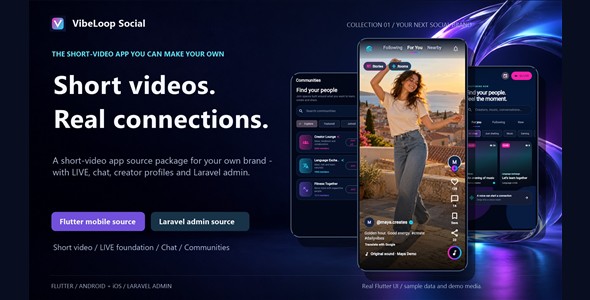
VibeLoop Social | Flutter Video and Live App With Laravel Admin VibeLoop Social | Flutter Video and Live App With Laravel Admin...
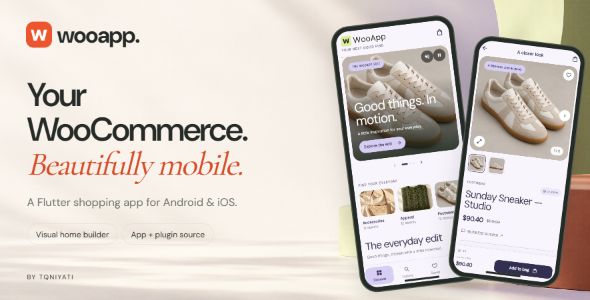
WooApp | Flutter WooCommerce App for Android and iOS With Visual Home Builder WooApp | Flutter WooCommerce App for Android and iOS...

QuickBite | Flutter Food Delivery App with Supabase Backend and Admin Panel QuickBite | Flutter Food Delivery App with Supabase Backend and...
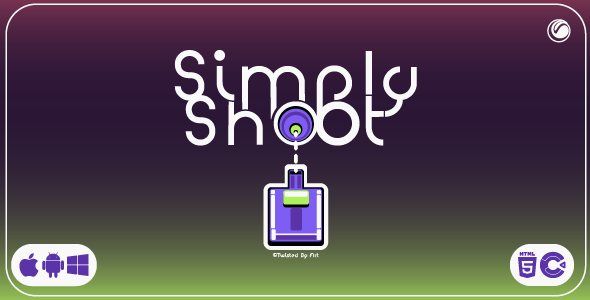
Simply Shoot | HTML5 | Construct 3 Game Simply Shoot | HTML5 | Construct 3 Game is an engaging browser-based game product...
