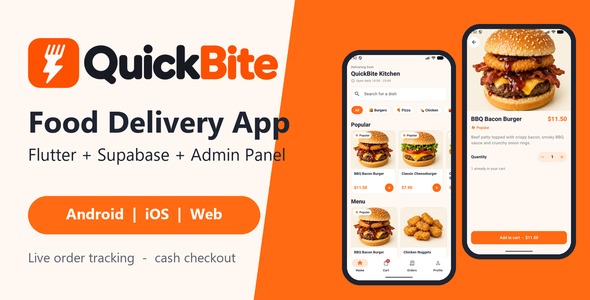
QuickBite | Flutter Food Delivery App with Supabase Backend and Admin Panel is a modern food delivery application solution designed for restaurants, food businesses, delivery startups, and entrepreneurs looking to build their own online food ordering platform. Built with Flutter and integrated with a Supabase backend, QuickBite provides a foundation for developing a cross-platform food delivery experience with an accompanying administration interface for managing application operations.
Designed to support the essential requirements of an online food ordering business, QuickBite brings together a mobile application interface, backend connectivity, and administrative management capabilities. It is suitable for businesses that want to create a digital platform where customers can explore food menus, discover available items, place orders, and interact with a restaurant or food delivery service.
Whether you are launching a local restaurant delivery service, building a multi-restaurant food ordering platform, or developing a customized food delivery application for clients, QuickBite offers a practical starting point for your project.
QuickBite is developed using Flutter, Google’s cross-platform UI framework for building applications from a shared codebase. Flutter allows developers to create mobile application interfaces for supported platforms while maintaining a consistent design and user experience.
This makes QuickBite suitable for businesses that want to develop a food ordering application without maintaining completely separate frontend projects for every supported platform.
The Flutter-based structure provides developers with opportunities to customize:
The exact platform support and Flutter SDK compatibility should be verified against the supplied source code and documentation.
Supabase is an open-source backend platform that provides services for application development, including PostgreSQL database functionality, authentication, storage, and APIs.
QuickBite uses Supabase as its backend foundation, providing an integration point for managing application data and connecting the Flutter frontend with backend services.
Depending on the supplied implementation, the backend may support areas such as:
Developers can customize the database structure, configure Supabase services, and extend the application according to the requirements of their food delivery business.
Actual backend capabilities depend on the included Supabase schema, configured services, application code, and security policies.
A convenient ordering experience is essential for a successful food delivery application. Customers should be able to discover available food items, review descriptions, and select products without unnecessary complexity.
QuickBite provides a mobile application foundation for creating a structured food ordering experience.
Depending on the included implementation, customer-facing features may include:
These features can help businesses create a digital ordering experience that makes food discovery and purchasing more convenient.
Organizing food items into categories makes it easier for customers to browse a restaurant’s menu.
QuickBite can be customized to present different food categories, such as:
Restaurants can organize their menu according to their offerings and update product information based on their business requirements.
Where supported by the supplied backend, menu data can be managed through connected database records rather than maintaining every product directly in the application source code.
Customers often want to understand what a dish contains before placing an order. A well-organized food detail presentation can help them make informed choices.
QuickBite can be customized to display information such as:
Additional options such as size selection, extra toppings, custom instructions, and dietary preferences may require configuration or additional development if they are not included in the supplied implementation.
A shopping cart is an important component of an online food ordering platform. It allows customers to review their selected food items before submitting an order.
QuickBite provides a foundation for a food ordering workflow that can be customized around the business’s requirements.
A typical ordering process may include:
Depending on the included implementation, cart management and order submission may be connected to the Supabase backend.
Features such as automated tax calculation, delivery fee calculation, coupon validation, and advanced order rules should be verified or implemented according to the business requirements.
Managing incoming orders efficiently is important for restaurants and food delivery businesses. QuickBite includes an admin panel concept intended to support administrative management of the application.
Depending on the supplied implementation, administrators may be able to access management features related to customers, food products, menus, and order information.
Potential administrative workflows include:
The exact functionality of the admin panel should be checked against the included source files and documentation. Businesses should also configure appropriate administrator authentication and permissions before deploying the application.
Supabase uses PostgreSQL as its database foundation, making it suitable for managing structured application information.
For a food delivery platform, database records may include customer profiles, menu categories, food products, order details, and other business-related information.
Developers can customize the database structure according to the application’s requirements and connect the Flutter interface with the appropriate Supabase services.
Important implementation considerations include database relationships, access permissions, data validation, backup procedures, and Row Level Security (RLS) policies.
Correct security configuration is particularly important for protecting customer information and ensuring that users can access only the data permitted by their roles.
Customer accounts can make a food delivery application more convenient by allowing users to access personalized information.
QuickBite’s Supabase integration provides a foundation for authentication-related workflows where supported by the supplied code.
Possible account features include:
Additional features such as saved delivery addresses, order history, and personalized customer preferences may require specific implementation or configuration.
Delivery information is an important part of the online food ordering process. Customers need to provide accurate delivery details, while restaurant administrators need to understand where orders should be sent.
QuickBite can be customized to support delivery-related information and order management workflows.
Potential features include:
Advanced functionality such as real-time driver tracking, live GPS location sharing, delivery partner applications, route optimization, and automated delivery assignment requires additional development and suitable location services.
Payment flexibility can help food delivery businesses support different customer preferences. Depending on the business model, an application may offer online payments or cash-on-delivery options.
QuickBite can serve as a foundation for connecting suitable payment services to the order workflow.
Possible payment integrations may include:
Payment gateway integration, transaction verification, refunds, and secure payment processing require additional configuration and backend implementation unless explicitly included in the supplied package.
QuickBite can be adapted for different types of food businesses depending on the intended application architecture.
Potential use cases include:
For multi-restaurant marketplaces, additional functionality such as restaurant registration, individual restaurant dashboards, vendor management, commissions, and restaurant-specific order handling may be required.
QuickBite provides a foundation for developers who want to customize a food delivery application using Flutter and Supabase.
The source code can be adapted to match the branding, design requirements, and business workflows of different food delivery services.
Developers can customize:
Developers can also extend the application with third-party APIs and compatible Flutter packages according to the project scope.
A mobile food ordering application should provide a consistent and accessible experience across supported devices.
Flutter helps developers build interfaces for supported platforms using a shared development approach. QuickBite can be customized to maintain consistent branding, navigation, and content presentation.
Developers should test the application on different screen sizes and operating system versions to verify the layout, image presentation, navigation, and ordering workflow.
Performance testing is also important when handling food images, menu data, network requests, and backend communication.
Food delivery applications may handle personal information, delivery addresses, authentication details, and order records. Proper security configuration is therefore essential.
When deploying QuickBite, developers should review:
Sensitive service credentials and privileged Supabase keys should never be exposed in a publicly distributed mobile application. Security policies should be configured and tested before the application is released.
QuickBite is suitable for a variety of users looking to develop or customize food ordering applications, including:
Its combination of Flutter, Supabase, and an administrative interface provides a useful starting point for food delivery application development.
QuickBite combines a cross-platform Flutter application concept with Supabase backend integration and an administration interface. It offers a foundation for building a food ordering platform while providing flexibility for customization and additional business functionality.
Key advantages include:
QuickBite | Flutter Food Delivery App with Supabase Backend and Admin Panel is a comprehensive starting point for developers and businesses looking to create a modern food ordering application. Its combination of Flutter, Supabase, and administrative management capabilities provides a foundation for building a connected food delivery experience with customer-facing interfaces and backend data management.
Whether you are launching a restaurant’s own mobile ordering application, developing a cloud kitchen platform, starting a local food delivery business, or creating a customized solution for clients, QuickBite can help simplify the initial development process while offering opportunities for further customization.
For Flutter developers, mobile application agencies, restaurant entrepreneurs, and food delivery startups, QuickBite offers a practical foundation for developing a branded food ordering platform with a modern technology stack.
1. All digital products are the most recent version, with no possibility of free updates. After payment, you can request an update to the most recent version for 5 days if a new version is released. We free support within 5 days.
2. If a license is required (Excludes WHMCS license , we provide only method not license), please contact us via email or ticket for assistance with activation. Our license is only valid for activation and does not include support.
3. We provide Mobile, PHP script installation services for $19.90 / ₹1700. Please create a backup after installation as we do not support re-installation. For mobile app source code, we do not offer installation services.
4. If you have any questions, please contact us by email [email protected] or create a ticket on this page
5. Please note that any digital products presented on the website do not contain malicious code, viruses or advertising. You will receive the original files from the developers. We do not sell any products that have been downloaded from other websites.
6. The response time can last up to 6 hours.
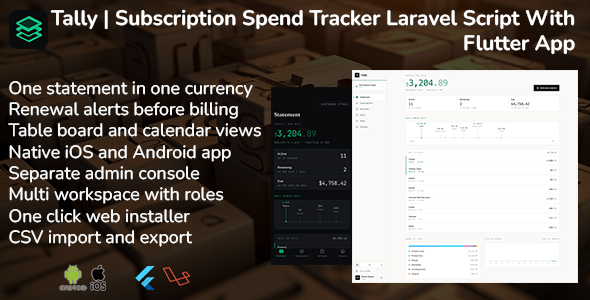
Tally | Subscription Spend Tracker Laravel Script With Flutter App Tally | Subscription Spend Tracker Laravel Script With Flutter App is a...
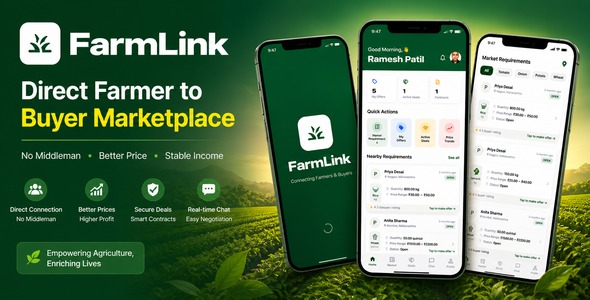
FarmLink | Flutter Agriculture Marketplace App With Laravel Admin Panel and Firebase Chat FarmLink | Flutter Agriculture Marketplace App With Laravel Admin...
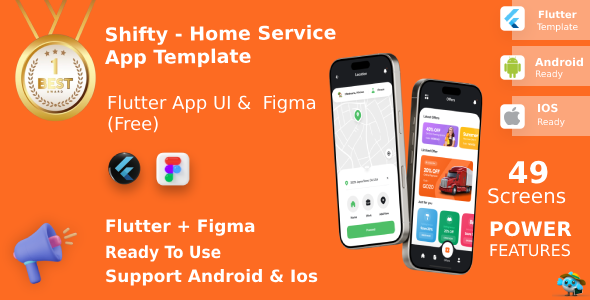
Shifty | Multi-Service Booking App UI Kit for Flutter Shifty | Multi-Service Booking App UI Kit for Flutter is a modern mobile...
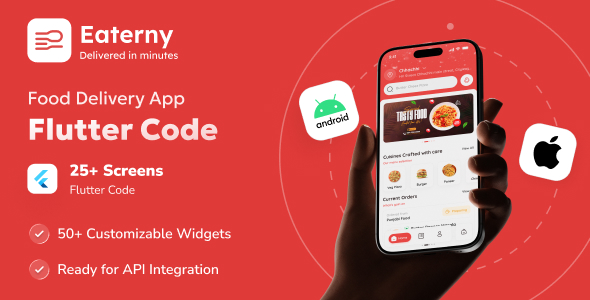
Eaterny | Food Delivery and Restaurant Flutter App UI Template Eaterny | Food Delivery and Restaurant Flutter App UI Template is a...
