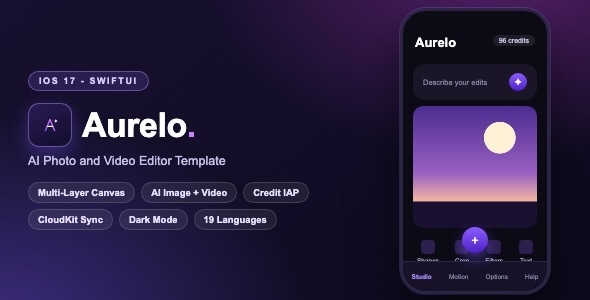
Aurelo | AI Photo and Video Editor With In-App Purchases – SwiftUI Template is an iOS application template designed for developers who want to build a modern photo and video editing app with AI-oriented creative capabilities. Built using SwiftUI, Apple’s declarative user interface framework, Aurelo provides a starting point for creating an attractive mobile editing experience for users who want to enhance photos, edit videos, and explore creative content tools directly from their iPhones.
With the growing popularity of social media content, digital photography, and short-form video, users increasingly look for convenient ways to transform everyday media into polished visual content. Aurelo is positioned for this creative editing market, making it a potential option for app developers, startups, creative agencies, and entrepreneurs interested in launching an iOS photo and video editing product.
The template’s in-app purchase positioning also makes it relevant to developers exploring premium features and subscription-based monetization. Depending on the functionality included in the original package, developers can customize the interface, integrate suitable AI services, and build a branded editing experience tailored to their target audience.
SwiftUI is Apple’s framework for building user interfaces across its platforms. It allows developers to create interface components using a declarative approach, helping organize layouts, navigation, and visual states within an iOS application.
Aurelo uses SwiftUI as its primary UI technology, providing a foundation for developing a native-feeling iOS application. Developers can customize supported screens, typography, colors, icons, buttons, navigation elements, and other visual components to align with their brand identity.
For a photo and video editing application, the user interface should make creative tools easy to discover and use. Clear navigation, intuitive controls, readable labels, and well-organized editing screens can help users move from importing media to reviewing and saving their finished work.
A SwiftUI-based project can also make it easier for developers familiar with Apple’s ecosystem to customize the application and maintain its interface as the product evolves.
The supported iOS versions, required Xcode version, and included SwiftUI components should be confirmed in the original product documentation before development begins.
Artificial intelligence is increasingly used in photography applications to simplify image enhancement and creative editing. AI-assisted tools can help users improve visual content, generate creative variations, or automate certain editing tasks.
Aurelo is positioned as an AI photo and video editor, making it a potential starting point for an application focused on intelligent creative workflows. Depending on the supplied implementation, developers may be able to customize existing editing features or integrate external AI services to expand the app’s capabilities.
Potential AI photo editing features include automatic enhancement, background removal, object cleanup, portrait adjustments, style transformations, and creative image generation. These are possible capabilities for an AI editing application, not a guarantee that every feature is already included in Aurelo.
Before purchasing or integrating additional services, developers should inspect the original source code and documentation to identify the AI models, APIs, libraries, and processing methods supported by the template.
If external AI APIs are required, developers should consider usage costs, processing speed, image upload requirements, privacy implications, and service availability.
A photo editing application should help users improve their images while keeping the editing workflow accessible. Common editing operations include cropping, rotating, adjusting brightness, changing contrast, applying filters, and refining image composition.
Aurelo can provide a starting point for developing a photo editing experience within an iOS application. The actual editing tools available will depend on the components and integrations included in the purchased package.
Developers may be able to adapt the interface to present editing options in a clear and organized way. For example, tools can be grouped into categories such as basic adjustments, visual effects, color correction, and creative enhancements when supported by the underlying implementation.
A practical editing workflow should allow users to preview changes before saving the result. Where appropriate, developers can also consider preserving the original image so that users can return to it or create alternative versions.
The exact editing capabilities should be verified through the original demo and source package.
Video editing is an important part of modern digital content creation. Users create videos for social media, personal projects, tutorials, product promotions, and professional marketing campaigns.
Aurelo’s positioning as a photo and video editor makes it relevant to developers exploring a combined media editing application. Depending on the included functionality, the project may be extended with video import, preview, trimming, or other editing workflows.
AI can potentially support video editing through tasks such as automatic scene analysis, background processing, subtitle generation, and creative effect application. However, these capabilities often require dedicated media-processing frameworks, machine learning models, or external APIs.
Developers should confirm which video editing tools are implemented in the template and which require additional development. They should also test processing performance across different device capabilities, video resolutions, and file formats.
Efficient media handling is essential because video files can consume substantial storage and processing resources. Optimizing export settings and providing clear progress indicators can improve the overall editing experience.
Filters and visual effects help users establish a particular visual style and create content that matches their creative preferences. They are especially relevant for social media users, influencers, photographers, and brands that want consistent visual presentation.
Aurelo can serve as a foundation for organizing creative tools into an accessible editing interface. Depending on the included implementation, developers may be able to customize filter previews, visual effects, image adjustments, and related editing controls.
Different editing styles can serve different audiences. Casual users may prefer one-tap enhancements, while more experienced creators may value adjustable settings and greater control over the final result.
Developers should test the appearance of filters and effects across a variety of images, lighting conditions, and skin tones to ensure that the editing experience remains consistent and appropriate.
Additional effects, presets, and AI-powered transformations may require separate assets, compatible frameworks, or third-party services if they are not included in the template.
A reliable media workflow is essential for any photo and video editing application. Users need to select content, preview their changes, and save or share the final result.
For an iOS application, developers may use Apple’s supported photo library and media APIs to provide appropriate access to user-selected images and videos. The precise workflow depends on the implementation included in Aurelo.
Developers should review how the template handles media selection, file permissions, temporary storage, editing states, and export operations. These details can affect both usability and application reliability.
Useful considerations include supporting appropriate image and video formats, managing large files efficiently, and communicating export progress when processing takes time.
If the app offers social sharing, developers should verify that exported media meets the requirements of the intended platforms and that users can save their creations without unexpected quality loss.
The product title identifies in-app purchases as part of Aurelo’s positioning, making it a potential option for developers who want to build a monetized creative application.
In-app purchases can support different business models, depending on the features and purchase flows implemented in the template. Possible models include unlocking premium editing tools, offering additional creative effects, providing access to selected AI features, or selling a subscription for enhanced functionality.
For example, a developer could design a free tier for basic editing and a premium tier for additional creative tools. This is a possible monetization strategy rather than a claim about the exact purchase options already included in Aurelo.
Developers should verify whether the template supports one-time purchases, subscriptions, or other purchase types. The app may require additional configuration through Apple’s App Store Connect, including product identifiers, pricing, purchase testing, and subscription settings.
A production implementation should handle successful purchases, cancelled transactions, failed payments, entitlement updates, and purchase restoration where applicable. All purchase flows should comply with Apple’s current App Store policies.
A photo and video editing app can offer a tiered experience that serves both casual users and frequent content creators.
Depending on the product strategy, developers may choose to provide basic editing functionality at no cost while offering additional capabilities through premium access. Potential premium options include advanced effects, expanded export options, additional AI processing, or access to specialized creative tools.
Subscriptions may be appropriate when an application provides ongoing value through regularly updated features or recurring AI processing services. One-time purchases may be more suitable for individual features or permanent unlocks.
When planning these options, developers should evaluate the operating costs associated with AI services, media processing, and ongoing maintenance. Subscription limits should be clearly communicated so users understand what each plan includes.
The actual premium functionality and purchase structure depend on the implementation and may require customization beyond the supplied template.
A good editing application should help users complete creative tasks without making the process unnecessarily complicated. Clear visual hierarchy, understandable tool labels, and consistent navigation can make an application more approachable for beginners.
Aurelo’s SwiftUI foundation provides a starting point for creating an interface aligned with modern iOS design conventions. Developers can customize supported components to match their product’s target audience and intended editing workflow.
The interface should make important actions easy to locate, including selecting media, applying changes, previewing edits, and saving results. If AI processing is involved, useful progress indicators and clear error messages can help users understand what is happening.
Accessibility should also be considered. Readable text, sufficient contrast, suitable touch targets, and support for relevant system accessibility settings can make the app easier to use.
Photo and video editing applications can place significant demands on device memory, graphics processing, and storage. Performance should therefore be evaluated carefully during development.
When customizing Aurelo, developers should test image loading, filter application, video playback, editing transitions, and export operations on supported devices. Large media files and complex effects may require optimization to maintain a smooth experience.
Where appropriate, Apple frameworks can help developers use device capabilities for media processing and supported machine learning tasks. External AI services may introduce network latency and additional costs, so developers should plan for unavailable connections and failed requests.
Efficient resource management is important for preventing excessive memory usage and reducing the likelihood of crashes. Testing should cover both newer and older supported devices, along with different image sizes and video resolutions.
The final performance will depend on the source code, selected frameworks, AI integrations, and optimization work.
Photo and video editing applications may process personal images, recordings, and other sensitive media. Privacy should be considered from the beginning of development.
Developers should review how Aurelo accesses the user’s photo library, requests permissions, stores temporary files, and handles exported media. Access should be limited to what is necessary for the application’s functionality.
If images or videos are sent to external AI services, the app should clearly explain how that content is processed and what information may leave the device. API credentials should be protected rather than embedded as exposed secrets in the mobile application.
Where backend processing is required, secure API communication, appropriate authentication, access controls, and sensible retention policies should be implemented. Developers should also review the privacy policies of third-party AI providers and ensure that their practices match the application’s disclosures.
Before publishing, prepare an appropriate privacy policy and complete the privacy-related declarations required by Apple’s distribution process.
A prebuilt SwiftUI template can help developers establish the initial structure of an iOS application and adapt it to their own product identity.
Aurelo may be customized with a new application name, logo, icon, color palette, typography, onboarding screens, editing interface, and other supported components. The precise flexibility depends on the source code and included assets.
Developers can also explore specialized versions of the app for different audiences, such as social media creators, photography enthusiasts, small businesses, marketing teams, or casual mobile users.
A consistent visual identity across the app icon, onboarding flow, editing screens, and promotional screenshots can help create a recognizable product.
Additional functionality should be introduced in a way that maintains a consistent user experience and does not compromise performance or reliability.
Aurelo may be suitable for several types of iOS application projects, including:
The suitability of the template depends on the actual editing tools, AI integrations, monetization features, and technical requirements included in the package.
Before purchasing or installing Aurelo, review the official demo, source package, documentation, and compatibility requirements. Confirm the supported Swift and SwiftUI versions, minimum iOS version, Xcode requirements, external dependencies, and any AI services needed by the application.
A typical setup process involves opening the project in Xcode, resolving dependencies, configuring the application identifier, reviewing required permissions, and testing the app on a simulator or compatible physical device.
If AI APIs are required, developers should configure the necessary credentials securely and confirm whether usage charges apply. If in-app purchases are included, the relevant products and subscription options should be configured and tested through App Store Connect.
Before release, verify media import and export behavior, purchase restoration, error handling, device compatibility, and performance under realistic conditions. Prepare the app icon, screenshots, store description, privacy policy, and required App Store information before submitting the application.
Aurelo provides a starting point for developers interested in building a modern iOS application focused on photo editing, video editing, and AI-oriented creative workflows.
Its SwiftUI foundation can support a native iOS interface, while the in-app purchase positioning makes it relevant to projects exploring premium features and recurring revenue models. Depending on the supplied implementation, developers may be able to customize existing components and integrate additional services to match their product goals.
For independent developers, startups, and digital agencies, a prebuilt template can reduce some initial interface development work and provide a structure for further customization. Buyers should still review the code quality, included editing functionality, dependencies, and AI integration requirements before committing to a production launch.
Aurelo | AI Photo and Video Editor With In-App Purchases – SwiftUI Template is an iOS application template intended for developers who want to create a modern mobile editing experience with AI-oriented creative capabilities.
Built around SwiftUI, it provides a starting point for developing a branded application for photo and video editing. Its in-app purchase positioning also makes it worth considering for projects that offer premium editing tools, advanced features, or subscription-based access, subject to the functionality included in the package.
Whether you are an indie developer, startup, software agency, or entrepreneur exploring the creative mobile app market, Aurelo can provide a foundation for your project. Review the original documentation, confirm the exact AI and editing features, test the purchase workflow, and evaluate privacy and performance requirements before releasing the final application.
1. All digital products are the most recent version, with no possibility of free updates. After payment, you can request an update to the most recent version for 5 days if a new version is released. We free support within 5 days.
2. If a license is required (Excludes WHMCS license , we provide only method not license), please contact us via email or ticket for assistance with activation. Our license is only valid for activation and does not include support.
3. We provide Mobile, PHP script installation services for $19.90 / ₹1700. Please create a backup after installation as we do not support re-installation. For mobile app source code, we do not offer installation services.
4. If you have any questions, please contact us by email [email protected] or create a ticket on this page
5. Please note that any digital products presented on the website do not contain malicious code, viruses or advertising. You will receive the original files from the developers. We do not sell any products that have been downloaded from other websites.
6. The response time can last up to 6 hours.
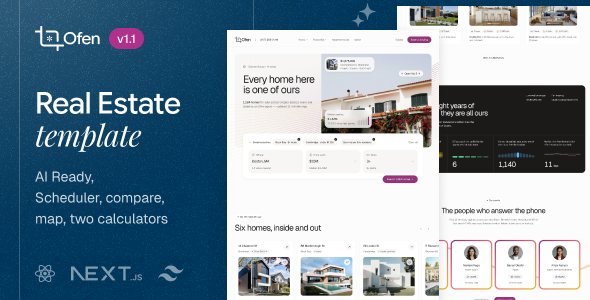
Ofen — Real Estate React NextJs Template Ofen — Real Estate React NextJs Template is a modern website template designed for real...

AutoHub - Car Dealer & Listing (SaaS) AutoHub is a powerful and feature-rich Car Dealer & Vehicle Listing SaaS platform designed for...
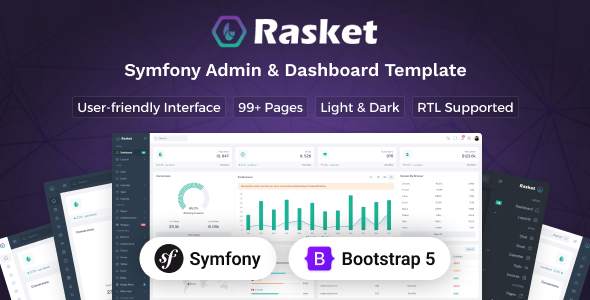
Rasket - Symfony Admin Dashboard Template Rasket - Symfony Admin Dashboard Template is a modern administrative dashboard template designed for developers, businesses,...

Nativa Theme - Landing & Client Portal Design for RedFamosa SMM Panel Nativa Theme is a modern and professionally designed landing page...
