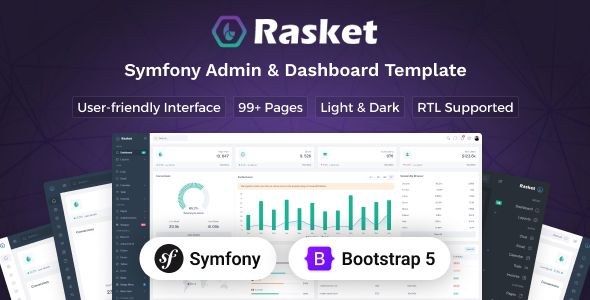
Rasket – Symfony Admin Dashboard Template is a modern administrative dashboard template designed for developers, businesses, startups, and agencies building web applications with Symfony. It provides a starting point for creating professional admin panels, business management systems, analytics dashboards, and internal application interfaces. With a structured design approach, Rasket can help developers organize administrative tools and present important information through a consistent user interface.
Administrative dashboards are essential for managing application data, monitoring business activities, and controlling different parts of a web platform. Rasket offers a foundation for designing these interfaces without creating every visual component from scratch. Developers can customize the layouts, navigation, colors, typography, and content to match their application’s requirements.
Whether you are developing a customer management system, an e-commerce administration panel, a project management platform, or a business reporting application, Rasket can serve as a starting point for your project. Its Symfony-oriented focus makes it relevant to developers working within the PHP ecosystem who need an administrative interface for a web application.
A well-designed admin dashboard helps users understand information and complete tasks efficiently. Rasket is intended for administrative applications where clear navigation, organized content, and consistent interface elements are important.
You can adapt the dashboard layout to match your business requirements. For example, a CRM system may prioritize customer records and sales activity, while an inventory application may focus on products, stock levels, and order information.
A consistent visual structure also helps users move between application sections. Clear navigation labels, readable typography, organized cards, and properly arranged content areas can make complex administrative workflows easier to understand.
Depending on the included package, developers may customize dashboard widgets, data tables, forms, navigation menus, and other interface components. Review the product demo and documentation to confirm the available layouts and design options.
Symfony is a widely used PHP framework for developing structured and maintainable web applications. It provides tools for routing, request handling, dependency injection, security, and other application development tasks.
Rasket is designed for the Symfony ecosystem, making it a potential starting point for administrative interfaces within Symfony-based projects.
Depending on the supplied package, developers may integrate the template with Symfony routes, Twig templates, controllers, and existing application components. This can help establish a consistent frontend for managing business data and application workflows.
Before implementation, verify the exact Symfony version, supported PHP version, frontend tooling, and required dependencies. Also confirm whether the package contains Symfony-integrated Twig templates or primarily provides dashboard interface assets.
A dashboard template does not automatically constitute a complete working application. Backend functionality depends on the supplied source code and the additional development required for the intended project.
Rasket can be adapted to several types of administrative applications that need a structured management interface.
CRM Systems: Build administrative screens for organizing customer information, tracking leads, and reviewing business activity.
E-Commerce Administration: Create interfaces for managing product records, order information, inventory, and customer details.
Business Management Systems: Organize employee information, operational records, business settings, and internal workflows.
SaaS Applications: Develop administrative interfaces for monitoring application usage, managing accounts, and presenting service metrics.
Project Management Tools: Create screens for projects, tasks, team information, deadlines, and progress summaries.
Analytics Dashboards: Present business indicators, performance summaries, and reporting information in a structured format.
Content Management Systems: Build administrative interfaces for managing content records, categories, publishing workflows, and application settings.
These are potential use cases rather than guaranteed built-in modules. The actual suitability of Rasket for each project depends on the included layouts and the custom development required.
An effective dashboard provides a quick overview of important business information. Summary cards, tables, and charts can help users understand operational performance without reviewing every record individually.
Rasket can serve as a starting point for creating dashboards that display information such as sales totals, customer activity, order summaries, project progress, and application statistics.
Depending on the included components, developers may customize chart areas, metric cards, and reporting sections to fit their application.
For example, an e-commerce dashboard could display order counts and sales trends, while a CRM dashboard might focus on new leads, active customers, and deal progress.
However, sample charts and demonstration figures do not automatically connect to live application data. Dynamic metrics, database queries, automated calculations, and real-time updates require appropriate backend logic and data integration unless those features are already included.
Administrative applications frequently depend on tables and forms for organizing records and collecting information. Rasket can provide a visual foundation for these common interface patterns.
You may adapt the available layouts to display customers, products, employees, projects, transactions, or other business records.
Forms can be customized for adding or editing information, while tables can present records in a consistent and readable format. Depending on the supplied components, developers may also implement sorting, searching, filtering, and pagination.
For example, a customer management system could use tables to organize customer details and forms to update contact information. An inventory application might use similar interfaces for product descriptions, stock quantities, and categories.
Functional create, read, update, and delete operations require application logic and data persistence. Confirm whether these operations are included or need to be implemented through Symfony controllers, services, and database integration.
Many business applications require interfaces for managing user accounts and administrative settings. Rasket can serve as a starting point for developing screens that display account information and organize administrative records.
Depending on the package, you may customize user lists, profile sections, status indicators, and account management forms.
Applications with different user types may also require separate permissions for administrators, managers, employees, and customers.
Symfony provides tools for implementing authentication and authorization, but a dashboard template alone does not guarantee secure login functionality or role-based access control.
Developers should implement appropriate account verification, password recovery, session management, permission checks, and server-side authorization. Sensitive operations must be protected on the server rather than relying only on frontend navigation or hidden buttons.
A clear navigation structure is important when an application contains several administrative modules. Users should be able to locate essential features without unnecessary steps.
Rasket can be customized to reflect the structure of your application. Developers may adapt menu labels, organize related sections, update branding, and arrange page content according to their workflow.
For example, a CRM dashboard could group leads, customers, deals, activities, and reports. A business management application might instead prioritize employees, projects, documents, and settings.
Organized navigation can also make the interface easier to maintain as new modules are introduced.
The available sidebar layouts, header options, theme variations, and navigation features should be verified against the official product demo and documentation.
Rasket provides a starting point for developers who want to create an administrative interface without designing every component from the beginning.
Depending on the included source files, developers can modify layouts, replace demonstration content, update styles, and create additional sections to match their application requirements.
For Symfony projects using Twig, reusable templates and partials can help maintain consistent page structures. Developers may also connect the interface to existing controllers, services, and application routes where the package supports that workflow.
Additional modules can be developed for specific business requirements. Examples include notification management, audit logs, reporting, document handling, and internal task management.
These extensions may require new routes, controllers, services, database entities, migrations, validation rules, and access controls. They should be treated as development tasks unless the relevant functionality is explicitly included.
Before beginning, review the installation instructions, required PHP and Symfony versions, dependency configuration, and asset build process.
Administrative users may access their applications from desktops, laptops, tablets, and mobile devices. A responsive interface can help maintain usability across different screen sizes.
During customization, test the navigation, data tables, forms, charts, and dashboard cards on supported devices. Wide tables may require horizontal scrolling or an alternative mobile layout to remain practical.
Readable typography, consistent spacing, clear labels, and accessible controls can also improve the user experience.
Actual responsiveness depends on the included implementation and any changes made during development. Test the completed interface across common browsers and screen sizes before deployment.
Admin dashboards often provide access to sensitive business information. Therefore, security should be an essential part of the implementation process.
For Symfony applications, developers should review authentication, authorization, input validation, CSRF protection, secure session settings, database access, and dependency updates.
Application routes and API endpoints must enforce permissions independently of the interface. Sensitive configuration values should remain outside public-facing code, and production errors should not expose internal application details.
Developers should also review file uploads, form processing, logging, and data handling where applicable.
A dashboard template alone cannot guarantee that an application is secure. Production readiness depends on the supplied code, backend architecture, configuration, and ongoing maintenance.
Administrative dashboards are usually intended for authenticated users rather than public search traffic. Nevertheless, performance, accessibility, and maintainability remain important.
Developers can review asset sizes, optimize images, remove unnecessary dependencies, and organize templates to support efficient loading and future maintenance.
For public-facing pages connected to the same application, appropriate metadata, accessible content, and suitable rendering strategies may help support search visibility.
Actual performance depends on the application code, database queries, hosting environment, asset configuration, and optimization work. A template alone cannot guarantee specific loading speeds or search rankings.
Rasket is an option for developers seeking a Symfony-oriented foundation for administrative interfaces and business management applications.
It can help establish a consistent visual structure for dashboards, data tables, forms, reporting sections, and application navigation. With suitable customization, developers can adapt the interface to CRM platforms, e-commerce administration, internal business tools, and other web applications.
For freelancers and web development agencies, the template may also provide a starting point for client projects that need a professional administrative interface.
Its practical value depends on the included source code, supported framework versions, available components, and the amount of additional development required.
Before purchasing or integrating Rasket, review the official product listing and documentation to confirm:
A dashboard template is not necessarily a complete business management application. Database integration, authentication, reporting, permissions, and other application-specific features may require additional development unless explicitly included.
Rasket – Symfony Admin Dashboard Template is a potential choice for developers and businesses looking to create a professional administrative interface for a Symfony-based web application.
It provides a starting point for organizing business information, presenting analytics, managing records, and designing administrative workflows. With appropriate customization, backend integration, and security controls, the template can be adapted to different business and application requirements.
Review the live demo, included files, and documentation before purchase to ensure that the template matches your technical needs.
Product Type: Symfony Admin Dashboard Template
Category: Admin Dashboard, Business Management, Web Application UI
Technology: Symfony and PHP
Ideal For: Web Developers, Startups, Agencies, SaaS Businesses, and Application Development Teams
Included Features, Source Files, and License: Refer to the official product listing and package documentation for exact details.
1. All digital products are the most recent version, with no possibility of free updates. After payment, you can request an update to the most recent version for 5 days if a new version is released. We free support within 5 days.
2. If a license is required (Excludes WHMCS license , we provide only method not license), please contact us via email or ticket for assistance with activation. Our license is only valid for activation and does not include support.
3. We provide Mobile, PHP script installation services for $19.90 / ₹1700. Please create a backup after installation as we do not support re-installation. For mobile app source code, we do not offer installation services.
4. If you have any questions, please contact us by email [email protected] or create a ticket on this page
5. Please note that any digital products presented on the website do not contain malicious code, viruses or advertising. You will receive the original files from the developers. We do not sell any products that have been downloaded from other websites.
6. The response time can last up to 6 hours.
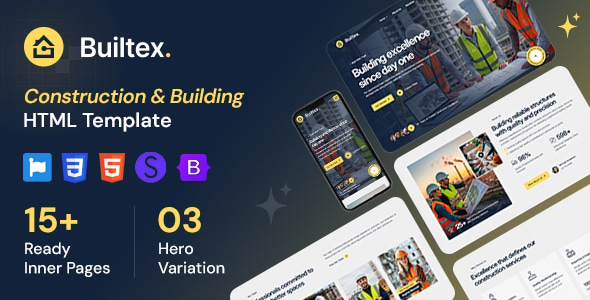
Builtex - Construction HTML Template Builtex is a modern and professionally designed HTML template created specifically for construction companies, building contractors, engineering...
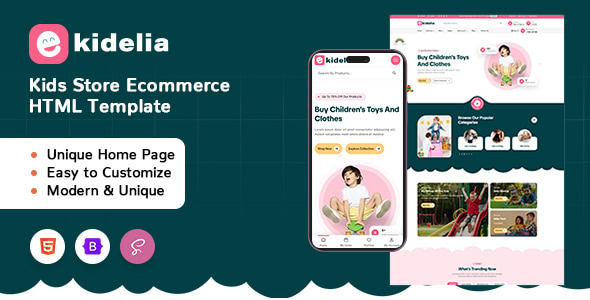
Kidelia - Kids Store Ecommerce HTML Template Kidelia - Kids Store Ecommerce HTML Template is a website template designed for children's stores,...
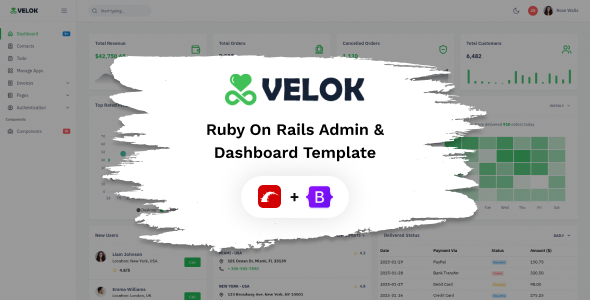
Velok - Ruby on Rails Admin & Dashboard Template Velok - Ruby on Rails Admin & Dashboard Template is a modern administrative...
Verso - Multipurpose HTML Template Verso - Multipurpose HTML Template is a versatile website template designed for businesses, creative agencies, startups, freelancers,...
