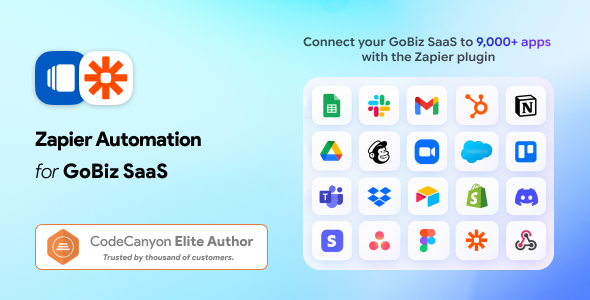
Zapier for GoBiz vCard SaaS is an integration add-on designed to help extend the automation capabilities of a GoBiz vCard SaaS platform through Zapier-compatible workflows. It is intended for businesses and SaaS administrators who want to connect their digital business card platform with other online applications and reduce repetitive manual tasks.
Digital business cards help professionals share their contact information, business details, social media profiles, and service information through a convenient online profile. When a vCard platform connects with automation tools, businesses can explore ways to streamline contact management, organize lead information, and connect supported applications.
Zapier provides a platform for connecting compatible applications through automated workflows, commonly known as Zaps. Depending on the add-on’s implementation and available triggers or actions, Zapier integration can help connect supported GoBiz vCard SaaS events with other business tools.
Whether you manage a digital business card service, operate a multi-user SaaS platform, or provide vCard solutions to business customers, this integration add-on may help simplify workflows and improve operational efficiency. Before purchasing, review the product documentation to confirm the exact integration features, supported events, and configuration requirements.
Managing a digital business card platform may involve several repetitive activities. These can include handling contact inquiries, organizing lead information, maintaining customer records, and coordinating follow-up tasks across different applications.
Zapier provides a way to connect compatible services without building every integration from scratch. If the GoBiz vCard SaaS add-on exposes supported triggers, actions, or webhook connections, administrators can use them to create workflows between the vCard platform and other connected tools.
For example, a supported contact-submission event could trigger a workflow that sends information to a spreadsheet or creates a record in a compatible CRM. Other possible workflows depend on the events and actions that the add-on actually supports.
This approach can help businesses reduce repetitive data entry and create more consistent processes. However, available automation capabilities depend on the add-on’s implementation, Zapier connectivity, and the applications included in your workflow.
The add-on is intended for businesses and administrators who use the GoBiz vCard SaaS platform and want to explore third-party automation integrations.
Potential use cases include:
The practical benefits depend on your existing GoBiz vCard SaaS installation and the integrations available in the add-on. Check the product’s requirements to ensure it matches your intended workflow.
Automation can help businesses complete routine activities with fewer manual steps. Zapier workflows generally connect a triggering event in one application to one or more actions in another application.
When supported by the GoBiz vCard integration, this approach may help automate selected processes related to contact inquiries, lead organization, or other available platform events.
For instance, a workflow could potentially transfer submitted contact information to a connected spreadsheet or notify a team through a supported communication application. More advanced workflows may involve multiple steps, filters, or conditional actions, depending on the connected services and the integration’s capabilities.
Automated processes can improve consistency and reduce the risk of information being entered incorrectly across multiple systems. Nevertheless, not every GoBiz vCard event will necessarily be available as a trigger, and not every external application will support the actions you need.
Review the integration documentation before designing workflows around specific events.
Customer relationship management systems help businesses organize leads, track conversations, and manage customer information. Connecting supported applications can reduce the need to transfer information manually between systems.
If the GoBiz vCard add-on supports the required triggers or actions, you may be able to create workflows that transfer eligible contact information into a compatible CRM or contact management application.
A potential workflow could involve recording a new inquiry, creating a lead record, or notifying a sales representative when a supported event occurs. The exact workflow depends on the available integration and the destination application’s capabilities.
Before enabling these processes, determine which contact fields can be transferred and how duplicate records will be handled. You should also establish suitable access permissions and data retention practices.
Automated contact synchronization should be tested with sample records before being used with real customer information.
Digital business cards can provide a convenient way for professionals to share their business details and help interested customers reach them. For businesses that collect contact inquiries through supported features, automation may help organize those inquiries and improve follow-up processes.
For example, a compatible workflow might send an internal notification when a new inquiry is received or add eligible contact information to a marketing application. These possibilities depend on the actual events exposed by the GoBiz vCard integration.
A structured workflow can help marketing teams organize incoming information and assign follow-up responsibilities. It may also reduce delays caused by manually copying data between platforms.
However, automation does not replace a complete marketing or CRM system. Businesses still need to manage consent, communication preferences, data accuracy, and applicable privacy requirements. Avoid sending promotional communications unless the appropriate permission and legal basis are in place.
One of Zapier’s main purposes is to connect compatible applications through automated workflows. Depending on the available GoBiz vCard integration, you may be able to build processes involving productivity tools, spreadsheets, CRM platforms, communication services, or other supported applications.
The exact integrations available to you will depend on the GoBiz add-on, the applications connected to your Zapier account, and the features included in your Zapier plan.
Before creating a workflow, identify the triggering event, the information that needs to be transferred, and
1. All digital products are the most recent version, with no possibility of free updates. After payment, you can request an update to the most recent version for 5 days if a new version is released. We free support within 5 days.
2. If a license is required (Excludes WHMCS license , we provide only method not license), please contact us via email or ticket for assistance with activation. Our license is only valid for activation and does not include support.
3. We provide Mobile, PHP script installation services for $19.90 / ₹1700. Please create a backup after installation as we do not support re-installation. For mobile app source code, we do not offer installation services.
4. If you have any questions, please contact us by email [email protected] or create a ticket on this page
5. Please note that any digital products presented on the website do not contain malicious code, viruses or advertising. You will receive the original files from the developers. We do not sell any products that have been downloaded from other websites.
6. The response time can last up to 6 hours.

WhatsMax | AI Omnichannel Marketing, Automation and Chatbot SaaS NodeJS Script WhatsMax is a powerful AI-driven omnichannel marketing, automation, and chatbot SaaS...
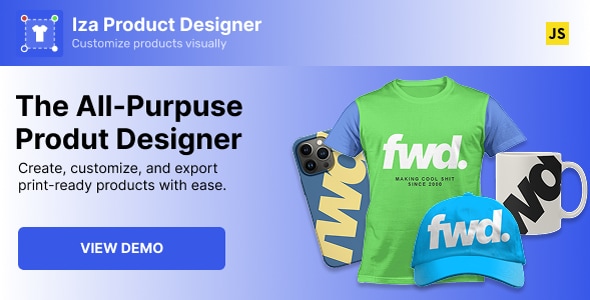
Iza JavaScript Product Designer Iza JavaScript Product Designer is a powerful web-based product customization solution that allows customers to design, personalize, and...
Document Builder for Perfex CRM Document Builder for Perfex CRM is a powerful productivity module designed to help businesses create, manage, customize,...
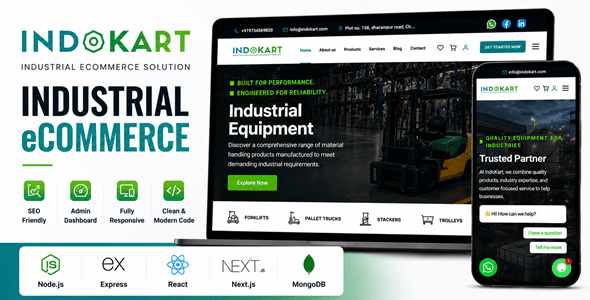
IndoKart | React Node.js eCommerce Platform With Admin Panel IndoKart is a modern and scalable eCommerce platform built with React and Node.js,...
