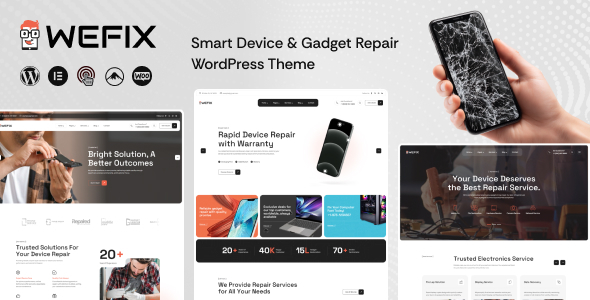
Wefix – Smart Device & Gadget Repair WordPress Theme is a professional website theme designed for mobile repair shops, electronics service centers, computer technicians, gadget repair businesses, and smart device maintenance providers looking to establish a reliable online presence. With a focus on repair services, technical expertise, and customer communication, Wefix provides a foundation for presenting repair solutions, introducing technicians, explaining service offerings, and helping customers connect with a repair business.
Whether you specialize in smartphone screen replacement, laptop troubleshooting, tablet repairs, computer maintenance, or general electronic gadget servicing, Wefix can be customized to match your business identity and service requirements. Built for WordPress, it offers a content management foundation for organizing service information, publishing helpful articles, displaying business details, and developing a website that supports your repair business as it grows.
A device repair website should make it easy for customers to understand the available services and find out how to request assistance. People looking for a repair shop often want quick answers about supported devices, common technical problems, service availability, and contact options.
Wefix is intended for repair-focused websites that need a clear and professional presentation. Its available layouts can be customized with device imagery, repair-related graphics, service descriptions, and prominent contact details to communicate the business’s expertise.
A well-organized website can introduce visitors to the repair process without overwhelming them with technical information. Clear headings, descriptive service sections, readable text, and straightforward calls to action can help customers identify the appropriate service.
The design can be adapted to suit different business styles, from a neighborhood mobile repair shop to a multi-location electronics service center. Businesses can customize their branding, colors, typography, imagery, and content according to the theme’s supported options.
Wefix can serve as a starting point for several types of electronics repair and technical support websites.
Potential applications include:
The actual suitability of individual layouts depends on the theme package. Businesses can create additional service pages or customize existing layouts to accommodate their particular repair specialties.
Customers often arrive at a repair website with a specific problem. They may need a damaged screen replaced, a laptop that will not start diagnosed, or a device that no longer charges properly repaired.
Wefix can be customized to organize repair services into clear categories, making it easier for visitors to identify the assistance they need. Depending on the available layouts, businesses can create service sections or dedicated pages for different device types and repair procedures.
For example, a mobile repair shop could organize its offerings around screen repairs, battery replacements, camera repairs, charging problems, speaker issues, and software troubleshooting.
A computer repair company might present services for hardware diagnostics, storage upgrades, operating system issues, data recovery, and system maintenance.
Each service page can explain the problem addressed, the devices supported, the general service process, and how customers can request an assessment. Repair businesses should avoid promising specific outcomes before diagnosing a device, since the required work and final cost may depend on its condition.
Repair businesses frequently work with multiple device types and manufacturers. Organizing information by category can help customers determine whether a particular service provider handles their equipment.
A customized Wefix website can present supported device categories using the available page layouts or additional sections created during development.
Possible categories include smartphones, laptops, desktop computers, tablets, gaming devices, and compatible smart gadgets. Businesses can also display supported manufacturers and models where this information is accurate and relevant.
For example, a repair center could explain which phone models it services, whether it offers laptop hardware diagnostics, or whether it accepts selected gaming consoles for repair.
Device compatibility, replacement part availability, warranty conditions, and repair limitations should be clearly communicated. This helps customers understand the scope of the service before contacting the business.
If the business needs a searchable device catalog or a dynamic repair-price calculator, additional development or a compatible WordPress plugin may be required unless the feature is explicitly included.
A convenient inquiry process can help customers contact a repair business without needing to visit the shop simply to ask whether a service is available.
Wefix can be customized to direct visitors toward appointment requests, service inquiries, telephone calls, or other contact channels supported by the website configuration.
A repair request form may collect relevant details such as:
Only necessary information should be collected through the form. Customers should not be encouraged to submit passwords, banking details, or other sensitive account credentials through ordinary contact forms.
The actual workflow depends on the included functionality and integrations. Appointment scheduling, technician assignment, repair ticket creation, automated notifications, and service-status tracking may require additional plugins or custom development.
A well-designed inquiry journey should also explain what happens after submission, such as when the business expects to respond and whether the device must be brought to the service center.
Customers often want to understand the approximate cost of a repair before committing to a service. Presenting clear pricing information can help reduce uncertainty and improve communication.
Wefix can be customized to display service prices, indicative estimates, or pricing information where the included layouts support these elements.
A repair business might publish starting prices for common services such as screen replacement, battery replacement, diagnostics, or computer maintenance. Prices should specify relevant conditions, including device model, part quality, labor charges, and applicable taxes where necessary.
For complex repairs, businesses may prefer an inquiry-based approach in which the final estimate is provided after inspection.
A pricing table or service card is a presentation element rather than a complete quotation system. Dynamic pricing based on device model, repair type, spare-part availability, and labor costs generally requires additional logic or integration.
Keeping published prices accurate can help establish trust and reduce misunderstandings between customers and technicians.
Customers may feel more confident choosing a repair service when they understand the experience and capabilities of the people handling their devices.
Wefix can be adapted to introduce technicians, service teams, or the business owner through profile sections where supported by the theme or added during customization.
A technician profile may include professional experience, areas of specialization, relevant certifications, and the types of devices handled. Businesses should publish only accurate qualifications and avoid unsupported claims about technical expertise.
A larger service center may use team profiles to introduce different specialists, while a small repair shop might emphasize its service experience, working process, and commitment to customer communication.
Additional staff scheduling, technician availability, and employee management features require suitable application functionality beyond a standard website presentation.
Repair customers often compare several providers before choosing where to take their devices. A website can help a business explain its working process and communicate the factors that distinguish its service.
Wefix can be customized to present information about diagnostic procedures, repair estimates, service timelines, warranty terms, and customer support policies.
A repair process section might describe the following stages:
The actual process will vary by business, device type, and repair requirements. Explaining it on the website can help customers understand what to expect and which steps require their approval.
As a WordPress theme, Wefix provides a foundation for managing website content through the WordPress administration area. This can help repair businesses update service descriptions, publish announcements, maintain contact details, and add useful information without rebuilding the entire website.
Depending on the theme’s implementation and included editing tools, supported customization options may include:
The actual editing experience depends on the theme’s supported customization tools and page builder compatibility. Specific premium plugins, prebuilt page layouts, and third-party integrations should not be assumed to be included unless stated in the product documentation.
Before making extensive modifications, developers should review the installation instructions, required plugins, supported WordPress version, and included files.
Customers frequently search for device repair services using the same smartphones or computers that may need attention. A mobile-friendly website can make it easier for them to locate contact details and request assistance.
Wefix should be evaluated on smartphones, tablets, laptops, and desktop computers using the actual supplied theme. Developers should test navigation, service cards, device information, contact forms, and calls to action across different screen sizes.
Telephone numbers and location information should be easy to find, while form fields and buttons should remain practical to use on smaller touchscreens.
Optimized images, readable typography, clear spacing, and accessible navigation can improve the overall experience. The final responsive behavior depends on the supplied implementation, installed plugins, and customizations, so testing before launch is recommended.
Search engine visibility can help device repair businesses attract customers searching for repair services, supported devices, and local technical assistance.
Wefix can provide a foundation for an SEO strategy built around descriptive service pages and useful troubleshooting content. A customized website can use relevant page titles, clear headings, informative service descriptions, meaningful internal links, and appropriate image alternative text.
A local repair business may create pages describing the services it provides in its actual service area. Accurate business name, address, telephone number, opening hours, and location information can help visitors contact the business and support consistent local business listings.
Helpful articles can also address common questions about device maintenance, battery performance, charging issues, computer care, and when to seek professional repair. Such content should be accurate and avoid presenting uncertain diagnoses as definitive.
Technical SEO considerations include page loading speed, mobile usability, crawlability, indexing, and suitable metadata. A WordPress theme does not guarantee search rankings; results depend on content quality, competition, website performance, and ongoing optimization.
A repair business website should remain reliable and easy to use. Regular WordPress maintenance can help reduce security risks and keep the website functioning as expected.
Website owners should use dependable hosting, strong administrator credentials, updated WordPress software, compatible plugins, and available theme updates. Regular backups can help protect important website content.
Image optimization, caching where appropriate, and limiting unnecessary plugins can contribute to improved performance. Contact forms should be tested periodically to ensure that inquiries reach the correct destination.
If the website collects customer contact details or information about devices, access controls and secure data transmission should be considered. Repair businesses should avoid collecting device passwords or other sensitive credentials through ordinary website forms.
These measures require appropriate configuration and ongoing maintenance; they are not guaranteed by the theme alone.
Wefix may be suitable for mobile repair shop owners, laptop technicians, computer service providers, electronics repair businesses, gadget maintenance specialists, and WordPress developers building websites for technical service companies.
It is particularly relevant to businesses that need to present repair services, organize device categories, explain their working process, publish contact information, and encourage customers to request assistance.
Freelancers and digital agencies can also customize the theme for clients who want to modernize an existing repair shop website or launch a new technical service business online.
Before purchasing, review the live demo, available page layouts, customization options, supported WordPress version, required plugins, documentation, licensing terms, and stated dependencies. Confirm that the supplied features match your business requirements.
Wefix – Smart Device & Gadget Repair WordPress Theme offers a customizable foundation for creating a professional website for mobile repair shops, computer technicians, electronics service centers, and smart gadget maintenance businesses. Its repair-focused purpose makes it suitable for presenting service categories, explaining repair procedures, introducing technical expertise, and helping customers get in touch with a service provider.
From a neighborhood smartphone repair shop to a larger electronics service center, Wefix can be adapted to support different business identities and customer communication needs. Advanced features such as live appointment scheduling, repair ticket management, dynamic pricing, technician allocation, and repair-status tracking may require compatible plugins or additional development unless explicitly included in the product package.
For businesses seeking a WordPress-based foundation for promoting device repair services and building customer trust, Wefix – Smart Device & Gadget Repair WordPress Theme is an option worth evaluating for a modern and service-focused online presence.
1. All digital products are the most recent version, with no possibility of free updates. After payment, you can request an update to the most recent version for 5 days if a new version is released. We free support within 5 days.
2. If a license is required (Excludes WHMCS license , we provide only method not license), please contact us via email or ticket for assistance with activation. Our license is only valid for activation and does not include support.
3. We provide Mobile, PHP script installation services for $19.90 / ₹1700. Please create a backup after installation as we do not support re-installation. For mobile app source code, we do not offer installation services.
4. If you have any questions, please contact us by email [email protected] or create a ticket on this page
5. Please note that any digital products presented on the website do not contain malicious code, viruses or advertising. You will receive the original files from the developers. We do not sell any products that have been downloaded from other websites.
6. The response time can last up to 6 hours.
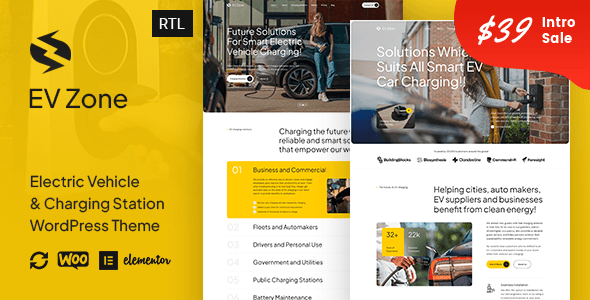
EVZone – Electric Vehicle & EV Charging Station WordPress Theme EVZone – Electric Vehicle & EV Charging Station WordPress Theme is a...

Verba – Modern Blog & Magazine WordPress Theme Verba – Modern Blog & Magazine WordPress Theme is a modern, elegant, and versatile...
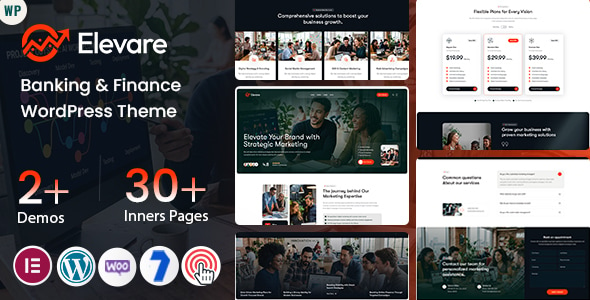
Elevare – Banking & Finance WordPress Theme Elevare – Banking & Finance WordPress Theme is a modern, professional, and versatile Banking &...

Docaid - Medical & Health Care WordPress Theme Docaid - Medical & Health Care WordPress Theme is a modern and professionally designed...
