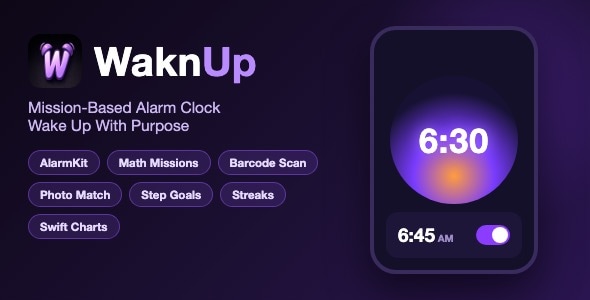
WaknUp | Mission-Based Alarm Clock With Wake-Up Missions, Streaks, Analytics and AlarmKit – SwiftUI is a modern iOS application template designed to make waking up more engaging through mission-based alarms, habit-building streaks, sleep and wake-up analytics, and Apple’s AlarmKit technology. Built with SwiftUI, WaknUp provides a foundation for creating an interactive alarm clock application that encourages users to get out of bed, complete morning challenges, and develop more consistent waking habits.
Traditional alarm clock applications primarily focus on setting a time and playing an alert. However, turning off an alarm without fully waking up can make it difficult to establish a consistent morning routine. WaknUp introduces a mission-based approach in which waking up can involve completing a task rather than simply dismissing an alert.
The combination of alarm scheduling, interactive wake-up missions, progress tracking, and performance analytics can create a more engaging experience for users who want to improve their morning discipline. The SwiftUI architecture also makes the project a useful starting point for iOS developers interested in building native applications with Apple’s modern development tools.
Whether you are an indie app developer, a startup founder exploring the productivity market, or a business planning to launch a habit-building mobile application, WaknUp offers a specialized foundation for developing an alarm clock experience with a stronger focus on user engagement.
WaknUp is designed around the idea that waking up should involve an intentional action rather than relying entirely on a conventional alarm dismissal.
A mission-based alarm can encourage users to complete a specific activity before considering their wake-up routine finished. Depending on the supplied implementation, missions may involve simple interactive challenges, memory exercises, arithmetic questions, pattern recognition, or other tasks that require active participation.
These activities can make the alarm experience feel more purposeful and help differentiate the application from basic clock utilities.
For example, a user might configure a morning alarm that requires completing a short challenge before dismissing the alert. The exact mission types, difficulty levels, completion rules, and customization options depend on the features included in the original project.
For developers, this approach also creates opportunities to experiment with different challenge formats and build a more personalized waking experience.
A central technical feature of WaknUp is its integration with Apple’s AlarmKit technology, where supported by the target iOS version and the supplied implementation.
AlarmKit is Apple’s framework for creating and managing system-integrated alarms in supported iOS environments. Its use can help developers build alarm experiences that integrate with the operating system rather than relying exclusively on ordinary application notifications.
For an alarm clock application, this type of integration is important because alarm behavior must be considered separately from standard reminders or scheduled notifications.
Depending on the implementation, WaknUp may provide an interface for configuring alarm times, managing alarm states, and connecting alarm events with the application’s wake-up mission flow.
Developers should verify the minimum supported iOS version, required permissions, device behavior, framework availability, and any restrictions that apply to the target environment. AlarmKit behavior should not be assumed to be identical across all iOS versions or device configurations.
Interactive missions are an important part of WaknUp’s intended user experience. Rather than offering only a conventional alarm-dismissal button, the application can guide users through an activity associated with waking up.
Depending on the supplied features, missions may be organized around different challenge styles, allowing users to engage with an activity before completing their alarm routine.
Potential mission categories include:
These examples describe common possibilities for mission-based alarm applications. Buyers should check the included screens and feature documentation to confirm which mission types are actually available in WaknUp.
A well-designed mission experience should also consider accessibility, appropriate difficulty, and a straightforward fallback for situations where a user cannot complete the selected task.
Consistency is an important part of building a sustainable morning routine. WaknUp includes a focus on streaks, making it possible to present waking-related progress in a format that encourages repeated engagement.
A streak typically represents a series of successful days or completed activities according to a defined rule. In a wake-up application, that rule might relate to completing an alarm mission or meeting a configured wake-up goal.
Depending on the supplied implementation, the app may display current streaks, previous achievements, or other progress indicators.
Visual streak tracking can make progress easier to understand and help users recognize their consistency over time. It may also support personal goal-setting by giving users a clear view of their recent performance.
Developers should inspect how streaks are calculated, including time-zone changes, missed alarms, multiple alarms on the same day, and changes to the user’s wake-up schedule. These details are important when adapting the application for real-world use.
WaknUp places emphasis on analytics, providing a foundation for helping users review their alarm-related activity and understand their waking patterns.
Depending on the included analytics implementation, the application may summarize information such as completed missions, successful wake-ups, streak history, and trends over a selected period.
These insights can make the application more useful than a simple alarm clock by giving users a way to reflect on their progress.
For example, users may want to review how consistently they complete their morning routine or compare recent activity with their personal goals. The precise charts, statistics, date ranges, and calculation methods should be verified in the original project.
It is important to distinguish wake-up analytics from clinical sleep analysis. Alarm completion records alone do not measure sleep quality, sleep stages, or total sleep duration. More advanced sleep insights would require suitable data sources and additional implementation.
WaknUp is built with SwiftUI, Apple’s declarative framework for developing user interfaces across supported Apple platforms.
SwiftUI allows developers to describe interface layouts and connect them with application state using a modern development approach. It can be used to build reusable interface components, interactive controls, navigation flows, and state-driven screens.
For a mission-based alarm clock, this approach is suitable for creating interfaces for alarm setup, mission selection, active alarm experiences, progress displays, and analytics screens, depending on the supplied project structure.
A native SwiftUI application can also provide an interface that follows familiar iOS design conventions.
For developers, working with SwiftUI offers opportunities to customize typography, spacing, colors, animations, screen layouts, and interactive elements while maintaining a native iOS-oriented development workflow.
The actual architecture, component organization, and minimum deployment target should be reviewed in the supplied source code.
A useful alarm application needs a convenient way for users to create and manage their daily wake-up schedule.
WaknUp is designed around an alarm-centric workflow, with AlarmKit integration serving as an important part of the technical foundation.
Depending on the implemented screens, users may be able to configure alarm times, review existing alarms, enable or disable scheduled alarms, and connect an alarm to a selected wake-up mission.
Additional possibilities include recurring schedules, custom labels, multiple alarms, and individual mission preferences. These capabilities should be confirmed against the included implementation rather than assumed to be available.
Developers can evaluate the alarm-management flow and adapt it to specific product requirements, such as weekday scheduling, personalized mission selection, or a more streamlined alarm setup process.
Because alarms are time-sensitive, thorough testing is especially important when changing scheduling logic or integrating additional application features.
Morning routines often influence how people organize their day. A dedicated alarm application can provide a starting point for encouraging consistent habits and reducing the friction associated with getting out of bed.
WaknUp’s mission-based approach can support a more interactive start to the day by connecting alarm dismissal with an activity.
Depending on the implemented features, the application may be adapted to include personal wake-up goals, morning checklists, routine reminders, or other productivity-oriented enhancements.
For example, a future version could introduce optional activities such as drinking water, stretching, or reviewing a daily priority. These would require appropriate interface and workflow development if they are not already included.
The goal is to provide a flexible foundation for developers who want to explore the intersection of alarm utilities, personal productivity, and habit formation.
Visual progress indicators can help users understand their behavior without requiring them to interpret large amounts of raw data.
Within WaknUp, the streak and analytics concepts provide a foundation for presenting wake-up progress in an understandable format.
Depending on the supplied implementation, progress screens may display completed activities, recent performance, or historical streak information. These visual elements can help users identify patterns and remain engaged with their personal goals.
Potential enhancements include milestone achievements, weekly summaries, progress badges, and configurable wake-up targets.
Such features can be valuable for applications that rely on repeat engagement, but their inclusion should be verified before purchase. Additional achievement systems or reward mechanics may require custom development.
A well-designed alarm experience needs clear feedback so users understand what is happening before, during, and after an alarm.
Depending on the available implementation, WaknUp may include interface states for upcoming alarms, active missions, and completed wake-up activities.
Additional notification features could be developed to support schedule changes, optional routine reminders, or progress summaries, subject to iOS notification permissions and platform behavior.
AlarmKit integration should be evaluated separately from ordinary notification scheduling. The framework, user permissions, and operating system determine which alarm-related behaviors are available.
Before publishing a customized version, developers should test the experience under different conditions, including application backgrounding, device restarts where relevant, permission changes, and alarm edits.
WaknUp can serve as a starting point for developers who want to create a branded alarm and productivity application.
Potential customization areas include the application name, icon, color palette, typography, onboarding screens, mission presentation, alarm configuration interface, and progress visualization.
Developers may also adapt the mission system to target specific audiences, such as students, professionals, fitness-oriented users, or people who want a more structured morning routine.
Other possible extensions include multilingual interfaces, additional mission formats, custom achievement systems, subscription-based premium features, and expanded analytics.
These additions depend on the project’s architecture, the existing source code, third-party dependencies, and the developer’s intended product requirements. They should be treated as customization opportunities unless explicitly included in the supplied package.
WaknUp may be useful for several types of users and development projects.
iOS app developers: Explore a SwiftUI-based foundation for an alarm application that uses mission-based wake-up interactions.
Indie app creators: Develop a differentiated alarm clock concept focused on daily consistency and user engagement.
Startups: Evaluate a foundation for a productivity or habit-building mobile product.
UI/UX designers: Study or customize a native-style interface for alarm setup, interactive challenges, and progress tracking.
Digital product businesses: Assess the template as a starting point for a specialized mobile application, subject to the applicable license.
SwiftUI learners: Examine how a native iOS application can organize interactive screens, application state, and alarm-related workflows.
The product’s suitability will depend on the included functionality, technical requirements, and intended distribution model.
Before using WaknUp, review the included documentation and project configuration to identify the required development environment.
A typical SwiftUI application workflow may involve a compatible Mac, an appropriate version of Xcode, the required iOS SDK, and an Apple development account for certain device-testing and distribution activities.
AlarmKit availability and behavior depend on the supported operating system and the project’s implementation. Developers should verify the minimum iOS version, capabilities, permissions, and any required configuration before building the application.
The installation process may involve opening the supplied project in Xcode, resolving package dependencies, configuring signing settings, selecting a bundle identifier, and running the application on a supported simulator or physical device.
Before publishing, test alarm creation, alarm activation, mission completion, streak calculations, and analytics behavior across relevant scenarios.
The availability of source code, setup instructions, updates, and technical support depends on the product package and seller’s terms.
Before purchasing WaknUp, review the original product demonstration, screenshots, technical documentation, and included feature list.
Confirm which wake-up missions are implemented, how streaks are calculated, what analytics are available, and how the application integrates with AlarmKit. Also verify the minimum supported iOS version, source-code availability, dependencies, and licensing conditions.
Do not assume that the application provides advanced sleep tracking, guaranteed alarm delivery under every device condition, cloud synchronization, HealthKit integration, or a backend service unless these features are explicitly documented.
If you plan to publish the application commercially, review Apple’s current platform requirements and test alarm behavior thoroughly on supported devices. Any paid features, subscriptions, or analytics integrations may require additional development and configuration.
WaknUp | Mission-Based Alarm Clock With Wake-Up Missions, Streaks, Analytics and AlarmKit – SwiftUI offers a focused foundation for developing an iOS alarm clock application that combines wake-up challenges, habit-oriented progress tracking, and a native SwiftUI interface.
By bringing mission-based interactions, streaks, analytics, and AlarmKit integration into one application concept, WaknUp can help developers explore a more engaging approach to morning routines and personal productivity.
Whether you are creating an independent iOS application, experimenting with habit-building features, or developing a branded alarm clock product, WaknUp is worth evaluating as a starting point. Review the supplied source code, included functionality, compatibility requirements, and licensing terms to determine whether it meets your project goals.
1. All digital products are the most recent version, with no possibility of free updates. After payment, you can request an update to the most recent version for 5 days if a new version is released. We free support within 5 days.
2. If a license is required (Excludes WHMCS license , we provide only method not license), please contact us via email or ticket for assistance with activation. Our license is only valid for activation and does not include support.
3. We provide Mobile, PHP script installation services for $19.90 / ₹1700. Please create a backup after installation as we do not support re-installation. For mobile app source code, we do not offer installation services.
4. If you have any questions, please contact us by email [email protected] or create a ticket on this page
5. Please note that any digital products presented on the website do not contain malicious code, viruses or advertising. You will receive the original files from the developers. We do not sell any products that have been downloaded from other websites.
6. The response time can last up to 6 hours.
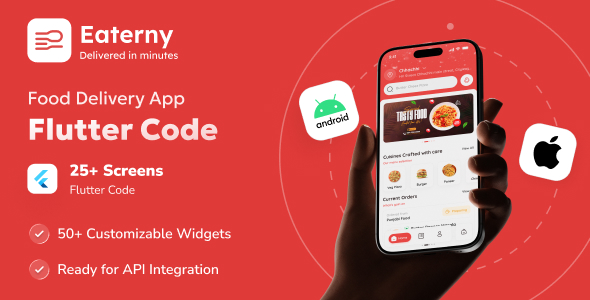
Eaterny | Food Delivery and Restaurant Flutter App UI Template Eaterny | Food Delivery and Restaurant Flutter App UI Template is a...
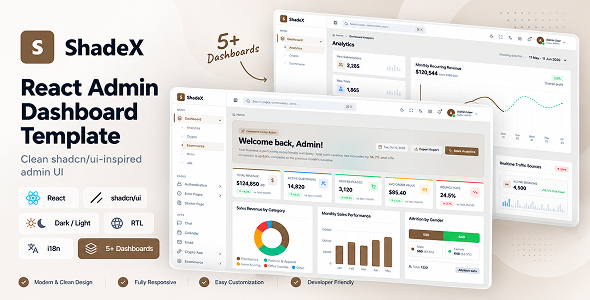
ShadeX – React Admin Dashboard Template with shadcn/ui, RTL & Dark Mode ShadeX – React Admin Dashboard Template with shadcn/ui, RTL &...
Norio - Digital Agency & Portfolio HTML Template Norio - Digital Agency & Portfolio HTML Template is a modern and creative website...
AVAVA Home - Real Estate Marketplace HTML Template AVAVA Home - Real Estate Marketplace HTML Template is a modern website template designed...
