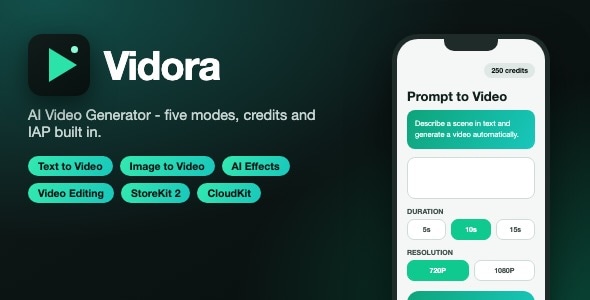
Vidora | AI Video Generator With Text to Video, Image to Video – SwiftUI Template is a modern iOS application UI template designed for building an AI-powered video generation experience. It provides a foundation for creating a mobile application where users can explore text-to-video and image-to-video generation workflows through a polished interface built with Apple’s SwiftUI framework.
Artificial intelligence has introduced new possibilities for digital content creation, making it easier to transform written prompts and visual references into engaging video content. AI video generator applications allow users to describe an idea, provide an image, select generation preferences, and create visual content using compatible AI models and cloud-based services.
Vidora is suitable for iOS developers, AI application startups, digital entrepreneurs, and software development agencies looking to create a branded AI video creation application. Its SwiftUI-based structure offers a starting point for developing a modern interface that can be connected to AI video generation APIs and supporting backend infrastructure.
Vidora is built around SwiftUI, Apple’s modern declarative framework for developing application interfaces across supported Apple platforms.
SwiftUI provides a structured approach to building reusable interface components, managing application views, and creating responsive user experiences.
The template can be customized to match different AI video generation business models, including subscription-based creative applications, AI content creation tools, and mobile video production platforms.
Developers can adapt the visual identity, navigation structure, typography, colors, and interface components according to their requirements.
As a SwiftUI template, its primary value is providing a starting point for the iOS application interface. The availability of functional AI generation, backend services, and external integrations depends on the included source code and implementation.
Text-to-video generation allows users to describe a scene, concept, or visual idea using written instructions and transform that description into a video through a compatible AI model.
Vidora provides a foundation for creating a user-friendly text-to-video workflow within an iOS application.
Users can enter a creative prompt describing the video they want to generate. The application interface can then be extended to collect additional generation preferences and submit the request to an integrated AI video generation service.
Potential text-to-video workflow elements include:
The actual availability of these functions depends on the included implementation. A working text-to-video feature requires integration with a compatible AI model or external video generation API.
Image-to-video generation allows users to transform a static image into an animated video using artificial intelligence.
This functionality can be useful for creating promotional visuals, social media content, animated product presentations, and creative video concepts.
Vidora can serve as a foundation for implementing an image-to-video workflow where users select an image and submit it to a compatible AI generation service.
A customized image-to-video experience may include:
The final output depends on the selected AI model, image quality, supported input formats, and generation parameters.
Image-to-video generation is not automatically provided by SwiftUI itself. Developers must integrate an external AI service or compatible model and configure the required API credentials.
An effective AI video generator should provide a straightforward process from initial idea to final video output.
Vidora offers a foundation for designing an organized video creation journey that can be customized according to the selected AI provider.
A typical workflow may include:
These steps describe a possible production workflow. The actual screens and functional steps should be confirmed through the supplied template documentation.
A well-organized interface is important for AI creative applications because users should be able to access generation tools without navigating complicated menus.
Vidora can be customized with a clear navigation structure that organizes important application sections and creative workflows.
Potential application sections include:
Developers can adapt the navigation structure to support additional tools, AI model options, creative templates, and subscription features.
The final navigation functionality depends on the included SwiftUI implementation.
Previewing generated videos is an important part of the AI content creation experience. Users should be able to review their results before deciding whether to save or share them.
Vidora can provide a starting point for integrating video preview functionality and organizing generated content.
Depending on the implemented features, a completed application can be extended with:
A production implementation may also require cloud storage for generated videos, secure download URLs, and media delivery infrastructure.
AI video generation requires access to specialized models or external generation services. The application interface must communicate with the selected provider through a suitable backend or API integration.
Vidora’s SwiftUI structure can be extended to connect with compatible AI video generation services that support text-to-video and image-to-video requests.
Integration requirements may include:
Different AI providers support different input formats, video durations, resolutions, generation speeds, and pricing models.
Developers should verify the selected provider’s capabilities and API requirements before implementing the complete generation workflow. AI generation costs are generally separate from the cost of the application template.
User account functionality can help transform a standalone video generation interface into a personalized creative platform.
Depending on the included screens and implementation, Vidora can be extended with registration, login, profile management, and account settings.
Additional account-related functionality may include:
If authentication and cloud synchronization are not included, developers will need to integrate an appropriate backend or authentication service.
AI video generation platforms can use subscription-based business models to provide access to different creative tools and generation limits.
Vidora can serve as a starting point for developing a commercial AI video application with free and premium membership options.
Possible monetization features include:
A credit-based system can be particularly useful for AI applications because video generation may involve variable processing costs.
For production use, subscription management, payment processing, usage tracking, and credit deduction should be implemented securely through a backend.
Apple In-App Purchase integration may be required for digital subscriptions and features distributed through the iOS application, depending on Apple’s current App Store policies and the business model.
Vidora can be adapted to create a unique AI video generation product under your own business identity.
Developers can modify the interface and application workflows to match the target audience and selected AI services.
Customization opportunities may include:
The SwiftUI-based structure provides a foundation for organizing and extending the application interface as new product requirements are introduced.
An AI video generation application may process user prompts, uploaded images, generated videos, account information, and payment-related records.
A production implementation should protect these resources through secure API communication, appropriate authentication, input validation, and controlled access to user-generated content.
AI provider API keys should not be embedded directly in the publicly distributed iOS application. Requests should generally be routed through a secure backend that manages credentials and validates user permissions.
Businesses should also define how uploaded images, prompts, and generated videos are stored and processed. Clear privacy policies and appropriate data retention practices help establish user trust.
Deploying Vidora as a working AI video generation application requires more than configuring the SwiftUI interface. Developers must connect the application to compatible AI services and configure any necessary backend infrastructure.
Important development requirements may include:
The exact setup requirements depend on the supplied project files, supported iOS versions, and third-party integrations.
Vidora is suitable for developers and businesses interested in creating AI-powered mobile video applications.
Vidora | AI Video Generator With Text to Video, Image to Video – SwiftUI Template provides a modern starting point for developing an AI-powered video creation application for Apple devices. With its SwiftUI foundation and text-to-video and image-to-video concept, it offers a structure for building an intuitive mobile experience around AI-assisted video generation.
Whether you are planning an AI video startup, developing a creative content application, or building a branded mobile interface for an existing AI generation service, Vidora can help accelerate the interface development process.
By integrating compatible AI models, secure backend services, video storage, subscription management, and media delivery infrastructure, developers can extend the template toward a complete AI video generation platform.
Note: Please review the official product documentation and included source code to confirm the available SwiftUI screens, supported iOS versions, functional generation workflows, and third-party integrations. AI video generation APIs, backend hosting, cloud storage, video processing, and payment services may require separate accounts, configuration, and usage-based fees.
1. All digital products are the most recent version, with no possibility of free updates. After payment, you can request an update to the most recent version for 5 days if a new version is released. We free support within 5 days.
2. If a license is required (Excludes WHMCS license , we provide only method not license), please contact us via email or ticket for assistance with activation. Our license is only valid for activation and does not include support.
3. We provide Mobile, PHP script installation services for $19.90 / ₹1700. Please create a backup after installation as we do not support re-installation. For mobile app source code, we do not offer installation services.
4. If you have any questions, please contact us by email [email protected] or create a ticket on this page
5. Please note that any digital products presented on the website do not contain malicious code, viruses or advertising. You will receive the original files from the developers. We do not sell any products that have been downloaded from other websites.
6. The response time can last up to 6 hours.

AutoHub - Car Dealer & Listing (SaaS) AutoHub is a powerful and feature-rich Car Dealer & Vehicle Listing SaaS platform designed for...
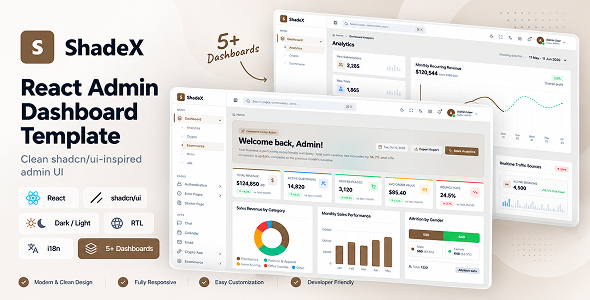
ShadeX – React Admin Dashboard Template with shadcn/ui, RTL & Dark Mode ShadeX – React Admin Dashboard Template with shadcn/ui, RTL &...
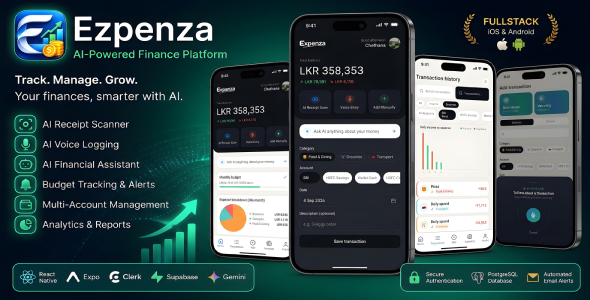
Ezpenza – AI-Powered Personal Finance & Expense Management App Ezpenza is a smart and innovative personal finance management application powered by artificial...
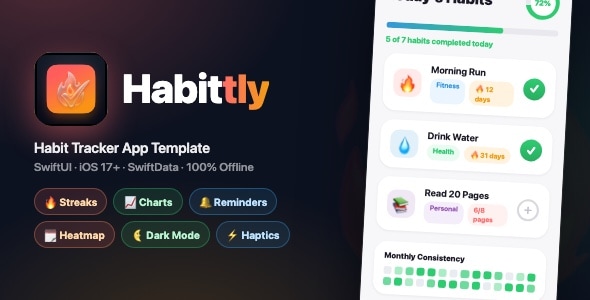
Habbitly | Habit Tracker App with Streaks, Charts, Heatmap & Local Reminders — SwiftUI iOS 17 Habbitly is a modern and feature-rich...
