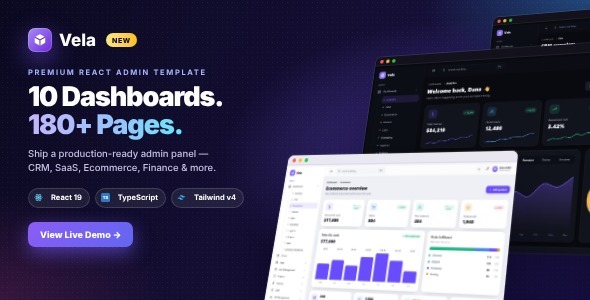
Vela – React Admin Dashboard Template with Tailwind CSS & TypeScript is a modern and developer-friendly admin dashboard template designed for SaaS applications, business management systems, analytics platforms, CRM solutions, project management tools, and other web-based applications. Built with React, Tailwind CSS, and TypeScript, Vela provides a flexible frontend foundation for developing professional administrative interfaces with organized layouts, reusable components, and a customizable design system.
Whether you are building a SaaS dashboard, developing an internal business management platform, creating an analytics application, or designing an administration panel for a web project, Vela offers a suitable starting point. Its modern technology stack helps developers create structured user interfaces while maintaining a consistent visual experience across different dashboard sections.
With its dashboard-oriented design and component-based architecture, Vela can help reduce frontend development time and provide a foundation for building scalable web application interfaces.
An effective admin dashboard should make complex information easier to understand and manage. Administrators often need to review business statistics, monitor activities, navigate application modules, and interact with different data management interfaces.
Vela provides a professional design foundation for presenting administrative information through organized dashboard layouts. You can customize the interface to match your application’s purpose, branding, and operational requirements.
The template is suitable for different types of applications, including SaaS platforms, CRM systems, financial management tools, project tracking applications, analytics dashboards, and business administration software.
Its flexible frontend structure allows developers to adapt dashboard sections and components for different project requirements.
A dashboard overview gives administrators a convenient place to review important information about an application or business.
Vela provides a suitable foundation for building dashboard sections that present key metrics and operational summaries.
Depending on the supplied components, these areas can be customized to display information such as:
You can adapt the dashboard according to the type of application you are developing.
For example, a SaaS dashboard may focus on active subscriptions, user activity, and monthly revenue, while a project management dashboard may prioritize task completion, ongoing projects, and team performance.
Dynamic statistics and real-time reporting require data connections and backend implementation.
Vela is built with React, a widely used JavaScript library for developing interactive user interfaces.
React’s component-based architecture allows developers to divide a dashboard into smaller, reusable interface elements. Components can represent navigation menus, dashboard cards, tables, forms, charts, and other application sections.
This structure can make frontend development more organized and help maintain consistent design patterns throughout the application.
Developers familiar with React can customize existing components, create new interface elements, and extend the template according to their requirements.
The component-based approach is especially useful for admin panels containing multiple modules that share similar interface elements.
Tailwind CSS provides a utility-first approach to styling web applications. Instead of creating extensive custom CSS for every component, developers can use utility classes to manage spacing, colors, typography, alignment, sizing, and responsive layouts.
Vela uses Tailwind CSS to provide a flexible styling foundation for customizing the dashboard interface.
You can modify the appearance of dashboard cards, navigation elements, tables, buttons, forms, and other UI components according to your application’s branding.
This approach is useful for developers who prefer utility-based styling and want to maintain consistent visual patterns throughout a project.
TypeScript adds static typing to JavaScript and can help developers identify certain programming errors during development.
Vela’s TypeScript-based foundation makes it suitable for development teams that prefer strongly typed frontend code.
TypeScript can improve code readability, support better editor assistance, and make it easier to manage complex application data structures.
For larger dashboard projects, this can be particularly useful when working with reusable components, API responses, form data, and application state.
Administrative applications often require structured interfaces for reviewing and organizing large amounts of information.
Vela provides a dashboard design foundation that can be customized for different data management requirements.
Potential table applications include:
Developers can connect these interfaces to backend APIs and database services to display dynamic records.
Features such as advanced filtering, sorting, pagination, bulk actions, and record editing depend on the supplied components and additional implementation.
Forms are essential components of most administration panels. They allow users to enter information, update records, configure settings, and manage application data.
Vela can be customized to create different types of administrative forms.
Potential form applications include:
You can connect form components to suitable validation libraries and backend endpoints to support data processing.
Actual form submission, database updates, authentication, and permission management require additional application logic.
Charts and visual summaries can help administrators understand business performance and identify important trends.
Vela provides a foundation for building analytics-oriented dashboard interfaces. Where supported by the supplied components, developers can adapt chart areas to present different types of business information.
Potential applications include:
For advanced charting functionality, developers can integrate suitable React chart libraries and connect them to actual application data.
Vela’s multipurpose dashboard approach makes it suitable for different software applications.
SaaS Applications: Create administrative interfaces for subscription-based software platforms, customer accounts, and usage analytics.
CRM Systems: Develop frontend layouts for managing customer information, sales activities, and business relationships.
Project Management Software: Organize project information, tasks, progress summaries, and team activities.
Financial Management Platforms: Present transaction records, financial summaries, and business reporting interfaces.
eCommerce Administration: Build interfaces for product information, orders, customers, and sales reporting.
Analytics Applications: Create dashboard layouts for displaying metrics, performance indicators, and reporting information.
HR Management Systems: Develop administrative interfaces for employee information, attendance summaries, and internal records.
Business Management Applications: Organize different operational modules within a centralized dashboard.
Administrators may access web applications through desktop computers, laptops, tablets, and smartphones. A responsive dashboard helps make important application information accessible across different devices.
Vela provides a responsive design foundation intended to adapt dashboard layouts to various screen sizes.
When customizing the template, review sidebar navigation, data tables, dashboard cards, forms, and charts on smaller screens. Wide tables and complex data visualizations may require additional responsive handling to maintain usability.
A clear interface can help users navigate application modules and interact with administrative features more comfortably.
Every web application has different business logic and technical requirements. Vela provides a frontend foundation that developers can customize and extend according to their projects.
You can modify page layouts, update component styling, add new dashboard modules, and connect the interface to external data sources.
Potential integration areas include:
The actual availability of these integrations depends on the supplied code and additional development. A React admin dashboard template is primarily a frontend foundation and should not automatically be considered a complete backend application.
Administrative interfaces often provide access to sensitive business information. When developing an application with Vela, security should be considered from the beginning.
Developers should implement appropriate authentication, authorization, role-based access control, secure API communication, input validation, and server-side permission checks.
Sensitive operations should always be validated by the backend rather than relying exclusively on frontend visibility or interface restrictions.
The template itself should not be assumed to provide complete authentication, security policies, or database protection unless these features are explicitly included in its documentation.
Admin dashboards are generally intended for authenticated application users rather than public search traffic. However, SEO may be relevant if you use Vela’s design foundation for public-facing landing pages or other indexable website sections.
For public pages, consider implementing descriptive page titles, meta descriptions, organized headings, appropriate metadata, and optimized images.
For private dashboard routes, configure appropriate access controls and prevent sensitive application pages from being indexed by search engines.
Vela is suitable for React developers, frontend engineers, SaaS startups, software development companies, digital agencies, web application developers, and businesses building custom administration systems.
It can also be useful for teams developing CRM platforms, analytics applications, project management tools, financial dashboards, and other data-driven web applications.
Whether you are creating a new SaaS dashboard, developing an internal business management system, or building an administration interface for an existing application, Vela provides a flexible starting point.
Vela – React Admin Dashboard Template with Tailwind CSS & TypeScript provides a modern and developer-friendly frontend foundation for building professional web application dashboards.
With its React-based component architecture, Tailwind CSS styling approach, and TypeScript support, it can help developers create organized administrative interfaces for SaaS platforms, CRM systems, analytics applications, project management tools, and business software.
Whether you are developing a startup application or an enterprise-oriented administration interface, Vela offers a customizable foundation for creating a consistent, responsive, and maintainable dashboard experience.
1. All digital products are the most recent version, with no possibility of free updates. After payment, you can request an update to the most recent version for 5 days if a new version is released. We free support within 5 days.
2. If a license is required (Excludes WHMCS license , we provide only method not license), please contact us via email or ticket for assistance with activation. Our license is only valid for activation and does not include support.
3. We provide Mobile, PHP script installation services for $19.90 / ₹1700. Please create a backup after installation as we do not support re-installation. For mobile app source code, we do not offer installation services.
4. If you have any questions, please contact us by email [email protected] or create a ticket on this page
5. Please note that any digital products presented on the website do not contain malicious code, viruses or advertising. You will receive the original files from the developers. We do not sell any products that have been downloaded from other websites.
6. The response time can last up to 6 hours.

Saal — Tutor Marketplace React & Next.js Template Saal — Tutor Marketplace React & Next.js Template is a modern, professional, and feature-rich...
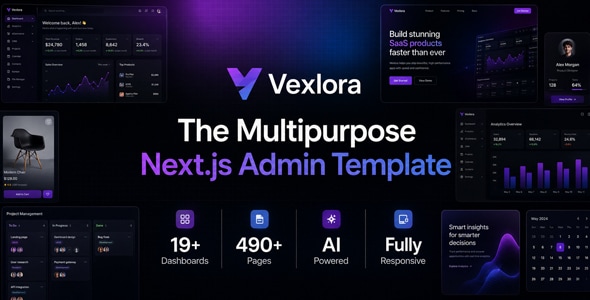
Vexlora - Multipurpose Nextjs Admin Template Vexlora - Multipurpose Nextjs Admin Template is a modern administrative dashboard template designed for developers, startups,...

Readwell Books — Premium Digital Bookstore HTML Template Readwell Books — Premium Digital Bookstore HTML Template is a modern website design solution...
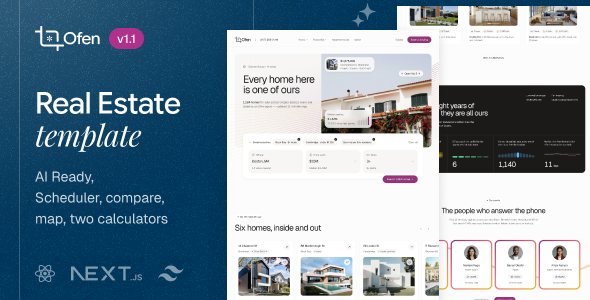
Ofen — Real Estate React NextJs Template Ofen — Real Estate React NextJs Template is a modern website template designed for real...
