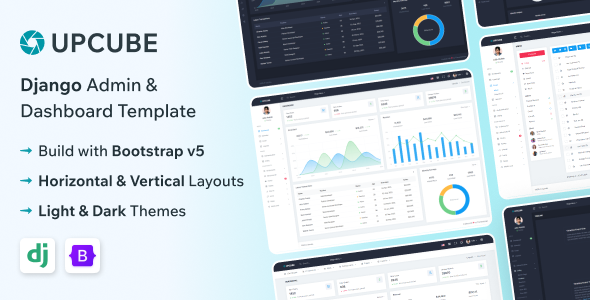
Upcube – Django Admin & Dashboard Template is a modern administrative dashboard template designed for developers, businesses, and software teams building data-driven web applications with Django. Created for admin interfaces and business management environments, Upcube provides a starting point for organizing application information, presenting important metrics, and developing structured administrative workflows.
Suitable for web developers, Python programmers, startups, and digital agencies, this template can be adapted for customer management systems, business dashboards, reporting platforms, internal management tools, and other web applications that require an organized administrative interface. Its dashboard-oriented approach helps developers create a consistent user experience for reviewing information, managing records, and navigating different application sections.
Whether you are developing a business management platform, a custom CRM, an analytics dashboard, or an internal administration system, Upcube offers a foundation that can be customized to suit your project’s design and functional requirements.
A well-designed admin dashboard makes complex application information easier to navigate and understand. Upcube is intended for projects where structured layouts, clear navigation, and organized data presentation are important.
A customized implementation can arrange application information into sections such as overview dashboards, management screens, reports, settings, and other administrative pages. Depending on the components included in the package, developers may be able to work with summary cards, data tables, charts, forms, navigation menus, and reusable interface elements.
The interface can also be adapted to match an organization’s branding and usability requirements. Developers can customize the color palette, typography, icons, spacing, and page layouts to create a consistent experience across the application.
For businesses managing large amounts of information, a clearly organized dashboard can help users find relevant data more efficiently and complete routine tasks with fewer unnecessary steps.
Django is a high-level Python web framework designed to support the development of maintainable and data-driven web applications. A Django-oriented admin dashboard can provide a useful starting point for projects that use Python for backend logic and application development.
Depending on the supplied architecture, Upcube may be integrated into a Django project to support page rendering, URL routing, view logic, templates, and backend data workflows. Developers can adapt the interface to work with Django models, forms, authentication, and other suitable framework components where the implementation supports them.
Django also provides built-in capabilities for handling common web application requirements, including database interactions and user authentication. Additional configuration and development may still be needed to connect these capabilities to a particular dashboard interface.
The exact Django version, Python requirements, frontend technologies, dependencies, and project structure should be verified in the product documentation. The presence of an admin dashboard design does not automatically mean that every business management feature is included.
An administrative dashboard often serves as the main entry point for understanding application activity. Upcube can be adapted to present important metrics, summaries, and operational information in one organized interface.
Depending on the available layouts and project requirements, dashboard sections may display numerical summary cards, graphical reports, recent activity, status indicators, and tabular data.
For example, a sales application might present order totals and customer activity, while an inventory system could highlight stock levels and pending updates. A project management application might display task progress and outstanding work.
To provide meaningful information, dashboard components should be connected to the relevant backend data sources. Demonstration charts or sample figures should be replaced with accurate application data before the system is used in a live environment.
Many administrative applications require a central interface for maintaining user accounts and reviewing account-related information. Upcube can serve as a foundation for building these workflows when the necessary backend functionality is available.
Potential features include user listing pages, account detail views, profile editing, and administrative actions related to user records. Developers may also extend the application with account status management and other workflows appropriate to the project.
Django’s authentication system can provide a foundation for managing users and authentication-related processes. More advanced requirements, such as custom roles, granular permissions, or organization-level access, may require additional configuration or development.
Any account management functionality should be verified against the supplied package and the capabilities implemented in the final application.
Data management is a central requirement in many admin dashboards. Upcube can be adapted to present structured information through tables, forms, and record detail screens.
Common application scenarios include managing customer information, product catalogs, employee records, transactions, support requests, and other business data. Developers can build interfaces for creating, reading, updating, and deleting records where those operations are supported by the backend.
A practical data management interface may include search, filtering, sorting, pagination, field validation, and clear feedback after an action is completed. These features help users work with larger datasets and reduce errors during routine administration.
The availability of these controls depends on the original template and the additional implementation required. A dashboard layout alone does not provide fully functional CRUD operations without suitable application logic and data connections.
Businesses often need to interpret application data to understand performance and identify areas that require attention. Upcube can provide a foundation for presenting information through charts, reports, and organized summaries where suitable components are included or added.
A customized dashboard might display sales trends, user activity, project completion, financial summaries, inventory changes, or operational statistics. The choice of visualization should match the information being communicated and the decisions users need to make.
Developers should ensure that charts use accurate data and clearly labeled metrics. Date ranges, filtering controls, and export options may be added when they are relevant to the application.
Reporting functionality generally requires appropriate backend queries, data aggregation, and integration with the dashboard’s visualization components. These capabilities should not be assumed to be included unless the product documentation explicitly confirms them.
Upcube can be adapted for a range of Django-based business and software projects.
These are potential applications of a customizable dashboard, not a guarantee of prebuilt industry-specific modules. The final feature set depends on the supplied template, the connected backend, and the development work completed.
A dashboard becomes useful when its interface is connected to real application data and business rules. In a Django-based implementation, developers can integrate the relevant pages with models, views, forms, and database operations according to the project’s architecture.
Django models can represent structured application data, while views can process requests and prepare information for display. Forms can support validated data entry, and URL configurations can organize navigation between application sections.
Where required, developers can also expose or consume API endpoints to connect the dashboard with other services. The precise approach depends on whether the supplied project uses server-rendered Django templates, a separate frontend application, or another architecture.
Database connectivity, API integration, and business workflows should be confirmed in the original package. A frontend dashboard does not automatically include a complete backend, populated database, or production-ready business logic.
Administrative interfaces frequently provide access to sensitive records and configuration settings. Security should therefore be an important part of any Django dashboard implementation.
Django includes authentication and authorization capabilities that can help developers restrict access to application features. Depending on the project’s requirements, an implementation may include login workflows, protected pages, role-based permissions, and controls over administrative actions.
Developers should enforce authorization on the server side rather than relying solely on interface elements to hide restricted options. Forms and API endpoints must validate incoming data and verify that users are permitted to perform the requested operations.
Additional considerations include secure session configuration, CSRF protection, safe handling of secrets, dependency updates, HTTPS, and appropriate error handling. The presence of a dashboard template does not guarantee that these protections are configured correctly, so the completed application should be reviewed and tested before deployment.
Administrative applications may be used on desktop computers, laptops, tablets, and mobile devices. A responsive implementation can help users access important information across different screen sizes.
Upcube can be tested and customized to support readable typography, usable navigation, appropriately scaled dashboard components, and practical layouts for forms and data tables. Wide tables may require horizontal scrolling or alternative layouts to remain accessible on smaller screens.
Consistent spacing, recognizable interface controls, clear feedback messages, and predictable navigation can also improve the experience for users who work with the dashboard regularly.
Responsive behavior should be verified in the delivered version, particularly if the application will be used by employees or administrators who need access while away from their desks.
Different organizations have different visual identities and operational requirements. Upcube can be customized to align the dashboard with a company’s branding and the needs of its users.
Possible adjustments include the application logo, theme colors, typography, navigation structure, dashboard widgets, form layouts, and other interface elements supported by the project. Developers can also organize the navigation according to the workflows and responsibilities of different user groups.
For larger applications, maintaining a consistent design system can make future enhancements easier and help ensure that new pages follow the same visual conventions.
The degree of customization depends on the supplied codebase, frontend framework, and available components. Reviewing the project structure before making extensive changes can help developers plan the work more efficiently.
A dashboard may display information from several database tables or backend services. Efficient implementation can help keep pages responsive and make the application easier to maintain.
Developers should consider database query optimization, pagination, caching where appropriate, asset optimization, and the amount of data loaded for each view. Django’s database tools and application structure can help support these efforts when used appropriately.
Clear separation of data models, business logic, request handling, and presentation can also improve maintainability. Well-organized code makes it easier to troubleshoot issues, introduce new features, and update the application as business requirements change.
Actual performance depends on the dashboard implementation, database design, hosting environment, dataset size, and the complexity of the application’s workflows.
Upcube can serve as a starting point for applications that need additional administrative capabilities over time. Depending on the supplied project structure and further development, the dashboard may be extended with additional management modules, custom reports, notifications, application settings, or integrations with third-party services.
A business may also require features such as CSV exports, advanced search, audit trails, scheduled reports, or API-based integrations. These should be implemented according to actual requirements and the architecture of the application.
For larger systems, the dashboard can function as the administrative interface while Django handles server-side business logic, authentication, and database operations. Additional infrastructure may be necessary for more complex workflows or high-volume applications.
All proposed extensions should be evaluated against the template’s included features rather than assumed to be ready to use immediately.
Upcube is suitable for Python developers, Django programmers, freelancers, and software agencies seeking a dashboard foundation for custom web applications. It can reduce the need to design every administrative interface element from scratch while providing a starting point for project-specific customization.
Developers can adapt the template for internal company tools, client management systems, reporting portals, and other data-driven applications. Agencies can also customize the design to align with client branding and functional requirements.
Before beginning development, review the included files, setup instructions, supported Python and Django versions, dependencies, available pages, and usage terms. This helps establish the actual scope of the package and identify any additional backend functionality that must be developed.
Upcube – Django Admin & Dashboard Template provides a foundation for developing modern administrative interfaces and data-driven web applications using a Django-oriented technology stack. Its dashboard-focused approach can help developers organize application information, present business metrics, and build structured interfaces for managing records and operational workflows.
From creating centralized data views and administrative screens to integrating Django backend logic and implementing appropriate access controls, Upcube can be customized for a wide variety of business and software projects. With thoughtful customization, secure backend development, responsive design testing, and careful performance optimization, Upcube – Django Admin & Dashboard Template can serve as a useful starting point for building a professional and maintainable administration dashboard.
1. All digital products are the most recent version, with no possibility of free updates. After payment, you can request an update to the most recent version for 5 days if a new version is released. We free support within 5 days.
2. If a license is required (Excludes WHMCS license , we provide only method not license), please contact us via email or ticket for assistance with activation. Our license is only valid for activation and does not include support.
3. We provide Mobile, PHP script installation services for $19.90 / ₹1700. Please create a backup after installation as we do not support re-installation. For mobile app source code, we do not offer installation services.
4. If you have any questions, please contact us by email [email protected] or create a ticket on this page
5. Please note that any digital products presented on the website do not contain malicious code, viruses or advertising. You will receive the original files from the developers. We do not sell any products that have been downloaded from other websites.
6. The response time can last up to 6 hours.
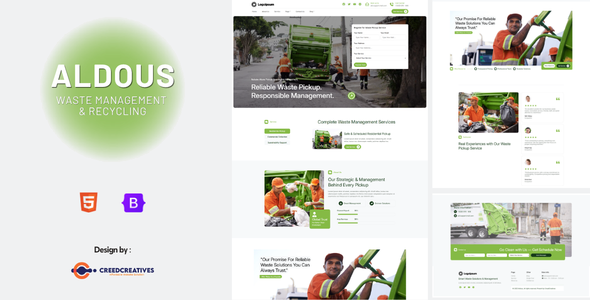
Aldous – Waste Pickup & Management HTML Bootstrap Template Aldous is a modern, professional, and environmentally focused Waste Pickup & Management HTML...
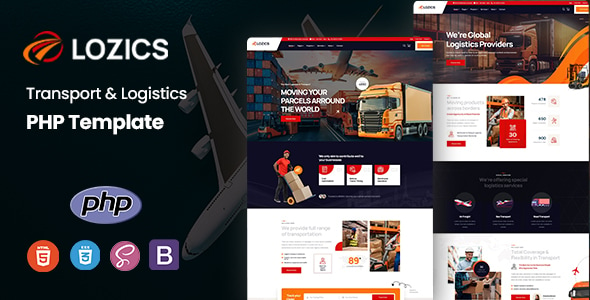
Lozics - Transport & Logistics PHP Template Lozics - Transport & Logistics PHP Template is a professional, modern, and feature-rich PHP website...
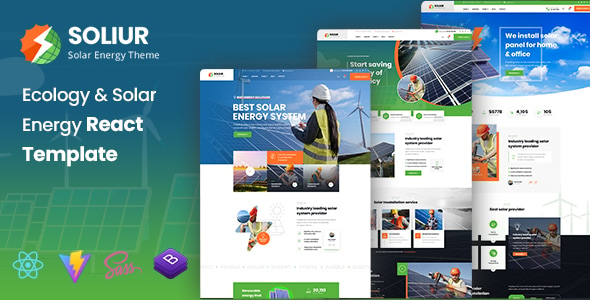
Soliur - Ecology & Solar Energy React Template Soliur - Ecology & Solar Energy React Template is a modern, sustainable, and professionally...
UBold - Vue + Laravel Inertia Js Tailwind CSS Admin Dashboard Template UBold is a powerful and modern admin dashboard template built...
