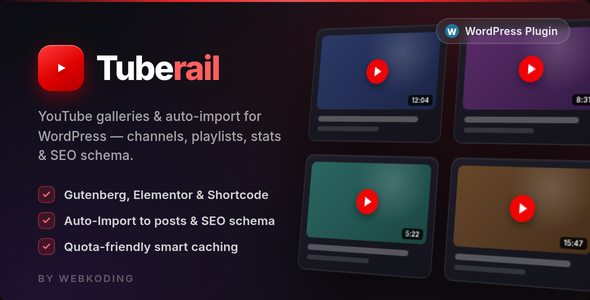
Tuberail – YouTube Gallery, Channel Feed & Auto-Import for WordPress is a video content integration solution designed to help WordPress website owners display YouTube videos, showcase channel content, and streamline video importing directly into their websites. It is intended for content creators, bloggers, publishers, businesses, digital marketers, and website administrators who want to connect their YouTube presence with their WordPress websites.
Video content has become an important part of online communication, marketing, education, and entertainment. Many businesses and creators publish tutorials, product demonstrations, interviews, reviews, and promotional videos on YouTube. However, visitors who discover these videos through a website may need a convenient way to explore the creator’s video library without leaving the website.
Tuberail aims to address this need by bringing YouTube gallery presentation, channel feeds, and automated video importing into a WordPress environment. It can help website owners organize video content, showcase YouTube channels, and create a more engaging multimedia experience for visitors.
Tuberail is a WordPress plugin focused on connecting YouTube video content with website publishing and display workflows. It is designed to help administrators present videos from YouTube through organized galleries and channel-based feeds.
Instead of manually adding individual video embeds to multiple WordPress pages, website owners can explore a more centralized approach to displaying video content. The channel feed functionality is intended to make it easier to showcase videos associated with a YouTube channel, while the auto-import feature focuses on bringing supported video information into the WordPress environment.
This can be particularly useful for websites that regularly publish video content or maintain an active YouTube channel alongside their WordPress website.
The exact gallery layouts, channel synchronization options, import schedules, customization settings, and supported video information depend on the plugin’s implementation and version.
1. YouTube Video Gallery
Tuberail focuses on helping website owners display YouTube videos through organized gallery layouts. A video gallery can make it easier for visitors to browse multiple videos from one website location.
This is useful for businesses and creators who want to showcase tutorials, product demonstrations, interviews, educational videos, and other published content.
Depending on the available layouts, administrators may be able to present video thumbnails and associated information in a structured format.
2. YouTube Channel Feed Integration
The channel feed functionality is designed to help WordPress websites display video content associated with a YouTube channel.
This can be useful for creators and businesses that publish videos regularly and want their website visitors to discover their latest or existing channel content.
A channel-based display can provide a convenient way to connect a website’s content experience with an established YouTube presence.
3. Automatic Video Importing
Tuberail includes an auto-import-oriented workflow intended to simplify bringing supported YouTube video information into WordPress.
Instead of manually creating individual video entries, website administrators can explore automated importing functionality according to the plugin’s supported configuration.
The available import behavior, supported video fields, scheduling options, and synchronization process should be confirmed through the official documentation.
4. Centralized Video Content Management
Managing video content across multiple pages can become complicated as a website grows. A dedicated YouTube integration plugin can help provide a more centralized approach to displaying and organizing video resources.
This can be useful for websites that maintain video libraries, tutorial collections, or regularly updated channel feeds.
5. Improved Video Discovery
A well-organized gallery can help visitors discover relevant videos more easily. Instead of navigating through an external channel manually, users can explore available video content directly through the website’s gallery interface.
This can improve content accessibility and encourage visitors to explore more resources.
6. WordPress Website Integration
Tuberail is designed for WordPress websites, making it suitable for users who want to combine their existing content management system with YouTube video presentation.
It can complement blogs, business websites, educational platforms, portfolios, and other WordPress-based projects.
7. YouTube Content Presentation
Video content can communicate information more effectively than text alone in certain situations. Tuberail focuses on making YouTube videos part of the website’s overall content presentation.
This can help businesses showcase demonstrations, explain services, publish educational material, and present visual stories.
8. Support for Regularly Updated Video Content
Creators who publish videos frequently need a convenient way to keep their websites aligned with their YouTube activity.
Channel feed and auto-import functionality can support this workflow, depending on the available synchronization and scheduling options.
Save Time on Video Publishing
Manually adding video information and embeds to WordPress pages can become repetitive. Automated importing functionality can help reduce this effort for supported content.
Connect Your Website with YouTube
Tuberail provides a way to bring YouTube content into an existing WordPress website, helping create a connection between the website and the creator’s video channel.
Improve Visitor Engagement
Video galleries can encourage visitors to explore more content, watch tutorials, and discover additional resources.
Create an Organized Video Library
Businesses and content creators can use gallery-based presentation to organize their video resources and make them easier to browse.
Keep Website Content Fresh
For websites that regularly publish videos, supported channel feed and import functionality can help maintain an updated video presentation.
Support Content Marketing
Embedding video content into a website can complement written articles, product descriptions, landing pages, and promotional campaigns.
Make Video Content Easier to Discover
A dedicated video gallery can provide visitors with a central place to explore available videos instead of searching through multiple website pages.
1. Content Creator Websites
YouTubers and independent creators can use Tuberail to showcase their video libraries directly on their personal websites.
For example, a creator publishing regular lifestyle, technology, travel, or entertainment videos can present channel content through a dedicated gallery.
2. Educational and Tutorial Websites
Online educators and training providers can organize tutorial videos, instructional content, and learning resources in a structured website gallery.
3. Business and Corporate Websites
Companies can showcase product demonstrations, company introductions, customer testimonials, interviews, and promotional videos.
4. Digital Marketing Agencies
Marketing agencies can integrate YouTube content into client websites to support video marketing strategies and improve content presentation.
5. Technology and Product Review Blogs
Technology publishers and product reviewers can display video reviews, demonstrations, comparison videos, and tutorials alongside written articles.
6. News and Media Websites
Publishers can use video galleries to present interviews, reports, commentary, and other YouTube-based media content.
7. Travel and Tourism Websites
Travel businesses can showcase destination videos, hotel tours, travel guides, and promotional footage to help visitors explore their services.
8. Online Communities and Membership Websites
Communities and membership platforms can organize video resources, educational materials, and other relevant YouTube content for their audiences.
A typical implementation begins with an existing WordPress website. The administrator installs and activates Tuberail according to the supplied documentation.
The next step involves configuring the required YouTube connection details or channel information, depending on the plugin’s integration method. Once configured, administrators can use the supported gallery, feed, and importing options to display YouTube content on their website.
The imported or connected video content can then be presented through the available website display options.
A typical workflow may include:
The precise configuration process, including whether the plugin uses YouTube API credentials, scheduled synchronization, shortcodes, widgets, or other display methods, should be verified in the official documentation.
Before installing Tuberail on a production website, review the official documentation and verify the following:
If the plugin uses the YouTube Data API, administrators should understand its API quota limits and credential requirements. API usage restrictions can affect how frequently video information is retrieved or synchronized.
Website owners should also remember that YouTube videos are hosted on YouTube rather than automatically transferred as independent video files to WordPress. Imported video information and embedded playback are different from downloading and hosting the original video.
When displaying or importing YouTube content, website owners should respect YouTube’s platform policies, video permissions, and copyright requirements.
Administrators should only display content they are authorized to use and should avoid presenting another creator’s videos as their own. Embedded playback, video attribution, and other platform requirements should follow the applicable YouTube terms and documentation.
For business websites, it is also important to ensure that embedded videos do not negatively affect page loading performance or interfere with the visitor’s browsing experience.
Tuberail can be considered by:
It is particularly relevant to website owners who maintain an active YouTube channel and want to make its content more accessible through their WordPress websites.
Video content is an effective way to communicate information, demonstrate products, share knowledge, and build an audience. However, maintaining a separate website and YouTube channel can create additional content management work.
Tuberail is designed to connect these two environments through YouTube galleries, channel feeds, and automatic importing capabilities. It can help website owners create a more organized video presentation while reducing repetitive manual publishing tasks for supported workflows.
For businesses and creators who regularly publish videos, integrating YouTube content into WordPress can support a more complete digital presence. Visitors can explore written resources and video content within the same website environment.
Before implementation, users should review the available importing features, YouTube connection requirements, display options, and synchronization capabilities to ensure that the plugin matches their publishing needs.
Tuberail – YouTube Gallery, Channel Feed & Auto-Import for WordPress is a video integration solution designed to help WordPress users display YouTube galleries, showcase channel content, and simplify supported video importing workflows.
Whether you operate a content creator website, educational platform, business website, technology blog, or digital media publication, integrating YouTube content can make your website more engaging and provide visitors with additional ways to explore your resources.
For WordPress website owners looking to connect their YouTube presence with their existing website, Tuberail is a solution worth exploring. Review its official documentation, confirm YouTube API requirements, and test the gallery and importing workflow before deploying it on a live website.
1. All digital products are the most recent version, with no possibility of free updates. After payment, you can request an update to the most recent version for 5 days if a new version is released. We free support within 5 days.
2. If a license is required (Excludes WHMCS license , we provide only method not license), please contact us via email or ticket for assistance with activation. Our license is only valid for activation and does not include support.
3. We provide Mobile, PHP script installation services for $19.90 / ₹1700. Please create a backup after installation as we do not support re-installation. For mobile app source code, we do not offer installation services.
4. If you have any questions, please contact us by email [email protected] or create a ticket on this page
5. Please note that any digital products presented on the website do not contain malicious code, viruses or advertising. You will receive the original files from the developers. We do not sell any products that have been downloaded from other websites.
6. The response time can last up to 6 hours.
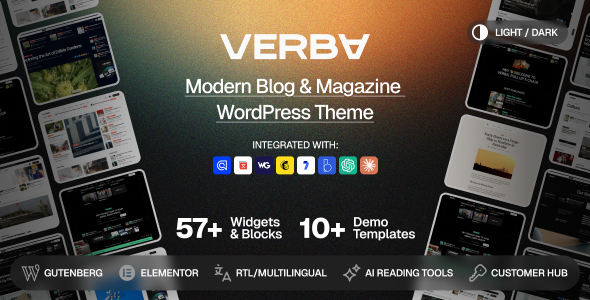
Verba – Modern Blog & Magazine WordPress Theme Verba – Modern Blog & Magazine WordPress Theme is a modern, elegant, and versatile...
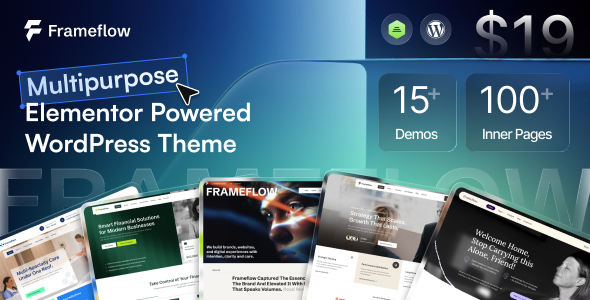
Frameflow - Multipurpose WordPress Theme Frameflow is a versatile, modern, and feature-rich Multipurpose WordPress Theme designed to meet the needs of businesses,...

Aivedo – AI Video Production Agency WordPress Theme Aivedo is a modern, creative, and technology-focused AI Video Production Agency WordPress Theme designed...

Elevare – Banking & Finance WordPress Theme Elevare – Banking & Finance WordPress Theme is a modern, professional, and versatile Banking &...
