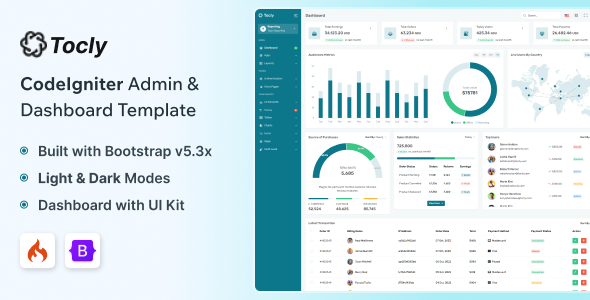
Tocly – CodeIgniter Admin & Dashboard Template is a versatile administrative interface template designed for developers who want to build organized, professional, and responsive web application dashboards using the CodeIgniter PHP framework. With a focus on administrative workflows, structured data presentation, and customizable interface components, Tocly provides a starting point for developing business management systems, analytics dashboards, internal administration panels, and other data-driven web applications.
Administrative dashboards play an important role in modern web applications by bringing essential information, management tools, and operational activities into a centralized interface. From monitoring business performance to managing records and configuring application settings, a well-organized dashboard helps users navigate complex workflows more efficiently. Tocly is designed for this type of development, offering a foundation that developers can adapt to different project requirements.
Whether you are building a customer management system, an inventory application, a business reporting platform, an employee management portal, or a custom administration panel, Tocly can help simplify the initial interface development process. Its CodeIgniter-oriented positioning makes it relevant to PHP developers who want to create a dashboard-based application with a customizable frontend and a structured server-side foundation.
A professional admin dashboard should present information clearly and make frequently used tools easy to access. Consistent spacing, readable typography, organized navigation, and a logical content hierarchy help administrators work with information without unnecessary complexity.
Tocly provides a starting point for creating administrative interfaces that can be adapted to different business environments. Developers can customize the presentation to suit corporate applications, SaaS management platforms, internal company tools, reporting systems, and other professional web projects.
Depending on the layouts included in the package, a dashboard may contain summary cards, data tables, charts, forms, navigation menus, settings pages, and other interface elements commonly associated with administrative applications.
The design can be adapted to reflect a company’s branding through customized colors, typography, icons, spacing, and page layouts. A consistent visual language helps make the finished application feel cohesive and professional.
The exact pages, widgets, and interface components included with Tocly should be confirmed through the official product demo and documentation.
CodeIgniter is a PHP framework used to develop web applications with a structured approach to routing, request processing, controllers, models, and database interactions. It can be useful for projects that need a lightweight framework foundation and a clear separation between application responsibilities.
Tocly is positioned as a CodeIgniter admin and dashboard template, making it relevant to developers building administrative applications with the framework. Depending on the supplied implementation, developers can adapt the available interface pages and integrate them with the application’s routes, controllers, models, and database structure.
For example, an administrative dashboard might retrieve customer information from a database, display inventory summaries, or present operational reports generated by backend logic.
The template’s actual framework version and supported configuration should be checked before installation. Developers should also verify the required PHP version, dependencies, setup instructions, and compatibility with their existing CodeIgniter project.
Administrative applications often contain several modules with different information requirements. A customer management page may need searchable tables, while an analytics page may focus on charts and summary cards. A settings page may require forms and configuration controls.
Tocly can serve as a foundation for organizing these different interface areas, depending on the supplied page layouts and components.
Potential dashboard elements include:
These examples describe common dashboard development possibilities rather than guaranteed included functionality. Review the official product listing to determine which components are provided and which require additional implementation.
A centralized administration panel can help businesses manage information and monitor important activities from a single interface. Tocly may be adapted for a variety of business-oriented web applications, depending on the project’s requirements and the template’s supplied components.
Potential applications include:
Customer Management Systems: Develop administrative pages for reviewing customer records, contact information, account details, and customer-related activities.
Inventory Management Applications: Create interfaces for organizing products, stock records, categories, and inventory information.
Employee Management Systems: Build administrative views for employee records, department information, and internal operational data.
Sales and Business Reporting: Present revenue summaries, sales figures, performance indicators, and reporting information when connected to suitable data sources.
Project Management Tools: Create screens for organizing project records, tasks, team information, and progress summaries.
SaaS Administration Panels: Establish an interface for managing application settings, account information, and operational data.
Internal Company Portals: Develop custom dashboards for staff members, managers, and authorized administrators.
These are potential use cases. Each application requires appropriate backend logic, database integration, permissions, and business-specific workflows.
Tables are a common part of administrative applications because they allow users to review structured information in a compact format. Customer lists, employee records, product catalogs, invoices, and support requests are examples of data that may be presented in tabular form.
Tocly can be evaluated as a starting point for creating data management screens, depending on the table components included in the package.
Developers may adapt these interfaces to display record identifiers, names, categories, dates, status values, and other relevant fields. Additional functionality can include pagination, filtering, sorting, search, and record-level actions.
However, a visual table does not automatically provide complete data management functionality. Retrieving records, validating updates, saving changes, handling deletions, and enforcing permissions require backend implementation and database integration unless already supplied.
For large datasets, developers should consider server-side pagination, optimized database queries, and clear loading and error states to maintain a responsive user experience.
Many administrative dashboards use charts and summary cards to help users understand business performance. Visual representations can make trends, comparisons, and changes easier to interpret than raw numerical data alone.
Tocly may provide a foundation for analytics-oriented interfaces if the relevant components or charting integrations are included. Developers can use these layouts for sales reporting, operational monitoring, customer activity summaries, inventory analysis, or other business metrics.
For example, a reporting dashboard could display monthly sales figures, a customer management system could summarize new registrations, or an operations panel could present task completion statistics.
A functional reporting interface requires reliable data sources, appropriate calculations, and suitable chart configurations. Developers should verify whether chart libraries, sample datasets, and working integrations are included before assuming that a dashboard is connected to live business data.
Forms are essential for many administrative tasks, including creating records, updating account information, configuring application settings, and maintaining business data.
Depending on the supplied components, Tocly can be adapted to present structured forms for these workflows. Developers may customize field labels, input types, validation messages, and form layouts to match their application’s requirements.
A complete form workflow should include both frontend and backend validation. Server-side checks are necessary even when browser-based validation is available, because client-side controls alone cannot protect an application from invalid or unauthorized requests.
Developers should also provide clear feedback when submissions succeed or fail and preserve entered information when appropriate. These details help make administrative interfaces more predictable and easier to use.
Administrative dashboards are often accessed from desktop computers, laptops, tablets, and mobile devices. Responsive layouts help the interface adapt to different screen sizes while keeping important information and controls accessible.
Tocly can be evaluated for responsive dashboard development using the layouts supplied with the template. Developers should test navigation menus, data tables, charts, forms, and summary cards across common viewport sizes.
On smaller screens, wide tables may require horizontal scrolling or alternative layouts. Navigation may need to collapse into a compact menu, while charts and content cards may need to adjust their dimensions.
A responsive design should preserve usability rather than simply shrinking the desktop interface. Actual responsiveness should be verified through the official demo and tested in the target browsers and devices.
Different organizations need dashboards that reflect their own visual identity and operational requirements. A corporate administration panel may require understated styling, while a SaaS product may benefit from a more distinctive interface.
Tocly’s template structure can be customized according to the available source files and supported styling approach. Developers may adjust colors, typography, spacing, icons, navigation labels, content sections, and page layouts.
Common customization tasks include:
Reviewing the source code before making substantial changes can help preserve consistency and reduce maintenance difficulties.
An administrative dashboard becomes useful when its interface is connected to the underlying application data. CodeIgniter supports application development patterns that can connect controllers and models with a database-backed system.
Depending on the project’s requirements, developers can integrate Tocly with a database to retrieve customers, products, transactions, reports, user records, or other application information.
Typical implementation tasks may include creating database tables, defining models, configuring connections, building controller methods, validating requests, and rendering dynamic data in the interface.
Developers should also consider query efficiency, data validation, transaction handling, and appropriate error management. The exact database structure and integration approach depend on the application and the CodeIgniter version being used.
Database connectivity and complete CRUD operations should not be assumed to be included unless confirmed in the product documentation.
Administrative systems frequently contain information that should only be accessible to authorized users. Authentication helps verify user identity, while authorization determines which actions each user is permitted to perform.
Tocly can provide an interface foundation for login screens, account settings, and administrative sections if those layouts are included. A functional authentication and authorization system must be implemented or verified separately.
Depending on the application, developers may need to support administrator accounts, staff accounts, managers, and read-only users with different permissions.
Access controls should be enforced on the server side. For example, a user who lacks permission to delete records should not be able to perform that action simply by submitting a direct request to the backend.
Developers should also implement appropriate session handling, password security, input validation, CSRF protection, and secure configuration practices before deploying a dashboard to production.
A well-maintained admin dashboard should remain responsive as the application grows and its data becomes more complex. Performance depends on both the frontend implementation and the backend systems that provide its information.
Developers should review asset sizes, JavaScript dependencies, CSS resources, image loading, and unnecessary scripts. Efficient database queries and pagination can help prevent large datasets from slowing down administrative pages.
Reusable layout components can also reduce duplicated code and make future changes easier. A consistent structure for navigation, page headers, forms, and content sections helps developers maintain a predictable interface as new modules are added.
Before deployment, developers should test the application under realistic conditions, review error handling, and confirm that production settings are configured securely.
Tocly may be suitable for several types of developers and organizations.
Its suitability depends on the supplied source code, framework compatibility, included components, and the level of backend development required.
Before using Tocly in a new or existing project, review the official product demo and documentation to confirm:
These checks can help establish whether Tocly provides a frontend interface, a partially integrated application, or a more complete administrative solution.
Tocly – CodeIgniter Admin & Dashboard Template offers a customizable starting point for developers who want to build professional administration panels and management dashboards using the CodeIgniter PHP framework. Its dashboard-oriented purpose makes it relevant to business applications, reporting interfaces, customer management systems, internal portals, and other data-driven web projects.
By adapting the available layouts, connecting the interface to the appropriate database, implementing secure access controls, and adding project-specific workflows, developers can transform the template into an administrative experience tailored to their application.
Whether you are developing a business management tool, an internal company portal, or a custom PHP application, Tocly can help establish a structured foundation for further development. Review the official demo, source files, and documentation to confirm the exact features, compatibility requirements, and included functionality before starting your project.
1. All digital products are the most recent version, with no possibility of free updates. After payment, you can request an update to the most recent version for 5 days if a new version is released. We free support within 5 days.
2. If a license is required (Excludes WHMCS license , we provide only method not license), please contact us via email or ticket for assistance with activation. Our license is only valid for activation and does not include support.
3. We provide Mobile, PHP script installation services for $19.90 / ₹1700. Please create a backup after installation as we do not support re-installation. For mobile app source code, we do not offer installation services.
4. If you have any questions, please contact us by email [email protected] or create a ticket on this page
5. Please note that any digital products presented on the website do not contain malicious code, viruses or advertising. You will receive the original files from the developers. We do not sell any products that have been downloaded from other websites.
6. The response time can last up to 6 hours.
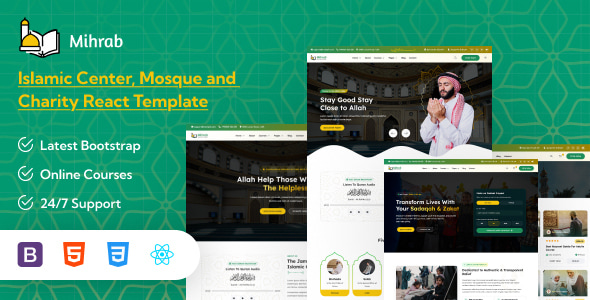
Mihrab – Islamic Centre, Mosque, Charity & Online Courses React Template Mihrab is a modern, elegant, and purpose-driven Islamic Centre, Mosque, Charity...
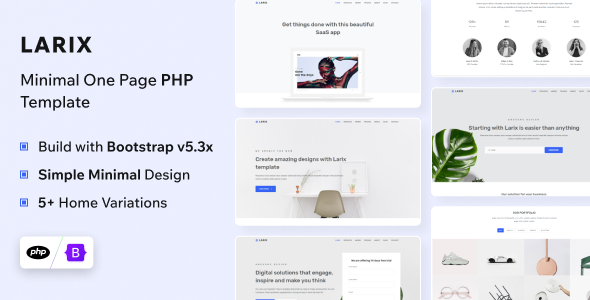
Larix - PHP Landing Page Template Larix is a modern and highly versatile PHP landing page template designed for startups, SaaS businesses,...

Edustray - University, Online Courses, School & Education HTML Template Edustray is a modern and professionally designed HTML template created for universities,...
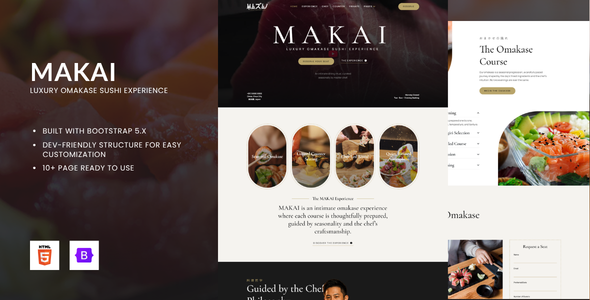
MAKAI – Luxury Omakase Sushi Experience HTML Bootstrap Template MAKAI is a sophisticated, elegant, and visually immersive Luxury Omakase Sushi Experience HTML...
