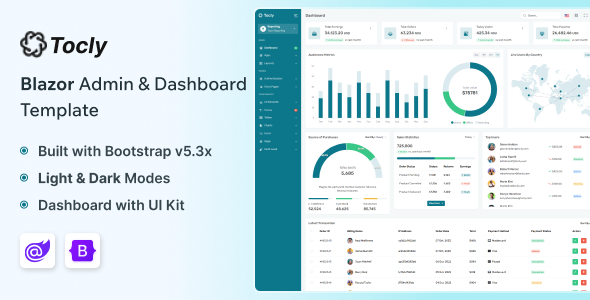
Tocly – Blazor Admin & Dashboard Template is a modern administrative interface template designed for developers, businesses, and organizations building management portals, enterprise applications, analytics dashboards, and internal business systems using Microsoft’s Blazor framework. With its focus on administration and dashboard development, Tocly provides a foundation for organizing application data, presenting operational information, and creating consistent interfaces for everyday management tasks.
Blazor is a web development framework in the .NET ecosystem that enables developers to build interactive web user interfaces using C# and reusable Razor components. A dashboard template designed for this environment can help reduce the initial effort required to establish an administrative layout, allowing developers to focus on application-specific functionality, data integration, and business workflows.
Whether you are building a customer management system, an inventory application, a reporting portal, or an enterprise administration platform, Tocly can serve as a starting point for your project. Its actual page layouts, charting components, authentication features, and technical dependencies should be verified against the official product documentation and included source files.
An effective admin dashboard should make important information accessible while keeping complex workflows organized. Administrators need to navigate between different modules, review relevant information, and complete routine tasks without unnecessary confusion.
Tocly is positioned for administrative and dashboard applications, making it suitable for projects that require a structured interface for business operations. Depending on the included layouts and components, the template can be adapted to display summary cards, navigation menus, data tables, charts, forms, notifications, and other administrative elements.
A consistent visual hierarchy helps users distinguish between primary actions, supporting information, and less frequently used settings. Developers can customize the interface to match an organization’s branding, preferred navigation structure, and operational requirements.
For enterprise applications, the goal should be to provide more than an attractive interface. The dashboard should make information easy to interpret, reduce unnecessary navigation, and support the tasks that users perform regularly.
Blazor is part of the Microsoft .NET ecosystem and supports building interactive web interfaces with C# and Razor components. Depending on the selected hosting model and application configuration, Blazor can run using different execution approaches.
Tocly’s Blazor positioning makes it relevant to developers who want to build administrative interfaces within the .NET environment. Reusable components can help maintain consistency across pages while making it easier to extend the application as business requirements change.
Developers can integrate a suitable dashboard interface with .NET services, application models, and backend APIs. This can be useful for organizations that already use Microsoft technologies or want to maintain their web application within an established C# development workflow.
The precise Blazor hosting model, supported .NET version, component structure, and required dependencies depend on the supplied package. Reviewing the documentation before implementation helps establish compatibility with the existing development environment.
A dashboard overview gives administrators a central place to review important information. Depending on the available components, Tocly can be adapted to present business metrics, recent activities, operational summaries, and shortcuts to commonly used modules.
Potential dashboard elements include:
These are suggested implementation possibilities rather than a guarantee that every component is included.
A useful dashboard should present accurate information drawn from reliable data sources. Demonstration values should be replaced with actual application data, and calculations should be validated before the dashboard is used to support operational decisions.
User management is a common requirement in internal business systems and enterprise applications. Administrators may need to review user records, update account details, manage access, and maintain the information associated with individual users.
Tocly can be customized to support user administration screens if the supplied components and backend architecture permit it. Potential workflows include viewing user lists, searching records, editing profile information, changing account status, and reviewing user-related data.
A complete implementation requires suitable backend services, data persistence, validation, and permission checks. Displaying a user table or edit form does not automatically provide a fully functional user management system.
Sensitive operations should be restricted to authorized users. Applications may also need audit logging for important account changes and administrative actions.
Different users may need different levels of access to an administrative application. For example, a system administrator might manage application configuration, while a department manager may only access specific business modules.
Tocly can provide the interface foundation for applications that use role-based access control, depending on the included components. The actual authentication and authorization system must be implemented or configured through appropriate .NET security mechanisms.
A secure implementation should enforce permissions on the server rather than relying only on hiding menu items or buttons in the frontend. Every protected operation and API endpoint must verify that the current user has the required permissions.
Authentication, session handling, identity management, and authorization policies should be configured according to the application’s security requirements. Do not assume that a dashboard template includes a complete production-ready identity system unless the official documentation confirms it.
Administrative applications often work with structured records such as customers, employees, products, orders, invoices, support requests, and operational events.
Tocly can serve as a foundation for presenting these records through organized tables and detail views, depending on the included layouts. Developers may be able to customize table columns, action buttons, status labels, and record information to match their application’s data model.
Potential record-management capabilities include:
Actual support for these interactions depends on the supplied implementation. Advanced search, filtering, pagination, and editing may require additional component logic and backend integration.
For applications with large datasets, developers should consider server-side pagination, efficient queries, and controlled API responses to maintain acceptable performance.
Charts and reports help administrators interpret business information and identify trends. Depending on the supplied components, Tocly can be extended with appropriate data visualizations and reporting interfaces.
Possible use cases include sales summaries, customer activity, application usage, inventory changes, financial performance, and operational metrics.
A reporting interface may combine charts with summary cards, tables, date filters, and comparison views. These elements can help users review information from different perspectives without navigating between multiple unrelated pages.
However, visual components do not automatically produce accurate analytics. Developers must connect them to appropriate data sources, define calculation rules, and handle missing or inconsistent information.
If an application needs downloadable reports, scheduled exports, advanced filtering, or automated reporting, those capabilities may require additional development and integration.
Administrative workflows frequently involve forms for creating records, updating information, changing settings, or managing application configuration.
Tocly can be customized to present suitable forms using the components and conventions supported by the supplied Blazor implementation. Depending on the requirements, forms may contain text inputs, selection controls, date fields, status options, and action buttons.
A well-designed form should clearly identify required fields, provide useful validation feedback, and communicate whether an operation succeeded or failed.
Validation should be implemented on the server as well as in the user interface. This helps prevent invalid or manipulated requests from bypassing business rules.
For important or irreversible operations, the application may also need confirmation dialogs, clear error messages, and appropriate audit records.
Administrative dashboards commonly need to retrieve and update information stored in a database or provided by backend services.
Blazor applications can work with .NET services, HTTP APIs, and appropriate data access layers. Tocly can serve as the interface foundation for connecting these systems to the dashboard, subject to the architecture and components included in the template.
Potential integrations include customer records, inventory data, business transactions, employee information, system settings, and operational reports.
A complete implementation may require API endpoints, data models, validation rules, database configuration, and suitable error handling. Database access should follow the application’s architecture and security requirements rather than exposing sensitive operations directly to the client.
The specific database technology should be selected according to the project. SQL Server, PostgreSQL, and MySQL are examples of databases that may be used with suitable .NET data access libraries, but compatibility must be verified in the actual application.
A dashboard template should not be assumed to include a configured database, production API, or complete business logic unless these features are explicitly documented.
Administrative interfaces are often used on desktop computers, but responsive layouts can also help staff access selected information from tablets and mobile devices.
When properly implemented, Tocly can provide a foundation for layouts that adapt to different screen sizes. Navigation menus, summary cards, forms, charts, and tables should remain usable across supported devices.
Wide data tables may require horizontal scrolling, reduced columns, or alternative layouts on smaller screens. Forms should remain readable, and interactive controls should have sufficient space for touch input.
Responsive behavior should be tested with realistic data, including long names, large numbers, validation messages, and detailed reports. This helps identify issues that may not appear when viewing simple demonstration content.
Maintainable code is important for administrative applications that evolve over time. Reusable components help developers keep interface elements consistent while reducing unnecessary duplication.
Depending on the supplied source code, Tocly can be customized by modifying Razor components, updating styles, adjusting page structures, and creating additional modules. The available customization workflow depends on the template’s architecture, styling conventions, and dependencies.
Common customization tasks include:
Developers should review the existing project structure and documentation before making extensive changes. Consistent component conventions, clear naming, version control, and suitable testing practices can simplify future maintenance.
As an administrative application grows, it may need to support more users, larger datasets, additional modules, and increasingly complex reporting requirements.
Performance depends on the complete application architecture, including the Blazor hosting model, component rendering, backend processing, database queries, network communication, and deployment environment.
Developers can improve performance by reducing unnecessary rendering, optimizing queries, using pagination for large datasets, limiting excessive API requests, and caching appropriate information. Expensive background operations should be handled using suitable application services rather than blocking important user interactions.
The dashboard should prioritize the information users need most frequently and avoid loading every dataset or report at once. Testing with realistic workloads can help identify bottlenecks before deployment.
Security is essential for administrative applications because they may provide access to business records, customer information, configuration settings, and other sensitive data.
Tocly provides an interface starting point, but application security depends on the complete implementation. Recommended measures include secure authentication, server-side authorization, HTTPS, input validation, dependency maintenance, appropriate logging, and safe handling of application secrets.
Sensitive credentials should not be stored in publicly accessible client-side code. Database access and privileged operations should be controlled through appropriate backend services and authorization policies.
Applications that process personal or business-sensitive information should also consider data retention, access auditing, backups, monitoring, and applicable privacy obligations.
Tocly can be considered as a starting point for a range of .NET-based administrative projects, including:
These are potential adaptations rather than guaranteed ready-made modules. Suitability depends on the actual included pages, components, technical requirements, and additional development needed.
Before beginning development, review the official documentation and verify the required .NET SDK, Blazor version, dependencies, and supported development environment.
A typical setup process involves downloading the template files, opening the project in a compatible development environment, restoring the required packages, and running the application according to the supplied instructions.
Developers can then inspect the available pages, update the branding, customize dashboard components, and connect the interface to the appropriate application services.
Additional configuration may include setting environment variables, configuring database connections, implementing authentication, preparing API endpoints, and setting up production hosting.
Before deployment, test important workflows, verify permissions, check form validation, confirm that database operations work correctly, and review responsive layouts. Any sample data should be identified and replaced with appropriate production data before the application is used operationally.
Tocly – Blazor Admin & Dashboard Template provides a potential starting point for developers and organizations building administrative interfaces within the Microsoft .NET ecosystem. Its Blazor-focused positioning makes it relevant to enterprise dashboards, management portals, reporting applications, and custom business software.
By combining a structured interface with reusable components, secure backend services, reliable data integration, and appropriate testing, developers can adapt Tocly to support a wide range of administrative workflows.
Before purchasing or deploying Tocly, review the official demo, included pages, source code, supported .NET and Blazor versions, documentation, and licensing terms. Confirm which dashboard components, authentication features, integrations, and backend capabilities are included and which require additional development so that the finished application meets your technical requirements.
1. All digital products are the most recent version, with no possibility of free updates. After payment, you can request an update to the most recent version for 5 days if a new version is released. We free support within 5 days.
2. If a license is required (Excludes WHMCS license , we provide only method not license), please contact us via email or ticket for assistance with activation. Our license is only valid for activation and does not include support.
3. We provide Mobile, PHP script installation services for $19.90 / ₹1700. Please create a backup after installation as we do not support re-installation. For mobile app source code, we do not offer installation services.
4. If you have any questions, please contact us by email [email protected] or create a ticket on this page
5. Please note that any digital products presented on the website do not contain malicious code, viruses or advertising. You will receive the original files from the developers. We do not sell any products that have been downloaded from other websites.
6. The response time can last up to 6 hours.
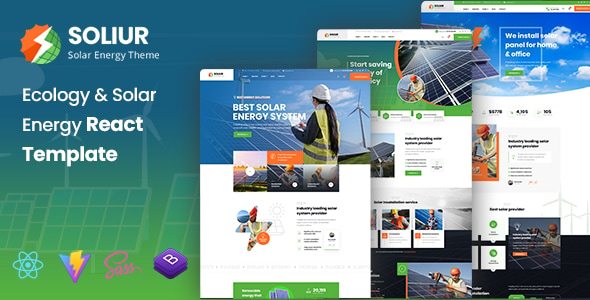
Soliur - Ecology & Solar Energy React Template Soliur - Ecology & Solar Energy React Template is a modern, sustainable, and professionally...
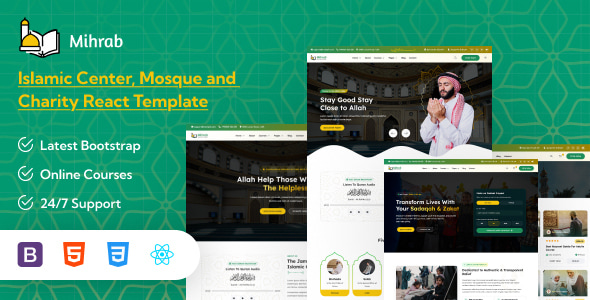
Mihrab – Islamic Centre, Mosque, Charity & Online Courses React Template Mihrab is a modern, elegant, and purpose-driven Islamic Centre, Mosque, Charity...
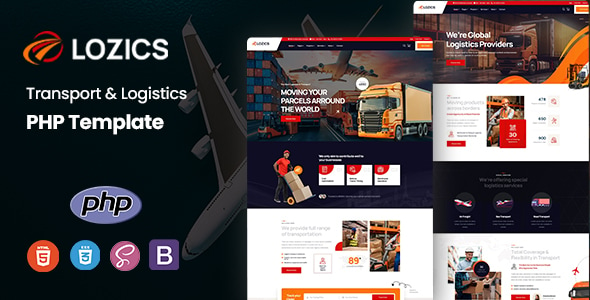
Lozics - Transport & Logistics PHP Template Lozics - Transport & Logistics PHP Template is a professional, modern, and feature-rich PHP website...
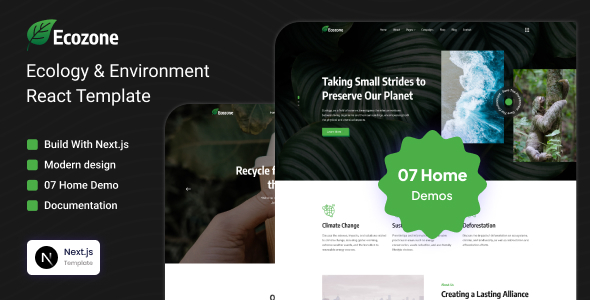
Ecozone – Ecology & Environment Next.js Template Ecozone is a modern, clean, and nature-inspired Ecology & Environment Next.js Template designed for environmental...
