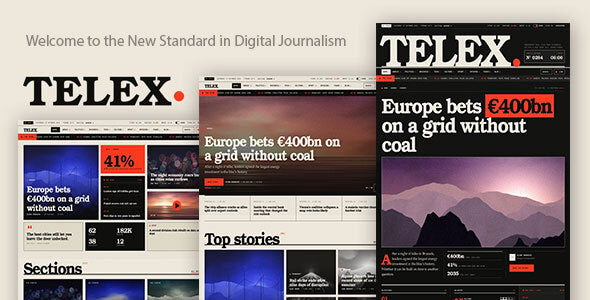
Telex – Newspaper & Modern Blog Magazine WordPress Theme is a modern WordPress theme designed for online newspapers, digital publications, editorial websites, news portals, and content-focused blogs. Created for publishers who want to present information through an organized and visually engaging website, Telex provides a foundation for building a professional digital magazine with a focus on articles, categories, featured stories, and regularly updated content.
Whether you are launching an independent news website, managing an online magazine, publishing industry insights, or creating a personal editorial blog, Telex can help establish a structured online presence. Its newspaper and magazine-oriented design makes it suitable for presenting different types of content while maintaining a consistent visual identity. With WordPress as its content management platform, website owners can manage articles, organize categories, publish updates, and develop their editorial presence.
A successful online publication needs a layout that makes content easy to discover and comfortable to read. Telex is designed around the requirements of modern newspaper and magazine websites, where readers expect quick access to the latest stories, popular articles, and relevant topics.
Its editorial-focused approach provides a starting point for organizing website content into meaningful sections. Publishers can use suitable layouts to highlight important news, introduce featured articles, and present multiple content categories.
The theme is suitable for publications that want a professional appearance without building their entire website design from scratch.
Telex can be considered for a variety of content-driven websites, including:
This flexibility makes Telex a potential starting point for publishers working across different editorial categories.
Content organization is essential for websites that publish a large number of articles. Readers should be able to identify relevant topics and navigate between different sections without unnecessary effort.
Telex is intended for magazine-style publishing, allowing website owners to structure content around categories and editorial topics. You can organize articles into sections such as Latest News, Business, Technology, Entertainment, Lifestyle, Sports, and other subjects relevant to your publication.
A well-organized category structure can improve content discovery and help readers explore more articles within their areas of interest.
Important stories deserve prominent placement on a newspaper or magazine homepage. Featured content helps publishers draw attention to major announcements, trending topics, exclusive articles, and important editorial updates.
Telex can serve as a foundation for creating an editorial homepage that highlights selected content. Publishers can use featured images, article titles, excerpts, and suitable content arrangements to make important stories more noticeable.
For example, a technology publication may highlight a major industry announcement, while a lifestyle magazine may feature a seasonal guide or an interview. The exact featured-content layouts and display controls depend on the theme’s included templates and customization options.
A comfortable reading experience is an important part of any content-focused website. Readers should be able to follow an article without being distracted by inconsistent formatting or poorly organized information.
Telex is designed for editorial and blog-style publishing, making it suitable for presenting written content in a structured format. Publishers can create articles with headings, paragraphs, images, links, and other supported WordPress content elements.
You can use this structure to publish detailed news reports, tutorials, interviews, reviews, opinion pieces, and informative articles. Consistent formatting can make long-form content easier to read and understand.
Built for WordPress, Telex works within a widely used content management environment that allows publishers to manage their websites through an administration dashboard.
WordPress provides tools for creating and editing posts, publishing pages, managing categories, assigning tags, uploading media, and organizing editorial content. This makes it possible for publishers to maintain their websites without manually editing every article through code.
Website administrators can manage content updates and maintain a publishing workflow according to their editorial requirements. Depending on the WordPress configuration and additional plugins, websites can also support multiple contributors and different user permissions.
Every publication has its own identity, audience, and editorial direction. A technology news portal may prefer a clean and information-focused appearance, while an entertainment magazine may require a more visual presentation.
Telex provides a theme-based starting point that can be adapted to match different publishing brands. Depending on its included customization controls, users may be able to adjust supported colors, typography, layouts, images, and other visual elements.
You can use these options to create a consistent identity across your homepage, category pages, article pages, and other website sections. Before making extensive changes, review the theme documentation to understand its available customization settings.
News websites and digital magazines often publish content regularly. A theme designed for editorial websites should support a structure that can accommodate new articles and changing content priorities.
Telex can be used as a foundation for websites that publish daily updates, weekly articles, industry reports, and other recurring content. WordPress makes it possible to add new posts and update existing articles through its publishing dashboard.
Publishers can develop their own editorial schedules and organize content according to publication dates, categories, and topics. This can help maintain a consistent content strategy as the website grows.
Readers may visit a news website from desktop computers, laptops, tablets, and smartphones. Providing a comfortable browsing experience across different screen sizes is therefore important for digital publishers.
Telex is intended for modern newspaper and magazine websites, where responsive presentation is an important consideration. Website owners should review the supplied layouts on different devices and ensure that article titles, images, navigation, and content sections remain accessible.
A properly configured responsive website can make it easier for readers to browse articles and explore different publication categories while using their preferred devices.
Search engine visibility is an important consideration for publishers who want their articles to reach a wider audience. A well-organized website structure can help search engines understand the relationship between articles, categories, and other content.
Telex can be used alongside WordPress SEO plugins and an appropriate content strategy to support search-focused publishing. Publishers can work on descriptive article titles, relevant headings, readable URLs, image alternative text, internal links, and informative meta descriptions.
Search engine performance also depends on content quality, website speed, technical configuration, mobile usability, and other SEO factors. A WordPress theme alone cannot guarantee search rankings or organic traffic.
Telex can be used as a starting point for several types of online publishing projects:
Its newspaper and modern blog magazine positioning makes it suitable for publishers who want to organize different content topics within one website.
Telex is suitable for newspaper publishers, bloggers, journalists, editorial teams, content creators, digital magazine owners, and WordPress developers.
New publishers can use it as a starting point for launching an online publication, while established content businesses can consider it when refreshing their existing website presentation. Freelance developers can also evaluate the theme for client projects involving news portals, blogs, and digital magazines.
Users with basic WordPress knowledge can manage everyday publishing activities, while more advanced customization may require familiarity with WordPress themes, plugins, and website development.
Before installing Telex, verify that your hosting environment meets the theme’s recommended WordPress and PHP requirements. Download and install the theme according to its supplied documentation, activate any required plugins, and configure the website’s basic settings.
If demo content or starter layouts are included, follow the official setup instructions to import and customize them. Replace demonstration content with your own articles, images, categories, logos, and publication information before launching the website.
For additional functionality such as newsletter subscriptions, social sharing, advertising management, advanced search, membership access, or editorial workflow automation, compatible plugins or custom development may be required.
Telex – Newspaper & Modern Blog Magazine WordPress Theme is designed for publishers who want to create a professional online newspaper, digital magazine, or content-focused blog using WordPress. Its editorial-oriented purpose makes it suitable for organizing articles, presenting featured stories, and building a publication around multiple content categories.
Whether you are creating a technology magazine, business news portal, entertainment website, or personal blog, Telex offers a starting point for developing a recognizable publishing platform and sharing content with your audience.
Note: Before purchasing, review the official product documentation for included page layouts, homepage variations, customization features, responsive behavior, required plugins, demo content, and compatibility with your WordPress environment.
1. All digital products are the most recent version, with no possibility of free updates. After payment, you can request an update to the most recent version for 5 days if a new version is released. We free support within 5 days.
2. If a license is required (Excludes WHMCS license , we provide only method not license), please contact us via email or ticket for assistance with activation. Our license is only valid for activation and does not include support.
3. We provide Mobile, PHP script installation services for $19.90 / ₹1700. Please create a backup after installation as we do not support re-installation. For mobile app source code, we do not offer installation services.
4. If you have any questions, please contact us by email [email protected] or create a ticket on this page
5. Please note that any digital products presented on the website do not contain malicious code, viruses or advertising. You will receive the original files from the developers. We do not sell any products that have been downloaded from other websites.
6. The response time can last up to 6 hours.
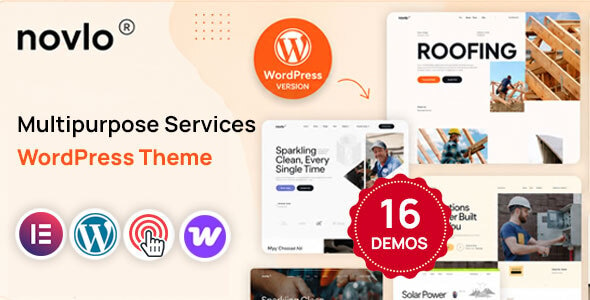
Novlo – Multipurpose Services WordPress Theme Novlo is a modern, flexible, and professionally designed Multipurpose Services WordPress Theme created for service-based businesses,...
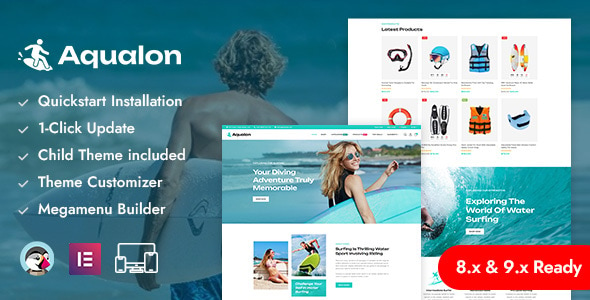
Aqualon – Surfing Board & Water Sports PrestaShop Responsive Theme Aqualon is a dynamic and visually stunning PrestaShop theme designed specifically for...

Leo Huntix Elementor – Hunting Gear & Supplies PrestaShop Theme Leo Huntix Elementor is a powerful and professionally designed PrestaShop theme created...
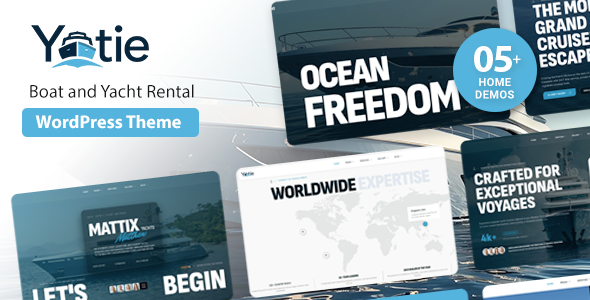
Yatie - Yacht Charter & Boat Rental WordPress Theme with Online Booking Yatie is a premium and professionally designed Yacht Charter &...
