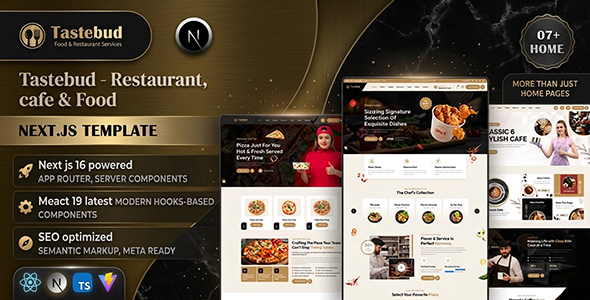
Tastebud – Restaurant, Cafe & Food Next.js Template is a modern and versatile website template designed for restaurants, cafes, food businesses, bakeries, bistros, fast-food outlets, and culinary brands. With a food-focused design approach and a modern Next.js development foundation, Tastebud provides a flexible starting point for creating an attractive online presence that showcases menus, introduces dining experiences, highlights signature dishes, and encourages customers to make inquiries or visit a location.
Whether you operate a fine-dining restaurant, a neighborhood cafe, a casual dining establishment, a takeaway business, or a specialty food brand, Tastebud can be customized to reflect your identity and communicate your offerings effectively. Its template-based structure gives developers a starting point for building polished web pages while adapting colors, typography, imagery, content, and layouts to suit different business requirements.
Next.js offers a modern React-based framework for developing web experiences, while Tastebud’s restaurant-oriented presentation can help businesses organize essential information in a visually appealing format. The actual pages, components, integrations, and functionality included with the template should be verified against the official product documentation.
A restaurant website plays an important role in introducing the dining experience before customers arrive. Visitors often want to see the menu, discover signature dishes, check opening hours, learn about the atmosphere, and find contact or location information.
Tastebud provides a design foundation that can be adapted to different food businesses. A premium restaurant may prefer elegant typography, sophisticated photography, and a refined color palette, while a casual cafe could use brighter colors, relaxed imagery, and a welcoming visual style.
The template can be customized with a business logo, brand colors, food photography, restaurant descriptions, promotional messages, and other visual elements. Consistent branding helps create a recognizable identity and presents the business more professionally.
A clear page structure also makes it easier for visitors to understand the restaurant’s offerings. By organizing important information into accessible sections, businesses can help customers move naturally from discovering the brand to exploring its menu or planning a visit.
The homepage introduces the restaurant and provides an overview of its food, atmosphere, and services. Tastebud can be customized to create a welcoming homepage that communicates the business’s identity and highlights its most important offerings.
Depending on the layouts included in the template, a homepage may feature a prominent introduction, signature dishes, menu highlights, restaurant information, special promotions, customer testimonials, and contact calls to action.
A cafe could use its homepage to showcase specialty coffee, freshly baked pastries, and its seating atmosphere. A restaurant might emphasize its cuisine, chef’s recommendations, seasonal dishes, and dining experience. A takeaway business could prioritize menu categories and ordering information.
Well-chosen images and concise descriptions help communicate the brand’s personality. Calls to action can guide visitors toward viewing the menu, contacting the restaurant, requesting a table, or accessing an external ordering platform.
The precise homepage sections and interactive components available in Tastebud depend on the supplied template files.
An accessible digital menu is one of the most important elements of a restaurant website. Customers want to explore available dishes, understand ingredients, compare options, and identify meals that suit their preferences.
Tastebud can be customized to present menu categories in a clear and visually appealing format, depending on the available page structures.
Potential menu categories include:
Each menu item can include a dish name, description, price, and image where appropriate. Restaurants may also provide ingredient information, portion details, and dietary indicators to help customers make informed choices.
For businesses that regularly change their offerings, maintaining accurate menu information is particularly important. Seasonal dishes, sold-out items, and price changes should be reflected promptly.
If the website requires dynamic menu management, database integration, or an administrative interface, those capabilities must be verified or implemented separately.
Tastebud’s multipurpose positioning makes it suitable for a range of food-related projects.
Restaurants: Present signature dishes, cuisine styles, dining options, opening hours, and location details.
Cafes and coffee shops: Showcase specialty beverages, pastries, breakfast offerings, interior photography, and the cafe’s atmosphere.
Bakeries and pastry shops: Highlight cakes, breads, desserts, custom orders, and seasonal products.
Fast-food outlets: Organize food categories, communicate combo offers, and guide customers toward takeaway or delivery services.
Fine-dining establishments: Create a refined digital presentation for tasting menus, chef profiles, special occasions, and premium dining experiences.
Food startups: Introduce a new food brand, present its product range, and provide information for prospective customers or partners.
Catering businesses: Showcase food packages, event menus, and catering services for private or corporate gatherings.
Each business can customize the layout and content to match its actual offerings. A restaurant presentation template does not automatically include every operational feature required by all these business types.
High-quality food imagery can help communicate freshness, presentation, and the overall dining experience. Tastebud can be customized to showcase signature dishes, popular menu items, desserts, beverages, and food preparation.
A restaurant may use large photographs to introduce its most popular dishes, while a cafe could focus on coffee preparation, baked goods, and the atmosphere of its space. A bakery might highlight cake designs and seasonal collections.
A well-organized image gallery can also display the restaurant interior, outdoor seating, dining arrangements, special events, or behind-the-scenes activities.
For the best results, use authentic photographs that accurately represent the dishes and environment customers can expect. Optimize images for web delivery so they remain visually appealing without unnecessarily slowing down the website.
Depending on the template’s existing components, advanced gallery features such as category filtering, image lightboxes, or interactive sliders may require additional customization.
Many restaurants allow customers to request or reserve tables online. A website can make this process more convenient by presenting a clear reservation option and collecting essential booking details.
Tastebud can be adapted to display reservation buttons, contact forms, or links to a third-party booking platform, depending on the included layouts.
A reservation form may collect a customer’s name, contact information, preferred date, time, party size, and any special requests. This information can help restaurant staff coordinate bookings and prepare for guests.
However, a Next.js template alone does not necessarily provide a complete restaurant reservation system. Functional reservations may require backend services, a database, scheduling logic, and integration with a suitable booking platform.
A complete system may need to handle table availability, booking confirmation, cancellations, changes, and customer notifications. These features should be confirmed in the official documentation or implemented separately.
For small restaurants, a simple contact method may be sufficient, while larger establishments may benefit from dedicated reservation software.
Online ordering can help restaurants reach customers who prefer takeaway or home delivery. Tastebud can serve as a front-end starting point for a food ordering website, provided the necessary ordering functionality is implemented or integrated.
A restaurant may want customers to browse dishes, select quantities, customize available options, add items to a cart, and submit an order. Additional requirements could include delivery zones, pickup scheduling, payment processing, taxes, promotional codes, and order status notifications.
A production-ready ordering system requires more than attractive menu pages. It needs reliable order handling, price calculations, customer information management, and appropriate payment or confirmation workflows.
Tastebud should not be assumed to include a working shopping cart, delivery management system, inventory tracking, or payment gateway unless those features are explicitly documented.
Developers can connect the front end to a suitable backend, commerce platform, or third-party ordering service according to the restaurant’s requirements.
Next.js is a React-based framework that supports modern website development through features such as file-based routing, reusable components, and different rendering strategies, depending on the version and project configuration.
For Tastebud, the Next.js foundation can provide a structured starting point for customizing pages and developing a restaurant website with reusable interface elements.
Developers familiar with React can adapt components, modify layouts, update content, and extend the project according to their requirements. Shared components can help maintain consistent navigation, footers, buttons, menu cards, and other interface elements throughout the website.
Depending on the supplied code and configuration, a project may be extended to retrieve dynamic content, connect to APIs, or integrate with a content management system.
The precise Next.js version, routing approach, dependencies, and supported functionality should be checked in the original package. The template’s framework does not by itself guarantee a complete backend, database, or restaurant management application.
Every restaurant has its own personality, cuisine, customer base, and marketing priorities. Tastebud can be customized to reflect these differences while maintaining a consistent website structure.
Developers can adjust the color palette, typography, logos, imagery, menu content, section layouts, and navigation. Additional pages may be created for chef introductions, restaurant history, catering, events, frequently asked questions, or location-specific information.
A premium dining business might use minimal layouts and carefully selected photography, while a casual cafe could use a more vibrant design with prominent beverage and food imagery.
Developers can also adapt the content hierarchy to prioritize the actions most relevant to the business. For one restaurant, reservations may be the primary objective; for another, menu exploration or takeaway ordering may be more important.
The exact customization process depends on the source files, component structure, styling system, and instructions provided with Tastebud.
Restaurant customers often access websites while traveling, searching for nearby places, or deciding where to eat. A responsive website helps ensure that important information remains accessible across smartphones, tablets, laptops, and desktop computers.
Tastebud can be customized to support different screen sizes, subject to the responsive behavior implemented in the supplied files.
Developers can refine navigation menus, food image proportions, typography, spacing, and button placement to improve usability on smaller screens. Menu items should remain readable, and important actions such as viewing the menu, contacting the restaurant, or requesting a table should be easy to find.
Responsive testing should include common device sizes and browsers. It is also important to verify that interactive elements, links, and forms work correctly across different viewports.
A well-tested mobile experience helps customers find information quickly and can make the restaurant’s website more convenient to use.
Local search visibility is important for restaurants and cafes because customers often search for food businesses near a particular neighborhood or destination.
Tastebud can be customized to support search engine optimization through descriptive page titles, useful meta descriptions, meaningful headings, internal links, and relevant service or menu content.
A restaurant may create dedicated pages for its cuisine, signature services, private dining, catering, or special events. Content should answer genuine customer questions and accurately represent the business.
Local SEO improvements may include displaying consistent business details, location information, opening hours, and contact options. Restaurants can also maintain an accurate Google Business Profile and encourage genuine customer reviews.
Appropriate structured data may help search engines interpret restaurant information when implemented correctly and supported by the website.
Optimized food photography, fast-loading pages, and mobile usability can further improve the visitor experience. However, a template does not guarantee rankings, traffic, or visibility; these depend on content quality, competition, technical implementation, and ongoing optimization.
A professional restaurant website should load efficiently, display content reliably, and remain easy to maintain.
Performance improvements may include optimizing food photographs, minimizing unnecessary scripts, reviewing dependencies, and configuring suitable caching and image delivery. Developers should also evaluate the website’s rendering strategy and deployment configuration.
Accessibility considerations include readable typography, sufficient color contrast, meaningful image alt text, keyboard-accessible navigation, and properly labeled forms.
Before launch, verify the navigation, menu links, contact details, booking links, and other interactive components. Review the required Node.js version, package dependencies, installation instructions, and build process documented with the template.
If the website handles reservations, online orders, or customer information, the connected services should also be configured and tested with appropriate security and privacy controls.
Tastebud is suitable for a variety of businesses and development projects, including:
Its suitability depends on the layouts and components included in the template and the additional functionality required for the intended website.
Tastebud – Restaurant, Cafe & Food Next.js Template provides a flexible starting point for building a modern website for restaurants, cafes, bakeries, and other food-related businesses. Its food-focused design can be customized to showcase menus, signature dishes, restaurant information, special offers, and customer contact options.
Whether you want to establish a digital presence for a new cafe, promote an established restaurant, or create a website for a specialty food brand, Tastebud can help organize your content into a professional and engaging presentation.
Before implementation, review the included Next.js source files, components, dependencies, page layouts, and documentation to understand the template’s actual capabilities. With thoughtful customization, responsive testing, search optimization, and appropriate booking or ordering integrations, Tastebud can become a useful foundation for a polished restaurant website.
1. All digital products are the most recent version, with no possibility of free updates. After payment, you can request an update to the most recent version for 5 days if a new version is released. We free support within 5 days.
2. If a license is required (Excludes WHMCS license , we provide only method not license), please contact us via email or ticket for assistance with activation. Our license is only valid for activation and does not include support.
3. We provide Mobile, PHP script installation services for $19.90 / ₹1700. Please create a backup after installation as we do not support re-installation. For mobile app source code, we do not offer installation services.
4. If you have any questions, please contact us by email [email protected] or create a ticket on this page
5. Please note that any digital products presented on the website do not contain malicious code, viruses or advertising. You will receive the original files from the developers. We do not sell any products that have been downloaded from other websites.
6. The response time can last up to 6 hours.
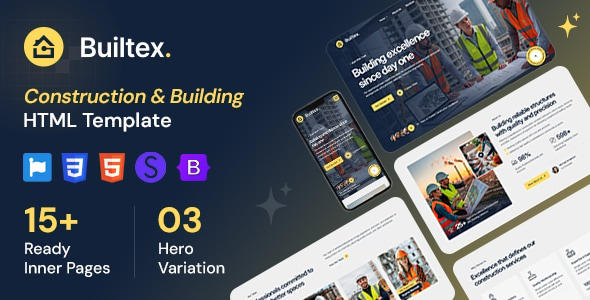
Builtex - Construction HTML Template Builtex is a modern and professionally designed HTML template created specifically for construction companies, building contractors, engineering...
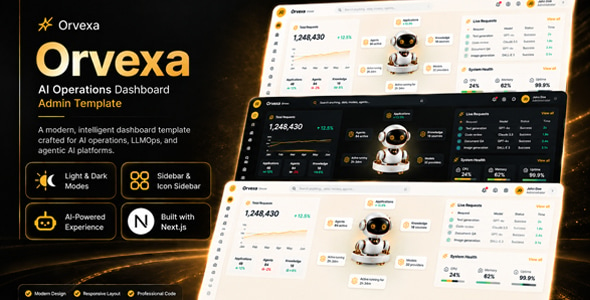
Orvexa | AI Operations Next.js Admin Template Orvexa | AI Operations Next.js Admin Template is a modern administration dashboard template designed for...

Plexify - Travel Agency Next Js Tailwind CSS Template Plexify - Travel Agency Next Js Tailwind CSS Template is a modern website...
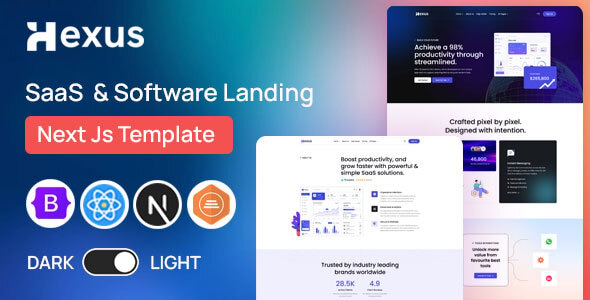
Hexus – SaaS Landing Page Next JS Template Hexus – SaaS Landing Page Next JS Template is a modern website template designed...
