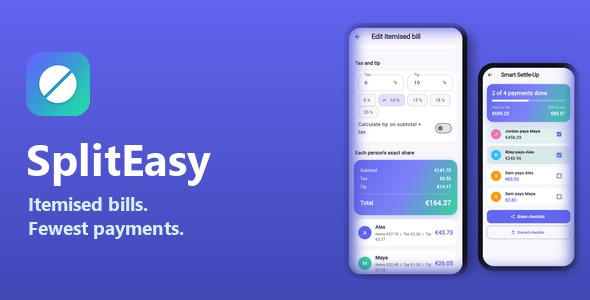
SplitEasy | Flutter Group Expense Splitter and Itemised Bill Split App is a modern and practical mobile application solution designed for managing shared expenses, splitting bills, tracking group spending, and calculating individual payments. Developed with Flutter, SplitEasy provides a cross-platform foundation for building an expense management application that helps friends, families, roommates, colleagues, and travel groups organize shared financial activities.
Managing shared expenses can become complicated when multiple people contribute different amounts or purchase separate items on the same bill. SplitEasy addresses this common problem through a dedicated expense-splitting application concept that can help users organize group expenses, calculate individual shares, and keep track of who owes whom.
Whether you are developing a group expense management startup, building a personal finance application, or creating a customized bill-splitting solution for clients, SplitEasy offers a flexible starting point for your mobile application project.
SplitEasy is built with Flutter, Google’s cross-platform framework for developing mobile applications using a shared codebase. Flutter provides developers with tools for creating modern application interfaces and maintaining a consistent user experience across supported platforms.
Its Flutter-based structure allows developers to customize the application’s appearance, navigation, expense management screens, and interactive components according to different business requirements.
Potential customization areas include:
The exact platform compatibility, Flutter version, and required dependencies should be verified against the supplied source code and documentation.
Managing shared expenses is a common requirement for people who live together, travel in groups, organize events, or participate in shared activities.
SplitEasy provides a foundation for developing an application that organizes expenses between multiple participants.
Users can customize the application to support different group expense scenarios, such as:
A structured expense management experience can make it easier to understand group spending and reduce confusion when calculating individual contributions.
One of the important concepts behind SplitEasy is itemized bill splitting. Instead of dividing an entire bill equally between everyone, users can organize individual items and assign them to the people who purchased or shared them.
For example, when a group visits a restaurant, each participant may order different food items. An itemized bill-splitting workflow can help calculate individual responsibilities based on selected items rather than simply dividing the total amount.
Potential itemized bill features include:
Tax, service charges, tips, and discounts can also be incorporated into an advanced bill-splitting workflow through suitable application logic.
The availability of these specific calculations depends on the supplied implementation.
Organizing expenses into groups helps users separate different financial activities. For example, a group of friends may create one expense group for a vacation and another for monthly shared activities.
SplitEasy can be customized to support group creation and expense organization.
Potential group management functionality includes:
These features can make the application useful for both temporary activities and ongoing shared financial arrangements.
Tracking expenses over time helps users understand how much they have spent and how costs are distributed across a group.
SplitEasy provides a foundation for presenting expense records in an organized mobile interface.
Possible expense management capabilities include:
A well-organized expense history can help users maintain better visibility into shared financial activities.
Calculating individual contributions manually can become difficult when multiple participants share different items and payments.
SplitEasy can be customized with calculation logic that determines how much each participant should contribute based on the selected splitting method.
Possible calculation approaches include:
For example, if four friends share a bill equally, the application can calculate each person’s contribution based on the total amount. If each person orders different items, an itemized approach can calculate their individual responsibilities.
Accurate rounding, tax allocation, discounts, and partial payments should be handled carefully when implementing the calculation engine.
A useful expense-splitting application should make it easy to understand the current financial position of each group member.
SplitEasy can be customized to display individual balances and settlement information.
Potential balance-related features include:
A settlement workflow can help participants understand which payments are required to balance shared expenses.
Actual money transfers and payment confirmation require suitable payment integrations or verified transaction workflows. Displaying a settlement amount does not automatically transfer funds between users.
A clear dashboard helps users quickly understand their expense activity without navigating through multiple screens.
SplitEasy can be customized with a dashboard that presents important group and financial information.
Depending on the supplied interface, dashboard sections may include:
These sections can be organized to make the application easier to navigate and more convenient for everyday use.
Categorizing expenses can help users understand where their shared money is being spent.
SplitEasy can be extended with customizable expense categories for different types of purchases and activities.
Possible categories include:
Category-based organization can also support additional reporting and expense analysis functionality.
Expense history helps users review previous transactions and understand how group spending changes over time.
SplitEasy can be customized to present historical expense information through structured lists and summary views.
Potential reporting features include:
Advanced chart visualizations, exportable reports, and financial analytics may require additional development depending on the supplied implementation.
An expense management application should make financial information easy to understand. Users should be able to add expenses, review balances, and manage group activities without unnecessary complexity.
SplitEasy’s Flutter-based structure provides opportunities to customize the application’s visual presentation.
Developers can modify:
A consistent design can help users navigate financial information more comfortably.
Personalized user accounts can help participants access their expense groups and maintain individual financial records.
SplitEasy can be customized with authentication and profile management functionality where supported by the supplied implementation.
Potential account features include:
Authentication services, secure account storage, and multi-device synchronization require appropriate backend integration if they are not already included.
Notifications can help users stay informed about shared expense activities and pending settlements.
SplitEasy can be extended with notification functionality through compatible Flutter packages and backend services.
Possible notification events include:
Push notifications and automated reminders require appropriate notification services, user permissions, and backend configuration.
Expense management applications may store personal information, group membership details, transaction records, and payment-related information. Protecting this data is an important part of application development.
When extending SplitEasy, developers should consider:
If the application connects to a backend, developers should ensure that users can access only the expense information they are authorized to view or modify.
SplitEasy provides a starting point for developers who want to build customized group expense management applications using Flutter.
The source code can be adapted to support different expense-sharing workflows, user experiences, and financial management requirements.
Potential customization opportunities include:
Additional features may require suitable plugins, backend services, or custom development.
SplitEasy can be adapted for a variety of businesses and personal finance applications, including:
Its expense-sharing concept makes it useful for developers creating practical financial tools for everyday group activities.
SplitEasy combines a practical expense-sharing concept with Flutter’s cross-platform development capabilities. It provides a foundation for developing a mobile application focused on group expenses, itemized bill calculations, financial tracking, and settlement management.
Key advantages include:
SplitEasy | Flutter Group Expense Splitter and Itemised Bill Split App is a practical mobile application development solution for developers, entrepreneurs, and businesses interested in building a modern expense-sharing platform. Its Flutter-based architecture and group expense management concept provide a foundation for organizing shared spending, splitting detailed bills, tracking individual contributions, and managing group settlements.
Whether you are developing an application for friends sharing restaurant bills, roommates managing household expenses, travellers organizing trip costs, or groups tracking shared purchases, SplitEasy can help simplify the initial development process while providing opportunities for customization and expansion.
For Flutter developers, mobile application agencies, and financial technology entrepreneurs looking for a group expense management app foundation, SplitEasy offers a useful starting point for building a convenient and customizable bill-splitting application.
1. All digital products are the most recent version, with no possibility of free updates. After payment, you can request an update to the most recent version for 5 days if a new version is released. We free support within 5 days.
2. If a license is required (Excludes WHMCS license , we provide only method not license), please contact us via email or ticket for assistance with activation. Our license is only valid for activation and does not include support.
3. We provide Mobile, PHP script installation services for $19.90 / ₹1700. Please create a backup after installation as we do not support re-installation. For mobile app source code, we do not offer installation services.
4. If you have any questions, please contact us by email [email protected] or create a ticket on this page
5. Please note that any digital products presented on the website do not contain malicious code, viruses or advertising. You will receive the original files from the developers. We do not sell any products that have been downloaded from other websites.
6. The response time can last up to 6 hours.

TallySeller | Third-Party eBay-Compatible Profit Tracker and Analytics SaaS | Laravel and Flutter TallySeller | Third-Party eBay-Compatible Profit Tracker and Analytics SaaS...
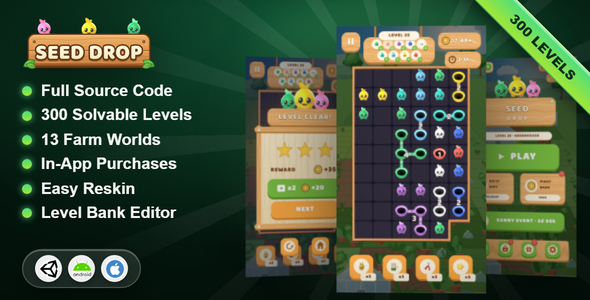
Seed Drop | Unity Complete Puzzle Game Template Seed Drop is a complete puzzle game template developed with Unity, designed for game...
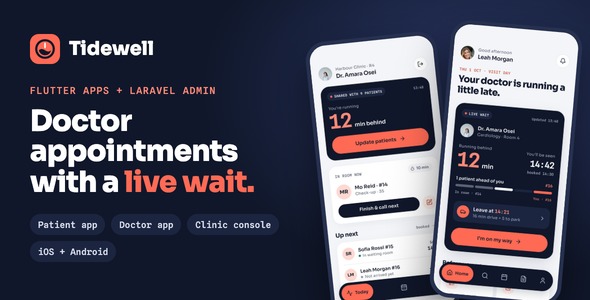
Tidewell | Flutter Doctor Appointment App With Live Wait Tidewell | Flutter Doctor Appointment App With Live Wait is a modern healthcare...
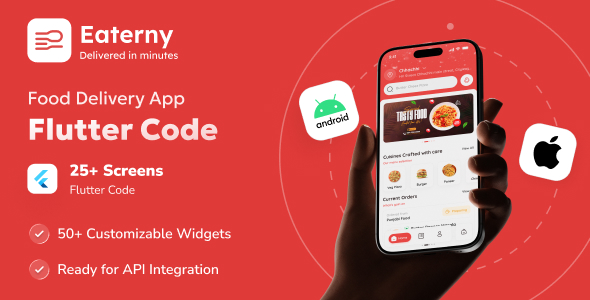
Eaterny | Food Delivery and Restaurant Flutter App UI Template Eaterny | Food Delivery and Restaurant Flutter App UI Template is a...
