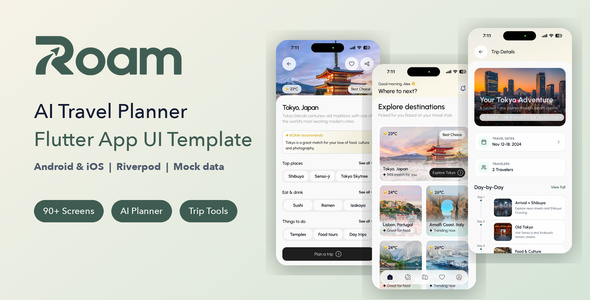
Roam – AI Travel Planner Flutter App UI Template is a modern and user-friendly mobile application UI template designed for travel planning, personalized trip discovery, itinerary organization, and AI-powered travel experiences. Built with Flutter, Roam provides a flexible frontend foundation for developers, startups, and travel businesses looking to create an engaging travel planning application for mobile users.
Designed around the growing demand for intelligent travel assistance, Roam offers a suitable starting point for applications that help users explore destinations, organize journeys, discover attractions, and plan personalized travel experiences. Its travel-focused interface can be customized for different types of tourism applications, including vacation planners, destination discovery platforms, travel recommendation apps, and smart itinerary management solutions.
Whether you are developing an AI travel startup, building a tourism mobile application, or creating a customized trip planning platform, Roam provides a dedicated UI foundation that can help simplify the frontend development process.
Travel planning often involves researching destinations, comparing activities, organizing schedules, and managing multiple travel details. Roam is designed around the concept of making these activities accessible through a convenient mobile interface.
The template provides a starting point for creating an organized travel experience where users can explore destinations and interact with travel-related content.
Its interface can be adapted to present destination recommendations, trip information, travel inspiration, and itinerary details in a structured format.
For developers building AI-powered travel products, the design can also be extended with intelligent recommendation features and conversational travel assistance through suitable AI integrations.
Roam is developed using Flutter, Google’s cross-platform framework for building mobile applications from a shared codebase.
Flutter uses Dart and a widget-based architecture to create customizable user interfaces for supported platforms. This allows developers to organize screens into reusable components and maintain a consistent visual experience.
The Flutter foundation makes Roam suitable for development teams targeting Android and iOS applications, subject to the supplied project configuration and dependency compatibility.
Developers can customize the application branding, navigation, layouts, colors, typography, and other UI elements according to their project requirements.
Artificial intelligence can make travel planning more personalized by helping users organize journeys around their preferences, interests, available time, and travel requirements.
Roam provides a UI foundation for developing an AI-assisted travel planning experience.
Depending on the AI services and backend integrations implemented, a customized application may support features such as:
These capabilities require integration with suitable AI models, APIs, travel information providers, and application logic. The UI template itself does not automatically provide an operational AI engine.
Discovering interesting destinations is an important part of the travel planning process. Roam can be customized to provide an engaging destination exploration experience.
Developers can organize travel destinations into categories such as beaches, mountains, historical locations, adventure destinations, cultural attractions, nature escapes, and popular tourist cities.
Destination information may include images, descriptions, location details, travel recommendations, and useful visitor information.
A well-organized discovery interface helps users explore travel possibilities and find destinations that match their interests.
Every traveler has different preferences, budgets, schedules, and travel goals. A personalized trip planning experience can help users organize journeys around their individual requirements.
Roam provides a frontend foundation for building trip planning screens where users can enter travel preferences and organize their planned activities.
A customized application may support information such as:
These details can be used by an integrated recommendation engine or AI service to generate relevant travel suggestions.
Actual itinerary generation and data processing require backend development and appropriate API integrations.
An itinerary helps travelers organize their journeys into manageable daily schedules. AI-assisted itinerary generation can make this process more convenient by suggesting activities and arranging travel plans based on user preferences.
Roam can serve as a UI starting point for an itinerary generation feature.
A customized implementation may display:
Developers can connect the interface to an AI service that generates itinerary suggestions using the traveler’s input. Location information, opening hours, travel times, and availability should be validated through reliable data sources rather than relying entirely on AI-generated responses.
Travelers often need help choosing destinations, activities, and experiences. Roam can be extended with recommendation interfaces that present relevant travel options.
Recommendations may be organized according to destination popularity, travel interests, seasonal preferences, trip duration, or budget.
For example, a traveler interested in nature and adventure could receive suggestions for hiking locations, scenic viewpoints, national parks, and outdoor activities.
To provide personalized recommendations, developers can connect the application to suitable recommendation algorithms, AI services, and travel content providers.
Managing multiple trips can become difficult when travel information is spread across different applications and documents.
Roam provides a suitable frontend foundation for developing trip organization screens where users can view and manage their planned journeys.
A connected application may support:
With suitable backend functionality, users can save their plans and access them again when needed.
Visual presentation plays an important role in travel applications. Destination photography, location information, and well-organized content can help users discover new places and become interested in planning a trip.
Roam can be customized with high-quality travel images, destination cards, attraction descriptions, and other visual content.
Developers can use authentic destination photographs and relevant information to create an engaging browsing experience.
Image optimization is also important to maintain good application performance, particularly when displaying multiple destination images.
A travel application should make it easy for users to move between destination discovery, trip planning, saved journeys, and other important sections.
Roam provides a mobile-focused UI foundation that can be customized with navigation elements and screen layouts suited to a travel planning workflow.
Its Flutter-based structure allows developers to adapt interface components and maintain a consistent experience across supported devices.
The completed application should be tested on different screen sizes and operating system versions to ensure that navigation, forms, images, and interactive elements work as expected.
Flutter’s widget-based development approach allows developers to organize application interfaces into reusable components.
Roam can be customized to match a travel brand’s identity by modifying available UI elements such as:
This flexibility makes the template suitable for developers who want to build a customized travel planning product rather than starting the entire frontend from scratch.
An AI travel planner may require several external services to provide useful information and personalized recommendations.
Depending on the final application requirements, developers can integrate services for:
Third-party services may require API credentials, paid subscriptions, usage limits, and additional configuration. Actual availability depends on the selected providers and their integration capabilities.
Roam can be adapted for several types of travel and tourism-related mobile products, including:
Its Flutter foundation provides a suitable starting point for teams developing travel-focused mobile experiences.
Roam is a Flutter UI template intended to support mobile frontend development. Developers can customize the supplied screens and connect them to the backend services required by their application.
Depending on the project’s architecture, a backend can be developed using technologies such as Laravel, Node.js, Firebase, or other suitable platforms.
Additional development may be required for user registration, authentication, saved trips, itinerary synchronization, payment processing, booking management, notifications, and administrative functionality.
The UI template should not be considered a complete travel booking platform or fully operational AI SaaS product unless these capabilities are explicitly included in the supplied package.
Roam provides a modern frontend foundation for developers and businesses interested in creating intelligent travel planning applications.
Key Highlights:
Creating a modern travel application requires an intuitive mobile interface, useful destination information, personalized recommendations, and convenient itinerary management. Roam – AI Travel Planner Flutter App UI Template provides a starting point for bringing these elements together in a dedicated mobile experience.
Whether you are developing a travel technology startup, building an AI-powered vacation planner, or creating a destination discovery application, Roam offers a flexible Flutter frontend foundation.
Customize the interface with your brand identity, connect suitable AI and travel information services, and implement the required backend functionality to develop a travel planning application aligned with your business goals.
Note: This is a Flutter UI template. Verify the included screens, source code, supported platforms, AI integration status, API connections, and backend functionality in the product documentation before purchase. External AI and travel services may require separate API credentials and subscription costs.
1. All digital products are the most recent version, with no possibility of free updates. After payment, you can request an update to the most recent version for 5 days if a new version is released. We free support within 5 days.
2. If a license is required (Excludes WHMCS license , we provide only method not license), please contact us via email or ticket for assistance with activation. Our license is only valid for activation and does not include support.
3. We provide Mobile, PHP script installation services for $19.90 / ₹1700. Please create a backup after installation as we do not support re-installation. For mobile app source code, we do not offer installation services.
4. If you have any questions, please contact us by email [email protected] or create a ticket on this page
5. Please note that any digital products presented on the website do not contain malicious code, viruses or advertising. You will receive the original files from the developers. We do not sell any products that have been downloaded from other websites.
6. The response time can last up to 6 hours.

ReadyLMS Pro | Learning Management System With Website, Student App and Admin Dashboard ReadyLMS Pro | Learning Management System With Website, Student...
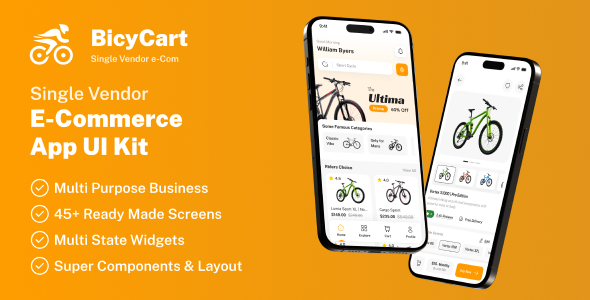
BicyCart | Single Vendor eCommerce Flutter App UI Template BicyCart | Single Vendor eCommerce Flutter App UI Template is a modern mobile...
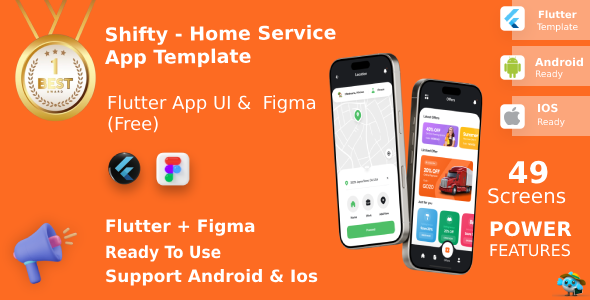
Shifty | Multi-Service Booking App UI Kit for Flutter Shifty | Multi-Service Booking App UI Kit for Flutter is a modern mobile...
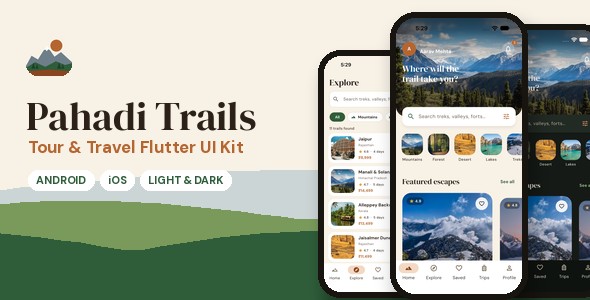
Pahadi Trails | Tour and Travel Flutter UI Kit Create an engaging travel booking experience with Pahadi Trails | Tour and Travel...
