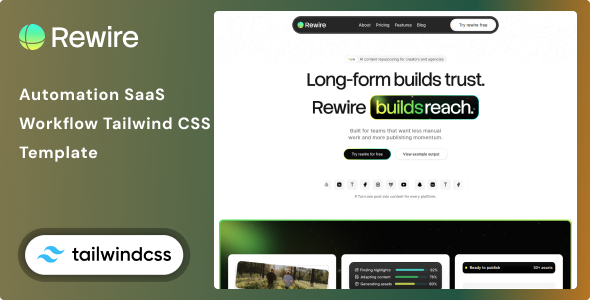
Revire – Automation & Workflow SaaS Tailwind CSS 4 HTML Template is a modern website template designed for SaaS companies, workflow automation platforms, productivity software providers, business process automation startups, and technology businesses that help organizations simplify repetitive tasks. Built around HTML and Tailwind CSS 4, Revire provides a customizable foundation for presenting software products, explaining automation features, showcasing business benefits, and encouraging potential customers to explore a digital solution.
As businesses increasingly adopt automation to improve productivity and streamline operations, a professional SaaS website plays an important role in communicating product value. Visitors need to understand what a platform does, how it fits into their existing workflows, and why it may be useful for their organization. Revire offers a starting point for presenting these details through a structured, modern interface that can be adapted to different software products and business models.
Whether you are launching a workflow automation startup, promoting a task management platform, developing an AI-powered productivity solution, or building a website for a business process SaaS product, Revire can help simplify the front-end design process.
Revire is intended for technology businesses that need a professional website to explain digital workflows, automation tools, and productivity-focused software. Its SaaS-oriented purpose makes it suitable as a starting point for presenting a software product to individual users, small businesses, or enterprise customers.
A well-organized SaaS website should communicate the product’s value clearly. Visitors should be able to identify the main problem the software addresses, understand its key capabilities, and discover how to learn more or get started.
You can customize the available layouts, typography, colors, images, and content to reflect your company’s brand identity. For example, a workflow automation platform might emphasize integrations and process efficiency, while a project management SaaS business may prioritize collaboration, task organization, and team productivity.
The final appearance and available sections depend on the files included in the Revire package and the customizations made during development.
One of Revire’s defining characteristics is its use of Tailwind CSS 4, a utility-first CSS framework that allows developers to build and customize interfaces using utility classes and modern styling capabilities.
Combined with HTML, this approach gives developers direct control over page structure and visual presentation. Rather than relying entirely on a visual page builder, developers can edit the source files, adjust layout structures, customize typography, and modify styling according to project requirements.
Potential customization tasks include:
Tailwind CSS 4 provides the styling foundation, but the exact development workflow depends on the supplied package. Review the documentation to confirm whether the project uses a build process, package manager, JavaScript dependencies, or additional front-end tools.
An HTML template generally provides the website’s presentation layer rather than a complete SaaS application. Features such as user authentication, subscription management, automation execution, and database storage require additional backend services unless explicitly included in the package.
Automation platforms help users reduce repetitive work, connect applications, and organize processes more efficiently. A dedicated website should explain these capabilities in language that matches the target audience.
Revire can be customized to present workflow automation features such as:
These categories are examples of content a SaaS company could display. The HTML template itself should not be assumed to implement these automation functions.
Potential customers often compare several software products before deciding which one to try. A clear website can help visitors understand the purpose of your platform and evaluate its relevance to their workflows.
Revire can serve as the design foundation for explaining your product’s main capabilities, supported use cases, intended users, and practical benefits. You can customize suitable sections to introduce the platform, describe important features, and guide visitors toward a demonstration, trial, or product information page.
For stronger product communication, organize the information around customer needs rather than technical terminology alone. Explain the problem, how your software addresses it, and what users need to configure before they can benefit from the solution.
Product screenshots, interface previews, diagrams, and short demonstrations can make abstract automation concepts easier to understand. Use authentic visuals that accurately represent the current product rather than presenting mockups as working software.
The template supplies the design starting point; actual SaaS functionality must be developed separately or connected to an existing application.
A feature-focused website helps prospective customers understand what makes a software platform useful. Revire can be adapted to organize your product’s main capabilities into clearly defined sections.
For a workflow SaaS product, these sections might explain automation rules, integration options, task scheduling, team collaboration, data handling, or activity monitoring. Each feature description should communicate both what the product does and why the capability matters to its intended users.
For example, a business automation tool might help reduce manual data entry between connected systems. A team workflow product might help standardize recurring processes and make responsibilities easier to track.
Use concise descriptions, relevant visuals, and accurate examples to demonstrate how your product fits into real business operations. Avoid unsupported claims about productivity improvements, cost savings, or guaranteed results.
A clear presentation can help visitors decide whether the platform deserves further evaluation.
Workflow automation can support a wide variety of business activities. Depending on your product’s actual capabilities, Revire can be customized to explain how your software may be used in different operational contexts.
Potential use cases include:
These examples should be adapted to the applications and integrations your software genuinely supports. A template can explain these use cases visually, but it does not create industry-specific automation logic by itself.
Many workflow SaaS products depend on integrations with external applications. Customers may want to know whether a platform can work with the tools they already use.
Revire can be customized to present supported integrations, connected services, or compatibility information through suitable content sections. You can explain the purpose of each integration and describe the workflows it enables.
If your product connects to project management tools, communication platforms, customer relationship management systems, spreadsheets, or eCommerce applications, list only integrations that are actually available.
For integrations under development, clearly distinguish planned features from existing functionality. This helps set accurate expectations and prevents visitors from assuming that every advertised connection is ready to use.
The HTML template does not automatically establish API connections. Integration behavior requires application logic, authentication, appropriate API access, and any necessary backend processing.
Pricing information is an important consideration for SaaS customers. A well-structured pricing presentation can help visitors compare plans and understand which option fits their requirements.
Revire can be customized to display pricing information where suitable layouts are included. You may organize plans around the number of users, automation limits, available integrations, usage allowances, support levels, or other criteria relevant to your product.
A SaaS pricing section might include:
These are examples of pricing models rather than a guarantee that the template includes a functional subscription system.
Clearly explain billing intervals, usage limits, renewal conditions, and any applicable trial restrictions. If your pricing depends on custom requirements, a contact-for-pricing approach may be more appropriate.
Actual subscriptions, payment processing, plan enforcement, recurring billing, and account upgrades require a payment provider and backend application or suitable SaaS platform.
A SaaS website should help interested visitors move naturally from learning about the product to taking the next step. Depending on the business model, this may involve creating an account, requesting a demo, starting a trial, or contacting the sales team.
Revire can be customized with clear calls to action throughout the website. Examples include exploring features, viewing pricing, requesting a demonstration, or getting started with the product.
Keep these actions consistent with your actual onboarding process. If registration is not yet available, direct visitors to a contact form or product inquiry page instead of presenting a nonfunctional signup button.
Contact forms require appropriate submission handling, such as a backend endpoint or third-party form service. Advanced functionality such as lead tracking, automated email sequences, and CRM synchronization may require additional integrations.
SaaS customers may visit your website using desktop computers, tablets, and smartphones. A responsive layout helps make product information accessible across these devices.
Revire can serve as a starting point for a multi-device website, depending on the supplied HTML and styling implementation. During customization, test navigation menus, feature cards, product screenshots, pricing sections, buttons, and forms across different viewport sizes.
Ensure that text remains readable, screenshots scale appropriately, and interactive elements remain accessible on touchscreens. Complex feature comparisons and pricing tables may need special attention on mobile devices.
Responsive behavior should be verified after development, particularly if you change the original layout, add new sections, or introduce third-party scripts.
Search engine optimization can help potential customers discover your workflow automation software through relevant searches. A clear information structure allows you to explain the product’s purpose and create useful content for different customer needs.
With Revire, you can customize page titles, headings, descriptions, internal links, and image alternative text. You may also create additional pages for product features, industry use cases, integration guides, and educational resources.
Recommended practices include writing original content, using descriptive URLs, organizing headings logically, optimizing images, and ensuring that important pages can be accessed through clear navigation.
Technical SEO tasks may include configuring canonical URLs, XML sitemaps, structured data, and indexing settings. Because this is an HTML template, publishing new articles may require manually creating pages or connecting a content management system.
The template itself does not guarantee search engine rankings, qualified leads, or subscription growth. Results depend on content quality, competition, technical implementation, website performance, and ongoing marketing efforts.
A SaaS marketing website should load efficiently and provide a reliable experience. When implementing Revire, optimize images, review third-party dependencies, remove unnecessary assets, and configure suitable caching and compression.
Keep relevant libraries updated and use HTTPS when deploying the website. If you integrate contact forms, registration flows, or payment functionality, make sure that sensitive data is processed securely.
Never place private API keys, database credentials, or other secrets in publicly accessible front-end code. If your SaaS product connects to external automation services, implement authentication, access controls, error handling, and usage limits in the appropriate application layer.
The performance and security of the finished website depend on its hosting environment, dependencies, backend architecture, and maintenance practices.
Revire may be suitable for a wide range of businesses and development projects, including:
Its automation-focused purpose makes it a useful starting point for businesses that want to explain a software product through a dedicated marketing website.
Before using Revire, review the product documentation for the included HTML files, Tailwind CSS 4 setup, dependencies, build commands, JavaScript requirements, and supported browsers.
Depending on the supplied package, setup may involve extracting the files, installing required development dependencies, running a build process, testing the website locally, and deploying the generated assets to a suitable hosting environment.
After deployment, verify all navigation links, buttons, images, responsive layouts, and interactive components. If you connect the site to a SaaS backend, authentication provider, payment service, or automation API, test those integrations independently.
The template should be treated as a front-end design resource unless its documentation explicitly states that additional application functionality is included.
Revire – Automation & Workflow SaaS Tailwind CSS 4 HTML Template provides a practical foundation for creating a modern website for workflow automation platforms, productivity software businesses, SaaS startups, and technology companies focused on streamlining business operations.
With its HTML-based development approach and Tailwind CSS 4 styling foundation, Revire gives developers a starting point for presenting software features, explaining automation use cases, showcasing integrations, communicating pricing, and guiding visitors toward relevant calls to action. Whether you are launching a new workflow product or refreshing the marketing website for an established SaaS platform, Revire – Automation & Workflow SaaS Tailwind CSS 4 HTML Template can help you build a customized online presence that supports your product’s brand identity and business objectives.
1. All digital products are the most recent version, with no possibility of free updates. After payment, you can request an update to the most recent version for 5 days if a new version is released. We free support within 5 days.
2. If a license is required (Excludes WHMCS license , we provide only method not license), please contact us via email or ticket for assistance with activation. Our license is only valid for activation and does not include support.
3. We provide Mobile, PHP script installation services for $19.90 / ₹1700. Please create a backup after installation as we do not support re-installation. For mobile app source code, we do not offer installation services.
4. If you have any questions, please contact us by email [email protected] or create a ticket on this page
5. Please note that any digital products presented on the website do not contain malicious code, viruses or advertising. You will receive the original files from the developers. We do not sell any products that have been downloaded from other websites.
6. The response time can last up to 6 hours.
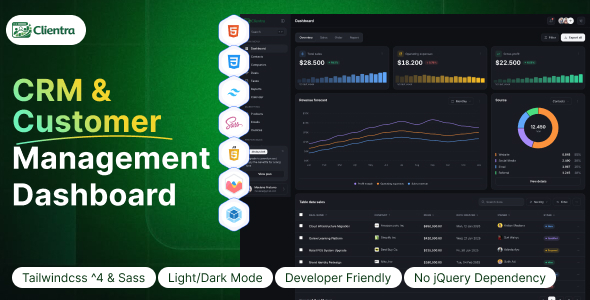
Clientra - CRM & Customer Management Dashboard HTML Template Clientra - CRM & Customer Management Dashboard HTML Template is a modern and...
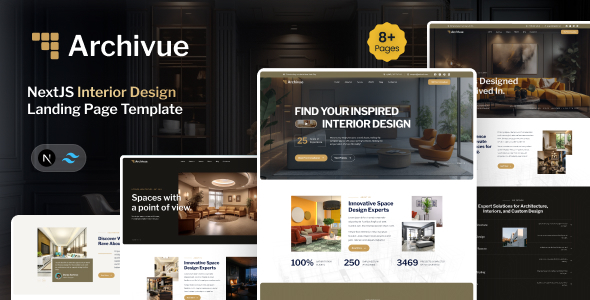
Archivue - NextJS Interior Design Landing Page Template Archivue - NextJS Interior Design Landing Page Template is a modern website template designed...
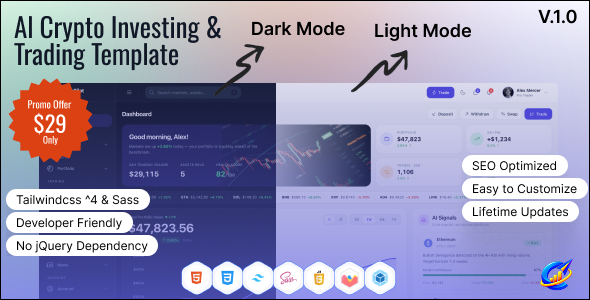
CryptoPilot – AI Crypto Investing & Trading Dashboard HTML Template CryptoPilot – AI Crypto Investing & Trading Dashboard HTML Template is a...
DocNest | React Node.js Document Management with Auto-Sort and Secure Sharing DocNest is a modern and intelligent document management platform built with...
