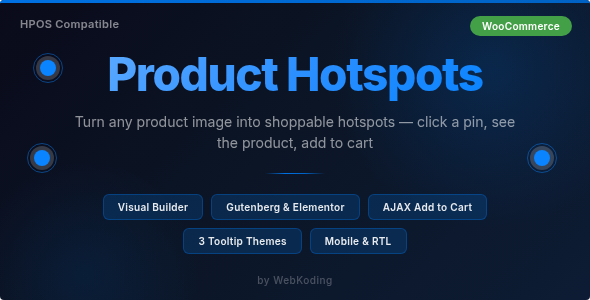
Product Hotspots – Interactive Shoppable Product Images for WooCommerce is an interactive product visualization solution designed to help online store owners transform standard product images into engaging, shoppable experiences. It allows WooCommerce merchants to explore hotspot-based product presentations, making it easier for customers to discover individual products, accessories, and featured items directly from images.
Traditional product galleries display products through separate photographs and descriptions. However, customers sometimes need additional context to understand how different products work together or identify specific items within a larger scene. Interactive hotspots can solve this challenge by placing clickable markers over selected areas of an image and connecting those markers with relevant product information.
Whether you operate a furniture store, fashion boutique, electronics shop, home decoration business, or lifestyle eCommerce website, Product Hotspots can help create a more visual shopping experience and make product discovery more engaging.
Product Hotspots is a WooCommerce-focused solution designed to add interactive shopping elements to product images. Instead of displaying an image as a static visual, merchants can use hotspot markers to highlight specific products or areas within an image.
For example, a furniture retailer can display a fully decorated living room image and place interactive markers over a sofa, table, lamp, rug, and decorative accessories. Customers can explore these markers to discover the featured products and access relevant product information.
This approach connects visual inspiration with product discovery, helping shoppers understand how different items look together and making it easier to find products they may want to purchase.
The exact hotspot configuration, supported product information, image layouts, display options, and purchasing functionality depend on the plugin’s implementation and version.
1. Interactive Product Hotspots
The primary concept of Product Hotspots is to add interactive markers to images. These markers can highlight specific objects, products, or featured areas within a visual composition.
Instead of asking visitors to identify products manually, merchants can provide clickable points that direct attention toward relevant shopping items.
This is particularly useful for websites that showcase multiple products within a single image.
2. Shoppable Product Images
Product Hotspots focuses on turning ordinary product images into interactive shopping experiences.
Merchants can create visual presentations where customers explore highlighted products and access related information through the available hotspot interface.
This can help connect product inspiration with the purchasing journey.
3. WooCommerce Product Integration
The plugin is designed for WooCommerce stores, making it relevant to merchants who already manage their products through WordPress.
Depending on the supported integration, hotspot markers can be associated with WooCommerce products so customers can discover the relevant items directly from an image.
This allows merchants to use their existing product catalog as part of a more interactive presentation.
4. Multiple Product Highlights in One Image
Some product scenes contain several items that customers may want to explore individually.
For example, a kitchen image may include cabinets, appliances, countertops, lighting, and accessories. Interactive hotspots can help identify different products within the same visual composition.
This can reduce the need to create a separate promotional image for every featured item.
5. Visual Product Discovery
Customers often discover products through lifestyle photography, room designs, fashion combinations, and product arrangements.
Hotspot-based images can make these visuals more useful by allowing shoppers to explore the products featured within them.
6. Product Information Access
Interactive markers can provide a convenient way to present information about highlighted products.
Depending on the plugin’s available display options, this information may include product names, images, prices, descriptions, or links to product pages.
The exact information displayed should be confirmed through the plugin documentation.
7. Enhanced eCommerce Presentation
A shoppable image can make product presentations more interactive than traditional static galleries.
Merchants can use hotspots to highlight featured products, showcase collections, and communicate how different items work together.
8. Support for Visual Merchandising
Visual merchandising helps businesses present products in an attractive and organized way.
Product Hotspots can complement this strategy by allowing customers to explore individual items within lifestyle scenes, promotional graphics, and curated product arrangements.
Improve Product Discovery
Customers can discover multiple products through a single visual composition. Instead of searching through different categories, they can explore highlighted items directly from an image.
Create an Engaging Shopping Experience
Interactive elements encourage visitors to participate in the browsing process. Clicking on hotspots can make product exploration more engaging and informative.
Showcase Related Products Together
Merchants can present complementary products within a single scene. This can help customers understand how individual items work together.
Support Cross-Selling Opportunities
A visual presentation featuring related products can encourage customers to explore additional items. For example, a furniture image may highlight a sofa alongside matching tables, lamps, and decorative accessories.
Reduce Dependence on Separate Product Images
A single lifestyle image can communicate how multiple products fit into a complete design. Hotspots make it possible to connect that visual with individual product information.
Improve Visual Storytelling
Businesses can create product-focused stories using room scenes, fashion combinations, interior designs, and lifestyle photography.
Make Product Pages More Interactive
Adding shoppable images can provide an additional way for customers to interact with a WooCommerce store beyond conventional product galleries and category listings.
1. Furniture and Home Decor Stores
Furniture retailers can use interactive hotspots to highlight sofas, chairs, tables, cabinets, lighting, and decorative accessories within a complete room image.
Customers can explore individual products while seeing how they fit into the overall interior design.
2. Fashion and Apparel Stores
Fashion businesses can create outfit-based images featuring multiple clothing items and accessories. Hotspots can help customers identify jackets, shirts, trousers, footwear, handbags, and other featured products.
3. Electronics and Technology Stores
Electronics retailers can display complete product setups with interactive markers highlighting monitors, keyboards, computers, speakers, accessories, and other related products.
4. Kitchen and Bathroom Stores
Businesses selling kitchen fittings, bathroom accessories, appliances, and fixtures can use hotspots to highlight individual products within completed room designs.
5. Interior Design Businesses
Interior designers can showcase room concepts and connect selected furniture, lighting, and decorative items with their corresponding product pages.
6. Beauty and Lifestyle Stores
Beauty retailers can create visual product presentations featuring skincare collections, cosmetics, personal care products, and related accessories.
7. Home Improvement Stores
Businesses selling flooring, lighting, furniture, renovation materials, and home accessories can use shoppable images to help customers explore products in realistic environments.
8. Gift and Lifestyle Marketplaces
Online stores can create curated product scenes featuring complementary gift items, lifestyle accessories, and seasonal collections.
A typical implementation begins with a WordPress website running WooCommerce. The administrator installs and activates the plugin according to the supplied documentation.
The store owner then prepares an image that contains one or more products to highlight. Using the available hotspot editor or configuration interface, the administrator places markers over the relevant areas of the image.
Each marker can then be connected with the appropriate product or information, depending on the plugin’s supported functionality.
Once the interactive image is configured, it can be displayed in the supported location on the website. Customers can interact with the markers to discover the highlighted products and continue to the relevant product pages or purchasing options.
A typical workflow may include:
The exact editor interface, supported image locations, hotspot content, and display methods should be verified through the plugin’s official documentation.
Before installing Product Hotspots, review the official documentation and verify the following requirements:
For the best visual experience, use clear, high-resolution images with well-defined product areas. Hotspot markers should be positioned accurately so visitors can easily identify the highlighted items.
It is also important to test interactive images on mobile devices, where screen sizes and touch interactions may affect hotspot usability.
To create effective interactive product presentations, consider the following recommendations:
A well-designed hotspot image should make shopping easier rather than overwhelm visitors with excessive interactive elements.
Product Hotspots – Interactive Shoppable Product Images for WooCommerce can be considered by:
It is particularly suitable for businesses that rely on visual product presentation and want to connect lifestyle photography with individual WooCommerce products.
Product images play an important role in online shopping, but static photography does not always provide enough information about every item in a scene. Customers may see a complete room, outfit, or product arrangement but still need to search separately to identify the individual products.
Product Hotspots offers a more interactive approach by connecting visual content with product discovery. It helps merchants transform selected images into shopping-oriented presentations where visitors can explore highlighted products through clickable markers.
For businesses with visually rich product catalogs, this approach can make website content more informative and create additional opportunities to showcase related products.
By combining interactive image presentation with WooCommerce product information, merchants can provide a shopping experience that connects inspiration, exploration, and purchasing.
Product Hotspots – Interactive Shoppable Product Images for WooCommerce is an interactive eCommerce solution designed to help WooCommerce merchants transform static images into product discovery experiences. By adding clickable hotspots to selected images, businesses can highlight multiple products, showcase related items, and provide customers with a more visual way to explore their catalogs.
Whether you operate a furniture store, fashion boutique, electronics shop, interior design business, or home decor marketplace, shoppable images can make product presentation more engaging and informative.
For WooCommerce store owners looking to improve visual merchandising and create interactive product showcases, Product Hotspots is a solution worth exploring. Review its supported hotspot options, product integration features, and compatibility requirements to build an effective shoppable image experience.
1. All digital products are the most recent version, with no possibility of free updates. After payment, you can request an update to the most recent version for 5 days if a new version is released. We free support within 5 days.
2. If a license is required (Excludes WHMCS license , we provide only method not license), please contact us via email or ticket for assistance with activation. Our license is only valid for activation and does not include support.
3. We provide Mobile, PHP script installation services for $19.90 / ₹1700. Please create a backup after installation as we do not support re-installation. For mobile app source code, we do not offer installation services.
4. If you have any questions, please contact us by email [email protected] or create a ticket on this page
5. Please note that any digital products presented on the website do not contain malicious code, viruses or advertising. You will receive the original files from the developers. We do not sell any products that have been downloaded from other websites.
6. The response time can last up to 6 hours.
Lumiera – Beauty Salon & Aesthetic WordPress Theme Lumiera – Beauty Salon & Aesthetic WordPress Theme is a sophisticated, modern, and beautifully...
Frameflow - Multipurpose WordPress Theme Frameflow is a versatile, modern, and feature-rich Multipurpose WordPress Theme designed to meet the needs of businesses,...
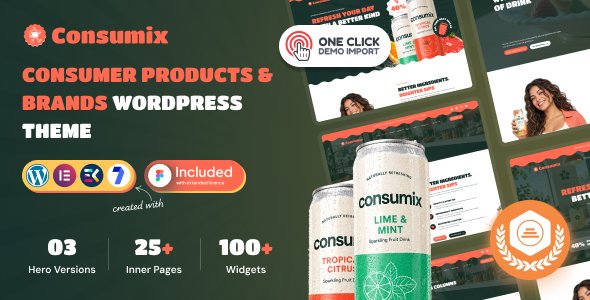
Consumix | Consumer Products & Brands WordPress Theme Consumix is a modern and professionally designed Consumer Products & Brands WordPress Theme created...