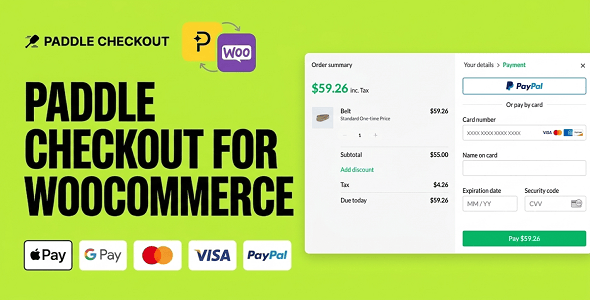
Paddle Checkout for WooCommerce – Supports Subscriptions & Recurring Payments is a payment integration solution designed to help WooCommerce store owners connect their online stores with Paddle and manage customer payments through a streamlined checkout experience. It is intended for businesses selling digital products, software, online services, memberships, and subscription-based offerings that need a payment workflow supporting both one-time purchases and recurring billing.
By connecting Paddle with WooCommerce, the plugin can help merchants incorporate Paddle checkout into their existing WordPress eCommerce environment. This approach allows store owners to continue using WooCommerce for product management and storefront operations while leveraging Paddle as a payment platform. It can be particularly useful for businesses that want to offer subscription plans, recurring services, and digital purchases without building a separate payment system from scratch.
Paddle is a payment platform commonly used by software companies and digital businesses. It provides payment infrastructure for selling digital products and subscription services. Paddle Checkout for WooCommerce is designed to bring this payment option into a WooCommerce-powered store, helping connect product purchasing workflows with Paddle’s checkout environment.
For businesses that sell recurring products or services, payment management is an important part of the customer experience. Customers need a convenient way to subscribe, complete payments, and continue using a service according to the selected billing plan. A suitable checkout integration can simplify this process by connecting WooCommerce product purchasing with an external payment provider.
The plugin focuses on supporting Paddle checkout within WooCommerce, including subscription-oriented purchasing and recurring payment scenarios. Actual capabilities, supported billing configurations, and available customer management options depend on the plugin version, Paddle account configuration, and the integration’s implementation.
1. Paddle Payment Gateway Integration
The plugin is designed to connect WooCommerce with Paddle, giving customers an additional payment option during the purchasing process. Instead of relying exclusively on conventional WooCommerce payment gateways, merchants can explore Paddle as part of their payment infrastructure.
This integration can be useful for businesses that already use Paddle or plan to adopt it for their digital commerce operations. Store owners should configure their Paddle account and integration credentials according to the plugin’s official setup instructions.
2. Subscription Payment Support
Subscription-based businesses require a payment workflow that can accommodate recurring customer charges. The plugin is designed to support subscription-oriented purchases, making it relevant for stores offering monthly, yearly, or other recurring plans.
This can help businesses structure their digital offerings around ongoing access rather than relying entirely on individual transactions. Compatibility with specific subscription configurations should be confirmed before deployment.
3. Recurring Billing Support
Recurring payments are essential for businesses that charge customers at regular intervals. Depending on the integration and supported Paddle configuration, the plugin can connect WooCommerce subscription purchases with Paddle’s recurring billing capabilities.
This can be valuable for software subscriptions, online platforms, premium services, and other products that require continuous payment arrangements.
4. One-Time Payment Support
In addition to recurring payment scenarios, the integration is intended to support standard checkout use cases. This makes it relevant for businesses that sell both individual digital products and subscription packages.
For example, a store might offer a one-time software purchase alongside a monthly subscription plan. Supporting both purchasing models can help merchants organize different types of digital offerings within one WooCommerce storefront.
5. WooCommerce Store Integration
The plugin is designed for WooCommerce environments, allowing merchants to retain their existing product catalog and store structure while introducing Paddle as a payment option.
WooCommerce provides the foundation for product listings, pricing, customer accounts, and order workflows. The payment integration connects this environment with Paddle, subject to the plugin’s supported checkout and order synchronization behavior.
6. Digital Product Payment Workflow
Digital businesses often need a checkout solution that fits products delivered electronically. The integration may be suitable for stores selling software, downloadable resources, licenses, digital services, and other online offerings.
Merchants should verify how successful payments, order statuses, digital delivery, and customer access are handled by the installed version.
7. Subscription-Based Business Support
The plugin can be useful for businesses that operate through recurring revenue models. Subscription products may include premium website access, SaaS plans, online learning services, professional tools, and digital memberships.
A payment integration that supports recurring billing can help businesses build a purchasing experience around ongoing customer relationships.
Simplify Payment Management
Using a dedicated payment integration can reduce the need to develop a custom checkout connection between WooCommerce and Paddle. Store owners can work within their existing WordPress environment while configuring the supported payment workflow.
Support Multiple Revenue Models
Businesses can combine one-time purchases with subscription-based offerings. This flexibility is useful for stores that sell individual products while also providing premium plans or ongoing services.
Improve the Checkout Experience
A well-configured payment process can make it easier for customers to complete purchases. Integrating Paddle checkout gives merchants another payment option to consider for their target audience.
Build a Recurring Revenue Strategy
Subscription billing can help businesses establish predictable revenue models when customers pay for continued access to a product or service. This is especially relevant for SaaS businesses, membership websites, and digital service providers.
Extend an Existing WooCommerce Store
Rather than replacing the entire eCommerce platform, merchants can continue using WooCommerce for their storefront and explore Paddle for payment processing. This can help preserve existing product organization and website workflows.
Software and SaaS Businesses
Software companies can use WooCommerce to present software products and subscription plans while exploring Paddle as their payment infrastructure. This may suit businesses offering monthly or annual software access.
Digital Download Stores
Stores selling digital templates, plugins, themes, graphics, documents, and other downloadable resources can consider the integration for supported payment workflows. The exact delivery and order-completion process should be tested with the store’s download configuration.
Membership Websites
Membership businesses can offer recurring access to premium content, exclusive resources, or private online communities. Subscription compatibility should be checked against the membership plugin and the Paddle integration.
Online Service Providers
Consultants, agencies, and digital service providers can use subscription-oriented products for ongoing services, maintenance packages, or recurring support plans.
Online Education Platforms
Course creators and training providers can explore subscription models for learning resources, premium course libraries, and ongoing educational content.
A typical implementation begins with an existing WordPress website running WooCommerce. The merchant installs the Paddle Checkout integration, configures the required account credentials, and follows the plugin’s setup process.
After configuration, the store owner can prepare eligible WooCommerce products and connect the supported checkout workflow. Customers can then select a product or subscription offering and proceed through the configured Paddle payment experience.
The precise behavior of checkout redirection, payment confirmation, order creation, subscription status updates, and recurring billing synchronization depends on the plugin’s implementation. These workflows should be tested before the store accepts live payments.
Before installing the plugin on a production website, merchants should review its official documentation and verify the following requirements:
Paddle account availability, supported countries, eligible product categories, transaction fees, and merchant requirements may vary. Merchants should confirm that their business and products meet Paddle’s current policies before integrating the service.
It is also important to distinguish payment processing from subscription management. Depending on the integration, certain subscription actions may be managed through Paddle, WooCommerce, or an additional compatible extension. Store owners should confirm which platform is responsible for renewals, cancellations, refunds, customer notifications, and subscription status synchronization.
Paddle Checkout for WooCommerce can be considered by:
Choosing an appropriate payment integration is an important step in building a reliable online business. For merchants who want to combine WooCommerce storefront management with Paddle payment infrastructure, this plugin provides a focused integration option.
Its emphasis on checkout, subscriptions, and recurring payments makes it relevant to businesses that depend on ongoing customer billing. It can also help merchants explore a payment workflow for digital products without abandoning their existing WooCommerce store structure.
However, successful implementation depends on checking the plugin’s supported features, Paddle account eligibility, product compatibility, and subscription synchronization requirements. Proper testing in a suitable environment is recommended before accepting real customer payments.
Paddle Checkout for WooCommerce – Supports Subscriptions & Recurring Payments is designed to connect WooCommerce stores with Paddle checkout for businesses that sell digital products, software, services, and subscription-based offerings. By focusing on payment integration and recurring billing use cases, it provides a potential solution for merchants looking to extend their existing online store with Paddle-supported payment workflows.
Whether you operate a SaaS business, digital download store, membership platform, or online service website, this integration can be worth considering when building a payment experience around one-time purchases and recurring subscriptions. Review the official documentation, confirm compatibility, and test the complete payment lifecycle to ensure the integration meets your business requirements.
1. All digital products are the most recent version, with no possibility of free updates. After payment, you can request an update to the most recent version for 5 days if a new version is released. We free support within 5 days.
2. If a license is required (Excludes WHMCS license , we provide only method not license), please contact us via email or ticket for assistance with activation. Our license is only valid for activation and does not include support.
3. We provide Mobile, PHP script installation services for $19.90 / ₹1700. Please create a backup after installation as we do not support re-installation. For mobile app source code, we do not offer installation services.
4. If you have any questions, please contact us by email [email protected] or create a ticket on this page
5. Please note that any digital products presented on the website do not contain malicious code, viruses or advertising. You will receive the original files from the developers. We do not sell any products that have been downloaded from other websites.
6. The response time can last up to 6 hours.
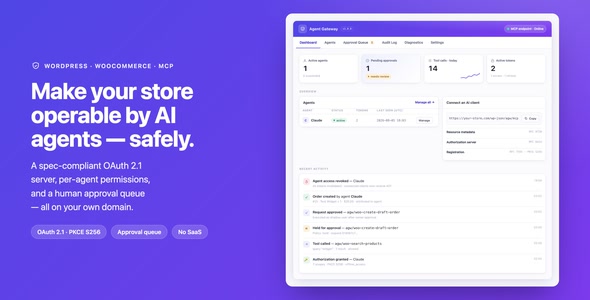
Agent Gateway: AI Agents for WooCommerce & WordPress (MCP + OAuth 2.1) Agent Gateway is an advanced AI integration plugin designed for...

Gravity Forms SIREN/SIRET Field Gravity Forms SIREN/SIRET Field is a specialized WordPress plugin designed to enhance Gravity Forms by adding dedicated fields...
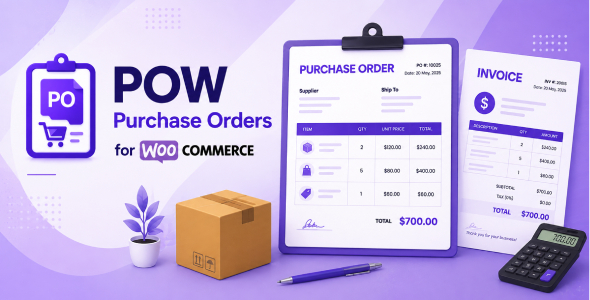
POW - Purchase Orders for WooCommerce POW - Purchase Orders for WooCommerce is a comprehensive procurement and inventory management plugin designed to...
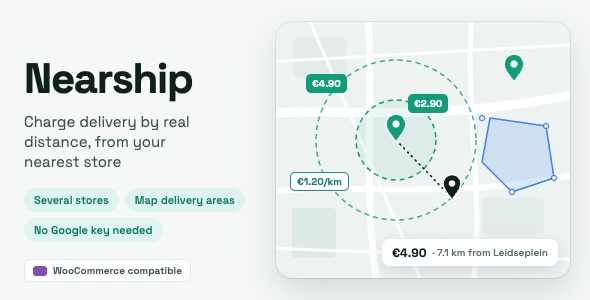
Nearship | Distance-Based Shipping & Local Delivery for WooCommerce Nearship is a powerful WooCommerce shipping and delivery plugin designed to calculate shipping...
