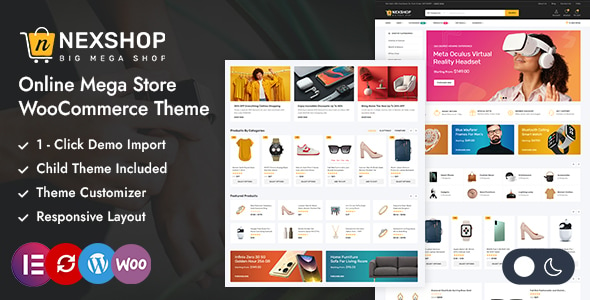
Nexshop – Mega Store Elementor WooCommerce Theme is a versatile eCommerce website theme designed for businesses that want to build a modern online shopping destination with WordPress, WooCommerce, and Elementor. Created for the needs of multi-category retailers and online marketplaces, Nexshop provides a foundation for presenting diverse product collections through an organized, visually appealing, and customer-friendly storefront. Whether you plan to sell electronics, fashion accessories, home essentials, beauty products, lifestyle items, or everyday consumer goods, this theme can help you establish a professional online store tailored to your business identity.
With a focus on flexible page design and eCommerce functionality, Nexshop is suitable for entrepreneurs, small businesses, growing retailers, and established merchants who want to develop an online shopping experience without building every page from scratch. By combining the available theme layouts with WooCommerce store management and Elementor page-building capabilities, you can create a storefront that supports product discovery, category navigation, promotions, and online purchasing.
A mega store needs a design that can accommodate a wide range of products without making the shopping experience confusing. Nexshop is positioned for multi-category eCommerce websites that require a flexible layout for showcasing different departments, collections, and promotional campaigns.
A well-organized online store should help customers understand what the business offers as soon as they arrive. Clear navigation, attractive product photography, readable product information, and consistent visual styling can make a large catalog easier to explore.
Depending on the layouts included in the theme, you can develop a homepage that highlights popular categories, featured products, new arrivals, seasonal collections, and special offers. These sections can help direct visitors toward relevant products while providing opportunities to promote new inventory and important campaigns.
The visual identity can be adapted to suit different retail models. An electronics store might emphasize technical specifications and product comparisons, while a fashion store could prioritize collection imagery and seasonal trends. A general merchandise store may benefit from a balanced combination of category banners, product grids, and promotional sections.
Elementor is a visual page builder for WordPress that allows users to create and customize website layouts through a graphical editing interface. Its integration with a compatible theme can simplify the process of arranging content and developing a storefront that matches your brand.
With Elementor, you can work on page layouts, headings, images, buttons, spacing, backgrounds, and other supported design elements without manually writing every line of front-end code.
Potential customization tasks include:
Designing homepage sections and promotional banners.
Creating landing pages for product categories.
Arranging images, text, and calls to action.
Developing campaign pages for seasonal sales.
Customizing informational pages such as About Us and Contact.
Maintaining consistent typography and brand colors.
Organizing content for different product collections.
The exact editing capabilities depend on the theme’s implementation, the version of Elementor used, and whether Elementor Pro or other extensions are required for particular layouts. Check the theme documentation to confirm which templates and builder features are included.
Nexshop is designed for WooCommerce, the widely used eCommerce platform for WordPress. WooCommerce supplies core shopping functionality, helping store owners manage products, pricing, inventory, orders, and customer purchases.
With a compatible setup, you can create product listings, organize items into categories, configure product variations, and manage essential store settings from the WordPress dashboard.
WooCommerce supports several product types, including simple products, variable products, virtual products, and downloadable products. This flexibility can be useful for stores selling physical merchandise, digital goods, or products with selectable attributes.
For example, an electronics retailer might offer a device in different storage capacities, while a clothing store could sell apparel in several sizes and colors. Product options, stock management, and pricing can be configured according to the product type and your business requirements.
You can also configure supported payment gateways, shipping methods, tax rules, and order notifications. Specific payment options and regional requirements depend on the extensions and providers you choose.
Effective navigation becomes increasingly important as a store’s product catalog grows. Customers should be able to move from the homepage to the appropriate department without having to search through unrelated products.
A multi-category store might organize its main menu around departments such as:
Electronics and computer accessories.
Fashion, clothing, and footwear.
Home and kitchen essentials.
Beauty, skincare, and personal care.
Sports, fitness, and outdoor products.
Toys, gifts, and lifestyle accessories.
Office supplies and everyday essentials.
These are examples of possible store categories rather than confirmed predefined categories included with Nexshop.
A logical category structure can reduce friction during browsing and help visitors understand the organization of your catalog. Depending on the theme’s supported navigation features, you may be able to use dropdown menus, nested categories, promotional menu content, or mega menu functionality. If a specific mega menu feature is not included, a compatible plugin or additional configuration may be required.
For larger inventories, WooCommerce product categories, tags, attributes, and compatible filtering extensions can help customers narrow their choices.
The homepage plays an important role in communicating your store’s identity and introducing visitors to its most valuable products. Nexshop can serve as the starting point for creating a homepage that balances brand messaging, product discovery, and promotional content.
Depending on the available templates, useful homepage sections may include:
A hero banner highlighting a current campaign.
Featured product categories.
Best-selling and popular products.
New arrivals and recently added items.
Discounted products and special offers.
Brand-focused product collections.
Seasonal promotions and festival campaigns.
Customer testimonials, where supported.
Newsletter registration and customer service information.
For example, an online retailer could use a festival campaign banner to promote selected products, followed by a category grid that directs shoppers to electronics, clothing, or home essentials. Additional product sections can help visitors discover related items as they continue browsing.
Keep promotional messages concise and ensure that prices, discount percentages, and offer conditions accurately reflect your actual store policies. A well-planned homepage should make shopping easier rather than overwhelm customers with too many competing elements.
Product pages are where shoppers evaluate an item before making a purchase. Clear presentation, accurate information, and accessible buying controls can help customers understand the value of each product.
With WooCommerce and the compatible theme layouts, product pages can present key details such as:
Product title and description.
Product images and available gallery views.
Regular price and sale price.
Stock availability.
Product categories and tags.
Selectable product variations.
Specifications and product attributes.
Shipping and return information.
Related products or complementary items.
The precise product gallery layouts, tabs, badges, and additional presentation features depend on the theme’s included templates and configuration.
For a mega store with products from several industries, it is important to tailor product descriptions to each category. Electronics may need technical specifications, clothing may require sizing information, and household products may benefit from dimensions, materials, and care instructions.
Accurate product data also helps reduce customer confusion and can make store management more efficient.
Many customers discover and purchase products using smartphones and tablets. A responsive storefront helps make the shopping experience accessible across different screen sizes.
When supported by the theme’s responsive layouts, Nexshop can adapt website content to desktop computers, laptops, tablets, and mobile devices. The exact quality of the experience should be checked using the installed theme version and your selected plugins.
Mobile usability considerations include readable product descriptions, properly scaled images, convenient navigation, accessible purchase buttons, and a checkout flow that works comfortably on smaller screens.
Before launching, test the homepage, product categories, product detail pages, cart, and checkout on multiple screen sizes. Pay particular attention to menus, product grids, variation selectors, and form fields.
A responsive design is an important foundation, but it does not automatically guarantee an optimized mobile shopping experience. Image sizes, plugin behavior, hosting performance, and checkout configuration also matter.
A successful online store should reflect the business behind it. Customizing the visual presentation can help establish a recognizable identity and distinguish your store from competing retailers.
Depending on the theme’s available customization settings and Elementor integration, you may be able to adjust colors, typography, images, section layouts, and other supported design elements.
Useful customization opportunities include:
Adding your business logo and favicon.
Selecting a consistent brand color palette.
Customizing headings, text styles, and buttons.
Updating banners with your own product photography.
Arranging category sections around your inventory.
Creating branded informational pages.
Developing dedicated campaign landing pages.
Adding contact information and customer support links.
A general-purpose mega store should prioritize clarity and consistency. Use a limited set of brand colors, maintain readable text, and ensure that promotional graphics do not distract from product information.
Elementor can support visual customization, while the extent of global styling, header and footer editing, and dynamic template creation depends on the theme’s implementation and any required premium extensions.
Customers shopping from a large catalog need practical ways to locate specific products. Search and filtering tools can help visitors move from broad categories to relevant items more efficiently.
WooCommerce provides basic product organization and supports integrations with extensions that add more advanced filtering or search capabilities.
Depending on the features included in the theme, your store may be able to incorporate or integrate:
Product search.
Category-based browsing.
Price filters.
Attribute filters, such as size or color.
Product sorting by price or popularity.
Related product recommendations.
Recently viewed product functionality.
These features should be verified against the official theme documentation rather than assumed to be included by default.
For a store with hundreds or thousands of products, use consistent category names, meaningful attributes, and accurate product data. Advanced AJAX filtering, predictive search, or personalized recommendations may require separate plugins.
Search engine optimization can help potential customers discover your products through relevant search queries. Nexshop provides a website foundation, but SEO performance also depends on your content, technical configuration, product data, and ongoing optimization.
Recommended practices include:
Writing unique product titles and descriptions.
Creating useful category descriptions.
Using relevant keywords naturally.
Optimizing image dimensions and alt text.
Maintaining clear, descriptive URLs.
Adding internal links between related products.
Avoiding duplicate descriptions across listings.
Configuring XML sitemaps and indexing settings.
Using compatible SEO tools and structured data features.
Monitoring search visibility and indexing errors.
For example, rather than relying on a generic title such as “Wireless Headphones,” a product page can use a more descriptive title that reflects the actual product’s brand, model, and key characteristics.
Use SEO plugins that are compatible with your WordPress and WooCommerce setup to manage metadata and other supported optimization tasks. Search rankings cannot be guaranteed by a theme alone.
A large eCommerce store can contain numerous product images, plugins, and dynamic elements. Keeping the website responsive and reliable requires attention to performance and maintenance.
Recommended practices include compressing product images, using appropriately sized files, enabling compatible caching, selecting reliable hosting, and avoiding unnecessary plugins. Test performance after installing additional page-building tools, product filters, or marketing integrations.
Security is equally important for an online store. Keep WordPress, WooCommerce, the theme, and extensions updated. Use strong administrator credentials, maintain regular backups, enable HTTPS, and configure payment gateways according to their security requirements.
Before applying major updates, test important purchasing workflows in a staging environment where possible. Confirm that product pages, stock updates, cart operations, checkout, and order notifications work as expected.
Advanced inventory synchronization, marketplace vendor management, subscription billing, and enterprise integrations may require separate extensions or custom development.
Nexshop may be suitable for businesses planning to build several types of online retail websites, including:
Mega stores: Sell products across multiple departments through a unified storefront.
Electronics stores: Organize gadgets, accessories, and consumer technology products.
Fashion retailers: Showcase apparel, footwear, bags, and accessories.
Home and lifestyle stores: Present furniture accessories, kitchen products, and household essentials.
Beauty retailers: Sell cosmetics, skincare products, and personal care items.
General merchandise stores: Build a broad product catalog for everyday shopping.
Growing online businesses: Establish a customizable WooCommerce store that can expand with the product range.
Promotional stores: Create campaign pages and highlight selected collections for seasonal sales.
Businesses planning to operate a multi-vendor marketplace should verify whether vendor-management functionality is included. A standard WooCommerce store generally requires additional marketplace software to support independent sellers, commissions, and vendor dashboards.
Nexshop – Mega Store Elementor WooCommerce Theme is a theme option for entrepreneurs, retailers, and businesses seeking to build a multi-category online store using WordPress, WooCommerce, and Elementor. Its intended mega store positioning makes it relevant to businesses that need a flexible storefront for presenting varied products, organizing collections, and creating promotional shopping pages.
By combining the theme’s available layouts with WooCommerce product management and Elementor’s visual editing capabilities, you can develop a storefront that reflects your brand and supports a more organized shopping journey.
For the best results, focus on clear navigation, accurate product information, mobile usability, optimized images, and a reliable checkout experience. Before purchasing, review the official product documentation to confirm the included templates, Elementor compatibility, WooCommerce support, required plugins, and any premium features.
Nexshop can provide a starting point for building a professional online retail presence, while your product strategy, store configuration, and ongoing optimization will determine how effectively the finished website serves your customers.
1. All digital products are the most recent version, with no possibility of free updates. After payment, you can request an update to the most recent version for 5 days if a new version is released. We free support within 5 days.
2. If a license is required (Excludes WHMCS license , we provide only method not license), please contact us via email or ticket for assistance with activation. Our license is only valid for activation and does not include support.
3. We provide Mobile, PHP script installation services for $19.90 / ₹1700. Please create a backup after installation as we do not support re-installation. For mobile app source code, we do not offer installation services.
4. If you have any questions, please contact us by email [email protected] or create a ticket on this page
5. Please note that any digital products presented on the website do not contain malicious code, viruses or advertising. You will receive the original files from the developers. We do not sell any products that have been downloaded from other websites.
6. The response time can last up to 6 hours.
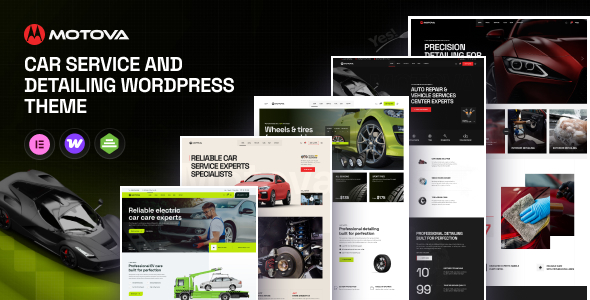
Motova - Car Repair & Detailing WordPress Theme Motova - Car Repair & Detailing WordPress Theme is a professional website design solution...
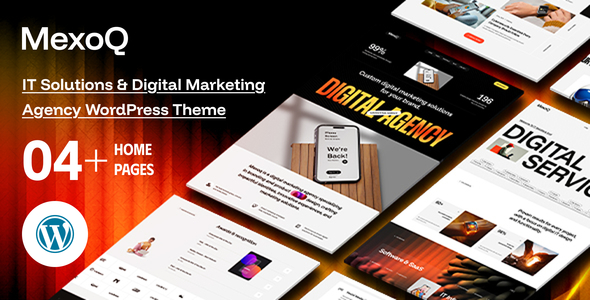
Mexoq - Digital Marketing AI Agency and IT Solutions WordPress Theme Mexoq - Digital Marketing AI Agency and IT Solutions WordPress Theme...
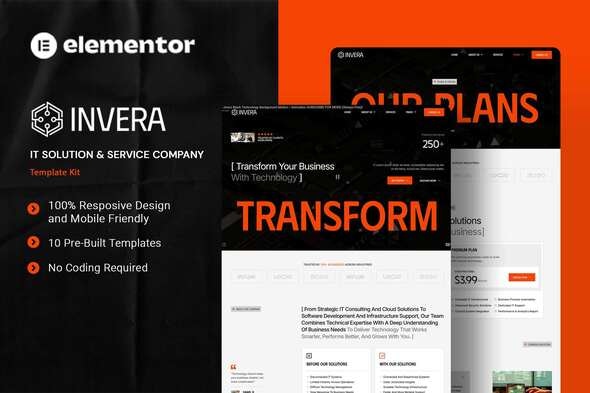
Invera - IT Solution Company Elementor Template Kit Invera - IT Solution Company Elementor Template Kit is a modern and professional website...
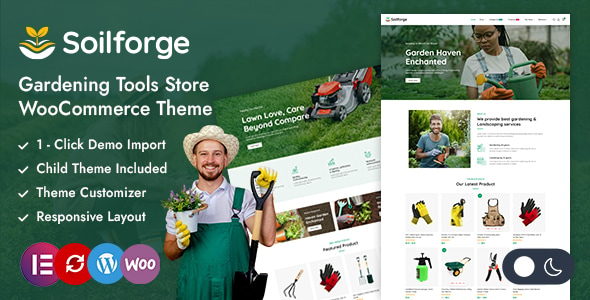
Soilforge - Garden Tools Store Elementor WooCommerce Theme Soilforge - Garden Tools Store Elementor WooCommerce Theme is a specialized WordPress theme designed...
