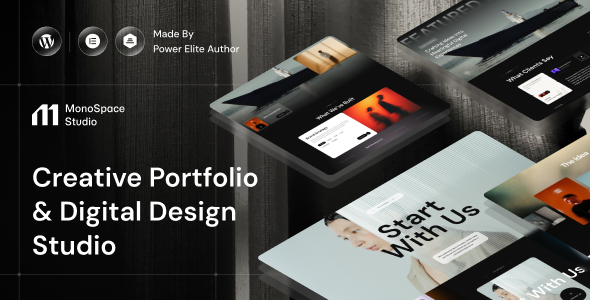
MonoSpace – Creative Portfolio & Agency WordPress Theme is a modern website design solution for creative professionals, digital agencies, freelancers, designers, photographers, and businesses looking to establish a distinctive online presence. Designed around the idea of presenting creative work with clarity and visual impact, MonoSpace offers a suitable starting point for building a professional portfolio or agency website that communicates your brand identity, showcases your expertise, and helps potential clients understand your services. Whether you are launching a new creative studio, refreshing an existing agency website, or creating a personal portfolio, this WordPress theme provides a foundation for developing a polished and engaging online experience.
In today’s competitive digital environment, a portfolio website is more than an online gallery. It is an important business tool that introduces your brand, demonstrates your capabilities, highlights your previous projects, and encourages prospective customers to get in touch. MonoSpace is intended for users who value contemporary presentation, organized content, and a professional visual identity. Its creative portfolio and agency focus makes it a relevant option for businesses that want their website to reflect their work, personality, and approach to design.
A creative website should communicate its purpose quickly while allowing visitors to explore projects and services without unnecessary distractions. MonoSpace is positioned for portfolio-driven websites where the presentation of work is a central part of the user experience. Its creative direction makes it suitable for designers, visual artists, digital creators, branding specialists, and agencies that want to present their services in a structured and visually appealing format.
A well-organized website can help visitors understand what your business does, which services you offer, and what distinguishes your work from competitors. With MonoSpace, you can build a website around your brand’s preferred style and content strategy, using appropriate typography, imagery, color combinations, and page layouts to create a consistent identity.
Whether your creative direction is minimal, editorial, contemporary, or expressive, the theme can serve as a starting point for developing a website that aligns with your professional goals. Customize the presentation to suit your business rather than relying on a generic layout that looks disconnected from your brand.
Creative agencies need websites that explain their capabilities while demonstrating the quality of their work. MonoSpace is suitable for agencies that want to establish a professional online presence and present their services to potential clients.
You can organize your website around your agency’s main activities, such as brand identity, website design, digital marketing, creative strategy, advertising, visual communication, and content production. Dedicated service pages can explain what you offer, who you work with, and how your process helps clients achieve their objectives.
An agency website can also introduce your team, communicate your creative philosophy, and highlight selected projects. These elements help visitors gain a clearer understanding of your business before contacting you. By combining service information with relevant portfolio examples, you can create a more informative experience for potential customers.
MonoSpace may be suitable for independent creative studios, branding agencies, web design companies, marketing consultancies, production teams, and multidisciplinary creative businesses.
A portfolio provides an opportunity to demonstrate your expertise through real examples of your work. Instead of relying entirely on written descriptions, you can use project images, supporting information, and carefully organized content to communicate your creative capabilities.
MonoSpace is designed for the creative portfolio category, making it a relevant option for professionals who want to place their work at the center of their website.
Depending on your configuration and the theme’s available layouts, you can organize portfolio content into individual project pages or categorized collections. Each project can communicate important information, such as the client’s objectives, your responsibilities, the creative process, and the final outcome.
A carefully structured portfolio can be particularly useful for:
Select your strongest projects and present them in a consistent format. Clear project descriptions and high-quality visuals can help prospective clients evaluate your experience and determine whether your services match their needs.
Freelancers often need a website that combines a portfolio, service overview, professional introduction, and contact information. MonoSpace can provide a foundation for bringing these elements together in one branded destination.
A personal portfolio website allows you to control how your experience and services are presented. Rather than depending exclusively on social media profiles or third-party portfolio platforms, you can create a dedicated website that reflects your professional identity.
Use your introduction to explain your background and specialization. Organize your services so visitors can understand the value you provide, and feature projects that demonstrate your capabilities. A clear contact section can make it easier for prospective clients to discuss new opportunities.
The theme may be useful for freelance web designers, creative consultants, photographers, visual artists, developers, marketing specialists, and other professionals who depend on showcasing their work to attract business.
An effective agency website should explain its services in language that potential customers can understand. Visitors should not have to search through multiple pages to discover what your business offers.
MonoSpace can be used as the foundation for a service-focused website that organizes your main offerings into clear sections. Depending on your requirements and the layouts available, you can develop dedicated pages for individual services and provide additional details about your process, deliverables, and areas of specialization.
For example, a digital agency might organize its website around web design, branding, search engine optimization, digital advertising, and content strategy. A creative studio might focus on art direction, visual identity, packaging design, photography, and campaign development.
Presenting services alongside relevant portfolio work can help establish context. Visitors can see not only what you offer but also examples of how your expertise is applied to real projects.
Keep service descriptions concise, use meaningful headings, and include appropriate calls to action that guide interested visitors toward the next step.
Your website should feel connected to the identity of your business. Consistent typography, imagery, spacing, and color choices can help create a recognizable visual language across your pages.
MonoSpace offers a starting point for building a website around your preferred creative direction. You can work toward a restrained, monochromatic presentation or introduce a more expressive visual identity, depending on the customization options available in the theme.
When developing your design, consider the personality you want your brand to communicate. A branding consultancy may prefer a refined and understated presentation, while a creative production studio may benefit from more expressive imagery and stronger visual contrasts.
Maintain consistency across your homepage, portfolio, service pages, and contact section. A coherent design system helps visitors navigate your website and reinforces your professional identity.
Before making extensive customizations, review the theme’s available settings, supported fonts, color controls, layout options, and documentation to understand the customization capabilities included with your purchase.
WordPress is a widely used content management system that enables website owners to publish and maintain website content through an administrative interface. A WordPress theme provides the design framework that determines how supported content is presented to visitors.
MonoSpace is intended for WordPress websites, making it a relevant option for users who want to build a creative portfolio or agency website using the WordPress ecosystem.
With a suitable WordPress setup, you can maintain essential website content such as service descriptions, company information, portfolio projects, blog articles, and contact details. This makes it possible to update your website as your business evolves, without rebuilding the entire site for every content change.
Before installation, check the theme’s official documentation for its required WordPress version, compatible PHP version, recommended plugins, installation instructions, and any required companion components. These details are important for ensuring that your hosting environment is suitable for the product.
If you are migrating from an existing website, create a backup before changing themes or importing demo content.
Publishing useful content can help creative businesses communicate their expertise, answer common customer questions, and build stronger relationships with their audience. A blog can complement a portfolio by providing additional context about your industry, process, and professional perspective.
With WordPress, you can create articles around topics relevant to your services. A design agency might publish articles about brand consistency, website usability, or visual identity. A digital marketing studio could share insights about content planning, search visibility, and campaign strategy. A photographer might publish project stories, creative techniques, or behind-the-scenes content.
A well-maintained blog can also support your broader search engine optimization strategy by creating useful pages that address relevant search queries.
When publishing articles, use descriptive titles, logical headings, readable paragraphs, relevant images, and appropriate internal links. Ensure that every article provides genuine value instead of repeating keywords unnecessarily.
The exact blog layouts and customization features available should be confirmed in the official MonoSpace theme documentation.
A professional website should be designed with both visitors and search engines in mind. Clear navigation, useful content, descriptive page titles, and logical page structures help communicate the purpose of your website.
MonoSpace can serve as the visual foundation for a portfolio or agency website, while your content strategy and technical configuration contribute to its search performance.
For stronger SEO foundations, consider the following practices:
A theme alone cannot guarantee higher rankings, increased traffic, or improved conversions. Results depend on multiple factors, including website performance, content quality, competition, backlinks, technical SEO, and ongoing maintenance.
Visitors may access your website using desktop computers, laptops, tablets, and smartphones. A portfolio website should remain understandable and usable across different screen sizes.
When evaluating MonoSpace, review its responsive behavior across the devices your audience is likely to use. Pay particular attention to navigation, typography, image scaling, portfolio presentation, spacing, and contact forms.
Large portfolio images should remain visually effective without creating unnecessary loading delays. Text should be easy to read, and important actions should remain accessible on smaller screens.
You should also test interactive elements, menus, links, and forms after installation. A visually attractive website is most effective when visitors can explore its content comfortably and complete important actions without confusion.
Because responsive behavior can depend on the theme version, plugins, customizations, and content, test the installed website rather than assuming that every configuration will work identically.
Website performance contributes to the overall browsing experience. Slow-loading pages can make it difficult for visitors to explore projects, read service descriptions, or contact your business.
Creative websites often use large images and visual elements, so optimization is especially important when building a portfolio.
For a more efficient website, compress images before uploading them, use appropriate image formats, limit unnecessary plugins, and choose reliable WordPress hosting. Configure caching where appropriate and review your website using performance testing tools.
Avoid adding unnecessary animations or large media assets if they do not contribute meaningfully to the user experience. Test important pages after making design changes, since custom scripts and third-party plugins can affect loading speed.
Actual performance depends on your hosting environment, theme configuration, content, plugins, caching setup, and optimization practices. Review these factors before publishing the finished website.
MonoSpace is a relevant option for individuals and organizations that want to establish a creative, portfolio-focused online presence using WordPress.
Potential use cases include:
Its suitability for a particular project will depend on the layouts, customization features, and integrations included in the specific product version.
Before beginning your website project, prepare the content and visual assets you want to publish. This can include your logo, brand colors, service descriptions, portfolio images, company introduction, contact information, and any existing brand guidelines.
Install the theme according to its official instructions and review any recommended plugins or required setup steps. If demo content is provided, importing it may help you understand the intended page structure and give you a starting point for customization.
Replace sample content with your own information and review every page before launch. Check image quality, typography, mobile navigation, page links, contact forms, and other interactive elements.
If you are building a website for a client, consider preparing the required content in advance to reduce development time and maintain consistency across the final pages.
Always confirm whether demo images, premium plugins, third-party fonts, or other referenced assets are included with the product or require separate licenses.
MonoSpace – Creative Portfolio & Agency WordPress Theme is a suitable candidate for professionals who want to build a modern portfolio website, introduce a creative agency, or establish a distinctive online presence through WordPress. Its portfolio-oriented positioning makes it relevant to designers, freelancers, digital studios, photographers, and businesses that need to present their services and creative work in a professional format.
A successful website depends on more than its initial design. Combining a consistent brand identity with compelling portfolio projects, clear service descriptions, useful content, responsive layouts, and effective calls to action can help you create a website that supports your business objectives.
If you are searching for a WordPress theme for a creative portfolio or agency website, MonoSpace is worth evaluating against your design requirements, technical environment, and preferred customization workflow.
Note: Product-specific features, included layouts, demo websites, plugins, compatibility requirements, and licensing terms may vary by version. Refer to the official product listing and documentation for the most accurate specifications.
1. All digital products are the most recent version, with no possibility of free updates. After payment, you can request an update to the most recent version for 5 days if a new version is released. We free support within 5 days.
2. If a license is required (Excludes WHMCS license , we provide only method not license), please contact us via email or ticket for assistance with activation. Our license is only valid for activation and does not include support.
3. We provide Mobile, PHP script installation services for $19.90 / ₹1700. Please create a backup after installation as we do not support re-installation. For mobile app source code, we do not offer installation services.
4. If you have any questions, please contact us by email [email protected] or create a ticket on this page
5. Please note that any digital products presented on the website do not contain malicious code, viruses or advertising. You will receive the original files from the developers. We do not sell any products that have been downloaded from other websites.
6. The response time can last up to 6 hours.

Wild Impact – Streamer & Esports Gaming Theme Wild Impact – Streamer & Esports Gaming Theme is a bold, modern, and high-energy...
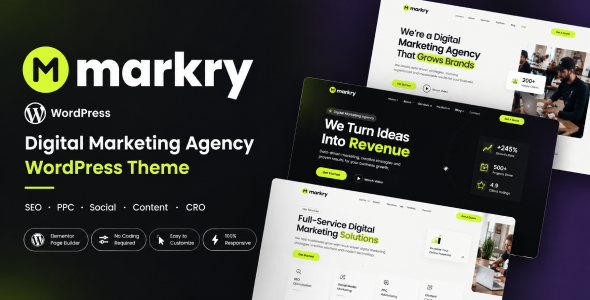
Marrky - SEO & Digital Marketing Agency WordPress Theme Marrky - SEO & Digital Marketing Agency WordPress Theme is a modern and...
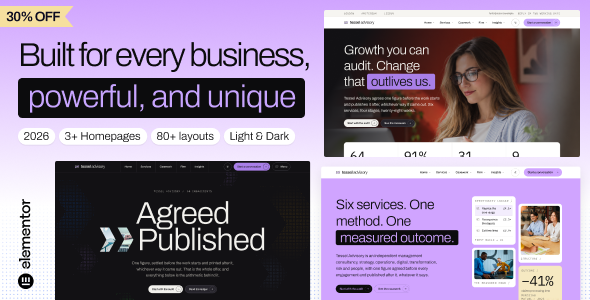
Ledger - Consulting, Business & Corporate WordPress Theme Ledger is a professional and modern Consulting, Business & Corporate WordPress Theme designed for...
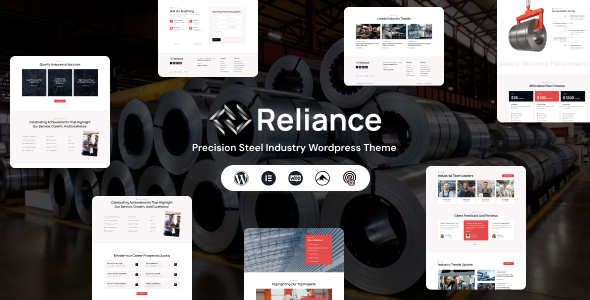
Reliance – Precision Steel Industry WordPress Theme Reliance is a powerful, modern, and professional Precision Steel Industry WordPress Theme designed for steel...
