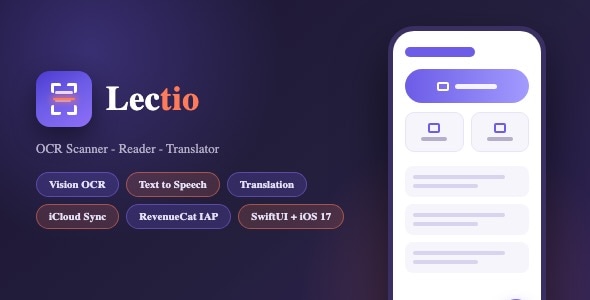
Lectio | OCR Text Scanner With Text to Speech – SwiftUI Template is a modern iOS application template designed for developers who want to build a text recognition and speech-based reading application. Built with SwiftUI, Apple’s declarative user interface framework, Lectio provides a foundation for creating an app that can scan printed text, convert text from images into digital content using Optical Character Recognition (OCR), and make written information accessible through text-to-speech functionality.
In everyday life, important information is often found in printed documents, books, notes, forms, signs, and other physical materials. Manually typing this content into a digital document can be time-consuming. An OCR text scanner can simplify this process by identifying characters in an image and converting them into editable or searchable text. When combined with text-to-speech technology, the application can also provide a convenient way to listen to recognized content.
Lectio is positioned for this productivity and accessibility use case, making it a potential choice for iOS developers, startups, software agencies, and entrepreneurs who want to create a document scanning or reading assistance application. Its SwiftUI foundation offers a starting point for customizing the interface and extending the app according to specific project requirements.
SwiftUI is Apple’s framework for creating user interfaces across its software platforms. Its declarative approach helps developers organize screens, reusable components, navigation, and interactive states.
Lectio uses SwiftUI as its primary interface technology, making it suitable for developers building applications within the Apple ecosystem. The template can provide a starting point for customizing the app’s visual appearance, including colors, typography, navigation elements, buttons, icons, and supported screens.
For a text scanning application, the interface should make the core workflow easy to understand. Users should be able to select or capture a document, review recognized text, and access available reading features without navigating through unnecessary steps.
A clear layout can help users focus on the scanned content rather than the interface itself. Developers should verify the original package’s supported iOS versions, Swift version, Xcode requirements, and included UI components before beginning customization.
Optical Character Recognition is a technology that identifies text in images and converts it into machine-readable characters. It is commonly used in document scanning applications, digital archiving systems, and tools that extract information from printed materials.
Lectio is designed around OCR-based text scanning, providing a foundation for developing an application that recognizes text from captured or imported images. Depending on the included implementation, users may be able to scan printed pages and convert the recognized content into digital text for further use.
OCR can be useful when working with book pages, printed notes, forms, study materials, and other documents. Instead of manually retyping everything, users can use recognized text as a starting point for reading, editing, copying, or storing information.
Recognition quality depends on factors such as image clarity, lighting, font size, document orientation, language support, and the OCR engine used. Developers should test the application with different document types to understand its strengths and limitations.
The exact OCR engine, supported languages, and scanning methods included in Lectio should be confirmed in the original documentation.
A document scanning workflow should make it convenient to capture text from physical materials. A mobile device’s camera can serve as a practical input method for photographing pages, printed instructions, notes, and other text-based content.
Lectio provides a starting point for developing an OCR scanning experience on iOS. Depending on the included functionality, developers may be able to customize the image capture workflow, document preview, and text recognition process.
A useful scanning interface should provide clear guidance for capturing readable images. Good lighting, stable positioning, and a suitable camera angle can improve recognition results.
Additional features such as automatic document boundary detection, perspective correction, image cropping, or multi-page scanning may be useful extensions, but they should not be assumed to be included unless confirmed by the supplied source code.
Developers should also review the app’s camera and photo library permission handling to ensure that users understand why access is requested.
Text-to-speech technology converts written content into spoken audio. It can help users listen to digital text instead of reading every line on the screen.
Lectio combines OCR scanning with text-to-speech functionality, making it relevant to developers who want to create a reading assistance application. Once text has been recognized, a speech feature can potentially read the content aloud using a supported speech synthesis system.
This type of workflow may be useful for listening to printed study materials, reviewing notes, following written instructions, or consuming content while performing other tasks.
Developers should verify which speech controls are included in the template. Useful options may include starting and stopping playback, pausing and resuming speech, or adjusting the reading speed, depending on the implementation.
Speech quality and language availability depend on the selected speech engine and installed voices. Testing should cover different text lengths, punctuation, language settings, and supported iOS versions.
The combination of OCR and text-to-speech can create a convenient path from printed information to spoken content.
A typical workflow may involve capturing or importing an image, recognizing its text, reviewing the extracted content, and starting speech playback. This can reduce the need to switch between separate scanning and reading applications.
Lectio’s concept brings these capabilities together in one mobile application. The exact workflow and available controls depend on the features implemented in the original package.
Developers can review how the app handles recognition results, empty scans, recognition errors, and long passages of text. Clear feedback is particularly important when an image contains unclear characters or when the recognition engine cannot identify the content reliably.
The ability to review extracted text before playback can also help users correct recognition mistakes and improve the listening experience.
After text has been extracted from an image, users may need to review or reuse the recognized information. A useful OCR application should present the resulting content in a readable format.
Depending on the functionality included in Lectio, developers may be able to customize how recognized text is displayed and whether it can be selected, edited, copied, or shared.
For example, a student might scan a printed paragraph and copy it into study notes. A professional could extract information from a document and review it digitally. A reader could use speech output to listen to the recognized text.
Features such as saving scans, organizing documents into folders, exporting text files, or maintaining a scan history could extend the application’s usefulness. These should be treated as possible additions unless explicitly supported by the original implementation.
Developers should also consider how the application handles large text blocks and ensure that the interface remains readable and responsive.
A productivity application should help users complete tasks efficiently. In an OCR and text-to-speech app, the main actions should be easy to locate, including scanning text, reviewing recognition results, and starting audio playback.
Lectio’s SwiftUI foundation provides a starting point for creating a consistent iOS interface. Developers can adapt the supported screens, typography, colors, icons, and navigation structure to match their product identity.
Clear visual hierarchy helps distinguish scanned content from playback controls and other actions. Helpful loading indicators can communicate that recognition is in progress, while understandable error messages can explain when a scan needs to be repeated.
Accessibility should also be considered during customization. Readable text, suitable contrast, adequate touch targets, and support for relevant iOS accessibility settings can make the app more convenient for a broader audience.
OCR and speech technologies can support many everyday tasks. By converting printed text into digital content and making it available for listening, an application can provide flexibility in how users access information.
Lectio may be suitable for workflows such as:
These use cases depend on the app’s actual recognition, document handling, and speech capabilities. Specialized requirements may need additional implementation.
OCR applications should provide timely results while maintaining a responsive interface. Recognition speed and accuracy can vary depending on image resolution, document complexity, the selected recognition engine, and the processing method.
When customizing Lectio, developers should test scanning and recognition with a variety of real-world inputs, including printed pages, small fonts, uneven lighting, and rotated images.
Large images may require resizing or other optimization before recognition. Developers should also ensure that processing operations do not block essential interface interactions.
Text-to-speech playback should be tested with short and long passages, punctuation, numbers, and relevant languages. The application should handle empty results and recognition failures gracefully.
The final performance depends on the source code, OCR implementation, device capabilities, and any additional libraries introduced during development.
A document scanning application may process personal or confidential information. Users could scan letters, educational materials, work documents, or other content that they do not want exposed.
Developers should review how Lectio handles captured images, recognized text, temporary files, and stored content. If processing occurs entirely on the device, this may reduce the need to transmit documents externally. However, the actual processing architecture must be verified rather than assumed.
If images or text are sent to external APIs, the application should clearly explain the processing and data handling involved. Network communication should be secured, and API credentials should not be exposed in the mobile application.
If document history, cloud storage, or user accounts are added, appropriate access controls and data retention policies should be implemented.
Before publishing, prepare an accurate privacy policy and complete the privacy disclosures required by Apple’s App Store submission process.
A prebuilt SwiftUI template can reduce the initial work required to establish an iOS application’s interface and core structure.
Lectio may be customized with a new app name, logo, icon, color palette, typography, onboarding screens, and supported layout components. The exact flexibility depends on the included source code and assets.
Developers can adapt the app for different audiences, such as students, professionals, readers, or users seeking convenient access to printed information.
Additional functionality could include scan history, document organization, export options, or more advanced reading controls. These enhancements may require further development if they are not already available in the template.
Maintaining a consistent visual identity across scanning screens, extracted text views, and speech controls can help create a more polished product.
A well-designed OCR application should work reliably across its supported iOS devices. SwiftUI provides tools for building modern interfaces, but the overall experience depends on image processing, speech synthesis, third-party dependencies, and the application’s implementation.
Developers should test camera access, photo selection, OCR recognition, text display, and speech playback on supported iPhones and iOS versions.
Testing should also cover permission denial, interruptions during playback, unavailable speech voices, invalid images, and unexpected recognition results. Clear fallback behavior can help users recover from common issues.
Before release, verify the minimum iOS deployment target, required permissions, dependency compatibility, and app configuration. Testing on physical devices is important because camera and speech behavior may differ from simulator results.
An OCR and text-to-speech application can support different business models depending on its features and target audience.
Possible approaches include offering basic scanning features for free and providing premium capabilities through in-app purchases or subscriptions. Premium options could potentially include additional recognition capacity, extended document management, batch processing, or advanced export features.
These are potential business strategies rather than confirmed features of Lectio. Developers should verify whether the original template includes any purchase functionality before planning a commercial release.
If premium access is introduced, the purchase workflow should be implemented using Apple’s supported mechanisms and tested for successful transactions, cancelled purchases, entitlement updates, and restoration where applicable.
Pricing should account for ongoing development, maintenance, and any external service costs associated with OCR or other advanced features.
Lectio may be suitable for a variety of iOS application projects, including:
The best use case depends on the included OCR engine, speech functionality, supported document workflows, and the level of customization required.
Before purchasing or installing Lectio, review the official demo, documentation, source package, and technical requirements. Confirm the supported Swift and SwiftUI versions, minimum iOS version, Xcode requirements, external dependencies, and OCR and speech technologies used by the project.
A typical setup process involves opening the project in Xcode, resolving dependencies, configuring the application identifier, reviewing camera and photo library permissions, and running the app on a simulator or compatible iPhone.
Developers should test image capture, text recognition, extracted text display, and speech playback before making substantial customizations. If additional features such as cloud storage, document history, or premium subscriptions are required, verify whether they are included or need separate implementation.
Before publishing, prepare the app icon, screenshots, store description, privacy policy, and other required App Store information. Test the finished application on physical devices to identify performance, recognition, and compatibility issues.
Lectio provides a starting point for developers interested in building an iOS application that converts text from images into digital content and makes that content available for spoken reading.
Its OCR and text-to-speech concept can support document digitization, study workflows, reading assistance, and productivity use cases. The SwiftUI foundation also provides an opportunity to customize the user interface and adapt the app to different audiences.
For independent developers, startups, and digital agencies, a prebuilt template can reduce some initial interface development work compared with building every screen from scratch. Buyers should still inspect the source code, confirm the OCR and speech functionality, and evaluate privacy and compatibility requirements before deploying the application.
Lectio | OCR Text Scanner With Text to Speech – SwiftUI Template is an iOS application template designed for developers who want to create a practical text recognition and reading assistance app.
Its core concept combines OCR-based text extraction with text-to-speech functionality, providing a foundation for turning printed information into digital content that users can review or listen to on their iPhones.
Whether you are a freelance developer, startup, software agency, or entrepreneur exploring document scanning and accessibility tools, Lectio can provide a starting point for your project. Review the original documentation, verify the supported OCR languages and speech features, and test privacy, performance, and device compatibility before publishing the finished application.
1. All digital products are the most recent version, with no possibility of free updates. After payment, you can request an update to the most recent version for 5 days if a new version is released. We free support within 5 days.
2. If a license is required (Excludes WHMCS license , we provide only method not license), please contact us via email or ticket for assistance with activation. Our license is only valid for activation and does not include support.
3. We provide Mobile, PHP script installation services for $19.90 / ₹1700. Please create a backup after installation as we do not support re-installation. For mobile app source code, we do not offer installation services.
4. If you have any questions, please contact us by email [email protected] or create a ticket on this page
5. Please note that any digital products presented on the website do not contain malicious code, viruses or advertising. You will receive the original files from the developers. We do not sell any products that have been downloaded from other websites.
6. The response time can last up to 6 hours.
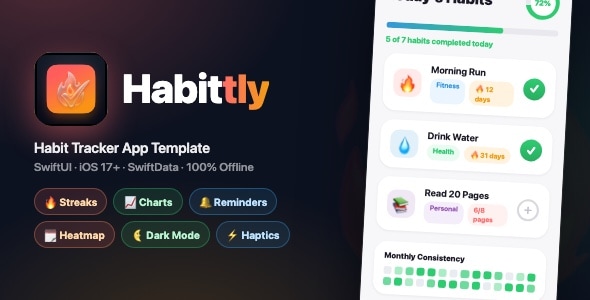
Habbitly | Habit Tracker App with Streaks, Charts, Heatmap & Local Reminders — SwiftUI iOS 17 Habbitly is a modern and feature-rich...
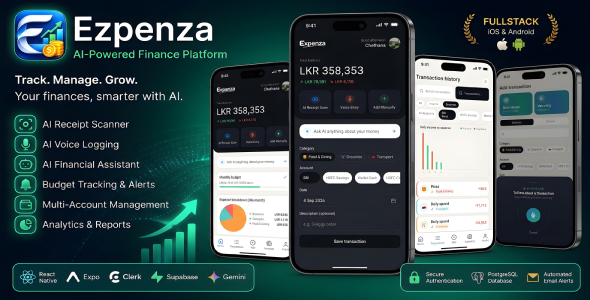
Ezpenza – AI-Powered Personal Finance & Expense Management App Ezpenza is a smart and innovative personal finance management application powered by artificial...
Norio - Digital Agency & Portfolio HTML Template Norio - Digital Agency & Portfolio HTML Template is a modern and creative website...

AutoHub - Car Dealer & Listing (SaaS) AutoHub is a powerful and feature-rich Car Dealer & Vehicle Listing SaaS platform designed for...
