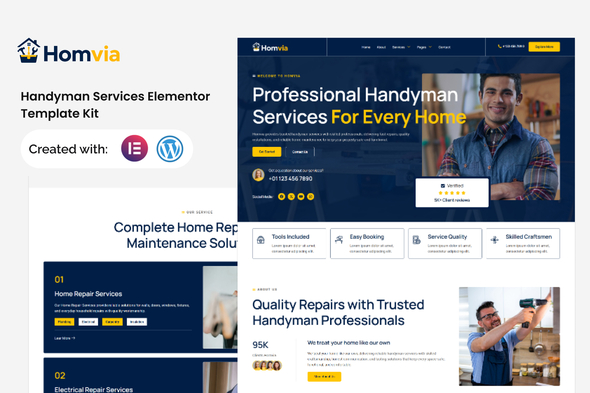
Homvia – Handyman Services Elementor Template Kit is a professional website design solution created for handyman businesses, home repair professionals, property maintenance companies, renovation specialists, and independent contractors. Designed to help service providers establish a trustworthy online presence, Homvia offers a customizable foundation for showcasing repair services, presenting professional expertise, highlighting completed projects, and generating customer inquiries. With an Elementor-based WordPress workflow, this template kit provides a convenient starting point for building a modern business website without designing every page layout from scratch.
Whether you provide household repairs, plumbing assistance, electrical maintenance, furniture assembly, painting, or general property maintenance, Homvia can be adapted to reflect your business identity and service requirements. By presenting your services clearly and making contact information accessible, you can help homeowners, landlords, tenants, and commercial property managers understand your offerings and request the assistance they need.
A professional website helps customers evaluate a service provider before inviting someone to work in their home or business premises. Visitors often want to know which repairs you handle, whether you serve their location, how to request a quotation, and what makes your business reliable.
Homvia provides a customizable starting point for presenting this information in a clear and organized format. You can personalize the available layouts with your company logo, brand colors, typography, service photographs, and business details.
The design can be adapted for an independent handyman, a home maintenance company, a renovation contractor, or a team offering multiple property repair services.
A well-organized website can help visitors explore your service categories, review examples of previous work, learn about your working process, and contact your business. By combining practical information with a professional presentation, you can create a digital presence that supports customer confidence and business growth.
Homvia is an Elementor Template Kit intended for use with a compatible WordPress website. Elementor provides a visual editing interface that allows users to customize supported page layouts through a drag-and-drop workflow.
You can modify text, replace images, adjust colors, change spacing, and personalize available page sections to match your business requirements. This makes it easier to update service descriptions, introduce new offerings, highlight recent projects, or revise your contact information.
For example, a general handyman business might emphasize everyday household repairs, while a property maintenance company could focus on recurring maintenance arrangements and commercial service requests.
The exact customization options depend on the templates and widgets included in the kit. Certain advanced elements may require Elementor Pro, additional plugins, or custom development.
A template kit is not necessarily a complete standalone website or service management application. A compatible WordPress installation, theme, Elementor setup, and any required dependencies may be necessary. Review the official product documentation for exact compatibility and installation requirements.
A clear service presentation helps customers identify the right professional for their repair or maintenance needs. Homvia can be adapted to organize your offerings into dedicated sections or pages with descriptions, relevant photographs, and inquiry options.
Possible service categories include:
These are examples of services that can be presented on a customized website, not a guarantee that the kit includes dedicated layouts for every category.
Clearly explain the scope of each service and avoid advertising regulated or specialized work unless your business holds the necessary qualifications and authorizations.
Your homepage is often the first interaction a potential customer has with your business. It should communicate your primary services, establish credibility, and make it easy for visitors to request assistance.
With Homvia, you can adapt the available homepage layout to introduce your company, highlight popular services, showcase selected projects, and encourage customers to request a quotation.
A strong homepage may include a prominent headline, a short company introduction, service highlights, reasons to choose your business, genuine customer testimonials, frequently asked questions, and clear calls to action.
For example, a local handyman could emphasize convenient repair services and clear communication. A larger property maintenance company might highlight its service coverage, team capabilities, and approach to handling multiple maintenance requirements.
Keep your messaging specific and customer-focused. Explain which types of jobs you accept, how customers can contact you, and what information they should provide when requesting an estimate.
A project portfolio can help potential customers understand the quality and range of your work. This is particularly valuable for handyman businesses that perform visible repairs, installations, painting, and property improvements.
Homvia can be adapted to present selected projects through suitable image sections or portfolio layouts, depending on the templates included.
For each project, consider including:
Before-and-after images can help demonstrate the difference your work makes, while short descriptions explain the service involved. Use authentic photographs whenever possible and obtain permission before publishing images of customer properties.
Avoid presenting demonstration images as your own completed projects. Genuine examples help establish credibility and set realistic expectations for prospective customers.
Trust is important when customers invite a contractor into their home, rental property, or workplace. Your website should explain who you are, what services you provide, and how customers can work with you.
Homvia can be customized to present your business background, team information, service process, and contact details. Depending on the available layouts, you may adapt suitable sections to introduce staff members, explain your approach to customer service, or outline the steps involved in completing a repair.
Useful information may include:
Only publish credentials, testimonials, and guarantees that you can substantiate. Accurate information helps customers make informed decisions and supports long-term business relationships.
Customers often want an idea of the expected cost before contacting a handyman. A service or pricing section can help explain your available options and make the inquiry process more efficient.
You can adapt suitable layouts to present common repair packages, maintenance visits, installation services, or customized property maintenance arrangements.
Each package can explain what is included, which types of jobs are covered, and whether materials or additional labor are charged separately. If your pricing depends on job complexity, travel distance, materials, or the condition of the property, explain those factors clearly.
For projects that require an inspection, a quotation request may be more appropriate than a fixed price. You can encourage customers to describe the issue and provide photographs if your chosen contact solution supports attachments.
The availability of dedicated pricing layouts depends on the actual templates included in Homvia.
A professional handyman website should make it convenient for customers to request a repair, ask a question, or arrange an estimate. Homvia can be adapted to include contact sections and inquiry forms that support your customer communication process.
A service request form might collect the customer’s name, phone number, email address, property location, requested service, and a short description of the issue.
For more detailed projects, you may ask customers to provide preferred appointment dates, relevant measurements, or reference photographs where supported by your chosen form plugin.
Keep the form focused on the information needed to respond to the request. Explain whether an inspection is required before confirming a final quotation and how customers can expect to hear from your team.
Advanced features such as live scheduling, automated appointment reminders, job assignment, online payments, and customer account management may require additional plugins or custom development. These functions should not be assumed to be included in the template kit.
Test form submissions, email notifications, and mobile interactions before publishing the website.
Customers may search for handyman services from smartphones, tablets, or desktop computers. A responsive website helps ensure that service information and contact options remain accessible across different screen sizes.
When customizing Homvia, review the website on desktop, tablet, and mobile devices. Pay attention to navigation menus, service cards, project photographs, typography, buttons, and inquiry forms.
Mobile visitors should be able to locate your phone number, service information, operating areas, and quotation request options without unnecessary scrolling.
Elementor provides responsive editing controls for supported design settings, but the final experience depends on your theme, content, plugins, and configuration. Test important pages and interactions before launching the website.
Search engine optimization can help customers discover your business when searching for handyman services, home repairs, property maintenance, or local contractors. Homvia can provide a foundation for an SEO strategy, but the template kit itself does not guarantee higher search rankings.
Use descriptive page titles, meaningful headings, readable URLs, and informative service descriptions. If your business serves particular cities or neighborhoods, include accurate location information where relevant.
Dedicated pages for major services can help explain what each job involves and answer common customer questions. A local handyman business may also benefit from maintaining consistent business details, opening hours, and contact information across its website and relevant business listings.
Optimize images, use meaningful alternative text for informative photographs, and ensure that important content remains accessible on mobile devices. A compatible SEO plugin may help manage metadata, XML sitemaps, canonical URLs, and other technical settings.
Focus on original, useful information rather than repetitive keyword-heavy pages. Search performance depends on content quality, competition, local relevance, website performance, and ongoing optimization.
A professional service website should be visually clear, fast, and easy to navigate. Large images, unnecessary animations, and excessive plugins can affect page-loading performance if they are not managed carefully.
When customizing Homvia, optimize images, use suitable file formats, avoid unnecessary visual effects, and select reliable hosting. Review page performance after adding galleries, contact forms, or third-party integrations.
Keep navigation straightforward so visitors can quickly locate service descriptions, project examples, business information, and contact details. Use readable typography, descriptive button labels, and sufficient contrast between text and backgrounds.
Accessibility is also important. Review keyboard navigation, form labels, text sizes, and alternative text for informative images to improve usability.
The template kit does not independently guarantee specific speed scores, accessibility compliance, or search visibility. These depend on the completed website and its ongoing maintenance.
Your website should reflect your company’s identity and remain consistent with your other marketing materials. Homvia can be customized with your logo, colors, typography, photography, and preferred messaging.
Choose a visual style that suits your target customers. A local handyman business may prefer a friendly and approachable presentation, while a commercial maintenance provider might use a more corporate design that emphasizes reliability and service organization.
Maintain consistent styling across headings, buttons, service sections, icons, and contact elements. Authentic photographs of your team, tools, and completed projects can help communicate your capabilities more effectively than unrelated stock imagery.
Prepare your branding assets and website copy before beginning customization. This can make the setup process more efficient and help maintain a consistent appearance throughout the website.
Homvia may be suitable for a range of home repair and maintenance businesses, including:
Its suitability depends on the actual templates included, the functionality your business requires, and the amount of customization needed.
Before installing Homvia, review the official product documentation to identify the required WordPress environment, compatible theme, necessary plugins, and any premium dependencies.
A typical setup involves preparing WordPress, installing the required plugins, importing the template kit through the recommended method, and assigning the appropriate layouts to your pages. Exact steps may vary according to the package and its developer.
After importing the layouts, replace demonstration content with your own business information, branding, service descriptions, project photographs, pricing details, and contact information. Configure navigation, responsive settings, inquiry forms, and any additional scheduling functionality required by your business.
If you are modifying an existing website, create a backup and consider testing the installation in a staging environment before applying changes to the live site. Review the licensing terms for fonts, photographs, icons, and third-party assets before using them commercially.
Homvia – Handyman Services Elementor Template Kit offers a customizable starting point for creating a professional WordPress website for handyman businesses, home repair professionals, renovation contractors, and property maintenance companies. Its Elementor-based workflow can simplify visual editing and help organize essential website content, including service descriptions, project portfolios, company information, pricing options, and customer inquiries.
By presenting your services clearly, showcasing authentic project photographs, maintaining consistent branding, and configuring suitable lead generation tools, you can adapt Homvia to your business goals and target audience.
Before purchasing or installing the kit, review the official demo, included layouts, compatibility requirements, licensing details, and documentation to confirm that it meets your needs. With thoughtful customization and ongoing maintenance, Homvia can provide a useful foundation for strengthening your online presence and helping potential customers discover your handyman services.
1. All digital products are the most recent version, with no possibility of free updates. After payment, you can request an update to the most recent version for 5 days if a new version is released. We free support within 5 days.
2. If a license is required (Excludes WHMCS license , we provide only method not license), please contact us via email or ticket for assistance with activation. Our license is only valid for activation and does not include support.
3. We provide Mobile, PHP script installation services for $19.90 / ₹1700. Please create a backup after installation as we do not support re-installation. For mobile app source code, we do not offer installation services.
4. If you have any questions, please contact us by email [email protected] or create a ticket on this page
5. Please note that any digital products presented on the website do not contain malicious code, viruses or advertising. You will receive the original files from the developers. We do not sell any products that have been downloaded from other websites.
6. The response time can last up to 6 hours.
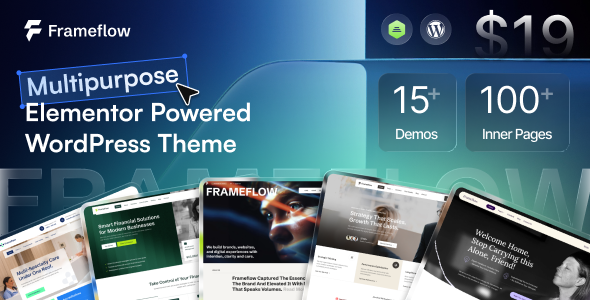
Frameflow - Multipurpose WordPress Theme Frameflow is a versatile, modern, and feature-rich Multipurpose WordPress Theme designed to meet the needs of businesses,...
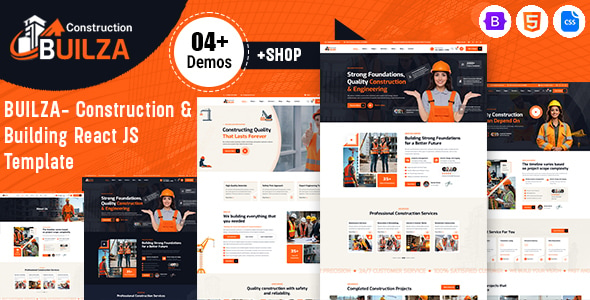
Builza – Construction & Building React JS Template Builza – Construction & Building React JS Template is a modern and professional website...
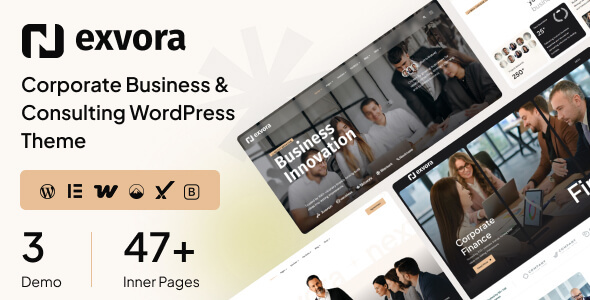
Nexvora - Corporate Business & Consulting WordPress Theme Nexvora - Corporate Business & Consulting WordPress Theme is a professional website design solution...
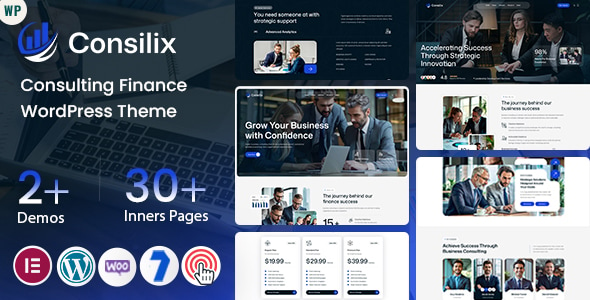
Consilix - Consulting Finance WordPress Theme Consilix - Consulting Finance WordPress Theme is a professional, modern, and results-driven Consulting Finance WordPress Theme...
