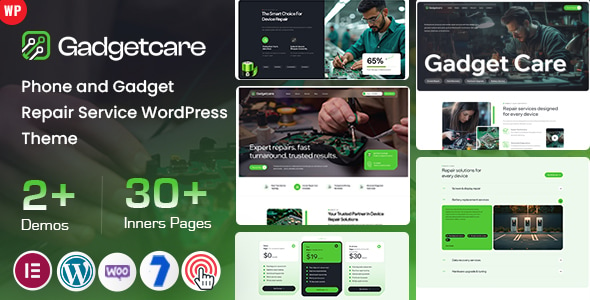
Gadgetcare – Phone and Gadget Repair Service WordPress Theme is a professional website design solution created for mobile phone repair shops, electronics repair centers, gadget maintenance businesses, and technical support service providers. Designed for WordPress, this theme provides a foundation for building a modern online presence that showcases repair services, introduces your technicians, displays service information, and helps customers contact your business.
Smartphones, tablets, laptops, and other electronic devices play an important role in everyday life. When these devices develop technical problems, customers look for repair professionals who offer reliable service, clear communication, and convenient support. Gadgetcare provides a starting point for presenting your repair business online and helping customers understand the services you provide.
Whether you operate a mobile repair shop, a laptop service center, a multi-brand electronics repair business, or an independent gadget maintenance service, Gadgetcare can help you create a professional website. You can customize the available layouts, colors, images, and content to match your business identity and service requirements.
A repair service website should communicate trust, technical expertise, and convenience. Gadgetcare provides a design foundation for businesses that want to present their repair services in a clear and organized format.
You can customize the available design elements with your company logo, brand colors, typography, repair photographs, and service descriptions. A consistent visual identity helps customers recognize your business and understand the services you offer.
For example, a mobile repair shop may focus on screen replacement, battery repairs, and charging issues. A computer repair center might emphasize hardware troubleshooting, software installation, and laptop maintenance. Meanwhile, an electronics service provider could offer repairs for multiple types of consumer devices.
By adapting the website to your business model, you can help visitors find relevant information and make it easier for them to request assistance.
Gadgetcare is a WordPress theme intended to provide a foundation for creating and managing a repair service website. WordPress allows you to publish pages, manage service descriptions, organize images, and update business information through a content management interface.
Depending on the theme’s included functionality, you may be able to customize page layouts, typography, colors, headers, footers, and other design elements through its theme settings or supported page builder.
This flexibility can help repair businesses establish an online presence without developing every visual component from scratch. You can also extend the website with compatible WordPress plugins when you need additional functionality.
Before installation, review the product documentation for supported WordPress versions, required plugins, page builder compatibility, and available demo layouts. The exact customization options depend on the supplied theme package.
Customers often visit a repair website because they need help with a specific device or technical issue. A well-organized service section can help them identify the appropriate service quickly.
Gadgetcare can provide a design foundation for presenting services such as:
Customize these examples to match your actual repair capabilities.
For each service, explain the devices you support, the types of problems you handle, and how customers can arrange an inspection. You can also include estimated service times or starting prices when you have reliable information.
Clear service descriptions help customers understand their options before visiting your shop. They can also reduce repetitive enquiries by answering common questions about available repairs.
Customers may own devices from different manufacturers and need a repair provider who understands their particular model. Your website can help explain which device categories and brands your business supports.
Gadgetcare provides a starting point for organizing services by device type, depending on the available layouts. You can create sections for smartphones, tablets, laptops, desktop computers, and other supported electronic devices.
If your business repairs products from specific manufacturers, list the brands you genuinely support. You can also explain any limitations involving particular models, parts availability, or specialist repairs.
For example, a service page could explain your process for diagnosing smartphone display problems, while another page could cover laptop performance issues and hardware maintenance.
Keep your service information accurate and avoid implying manufacturer authorization unless your business has the appropriate status. Clear information helps customers choose the right repair service and understand what to expect.
Customers often want to know what happens after they submit a repair request. Explaining your service process can make your business more approachable and help establish realistic expectations.
You can use Gadgetcare as a foundation for presenting a simple repair workflow. Depending on your business, this might include device inspection, issue diagnosis, repair approval, component replacement, testing, and collection.
For example, explain how customers can bring their devices to your shop or request an initial consultation. Describe how you communicate estimated costs and obtain approval before performing chargeable repairs.
You can also provide information about service warranties, repair policies, and expected turnaround times, provided these details accurately reflect your business terms.
For repairs involving personal data, explain your device handling and privacy procedures. Avoid promising complete data protection or guaranteed recovery unless your processes and services support those claims.
A clear repair process can help customers understand your approach and feel more comfortable contacting your team.
A repair business depends on the skills of its technicians. Introducing your team can help customers understand who handles their devices and what experience your business offers.
Depending on the available layouts, you can adapt suitable sections to present technician photographs, professional backgrounds, areas of specialization, and relevant qualifications.
For example, one technician may specialize in smartphone repairs, while another focuses on laptop troubleshooting or electronics diagnostics.
You can also explain your approach to quality checks and customer service. Describe how your team inspects devices, identifies faults, and tests repaired equipment before returning it to customers.
Publish only accurate information about technician experience, qualifications, and certifications. Genuine details help establish credibility and make your business feel more approachable.
A professional repair website should make it easy for customers to request assistance. Gadgetcare can provide a design foundation for displaying contact information, repair enquiry options, and calls to action, depending on the supplied templates.
You can add your shop address, telephone number, business email, opening hours, and preferred communication channels. If your business accepts online repair enquiries, consider including a form that collects basic device information.
For example, customers might provide their device type, manufacturer, model, reported issue, and preferred contact method. This information can help your team understand the problem before the customer visits your shop.
You may also connect your website to appointment scheduling tools, customer management systems, or messaging services. These integrations generally require compatible plugins, external services, or custom development.
Remember that a visual enquiry form does not automatically provide a complete repair booking or tracking system. Configure and test form submissions, email notifications, spam protection, and any connected services before launching your website.
Customers may search for nearby repair shops while using a damaged or malfunctioning device. Therefore, a repair website should make essential information easy to access across mobile devices, tablets, and desktop computers.
Gadgetcare provides a foundation for developing a responsive website, subject to the implementation of its included layouts. During customization, review the navigation menus, service descriptions, contact buttons, and repair enquiry forms on different screen sizes.
Make your phone number, shop location, opening hours, and available services easy to find. Clear contact options can help customers get in touch without navigating through unnecessary pages.
Additionally, optimize repair photographs before uploading them. Large image files can slow down page loading, particularly on mobile connections. Image compression, caching, and suitable performance optimization can help improve the browsing experience.
Before launch, test the website on multiple screen sizes and verify that all important links, forms, and interactive elements work as expected.
Every repair business has its own identity, service area, and customer base. Gadgetcare provides a starting point for creating a website that reflects your business rather than relying on a generic online presence.
You can incorporate your logo, brand colors, typography, service descriptions, repair photographs, and contact details. Depending on the theme’s customization options, you may also be able to adjust layouts and other visual elements.
For example, a premium smartphone repair center may emphasize specialist services and professional presentation. A neighborhood electronics shop might prioritize affordable repairs, clear pricing, and convenient contact options.
Maintain consistent branding throughout the website. Use clear headings, relevant photographs, and concise service descriptions to communicate your value.
Before publishing, replace demonstration content with accurate information about your business, supported devices, available repairs, and service policies.
A well-structured website can support your repair business’s digital marketing strategy. Gadgetcare provides a foundation for publishing content, while your WordPress configuration and ongoing SEO efforts help determine how effectively the website reaches potential customers.
Start by creating focused pages for your main repair services. Use relevant search phrases naturally in page titles, headings, descriptions, and body content. For local businesses, location-specific keywords can help communicate the areas you serve.
You can also publish helpful articles about smartphone maintenance, battery care, laptop troubleshooting, device protection, and common electronics problems. Useful content can answer customer questions and demonstrate your technical knowledge.
Additionally, use descriptive image alt text, logical internal links, and accurate metadata. A compatible WordPress SEO plugin can help manage important optimization settings.
For local visibility, maintain accurate business details, including your address, phone number, opening hours, and service area. You can also connect your website with relevant business listings and social media profiles.
Remember that a theme alone cannot guarantee search rankings, traffic, or repair bookings. Results depend on content quality, technical performance, competition, website authority, and consistent marketing efforts.
Gadgetcare can be a useful starting point for businesses and professionals such as:
Its repair-focused design direction makes it suitable for businesses that want to present their services and customer support information through a professional WordPress website.
Gadgetcare offers a repair service-focused design foundation with several potential advantages:
The exact page layouts, widgets, integrations, and customization options depend on the supplied theme package. Review the live demo and product documentation before purchasing to confirm the included features and technical requirements.
Begin by preparing a compatible WordPress installation and reviewing the theme’s requirements. Install the theme according to the supplied documentation, then activate any required plugins and import demo content if the package supports it.
Next, configure your website identity, logo, colors, typography, navigation menus, headers, and footers. Replace demonstration content with your business information and customize the available pages to reflect your repair services.
Add accurate contact details, supported device information, service policies, and genuine repair photographs. Configure enquiry forms and connect any appointment or customer management tools you need.
Finally, review the website on mobile devices, optimize images, verify navigation links, configure suitable backups and security measures, and check your SEO settings.
Follow the product documentation because installation steps and compatibility requirements can vary between theme versions.
Gadgetcare – Phone and Gadget Repair Service WordPress Theme provides a customizable starting point for repair businesses that want to showcase their services, communicate their technical expertise, and connect with customers through a professional website.
By combining its available layouts with clear service descriptions, accurate device information, consistent branding, and convenient enquiry options, you can create an online presence that reflects your business and helps customers find the repair support they need.
Whether you operate a smartphone repair shop, a laptop service center, or a multi-device electronics repair business, Gadgetcare can help you establish your website with WordPress. Customize the design around your customers, verify the included functionality, and support your online presence with useful content and a focused digital marketing strategy.
1. All digital products are the most recent version, with no possibility of free updates. After payment, you can request an update to the most recent version for 5 days if a new version is released. We free support within 5 days.
2. If a license is required (Excludes WHMCS license , we provide only method not license), please contact us via email or ticket for assistance with activation. Our license is only valid for activation and does not include support.
3. We provide Mobile, PHP script installation services for $19.90 / ₹1700. Please create a backup after installation as we do not support re-installation. For mobile app source code, we do not offer installation services.
4. If you have any questions, please contact us by email [email protected] or create a ticket on this page
5. Please note that any digital products presented on the website do not contain malicious code, viruses or advertising. You will receive the original files from the developers. We do not sell any products that have been downloaded from other websites.
6. The response time can last up to 6 hours.
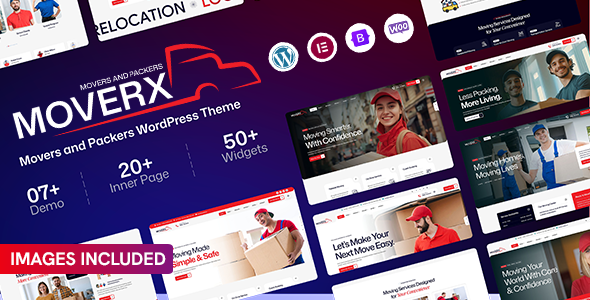
MoverX – Movers & Packers WordPress Theme MoverX is a modern and professionally designed Movers & Packers WordPress Theme created for moving...

Hazel – Creative Agency Multi-Purpose WordPress Theme Hazel is a modern, creative, and versatile Creative Agency Multi-Purpose WordPress Theme designed for agencies,...
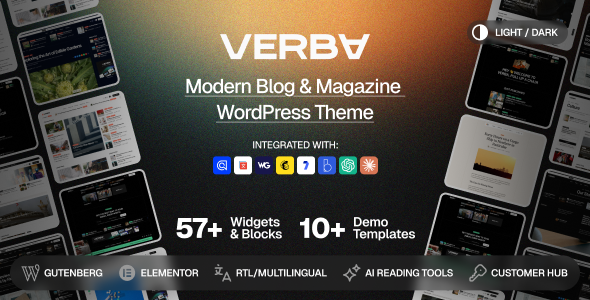
Verba – Modern Blog & Magazine WordPress Theme Verba – Modern Blog & Magazine WordPress Theme is a modern, elegant, and versatile...
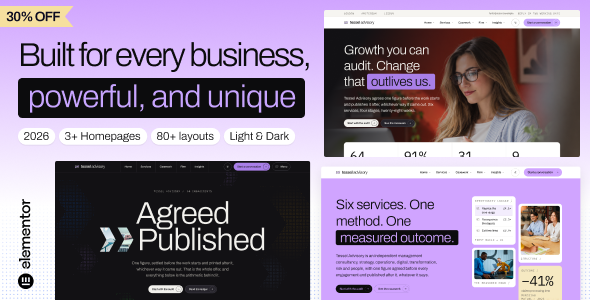
Ledger - Consulting, Business & Corporate WordPress Theme Ledger is a professional and modern Consulting, Business & Corporate WordPress Theme designed for...
