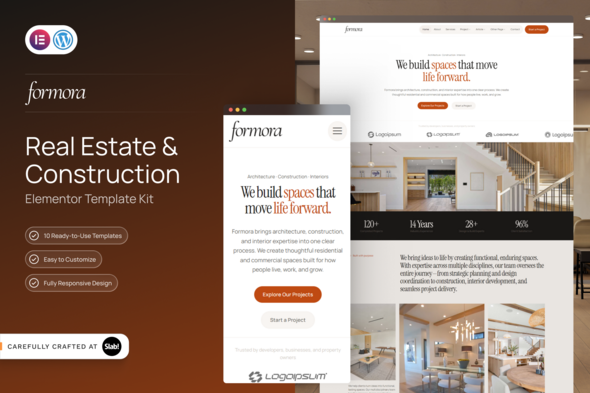
Formora – Real Estate & Construction Elementor Template Kit is a modern and professional website design solution created for real estate agencies, property developers, construction companies, architects, contractors, property consultants, and businesses operating in the property and building industries. Designed for WordPress and Elementor, this template kit provides a convenient starting point for creating an attractive online presence that showcases properties, construction projects, company services, and professional expertise. Whether you are promoting residential properties, presenting commercial developments, advertising construction services, or building a website for a real estate consultancy, Formora can help simplify the design process while allowing you to customize the website according to your brand identity and business objectives.
In the competitive real estate and construction industries, a professional website can help businesses communicate credibility, present their services, and build stronger relationships with potential clients. Property buyers want to explore available properties, investors need information about developments, and construction clients often look for examples of completed projects before contacting a company.
Formora offers a design foundation for organizing this information into a clear and visually engaging website. Its real estate and construction-focused direction can be adapted to different business models, including residential property sales, commercial real estate, property development, building contractors, renovation companies, and construction consultancies.
As an Elementor Template Kit, Formora provides pre-designed website layouts that can be imported and customized within a compatible WordPress environment. Instead of designing every page from scratch, users can adapt the available layouts, replace demonstration content, add project photography, and personalize the visual presentation to suit their business.
The result can be a cohesive website that communicates services, highlights projects, and helps prospective customers understand what the company offers.
A real estate or construction website should combine visual appeal with clear information. Property images, project presentations, service descriptions, and company credentials all contribute to how visitors perceive a business.
Formora can be customized to create a professional visual experience that reflects the nature of your organization. A real estate agency may emphasize property photography and listing information, while a construction company may focus on completed projects, technical expertise, and building services.
A consistent combination of typography, colors, imagery, and content spacing can help establish a recognizable brand identity. You can personalize the supplied layouts to match your company’s logo, preferred colors, marketing style, and target audience.
For the strongest presentation, use high-quality photographs of genuine properties, construction sites, architectural designs, and completed projects. Authentic visual content can help visitors better understand the quality and scope of your work.
Formora is intended for websites built with WordPress and Elementor, a visual page builder that allows users to customize page layouts through an editing interface.
This approach can reduce the need to manually code every section of a website. Depending on the included templates and supported widgets, you may be able to edit text, replace images, modify colors, adjust spacing, rearrange sections, and customize calls to action through Elementor.
WordPress also provides a flexible content management environment for publishing company information, creating service pages, maintaining project portfolios, and adding other website content.
Before installation, check the official product documentation for the required WordPress and Elementor versions, theme compatibility, and any additional plugins or Elementor Pro features needed for specific layouts.
Real estate agencies need an effective way to introduce their services and help potential clients explore property opportunities. Formora can be adapted to present residential, commercial, rental, or investment-related services according to the agency’s business model.
Potential website content includes:
A property-focused website can include photographs, descriptions, location details, pricing information, and enquiry calls to action where appropriate.
However, an Elementor Template Kit does not automatically provide a complete property listing database or advanced real estate management system. Features such as searchable listings, location filters, saved properties, agent dashboards, and automated listing management may require a dedicated real estate plugin or custom development.
Construction businesses often need to demonstrate their experience, explain their capabilities, and show potential clients the quality of their work. A well-organized website can help present this information in a structured and professional format.
Formora can be adapted for construction companies that offer residential building, commercial construction, renovation, remodeling, structural work, or related services.
Possible content areas include:
Each service page can explain the company’s capabilities, the types of projects it handles, and the process for requesting a consultation.
Make sure that all published claims about qualifications, certifications, completed projects, warranties, and construction capabilities accurately represent the business.
Property presentation is an important part of an effective real estate website. Visitors typically want to understand a property’s appearance, size, location, key features, and asking price before contacting an agent.
With suitable layouts and the necessary integrations, a Formora-based website can be adapted to showcase property information through structured sections.
A property presentation may include:
The actual availability of dedicated property listing templates should be verified through the official product demo. Advanced search, map-based property discovery, filtering, and dynamic listing management generally require additional functionality beyond static template layouts.
A construction or property development website benefits from a portfolio that demonstrates the company’s experience. A carefully organized project gallery can help prospective clients evaluate previous work and understand the company’s capabilities.
Formora can serve as a starting point for a portfolio that presents completed buildings, residential developments, commercial spaces, renovation projects, or architectural work.
Useful project information may include the project name, location, completion date, project category, services delivered, and a selection of photographs. Where appropriate, you can also describe the client’s objectives, the work undertaken, and the results achieved.
For example, a construction company could create separate portfolio categories for residential construction, commercial buildings, renovation, and interior projects.
Use original images and accurate project descriptions wherever possible. A genuine portfolio can provide prospective clients with a clearer understanding of your work than generic promotional content.
One advantage of using a template kit is the ability to start with prepared layouts rather than designing every page independently. The exact templates included in Formora should be confirmed through the official product listing and live demo, but a real estate and construction website can benefit from the following pages.
Homepage: Introduce the company, communicate its main services, feature selected properties or projects, and direct visitors toward important actions.
About Us Page: Present the company’s history, values, experience, team, and approach to client relationships.
Services Page: Organize construction, property consultancy, renovation, or development services into clear categories.
Project Portfolio Page: Showcase selected developments and completed projects through photographs and descriptions.
Property Listings Page: Present available properties when suitable listing layouts and the necessary listing functionality are available.
Project Details Page: Provide more comprehensive information about individual developments, including project descriptions, images, specifications, and progress details where relevant.
Contact Page: Display the business address, telephone number, email address, operating hours, and enquiry options.
These are recommended website applications rather than a guarantee that every page is supplied as a ready-made template. Check the included template inventory before planning your final site structure.
Every real estate and construction business has a distinct brand identity, service offering, and target audience. Customization helps ensure that your website reflects these differences rather than looking like a generic demonstration site.
Formora’s Elementor-based workflow can support personalization of the supplied layouts, subject to the features included in the kit.
Customization possibilities may include:
A property agency may prioritize prominent imagery and enquiry links, whereas a contractor may emphasize service details, project experience, and consultation requests.
Keep navigation straightforward and make the most important information easy to locate. A clear structure helps visitors understand your business without having to search through unnecessary content.
Property buyers and construction clients may browse websites from smartphones, tablets, laptops, and desktop computers. A responsive layout helps ensure that the website remains accessible across different screen sizes.
When customizing Formora, use Elementor’s responsive editing controls to review the presentation of each page. Check that navigation menus, headings, property photographs, project galleries, and contact buttons remain usable on smaller screens.
Pay particular attention to large image sections and project portfolios, as oversized media can affect both the mobile layout and page loading speed.
Test telephone links, enquiry forms, property detail pages, and any third-party integrations before publishing the website. Responsive behavior can depend on the supplied templates, WordPress theme, Elementor settings, and additional plugins.
A real estate or construction website should help turn visitor interest into meaningful enquiries. Clear calls to action can guide prospective clients toward the appropriate next step.
Depending on the business, useful calls to action might include “Request a Property Viewing,” “Explore Our Projects,” “Get a Construction Quote,” or “Contact Our Team.”
You can also consider integrating contact forms, consultation request forms, WhatsApp links, or appointment scheduling tools. These integrations may help streamline communication and make it easier for prospective customers to reach the business.
For property enquiries, forms can collect relevant details such as the preferred property type, approximate budget, and contact information. Construction enquiries may request the project category, location, and a brief description of the work required.
Collect only the information necessary for the enquiry and handle personal data responsibly. Advanced lead management, automated follow-ups, CRM synchronization, and appointment scheduling may require third-party services or additional development.
Search engine optimization can help real estate agencies and construction companies attract visitors searching for relevant properties and services. Formora can provide a design foundation for creating organized content, but rankings depend on the quality of the website, competition, technical implementation, and other factors.
Consider these SEO practices:
For example, a construction company could publish separate pages for residential building, commercial construction, and renovation services. A real estate agency could organize its content around property categories and locations it genuinely serves.
An SEO plugin can help manage metadata and other optimization settings. However, the template kit alone does not guarantee indexing, search rankings, rich results, or increased enquiries.
A professional property website often relies on high-resolution photographs and project galleries. Without optimization, these assets can make pages slow to load.
To improve performance, compress images, use appropriately sized media, avoid unnecessary plugins, and choose reliable hosting. Caching and other optimization techniques may help when configured correctly. Test important pages after importing the templates and adding your content.
Security also requires regular maintenance. Keep WordPress, Elementor, the active theme, and installed plugins updated. Use strong administrator passwords, implement appropriate backups, and limit access to authorized users.
If your website collects customer enquiries or personal information, ensure that forms and integrations are configured appropriately and that your privacy practices reflect the information you collect.
The general setup process involves preparing a WordPress website, installing the required page builder, and importing the supplied layouts according to the product documentation.
The precise import process depends on the kit format, WordPress environment, Elementor version, and any required plugins. Follow the official installation guide for product-specific instructions.
Formora may be a useful starting point for several types of businesses and website projects.
Real estate agencies: Present properties, introduce agents, and generate enquiries from potential buyers or tenants.
Property developers: Showcase residential and commercial developments and communicate project information.
Construction companies: Promote building services, highlight completed work, and attract potential clients.
Contractors and renovation specialists: Explain available services and display examples of renovation and remodeling projects.
Architectural and property consultants: Build a professional website to communicate expertise and present relevant projects.
Freelance web designers: Use the kit as a starting point for client websites, subject to its licensing terms.
Digital agencies: Customize the available layouts for property and construction clients who need a WordPress-based online presence.
Before selecting the kit, review its compatibility, included layouts, licensing conditions, and any additional functionality required for your project.
Formora should be evaluated as a website design resource rather than a complete real estate or construction management platform. Advanced capabilities such as dynamic property databases, interactive maps, listing filters, user accounts, online payments, project management dashboards, and automated CRM workflows may require additional plugins or custom development.
Check the official product listing and live demo to confirm the actual page templates, widgets, included assets, and plugin requirements. Also verify whether Elementor Pro is necessary for any specific layouts or features.
Planning these requirements in advance can help you create a website that meets your business needs without assuming that every feature is included in the template kit.
Formora – Real Estate & Construction Elementor Template Kit offers a flexible starting point for creating a professional website for real estate agencies, property developers, construction companies, contractors, and related businesses. Its WordPress and Elementor-based workflow can simplify layout customization and help businesses present their services, showcase properties, communicate project experience, and establish a consistent online identity.
By combining high-quality imagery, accurate business information, responsive layouts, useful calls to action, and appropriate integrations, you can adapt the available templates to support your marketing and customer enquiry goals.
Whether you are launching a new property business website, promoting construction services, or refreshing an existing online presence, Formora can help streamline the design process while providing a foundation for a professional real estate and construction website.
1. All digital products are the most recent version, with no possibility of free updates. After payment, you can request an update to the most recent version for 5 days if a new version is released. We free support within 5 days.
2. If a license is required (Excludes WHMCS license , we provide only method not license), please contact us via email or ticket for assistance with activation. Our license is only valid for activation and does not include support.
3. We provide Mobile, PHP script installation services for $19.90 / ₹1700. Please create a backup after installation as we do not support re-installation. For mobile app source code, we do not offer installation services.
4. If you have any questions, please contact us by email [email protected] or create a ticket on this page
5. Please note that any digital products presented on the website do not contain malicious code, viruses or advertising. You will receive the original files from the developers. We do not sell any products that have been downloaded from other websites.
6. The response time can last up to 6 hours.
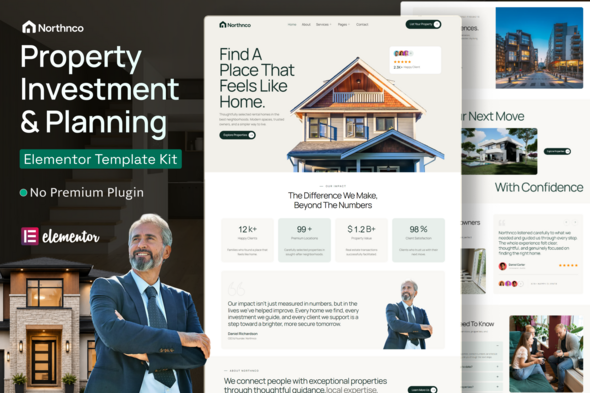
Northnco – Property Investment & Real Estate Elementor Template Kit Northnco – Property Investment & Real Estate Elementor Template Kit is a...
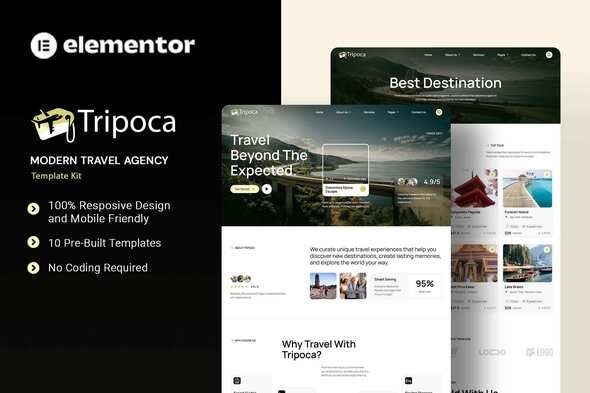
Tripoca - Modern Travel Agency Elementor Template Kit Tripoca is a modern and professionally designed Travel Agency Elementor Template Kit created for...
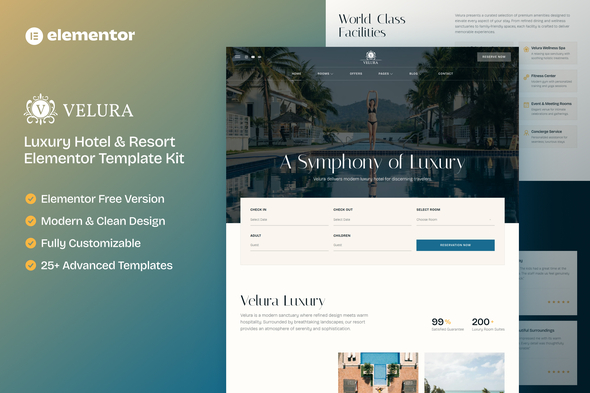
Velura - Luxury Hotel & Resort Elementor Template Kit Velura is a premium Elementor Template Kit designed specifically for luxury hotels, resorts,...
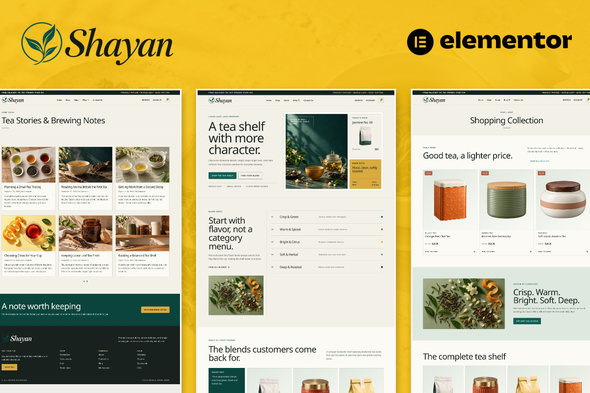
Shayan - Tea & Herbal Drink Shop eCommerce Elementor Pro Template Kit Shayan - Tea & Herbal Drink Shop eCommerce Elementor Pro...
