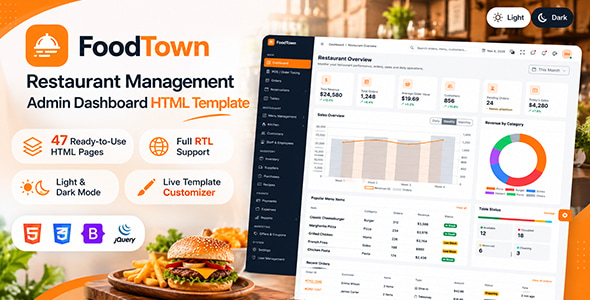
FoodTown – Restaurant Management Admin Dashboard HTML Template is a modern and professional admin dashboard template designed for restaurant owners, food businesses, hospitality managers, and developers building restaurant management platforms. It provides a structured interface for presenting and managing restaurant-related information through an organized administrative layout.
Designed with restaurant operations in mind, FoodTown offers a suitable starting point for creating management dashboards for restaurants, cafes, food outlets, cloud kitchens, and other food service businesses. Its dashboard-focused design can help organize important business information, display operational statistics, and provide convenient navigation between different management sections.
Whether you are developing a restaurant administration panel, a food service management application, or a custom restaurant business platform, FoodTown provides a frontend interface that can be adapted to your project requirements.
A restaurant management dashboard should make important information easy to access and understand. FoodTown provides a business-oriented administrative interface intended to help users navigate restaurant-related management activities.
The dashboard design can be customized to present important information such as restaurant performance, order activity, menu information, customer details, and other operational data when connected to an appropriate backend system.
Its organized interface provides a foundation for building an administrative experience that is suitable for restaurant managers, business owners, and authorized staff members.
The main dashboard is an important area for monitoring restaurant operations. FoodTown can be used to create an overview page that brings important business information together in one place.
Depending on the included dashboard components, this area may be customized to display information such as:
When connected to a backend and database, these dashboard elements can be populated with real-time or updated business information. Without backend integration, the displayed values remain static or demonstration data.
Order management is one of the most important activities in a restaurant business. FoodTown provides an administrative design foundation that can be adapted for displaying restaurant order information.
A customized order management section may include order identification, customer details, selected food items, quantities, order totals, payment information, and order status.
Restaurant administrators can use an integrated system to organize orders into different stages, such as pending, confirmed, preparing, ready for pickup, completed, or cancelled.
Actual order creation, status updates, notifications, and synchronization require appropriate application logic and backend integration. The HTML template provides the frontend presentation rather than a complete working order management system.
An organized food menu helps restaurant businesses maintain accurate product information and present their offerings consistently.
FoodTown can serve as a starting point for creating menu administration pages where restaurant staff can manage food-related information through a structured interface.
Depending on the implemented functionality, a menu management module may support:
These features can be connected to a database to support actual menu management. The specific operations depend on the backend developed for the project.
Restaurants frequently organize their menus into categories to make food items easier to manage. FoodTown can be customized to include category management interfaces for different types of restaurant offerings.
Possible categories include appetizers, main courses, desserts, beverages, snacks, fast food, vegetarian dishes, and special menus.
A category management system can help administrators organize food products and maintain a consistent menu structure. Developers can integrate the interface with database operations to create, update, delete, and retrieve categories.
Customer information is useful for restaurants that want to maintain customer records and improve their service experience.
FoodTown can provide a foundation for customer management pages where relevant customer information may be presented in an organized table or detail view.
A connected customer management module may include:
Database integration and appropriate privacy controls are required to store and manage actual customer information securely.
Understanding business performance can help restaurant owners make better operational decisions. FoodTown can be adapted to include dashboard statistics and analytical sections for presenting restaurant sales information.
Potential reporting areas include daily sales, weekly revenue, monthly performance, order volume, average order value, and popular menu items.
Where chart components are included, they can be connected to application data to display meaningful business trends. Actual reporting accuracy depends on the underlying database, transaction records, and calculation logic.
Restaurants need to monitor ingredients, supplies, and food-related inventory to maintain smooth operations. FoodTown can serve as a frontend foundation for developing inventory management interfaces when required.
A custom inventory module may include ingredient names, available quantities, stock units, minimum stock levels, supplier information, and inventory updates.
Developers can extend the dashboard with stock tracking, low-stock notifications, purchase records, and inventory reports. These capabilities require backend development and database integration unless explicitly provided in the purchased package.
Restaurant management platforms may require different administrative roles for owners, managers, kitchen staff, and other employees.
FoodTown’s dashboard interface can be adapted to support staff-related management pages, including employee information, role details, and operational responsibilities.
For a production application, developers can implement authentication, role-based access control, permissions, and activity logging. These security and management capabilities are not automatically provided by an HTML template.
Restaurant administrators may need to access management information from desktop computers, laptops, tablets, and mobile devices.
FoodTown is designed as a modern dashboard template, providing a foundation for creating an administrative interface that can be adapted to different screen sizes.
A responsive layout helps keep navigation, dashboard cards, tables, and other interface elements accessible across devices. Developers should test the completed implementation on different screen sizes and browsers to ensure that important management workflows remain convenient.
An effective admin dashboard benefits from consistent interface components. FoodTown provides a frontend design foundation that can be used to create a unified visual experience across different management pages.
Depending on the included files and components, the template may provide elements such as:
Reusable components help developers maintain consistency when expanding the dashboard with additional restaurant management pages.
Administrative applications frequently use forms for adding and updating information. FoodTown can be customized with form-based interfaces for restaurant-related data entry.
These interfaces may be used for managing food products, categories, customers, staff records, and other business information.
Frontend form layouts can provide input fields, dropdowns, selection controls, and validation messages where included. To save information, validate submissions securely, and retrieve records, developers must connect the forms to suitable backend services.
FoodTown is an HTML dashboard template, making it a frontend starting point for developers who want to build a restaurant management application.
Developers can customize the interface by updating colors, typography, logos, icons, page content, and layout components. The design can also be adapted to match a restaurant brand or an existing software platform.
Depending on the supplied source files, developers can integrate the template with technologies such as PHP, Laravel, Node.js, Python, or other backend frameworks.
The HTML template itself does not automatically provide database connectivity, user authentication, payment processing, or working restaurant operations. These capabilities require separate implementation or integration.
FoodTown can be adapted for a variety of food service and hospitality applications, including:
Its restaurant-focused dashboard presentation makes it a useful starting point for developers and businesses planning a food service management application.
FoodTown provides a modern frontend foundation for developing restaurant management dashboards. Its administrative design helps developers organize restaurant-related information and build a consistent interface for business operations.
Key Highlights:
FoodTown – Restaurant Management Admin Dashboard HTML Template offers a professional starting point for developers, software agencies, and restaurant businesses looking to create an organized administrative interface.
Whether you are developing a restaurant management system, a cloud kitchen administration platform, or a custom food service dashboard, FoodTown can help simplify the frontend development process with a dedicated restaurant-oriented design.
Customize the interface, connect the required backend services, integrate database functionality, and develop the management features your business needs. With its flexible HTML dashboard foundation, FoodTown can help you move toward building a professional restaurant administration platform.
1. All digital products are the most recent version, with no possibility of free updates. After payment, you can request an update to the most recent version for 5 days if a new version is released. We free support within 5 days.
2. If a license is required (Excludes WHMCS license , we provide only method not license), please contact us via email or ticket for assistance with activation. Our license is only valid for activation and does not include support.
3. We provide Mobile, PHP script installation services for $19.90 / ₹1700. Please create a backup after installation as we do not support re-installation. For mobile app source code, we do not offer installation services.
4. If you have any questions, please contact us by email [email protected] or create a ticket on this page
5. Please note that any digital products presented on the website do not contain malicious code, viruses or advertising. You will receive the original files from the developers. We do not sell any products that have been downloaded from other websites.
6. The response time can last up to 6 hours.
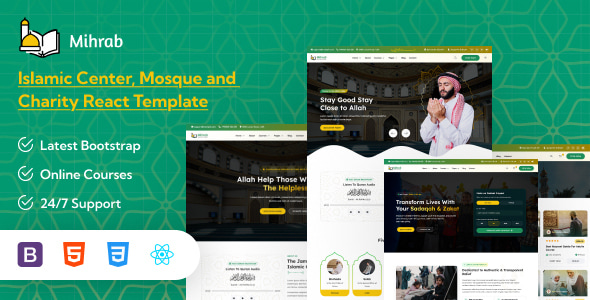
Mihrab – Islamic Centre, Mosque, Charity & Online Courses React Template Mihrab is a modern, elegant, and purpose-driven Islamic Centre, Mosque, Charity...
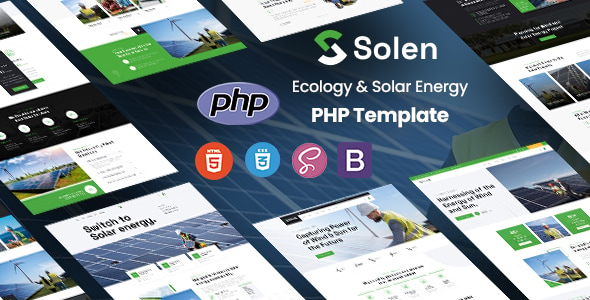
Solen - Ecology & Solar Energy PHP Template Solen is a modern and professionally developed PHP template designed specifically for solar energy...
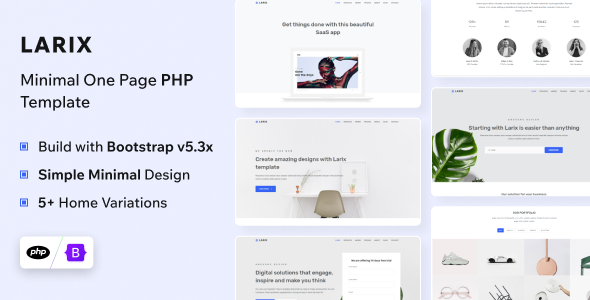
Larix - PHP Landing Page Template Larix is a modern and highly versatile PHP landing page template designed for startups, SaaS businesses,...

Coral - Multipurpose React Js Landing Template Coral - Multipurpose React Js Landing Template is a modern, responsive, and professionally designed landing...
