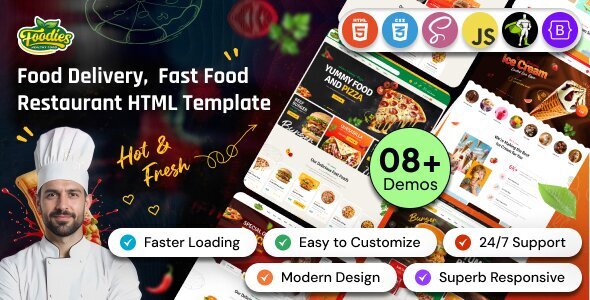
Foodies – Restaurant & Fast Food HTML Template Multipurpose is a versatile website template designed for restaurants, fast-food outlets, cafés, food delivery businesses, bakeries, burger shops, pizzerias, and other food-related businesses. Built for HTML-based website development, Foodies provides a customizable foundation for showcasing menus, presenting food items, introducing a restaurant, displaying essential business information, and encouraging customers to explore available offerings.
Whether you operate a local restaurant, a quick-service food outlet, a takeaway business, a cloud kitchen, or a modern café, Foodies can help you establish a professional online presence. Its multipurpose approach makes it suitable for different food businesses that want to communicate their brand identity, highlight signature dishes, and make important information accessible to potential customers.
With an editable front-end structure, developers can customize the page layouts, images, colors, typography, and content to match a specific restaurant’s requirements. Instead of building every section from scratch, you can use the supplied HTML files as a starting point and adapt the design to create a website that reflects your menu, atmosphere, and service offerings.
A restaurant website should make visitors feel confident about exploring the menu and choosing where to eat. Customers often want to discover available dishes, check opening hours, find the restaurant’s location, learn about special offers, and understand whether takeaway or delivery options are available.
Foodies is designed for food-related website projects where attractive imagery and organized information are important. You can adapt the available layouts to introduce your business, highlight popular dishes, present food categories, and direct visitors toward relevant actions.
The template can be customized for casual dining establishments, fast-food restaurants, premium dining experiences, family restaurants, cafés, and takeaway businesses. A consistent visual style helps communicate the personality of your brand while making it easier for customers to navigate the website.
By combining high-quality food photography, clear descriptions, readable typography, and well-positioned contact information, you can create a more engaging digital experience for your customers.
Foodies is an HTML website template intended for front-end customization. HTML defines the structure of the website, while CSS controls its appearance and JavaScript can provide interactive behavior.
Unlike a WordPress theme or an Elementor Template Kit, an HTML template generally gives developers direct access to the source files. This makes it possible to adjust page sections, update styles, replace images, and modify front-end elements without depending on a specific content management system.
Depending on the files supplied, the package may include HTML pages, stylesheets, scripts, images, icons, and other supporting assets. Review the official documentation to confirm the exact contents, supported libraries, and technical requirements.
This approach is particularly useful for developers who want to create a lightweight restaurant website or integrate the design into a larger web project. Some technical knowledge of HTML, CSS, and JavaScript may be required for extensive customization.
The multipurpose positioning of Foodies makes it a potential starting point for several types of food-related websites.
Possible applications include:
These are potential customization scenarios rather than confirmation that every business category has a dedicated ready-made page included.
The homepage is an important opportunity to introduce your restaurant and create a positive first impression. Visitors should be able to understand the type of food you offer and quickly find information relevant to their needs.
Foodies can serve as a foundation for a homepage featuring a prominent headline, supporting description, food imagery, and calls to action, depending on the included layouts.
You can use the introductory section to communicate your restaurant’s concept, highlight its specialties, and explain what makes the dining experience distinctive. A fast-food outlet might emphasize convenience and signature meals, while a fine-dining restaurant could focus on ingredients, presentation, and atmosphere.
Supporting sections can introduce the restaurant’s story, featured dishes, service options, and contact information. Keep the content concise and use original photographs wherever possible to create a more authentic presentation.
A clear menu helps customers understand what is available before visiting or placing an order. Foodies can provide a starting point for organizing menu information into categories, depending on the supplied page layouts.
You might arrange dishes under headings such as starters, burgers, pizzas, sandwiches, main courses, desserts, beverages, and combo meals. Each menu entry can include the dish name, a short description, an image, and an accurate price where appropriate.
A well-organized menu should help visitors compare options without overwhelming them with unnecessary information.
Recommended menu details include:
Keep prices and availability up to date. If a dish contains common allergens, provide accurate information according to your restaurant’s practices and applicable requirements.
A visual menu layout does not automatically provide a dynamic menu management system. Features such as live inventory, category filtering, automatic price updates, and order processing may require additional development.
Food photography plays a significant role in restaurant marketing. High-quality images can help visitors understand a dish’s appearance, ingredients, portion size, and presentation before making a decision.
Foodies can be adapted to display signature dishes, popular meals, seasonal offerings, desserts, and promotional items through suitable image sections.
For the best results, use clear and well-lit photographs that accurately represent the food you serve. Maintain consistent image quality and avoid using misleading images that differ significantly from the actual dishes.
Consider highlighting a small selection of signature products rather than displaying every item on the homepage. This helps direct attention toward the meals you want customers to discover first.
Optimize images before uploading them to avoid slowing down the website. Appropriate image dimensions, modern image formats where supported, and descriptive alternative text can improve accessibility and performance.
Restaurants frequently use promotions to attract new customers and encourage repeat visits. A website can help communicate these offers when they are presented clearly and accurately.
You can customize suitable sections to highlight meal combos, seasonal menus, limited-time offers, family packages, lunch specials, or other promotions that your business genuinely provides.
A promotional section should include the relevant offer details, applicable dates, restrictions, and a clear next step. If you advertise a discount, ensure that the terms are understandable and that the offer is still available.
For recurring promotions, update the content regularly so customers do not encounter expired deals. A static promotional layout can display an offer, but automatic coupon validation or personalized promotions require additional functionality.
Customers often visit a restaurant website to find practical information before deciding whether to visit. Foodies can be customized to make important business details easy to locate.
Depending on the available layouts, you can display:
Accurate contact information can reduce confusion and help customers plan their visit. If you serve multiple locations, consider creating separate pages or clearly differentiated sections for each branch.
If your restaurant offers delivery only within certain areas, explain the service coverage accurately. Avoid suggesting that delivery is available everywhere unless your operations support it.
Online ordering can be valuable for restaurants, takeaway businesses, and cloud kitchens. Foodies may provide front-end layouts that can be adapted to direct visitors toward an ordering service, depending on the supplied files.
You might add buttons linking to an existing ordering platform, display contact details for telephone orders, or integrate a suitable third-party service.
A complete online ordering workflow usually requires functionality for selecting products, managing a cart, calculating totals, collecting delivery information, processing payments where applicable, and confirming orders.
These capabilities are not automatically provided by an HTML template. They may require a backend application, an external ordering platform, or a dedicated integration.
Before implementing ordering functionality, decide whether you need a simple promotional website, an external ordering link, or a complete restaurant ordering system. This distinction will help you estimate the required development work.
Many customers discover restaurants while using smartphones. A mobile-friendly website makes it easier for them to review menus, check opening hours, locate the business, and access ordering options.
If the supplied template includes responsive styling, its layouts can be adjusted for different screen sizes using the available CSS and any included responsive framework.
After customization, test the website on smartphones, tablets, and desktop computers. Check that navigation menus work correctly, food images scale appropriately, menu text remains readable, and buttons are easy to tap.
Pay special attention to menu layouts and contact details. Customers should not need to zoom in excessively or scroll horizontally to read prices and descriptions.
The final responsive behavior depends on the supplied code, included libraries, browser support, and your customizations.
Every food business has its own identity. A family restaurant, a premium dining establishment, and a quick-service burger shop may require very different visual presentations.
Foodies provides a starting point for customizing your website’s branding, subject to the supplied design and source files.
Possible customization areas include:
A café might use warm colors and relaxed imagery, while a modern fast-food brand may prefer bold typography and high-contrast visuals. Choose a style that reflects your actual restaurant rather than relying on generic design conventions.
Use consistent colors and typography throughout the website, and replace all demonstration text and imagery with relevant business content.
Search engines can help potential customers discover restaurants when they look for nearby dining options, particular cuisines, or specific dishes. Foodies can provide a starting point for an organized website, but the template itself does not guarantee search rankings.
Recommended SEO practices include:
For local restaurants, accurate address information, opening hours, contact details, and a well-maintained business profile can support local discovery.
Keep menu information consistent across your website and other platforms. Search visibility depends on content quality, competition, technical implementation, and the broader online presence of your business.
A fast website helps customers access menus and essential information without unnecessary waiting. This is particularly important for visitors using mobile connections.
To support good performance, optimize images, remove unused assets, minimize unnecessary scripts, and avoid loading large media files when they are not needed. Review any external libraries included with the template and retain only those required by your implementation.
Test the finished website for broken links, slow-loading sections, layout inconsistencies, and JavaScript errors. If you add online ordering, maps, social feeds, or other external services, check their effect on loading performance.
A template provides a starting point rather than a guarantee of a particular performance score. Hosting quality, code changes, images, and third-party integrations all influence the final result.
Contact options help customers ask questions about menus, reservations, catering, private events, and other restaurant services.
Foodies can be customized to present contact details and, where supported by the supplied layouts, contact form interfaces. A form might collect a customer’s name, email address, telephone number, and inquiry details.
If your restaurant accepts reservation requests, a form could collect the preferred date, time, party size, and special requirements. However, a form that collects requests is not the same as a live reservation system that checks table availability and confirms bookings automatically.
Working forms may require server-side processing or a third-party form service. Configure validation, spam protection, and message delivery before publishing the website.
Getting started with Foodies generally involves downloading the template files and preparing them for customization and deployment.
A typical setup process includes:
The exact procedure depends on the supplied files and any included dependencies. Follow the developer’s installation instructions before changing the project structure or adding third-party libraries.
Foodies may be suitable for a wide range of food-related businesses and website projects.
The template is particularly relevant to users who want direct access to front-end source files and are prepared to configure additional functionality when necessary.
Before using Foodies, review the official product listing, live demo, included HTML pages, documentation, dependencies, and licensing terms. Confirm whether the package includes specific responsive frameworks, interactive components, or additional layouts.
Also distinguish between front-end presentation and operational functionality. Online ordering, payment processing, table reservations, customer accounts, order tracking, and restaurant management require additional software or integrations unless explicitly included.
Understanding these requirements before implementation helps you select the right hosting environment and estimate the work needed to launch the finished website.
Foodies – Restaurant & Fast Food HTML Template Multipurpose provides a flexible starting point for creating professional websites for restaurants, fast-food outlets, cafés, bakeries, cloud kitchens, and other food-related businesses. Its HTML-based structure allows developers to customize page layouts, menu presentation, brand styling, and business information according to individual requirements.
By combining attractive food photography, clear menu descriptions, responsive layouts, accurate contact details, and effective calls to action, you can create a website that helps customers discover your offerings and learn how to visit or order from your business.
For restaurant owners, food entrepreneurs, freelance developers, and digital agencies looking for a customizable food industry website foundation, Foodies is worth evaluating against its official demo and documented requirements before implementation.
1. All digital products are the most recent version, with no possibility of free updates. After payment, you can request an update to the most recent version for 5 days if a new version is released. We free support within 5 days.
2. If a license is required (Excludes WHMCS license , we provide only method not license), please contact us via email or ticket for assistance with activation. Our license is only valid for activation and does not include support.
3. We provide Mobile, PHP script installation services for $19.90 / ₹1700. Please create a backup after installation as we do not support re-installation. For mobile app source code, we do not offer installation services.
4. If you have any questions, please contact us by email [email protected] or create a ticket on this page
5. Please note that any digital products presented on the website do not contain malicious code, viruses or advertising. You will receive the original files from the developers. We do not sell any products that have been downloaded from other websites.
6. The response time can last up to 6 hours.
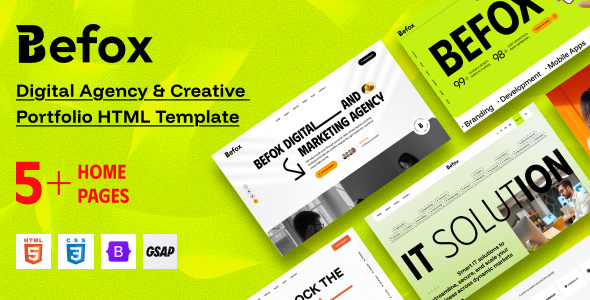
Befox - Digital Agency & Creative Portfolio HTML Template Befox is a modern and professionally crafted HTML template designed for digital agencies,...
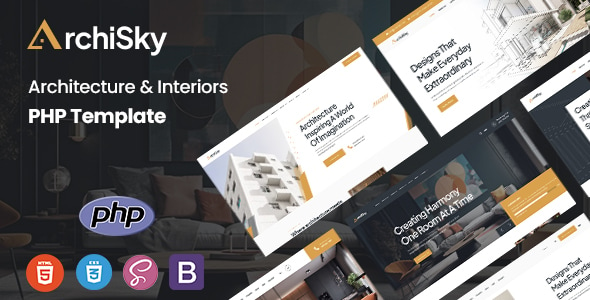
Archisky - Architecture & Interiors PHP Template Archisky - Architecture & Interiors PHP Template is a modern, elegant, and professionally designed PHP...
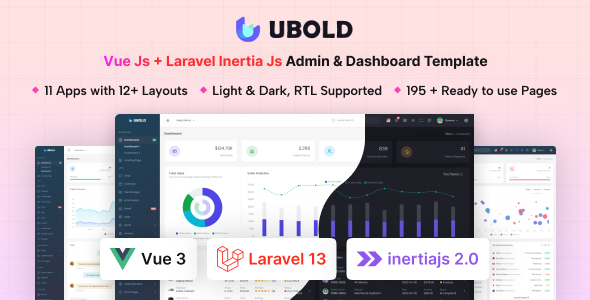
UBold - Vue + Laravel Inertia Js Tailwind CSS Admin Dashboard Template UBold is a powerful and modern admin dashboard template built...
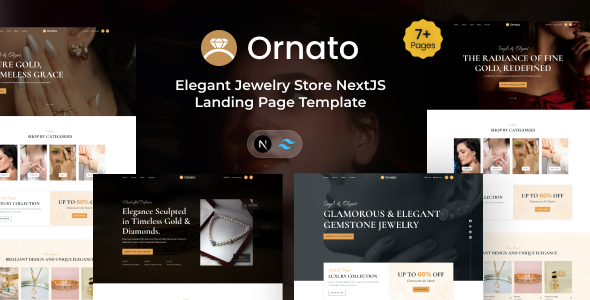
Ornato - NextJS Elegant Jewelry Store Landing Page Template Ornato is a luxurious and professionally crafted NextJS landing page template designed specifically...
