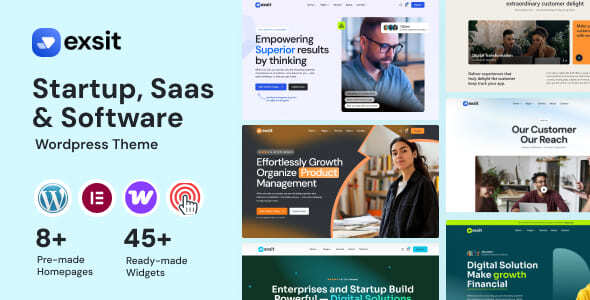
Exsit – Software, SaaS & Startup WordPress Theme is a modern WordPress theme designed for software companies, SaaS businesses, technology startups, IT service providers, and digital product creators looking to establish a professional online presence. With a focus on software promotion, technology branding, and startup websites, Exsit provides a foundation for presenting digital products, explaining software features, showcasing solutions, and attracting potential customers.
Whether you are launching a SaaS platform, promoting a subscription-based application, introducing a software product, or building a website for a technology startup, Exsit can help you communicate your value proposition and establish a consistent brand identity. A well-structured software website allows visitors to understand what your product does, explore its benefits, compare available plans, and take the next step toward trying or purchasing your solution.
Built for the WordPress ecosystem, Exsit offers a foundation for managing website content, publishing product updates, presenting company information, and developing your online presence as your business grows. Its software and startup positioning makes it suitable for businesses that want to combine modern presentation with clear product communication.
A software website needs to explain a product clearly while communicating its value to potential customers. Visitors may want to understand the problem your software solves, explore its key capabilities, review pricing information, and determine whether it suits their needs.
Exsit is positioned for software, SaaS, and startup websites, making it a potential starting point for presenting these details in an organized format. You can use the theme’s available layouts to introduce your product, highlight important features, present benefits, and guide visitors toward relevant pages.
An effective SaaS website should combine visual appeal with clear messaging. Use concise headlines, informative descriptions, relevant product screenshots, and prominent calls to action to help visitors understand your offering.
Whether you provide business software, productivity tools, cloud-based services, or a specialized digital platform, tailor the content to your product and target audience.
Exsit can serve as a website foundation for businesses operating across different areas of the software and technology industry.
Potential applications include:
SaaS Platforms: Present subscription-based software, cloud applications, and online services.
Software Development Companies: Introduce development services, technical expertise, and completed projects.
Technology Startups: Communicate a new product idea, company vision, and business offering.
AI and Automation Businesses: Explain software tools that support relevant automation and productivity workflows.
Fintech Companies: Present financial software products and technology services, subject to applicable industry requirements.
Business Software Providers: Showcase CRM tools, project management platforms, analytics solutions, and other business applications.
Mobile App Companies: Promote applications and explain their benefits to potential users.
IT Service Providers: Present consulting, implementation, integration, and technology support services.
Digital Product Businesses: Introduce downloadable software, online tools, and other digital offerings.
The best website structure depends on your product, sales model, target audience, and the layouts available in the theme.
The homepage is often the first point of contact between your software business and prospective customers. It should explain what your product does and why visitors should consider it.
With Exsit, you can use the available page layouts and customization options to introduce your software, highlight its main benefits, and direct visitors toward important actions.
A useful homepage structure may include:
A headline explaining your product’s primary purpose.
A short description of the problem it solves.
Featured software capabilities.
Relevant product screenshots or illustrations.
Key benefits for your target customers.
Pricing or subscription information, where appropriate.
Customer testimonials or case studies when genuine evidence is available.
Clear calls to action for demos, sign-ups, or inquiries.
Focus on outcomes rather than listing features alone. For example, explain how your software helps users reduce repetitive work, organize information, collaborate more effectively, or simplify a business process when those benefits accurately describe your product.
A clear value proposition helps visitors quickly determine whether your solution is relevant to them.
A dedicated features section helps potential customers understand how your software works and what makes it useful.
You can organize your product capabilities into logical categories using the available page layouts. Depending on the nature of your software, these categories might cover productivity, collaboration, reporting, integrations, automation, administration, or customization.
For each feature, provide a concise explanation and relevant visual support, such as a product screenshot or interface illustration.
A strong feature presentation should explain:
What the feature does.
Which user problem it addresses.
How customers benefit from using it.
Whether it is available in every plan or only selected subscriptions, if applicable.
Avoid unsupported claims about integrations, security certifications, uptime, or performance. Accurate product information helps customers make informed decisions and creates realistic expectations.
Pricing is an important part of many SaaS websites. Visitors often want to compare plans, understand usage limits, and determine which subscription best suits their requirements.
Exsit can serve as a foundation for presenting pricing information through the layouts available in the theme. You may be able to organize plans into different tiers, such as Starter, Professional, and Business, depending on your actual pricing model.
A useful pricing section can communicate:
Subscription prices and billing frequency.
Features included in each plan.
Usage limits or account allowances.
Differences between individual and business plans.
Trial availability, if genuinely offered.
Links to sign-up, purchase, or contact pages.
Keep pricing information transparent and make the differences between plans easy to understand.
Interactive billing switches, subscription management, recurring payments, and customer account functionality may require additional plugins, payment gateways, or integration with your SaaS platform. A WordPress theme alone does not automatically provide a complete subscription-based software system.
Technology startups often need a website that communicates a new idea quickly and encourages visitors to take an initial action.
Exsit’s startup-oriented positioning makes it suitable as a starting point for product launch pages, software announcements, and company introductions.
You can use a landing page to explain the problem your product addresses, introduce its core capabilities, and invite visitors to request a demonstration, join a waiting list, or register for access where supported by your configuration.
A focused launch page may include a product introduction, selected features, screenshots, benefits, company information, and a clear call to action.
For startups still developing their product, an early-access or waitlist page can help communicate the concept and collect interest before a wider launch. Any sign-up forms or automated follow-up processes may require compatible plugins or external services.
Visual demonstrations can make software easier to understand, particularly when a product has several workflows or an interface that is unfamiliar to new users.
You can use product screenshots, interface mockups, diagrams, and other relevant visual assets to explain how your software works.
For example, a project management platform might show its task board, while an analytics tool could present a representative reporting dashboard. A SaaS product can also use annotated screenshots to explain important capabilities.
Keep screenshots current and make sure they accurately represent the real product. Avoid presenting conceptual mockups as functioning features.
Use appropriately sized images and ensure that interface text remains legible on smaller screens.
An About page gives your business an opportunity to communicate its mission, expertise, and approach to solving customer problems.
You can introduce your company, explain why the product was developed, describe your target market, and present relevant team or company information.
For a startup, this section can explain the problem that inspired the product and the goals behind its development. Established software companies may focus on experience, technical specialization, customer support, and industry knowledge.
You can also include genuine testimonials, case studies, partnerships, or customer success stories where available.
Avoid making unsupported claims about customer numbers, product adoption, certifications, or industry leadership. Accurate information provides a stronger foundation for building long-term trust.
Potential customers may explore your software website from desktop computers, tablets, and smartphones. A responsive layout helps ensure that your product information remains accessible across different screen sizes.
When supported by the theme’s implementation, responsive design can adapt navigation, typography, images, pricing tables, and content sections to different devices.
This is particularly important for software websites, where feature comparisons and product screenshots can become difficult to read on smaller screens.
After installing Exsit, test the homepage, product pages, pricing sections, and contact forms across different devices. Ensure that text remains readable, buttons are easy to use, and important product information is not hidden by the layout.
WordPress provides a flexible content management system for maintaining a software or startup website.
Using the WordPress dashboard and the theme’s supported editing workflow, you can update product descriptions, revise pricing information, publish announcements, and maintain company pages.
Customization options depend on Exsit’s implementation and its compatibility with page builders or other plugins. Review the documentation to understand available settings, recommended plugins, installation requirements, and demo import instructions.
You can organize the website around your business needs and update content as your product evolves.
Before making major changes, create a backup and test modifications in a staging environment whenever possible.
A blog can help software companies communicate product developments, share knowledge, and answer common questions from potential customers.
Useful content categories may include:
Software tutorials and how-to guides.
Product feature announcements.
SaaS industry insights.
Productivity and workflow advice.
Software implementation guides.
Customer use cases and case studies.
Technology trends relevant to your audience.
Frequently asked questions about your product.
Publishing helpful content can support customer education and provide additional opportunities for potential customers to discover your website.
If Exsit supports standard WordPress posts and suitable blog layouts, you can use these capabilities to publish articles, product updates, and company announcements.
Focus on accurate, original content that solves real problems for your audience.
Search engine optimization can help potential customers discover your software through relevant searches.
When configuring Exsit, use descriptive page titles, useful meta descriptions, logical heading structures, clear URLs, and relevant internal links.
Create dedicated pages for important features, use cases, integrations, or industry-specific solutions when they provide genuinely useful information.
For example, a business analytics platform may explain its reporting capabilities on a dedicated page, while a customer management product could describe relevant contact and workflow features.
Optimize images with appropriate file sizes and descriptive alternative text. A compatible SEO plugin may help manage metadata, XML sitemaps, and other technical settings.
A theme alone cannot guarantee search rankings. Results depend on content quality, search competition, technical implementation, website performance, and ongoing optimization.
A software website should load efficiently and provide a reliable browsing experience. Slow pages, broken forms, and outdated product information can discourage prospective customers.
Use appropriately sized images, efficient caching, reliable hosting, and only the plugins required for your website. Test important pages, navigation, and sign-up or inquiry forms regularly.
Keep WordPress, the theme, and compatible plugins updated. Use strong administrator credentials, maintain regular backups, and follow appropriate security practices.
If your SaaS product handles customer accounts, payments, or sensitive data, ensure that those functions are implemented through appropriate secure systems. The marketing website theme alone does not establish the security of the underlying software application.
Actual performance and security depend on the theme’s implementation, hosting environment, installed plugins, and external integrations.
A software website should make it easy for visitors to take the next step, whether that means requesting a demo, contacting the sales team, asking a question, or registering for a trial.
You can provide business contact information, inquiry forms, and clear calls to action using the functionality supported by your WordPress setup.
For business-focused SaaS products, a demo request form might collect a visitor’s name, business email, company, team size, and a brief description of their needs. Keep forms concise and request only the information necessary for the intended purpose.
Advanced CRM integration, automated email sequences, product onboarding, and user account creation may require compatible plugins or external services.
Exsit is worth considering if you want to build a WordPress website for promoting software products, SaaS platforms, or a technology startup.
Key reasons to consider this theme include:
A design direction focused on software, SaaS, and startup websites.
A foundation for presenting software features and product benefits.
Opportunities to organize pricing and subscription information.
Potential for creating product launch and marketing pages.
A platform for sharing company information and technology insights.
WordPress-based content management for ongoing updates.
Customization possibilities for aligning the website with your brand.
Opportunities to support product inquiries, demo requests, and lead generation.
The exact layouts, pricing components, integrations, and customization features should be verified through the official theme demo and documentation.
Exsit – Software, SaaS & Startup WordPress Theme is a suitable option for software companies, SaaS providers, technology startups, and digital product businesses seeking a professional online presence.
By combining clear product messaging, informative feature sections, relevant screenshots, transparent pricing information, and accessible calls to action, you can create a website that helps potential customers understand your software and evaluate its benefits.
Whether you are launching a new SaaS platform, promoting business software, presenting technology services, or introducing a digital product, Exsit can serve as a foundation for a website tailored to your business goals.
With thoughtful customization, useful content, responsive testing, and a clear product marketing strategy, you can develop a professional website that supports brand awareness and customer acquisition. Before purchasing or installing the theme, review its official demo, included layouts, documentation, plugin requirements, and licensing terms to confirm that it meets your specific needs.
1. All digital products are the most recent version, with no possibility of free updates. After payment, you can request an update to the most recent version for 5 days if a new version is released. We free support within 5 days.
2. If a license is required (Excludes WHMCS license , we provide only method not license), please contact us via email or ticket for assistance with activation. Our license is only valid for activation and does not include support.
3. We provide Mobile, PHP script installation services for $19.90 / ₹1700. Please create a backup after installation as we do not support re-installation. For mobile app source code, we do not offer installation services.
4. If you have any questions, please contact us by email [email protected] or create a ticket on this page
5. Please note that any digital products presented on the website do not contain malicious code, viruses or advertising. You will receive the original files from the developers. We do not sell any products that have been downloaded from other websites.
6. The response time can last up to 6 hours.
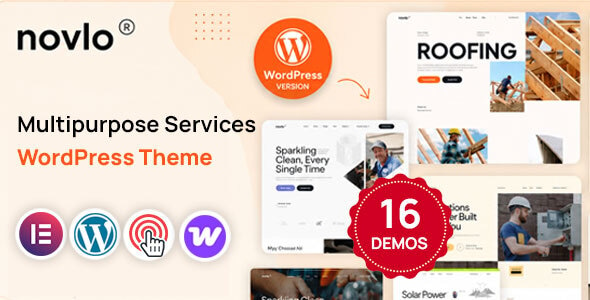
Novlo – Multipurpose Services WordPress Theme Novlo is a modern, flexible, and professionally designed Multipurpose Services WordPress Theme created for service-based businesses,...
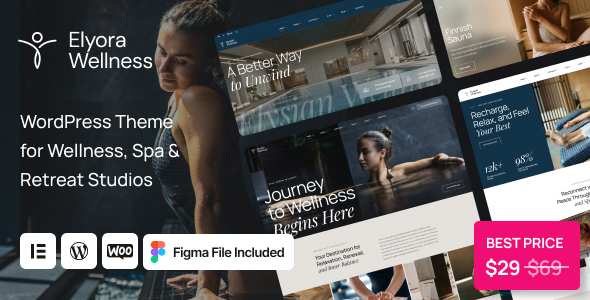
Elyora - Spa & Wellness Centers WordPress Theme Elyora is a luxurious and professionally designed Spa & Wellness Centers WordPress Theme created...
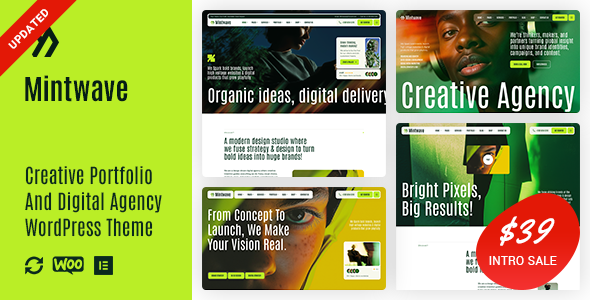
Mintwave - Digital Agency And Portfolio WordPress Theme Mintwave is a modern, creative, and professionally designed Digital Agency & Portfolio WordPress Theme...
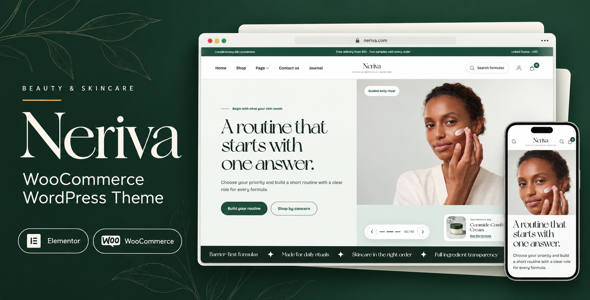
Neriva - Beauty & Skincare WooCommerce Theme Neriva is a modern, elegant, and conversion-focused Beauty & Skincare WooCommerce Theme designed for beauty...
