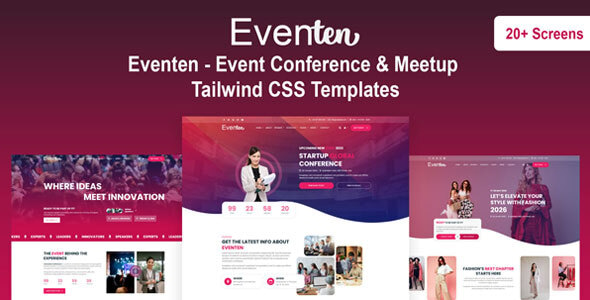
Eventen – Event Conference & Meetup Tailwind CSS Templates is a modern website template designed for event organizers, conference planners, meetup communities, seminar hosts, workshop providers, and businesses that organize professional gatherings. Built around Tailwind CSS, Eventen provides a customizable front-end foundation for presenting event information, showcasing speakers, sharing schedules, promoting activities, and directing visitors toward registration or participation options.
Whether you are organizing a corporate conference, a technology meetup, an educational seminar, a startup networking session, or a creative workshop, Eventen can help you establish a professional online presence. Its event-focused design can be adapted to communicate essential details, build interest among potential attendees, and present your event in a structured and visually appealing format.
Instead of creating every page section from scratch, developers can use the supplied template files as a starting point and customize the content, colors, typography, layouts, and supporting imagery according to the event’s requirements. This makes Eventen a useful option for projects that need an event-oriented website design with a flexible front-end structure.
An effective event website should help visitors understand the purpose of an event, identify its target audience, and find the information they need to participate. Attendees commonly look for event dates, venue details, session schedules, speaker information, ticket options, and registration instructions.
Eventen is designed for websites where these details need to be presented clearly. You can adapt the available layouts to introduce the event, highlight important announcements, showcase featured sessions, and guide visitors toward relevant actions.
The design can be customized for different event formats, from formal business conferences to informal community meetups. With appropriate imagery, consistent typography, and a clear information hierarchy, you can create a website that reflects the character of your event while keeping essential information accessible.
For recurring events, the template can also serve as a reusable design foundation. You can update the dates, speakers, agenda, sponsors, and other details for each new edition while maintaining a consistent visual identity.
Tailwind CSS is a utility-first CSS framework that allows developers to build and customize interfaces using utility classes for spacing, typography, colors, alignment, borders, and responsive behavior.
Eventen uses Tailwind CSS as its styling foundation, making it suitable for developers who prefer a utility-based approach to front-end development. Instead of writing separate CSS rules for every small adjustment, developers can compose and modify layouts using predefined utility classes.
Depending on the supplied source files, you may be able to customize navigation menus, event sections, speaker cards, schedule layouts, buttons, and other interface elements.
Tailwind CSS responsive utilities can also help adapt layouts to different screen sizes. This is useful for event websites because visitors may access information from desktops, tablets, and smartphones before and during an event.
Before implementation, review the official product documentation to confirm the included Tailwind CSS version, build process, dependencies, and any additional frameworks or libraries.
Eventen can be adapted to represent a variety of events and community activities, depending on the available layouts and your customization requirements.
Potential applications include:
These are potential use cases rather than confirmation that a separate ready-made page is included for every event category.
The homepage is often the first point of contact between an event and its potential attendees. It should quickly communicate the event’s purpose and make the most important details easy to find.
Eventen can serve as a foundation for a homepage featuring a prominent headline, event description, relevant visuals, and calls to action, depending on the supplied layouts.
Important information to highlight may include:
A clear homepage helps visitors understand whether the event matches their interests before exploring additional pages. Use concise descriptions, accurate dates, and direct links to registration or further information.
For events with multiple sessions or several days of activities, provide a clear route from the homepage to the full program.
Speakers and special guests can be a major reason attendees choose a conference, seminar, or professional meetup. Presenting these participants clearly helps visitors understand the expertise and perspectives represented at the event.
You can customize suitable layouts to introduce keynote speakers, panelists, workshop leaders, presenters, and invited guests.
A useful speaker profile may include:
For conferences with multiple speakers, consistent profile layouts can make the page easier to scan. You can also connect speaker information to the relevant sessions when the website structure supports those links.
Use accurate biographies and authorized photographs. If the supplied template does not include dedicated speaker pages, the same information may be presented through customized sections.
A well-organized agenda helps attendees plan their time and identify sessions that interest them. Eventen can be adapted to display schedules, workshops, panel discussions, networking breaks, presentations, and other program activities, depending on the included layouts.
For each session, consider presenting its title, start time, duration, speaker, location, and a concise description.
For multi-day events, organizing the agenda by day or topic can improve navigation. For conferences with several tracks, clear labels can help attendees distinguish between parallel sessions.
A useful schedule should be easy to read on mobile devices as well as desktop screens. Keep time formats consistent and update the program promptly when speakers, locations, or session times change.
A visual agenda does not automatically provide live schedule management, personalized agendas, or automatic calendar synchronization. These capabilities may require additional development or external services.
Registration is a central part of many event websites. Visitors should be able to understand how to participate, review the available options, and find the correct registration destination.
Eventen can be customized to present registration information and calls to action if suitable sections are included in the supplied template.
Depending on the event, you might display general admission, VIP access, early-bird tickets, workshop passes, group registration, or free RSVP options. Explain what each option includes and provide accurate deadlines, pricing, and restrictions.
If registration is handled through an external platform, buttons can direct visitors to the appropriate booking page. For events using an internal registration system, additional development may be required.
A registration button alone does not provide a complete ticketing system. Payment processing, attendee records, ticket generation, confirmation emails, refund handling, and QR-code check-in generally require a dedicated service or backend integration unless explicitly included.
Sponsors and partners often contribute to conferences, business summits, and professional meetups. A dedicated sponsor section can recognize participating organizations and provide visitors with information about event supporters.
You can customize suitable layouts to display sponsor logos, partner names, brief descriptions, and links to official websites. If the event includes different sponsorship levels, you can organize the presentation according to the agreed categories.
Maintain consistent logo sizing and spacing to create a balanced layout. Verify external links and obtain permission to use sponsor branding.
A sponsor display section does not automatically include sponsor management, advertising administration, or sponsorship payment functionality. These features require additional systems if your project needs them.
Event information is frequently accessed on smartphones, especially when attendees are travelling to a venue or checking session details during the event.
Tailwind CSS provides responsive utilities that can help developers adjust layout arrangements, spacing, typography, and visibility at different screen sizes. Eventen’s final responsive behavior depends on the supplied implementation and how the template is customized.
After making changes, test the homepage, speaker profiles, schedule, venue details, and registration buttons across desktop, tablet, and mobile devices.
Pay special attention to schedule tables, speaker cards, navigation menus, and long descriptions. Ensure that text remains readable, buttons are easy to tap, and important information does not require horizontal scrolling.
If you embed maps, videos, or external registration widgets, test those elements separately to confirm that they work correctly on smaller screens.
Every event has its own identity and audience. A corporate conference may require a formal presentation, while a creative meetup could benefit from a more energetic and expressive visual style.
Eventen provides a starting point for customizing the website’s appearance, depending on the supplied source code.
Customization opportunities may include:
Use consistent typography, spacing, and color choices across the website. Replace demonstration content with original information that reflects the event’s actual identity.
For developers managing recurring events, reusable styling and content sections can make future updates more efficient.
Search engines can help potential attendees discover relevant conferences, workshops, and meetups. Eventen can provide a starting point for an organized event website, but a template alone does not guarantee search rankings or visitor traffic.
To improve search visibility, consider these practices:
Structured data should reflect the actual event information visible on the website. If dates, venue details, or ticket availability change, update the relevant page content and metadata.
For recurring events, distinguish current editions from past events so visitors can identify the correct registration information.
A fast-loading website helps attendees access schedules, speaker information, and registration links without unnecessary delays.
To support good performance, optimize photographs, avoid unnecessarily large background images, remove unused assets, and review external fonts and scripts. Keep the styling and JavaScript dependencies appropriate to the project’s needs.
If the template includes a build process, follow the documented instructions for producing optimized production assets. Test the final website rather than relying solely on the development environment.
Check for broken links, layout shifts, console errors, and slow-loading elements. Embedded maps, video players, analytics scripts, and third-party registration tools can affect page performance, so add them thoughtfully.
The final result depends on the supplied implementation, hosting environment, media files, and external integrations.
Event organizers often use additional tools to manage registrations, communicate with attendees, and promote their programs.
Eventen can potentially be adapted to connect visitors with external services, depending on the available code and integration requirements.
Potential integrations include:
Some integrations may require API credentials, server-side endpoints, or external subscriptions. Keep private API credentials out of public front-end files.
Before implementation, confirm which integrations are already included and which require additional configuration.
Getting started with Eventen generally involves preparing the development environment and configuring the supplied template files.
A typical workflow includes:
The exact setup process depends on whether the package includes prebuilt HTML, source files requiring compilation, or additional JavaScript components. Follow the supplied installation instructions rather than assuming a particular project structure.
Eventen may be suitable for a variety of organizations and professionals.
The template is particularly relevant to users seeking a customizable front-end design rather than a complete event management platform.
Before using Eventen, review the official product listing, live demo, included files, documentation, Tailwind CSS version, dependencies, and licensing terms. Confirm which page layouts and interactive elements are actually supplied.
It is also important to distinguish between event presentation and operational functionality. Speaker listings do not automatically provide speaker management, and registration buttons do not necessarily process payments or generate tickets.
Features such as attendee accounts, live schedule updates, personalized agendas, ticket inventory, payment processing, and QR-code check-in may require separate tools or additional development unless explicitly documented.
Understanding the template’s actual scope helps you plan a realistic implementation and avoid unexpected development work.
Eventen – Event Conference & Meetup Tailwind CSS Templates provides a customizable foundation for building websites for conferences, technology meetups, workshops, seminars, networking sessions, and other professional or community events. Its Tailwind CSS-based approach allows developers to adapt the visual identity, organize event information, and create layouts that suit different audiences.
By combining clear event details, informative speaker profiles, organized schedules, responsive layouts, and effective registration links, you can create a professional online presence that helps potential attendees discover your event and understand how to participate.
For event organizers, developers, and digital agencies seeking an event-focused website design, Eventen is worth evaluating against its official demo and documented requirements before implementation.
1. All digital products are the most recent version, with no possibility of free updates. After payment, you can request an update to the most recent version for 5 days if a new version is released. We free support within 5 days.
2. If a license is required (Excludes WHMCS license , we provide only method not license), please contact us via email or ticket for assistance with activation. Our license is only valid for activation and does not include support.
3. We provide Mobile, PHP script installation services for $19.90 / ₹1700. Please create a backup after installation as we do not support re-installation. For mobile app source code, we do not offer installation services.
4. If you have any questions, please contact us by email [email protected] or create a ticket on this page
5. Please note that any digital products presented on the website do not contain malicious code, viruses or advertising. You will receive the original files from the developers. We do not sell any products that have been downloaded from other websites.
6. The response time can last up to 6 hours.
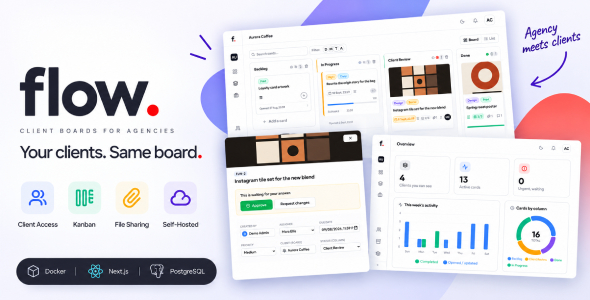
Flow | Client Portal and Kanban Project Management for Agencies Flow | Client Portal and Kanban Project Management for Agencies is a...
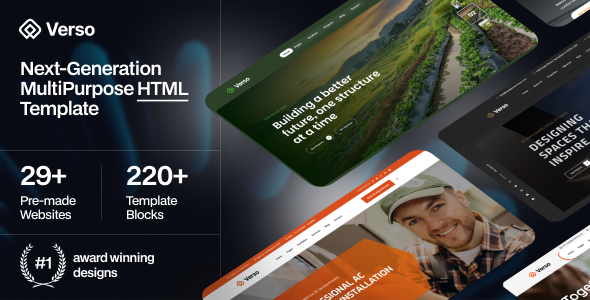
Verso - Multipurpose HTML Template Verso - Multipurpose HTML Template is a versatile website template designed for businesses, creative agencies, startups, freelancers,...
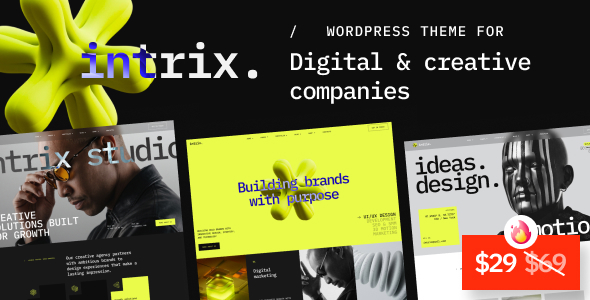
Intrix - Digital & Creative Agency WordPress Theme Intrix - Digital & Creative Agency WordPress Theme is a premium Digital & Creative...
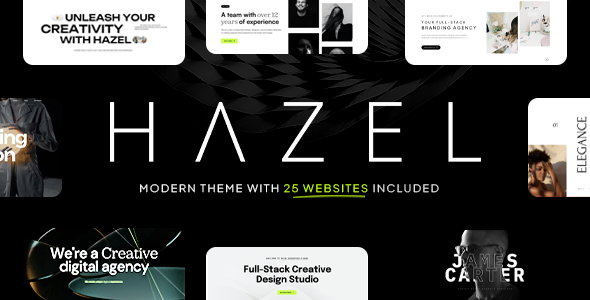
Hazel – Creative Agency Multi-Purpose WordPress Theme Hazel is a modern, creative, and versatile Creative Agency Multi-Purpose WordPress Theme designed for agencies,...
