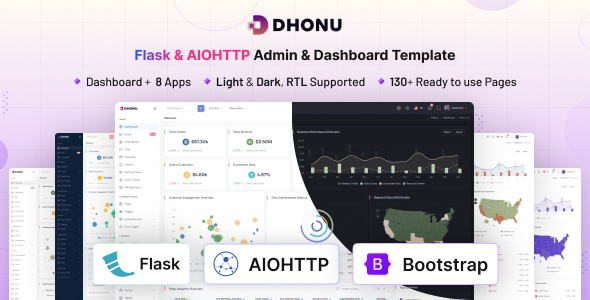
Dhonu – Flask & AIOHTTP Minimal Admin & Dashboard Template is a modern dashboard template designed for developers who want to build clean, organized, and responsive administrative interfaces using Python-based web technologies. Combining a minimal design approach with a development environment centered on Flask and AIOHTTP, Dhonu provides a practical starting point for creating admin panels, internal management systems, analytics interfaces, and web application dashboards. Its streamlined presentation helps keep the user interface clear and manageable, making it suitable for projects where functionality, readability, and efficient navigation are important.
Whether you are developing a business management platform, a data monitoring interface, a SaaS administration panel, or an internal company tool, Dhonu can help simplify the initial interface development process. Instead of creating every dashboard component and page layout from scratch, developers can use the template as a foundation and customize it according to their project’s requirements. Its minimal styling is especially useful for applications that need a professional appearance without excessive visual decoration.
Dhonu focuses on a clean administrative interface that can support a wide variety of web applications. Minimal dashboard design prioritizes clarity, consistent spacing, readable typography, and organized content presentation. These principles help users navigate complex interfaces and locate important information without unnecessary distractions.
Administrative dashboards often contain multiple sections, including summaries, records, reports, settings, and management tools. A well-organized layout makes it easier to present this information in a structured way. Dhonu offers a starting point for developers who want to build an interface that feels professional while remaining practical for everyday administrative tasks.
The minimal design direction can also be adapted to different business identities. Developers can adjust colors, typography, spacing, navigation elements, and component styling to create a dashboard that aligns with their application’s branding. Depending on the included layouts and assets, the template may also serve as a foundation for developing a consistent visual language across multiple application screens.
Flask is a lightweight Python web framework commonly used to build web applications, APIs, prototypes, and custom backend systems. Its flexible architecture allows developers to choose the libraries, database systems, authentication methods, and application structures that best fit their projects.
Dhonu is designed for Flask-oriented development, making it relevant to developers who prefer Python when building web applications. A dashboard template can help reduce the amount of time spent establishing the initial interface and allow developers to focus more attention on application-specific functionality.
Flask-based projects can range from small administrative utilities to larger business platforms. For example, developers may use a dashboard interface as the foundation for an inventory management application, a customer management portal, a reporting tool, or an internal operations system.
The backend logic must still be implemented according to the project’s requirements. Database connectivity, user authentication, permissions, business rules, and API integrations depend on the supplied source code and the developer’s configuration. Before deployment, review the official product documentation to understand exactly which backend components and example implementations are included.
AIOHTTP is a Python library used for asynchronous HTTP client and server development. It can be useful in applications that need to handle network communication asynchronously, work with external services, or build HTTP services using Python’s asynchronous programming capabilities.
The inclusion of AIOHTTP in the product title makes Dhonu relevant to developers exploring asynchronous web application architectures alongside Flask-based development. Depending on the template’s actual implementation, the available files may support a particular development workflow or provide examples that developers can extend for their own applications.
Asynchronous programming can be beneficial when an application performs many network-bound operations, such as requesting data from APIs or communicating with external services. However, the appropriate architecture depends on the application’s requirements, framework compatibility, and execution model. Flask and AIOHTTP have different design approaches, so developers should verify how the product organizes these technologies rather than assuming that both operate as one interchangeable framework.
An admin dashboard is often the central interface through which administrators review information, manage records, and monitor application activity. Dhonu can serve as a starting point for a variety of dashboard-oriented projects, provided the selected layouts and components match the intended use case.
Potential applications include:
These are potential implementation scenarios rather than a guarantee that every listed business feature is included in the template.
Navigation is a central part of any administrative application. As projects grow, users may need to move between dashboards, reports, records, configuration pages, and other management sections. A logical navigation structure helps maintain consistency and reduces the effort required to complete routine tasks.
Dhonu’s minimal dashboard approach can provide a useful foundation for organizing these sections. Developers can adapt the navigation hierarchy to reflect their application’s modules, user roles, and operational workflows.
For larger projects, navigation should be designed around the most common user tasks. Frequently used sections should be easy to locate, while less frequently accessed configuration options can be grouped into appropriate categories. Clear labels, consistent layouts, and predictable page structures can make the interface easier to maintain as new features are introduced.
The precise navigation components and page layouts available in Dhonu should be confirmed against the supplied demo and product documentation.
Every application has different interface requirements. A dashboard for a financial reporting tool may need to emphasize figures and trends, while an inventory application may focus on tables, status indicators, and record management. Customization allows developers to adapt a common interface foundation to these different scenarios.
Depending on the included source files and implementation, developers may be able to customize:
The extent of customization depends on the actual template files, available components, and supporting dependencies. Review the source code before planning major interface changes or integrating additional frontend libraries.
Modern administrative tools may be accessed from desktop computers, laptops, tablets, and mobile devices. Responsive design helps an interface adapt to different screen dimensions while maintaining usability.
For a dashboard, responsiveness is particularly important because administrative pages frequently contain dense information, navigation menus, forms, and data tables. A layout that works well on a desktop may need adjustments on smaller screens to prevent horizontal overflow and keep essential controls accessible.
Dhonu can be evaluated as a foundation for responsive dashboard development. Developers should test its actual layouts across common viewport sizes and adjust table behavior, navigation, spacing, and component dimensions where necessary. The product’s verified responsive capabilities should be checked in the official preview and documentation.
Many dashboard applications need to present operational data in a form that is easy to understand. Summary cards, tables, charts, and status indicators can help administrators identify trends, review performance, and make informed decisions.
Dhonu may be adapted for these reporting workflows when the required components or integrations are available. For example, a business dashboard could display sales summaries, an operations panel could show task statuses, or an analytics interface could present trends over time.
A working reporting system requires more than a visual layout. Developers must connect the interface to a suitable data source, process information correctly, handle empty or invalid responses, and select appropriate visualization methods. Any charting libraries, sample datasets, or preconfigured reporting components should be verified in the product package before purchase.
A structured development workflow makes dashboard projects easier to maintain and extend. Developers working with Python applications typically need to configure dependencies, establish the project environment, organize source files, and prepare the application for local development and deployment.
Depending on the supplied package, Dhonu may provide a starting structure that developers can adapt to their preferred workflow. A typical setup process involves reviewing the documentation, checking the supported Python version, installing the required packages, configuring environment variables, and launching the application according to the provided instructions.
For projects that use databases, developers should also configure database connections, define appropriate data models, and establish a migration process where required. External API credentials and sensitive configuration values should be stored securely rather than embedded directly in public source files.
The exact installation commands, dependency requirements, supported versions, and deployment instructions must be taken from the official documentation accompanying the template.
Administrative dashboards frequently provide access to sensitive information or operational controls. Security should therefore be considered from the beginning of development rather than added only before launch.
Developers should implement appropriate authentication, authorization, input validation, session management, error handling, and logging based on the application’s purpose. Access permissions should be enforced on the server side, and sensitive information should not be exposed through frontend code or error messages.
Applications that use asynchronous HTTP requests or external APIs should also handle timeouts, failed requests, invalid responses, and unexpected service behavior. Dependencies should be reviewed and maintained, and production configuration should be separated from development settings.
Dhonu should be treated as a development foundation, not as an automatic guarantee of production security. Confirm which security features are supplied and implement any additional controls required by your project.
Dhonu is suitable for developers and teams who want a minimal administrative interface as a starting point for Python-oriented web projects.
Python developers can evaluate it when building custom applications and internal tools. Web development agencies may use a dashboard template to establish a consistent interface before implementing project-specific functionality. SaaS founders and product teams can consider it when developing administrative screens for a new service. Students and independent developers may also find a structured dashboard useful when learning how to organize a web application’s interface and backend integration.
It can be particularly relevant when the project requires a clean administrative experience and the developer wants to spend less time establishing the initial layout. The best fit depends on the template’s actual implementation, framework compatibility, included components, and documentation.
Before integrating Dhonu into a new or existing application, review the official product information and confirm the following details:
These checks help ensure that the template aligns with your technical stack and project expectations.
Dhonu – Flask & AIOHTTP Minimal Admin & Dashboard Template offers a potential starting point for developers who want to create clean administrative interfaces using Python-oriented web technologies. Its minimal design direction can help establish a professional foundation for business dashboards, internal management tools, reporting interfaces, and custom web applications.
By adapting the available layouts, integrating the required backend services, and implementing appropriate security and data-handling practices, developers can build a dashboard experience tailored to their application’s needs. Whether you are prototyping a new product or establishing the administrative interface for a larger Python project, Dhonu is worth evaluating as a foundation for a structured and maintainable development workflow.
Review the official preview, source files, compatibility information, and documentation to confirm the exact features and technical requirements before integrating the template into your project.
1. All digital products are the most recent version, with no possibility of free updates. After payment, you can request an update to the most recent version for 5 days if a new version is released. We free support within 5 days.
2. If a license is required (Excludes WHMCS license , we provide only method not license), please contact us via email or ticket for assistance with activation. Our license is only valid for activation and does not include support.
3. We provide Mobile, PHP script installation services for $19.90 / ₹1700. Please create a backup after installation as we do not support re-installation. For mobile app source code, we do not offer installation services.
4. If you have any questions, please contact us by email [email protected] or create a ticket on this page
5. Please note that any digital products presented on the website do not contain malicious code, viruses or advertising. You will receive the original files from the developers. We do not sell any products that have been downloaded from other websites.
6. The response time can last up to 6 hours.
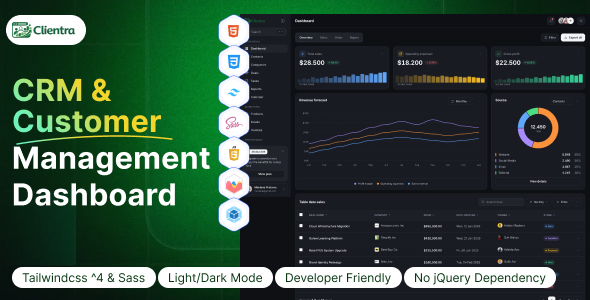
Clientra - CRM & Customer Management Dashboard HTML Template Clientra - CRM & Customer Management Dashboard HTML Template is a modern and...
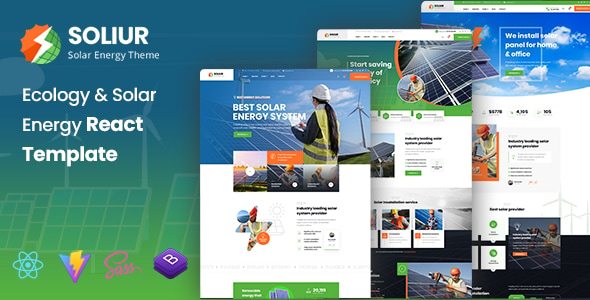
Soliur - Ecology & Solar Energy React Template Soliur - Ecology & Solar Energy React Template is a modern, sustainable, and professionally...
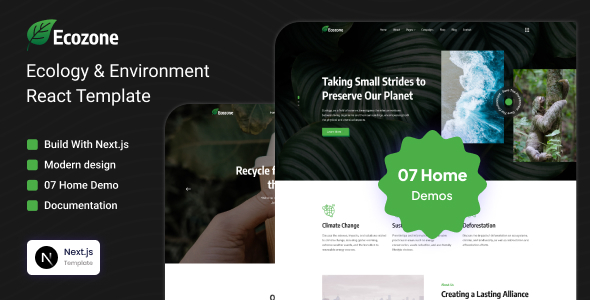
Ecozone – Ecology & Environment Next.js Template Ecozone is a modern, clean, and nature-inspired Ecology & Environment Next.js Template designed for environmental...
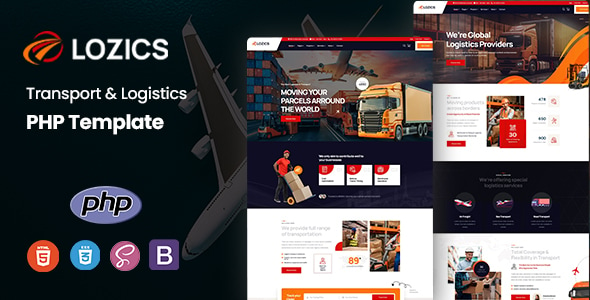
Lozics - Transport & Logistics PHP Template Lozics - Transport & Logistics PHP Template is a professional, modern, and feature-rich PHP website...
