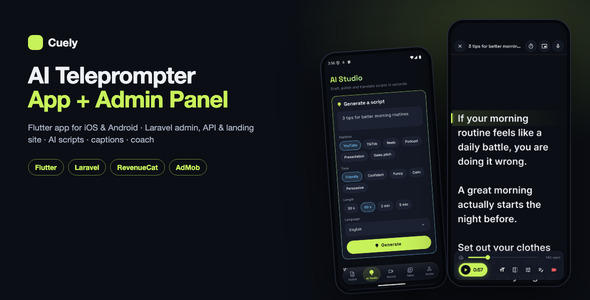
Cuely | Flutter App AI Teleprompter With Admin Panel is a mobile application solution designed for developers, content creators, influencers, educators, presenters, and businesses looking to build an AI-assisted teleprompter platform. Combining a Flutter-based mobile application with an administrative panel, Cuely provides a foundation for creating a professional teleprompter experience where users can prepare scripts, organize speaking content, and follow on-screen text while recording videos, delivering presentations, or producing other spoken content.
Designed for modern mobile workflows, this solution can help streamline script preparation and presentation activities. Its AI-oriented positioning makes it suitable for projects that aim to introduce intelligent content assistance into the teleprompter experience. Whether you want to develop a dedicated teleprompter application, launch a creator-focused mobile product, or customize an existing application concept, Cuely offers a starting point for building a branded mobile solution.
A teleprompter application helps speakers read prepared scripts while maintaining a natural speaking flow. Instead of memorizing long paragraphs or repeatedly looking away from the camera, users can follow scrolling text displayed on their device.
Cuely is designed around this type of experience, making it relevant to several professional and personal use cases. Content creators can use a teleprompter workflow when preparing social media videos, YouTube content, product demonstrations, tutorials, and promotional presentations. Teachers and trainers can organize lesson scripts, while business professionals can prepare speeches, announcements, and presentations.
The AI-focused concept also creates opportunities to extend the application with intelligent writing assistance, script refinement, content generation, or other AI-powered capabilities, depending on the modules and integrations included in the original package.
Cuely is built around Flutter, Google’s cross-platform application development framework. Flutter allows developers to create mobile applications using a shared codebase, helping reduce the effort involved in maintaining separate Android and iOS projects.
This approach is useful for businesses planning to reach users across multiple mobile platforms while maintaining a consistent application experience. Developers can customize the interface, branding, navigation, and application workflows to suit their business requirements.
The Flutter source project can also provide a foundation for future enhancements, depending on the included architecture and dependencies. Before deployment, developers should review the supplied configuration and verify compatibility with their selected Flutter SDK version, Android development environment, and iOS toolchain.
Script preparation is an important part of any teleprompter workflow. Users need a convenient way to create and organize the text they intend to read during a recording or presentation.
Cuely is suitable for building a script-management experience where users can prepare speaking material for different purposes. Organized scripts can make it easier to manage multiple projects, separate professional and personal content, and return to previously prepared material.
A customized implementation may include script creation, editing, saving, updating, and deletion workflows, depending on the functionality supplied with the project. These capabilities can be adapted to support different types of users, from individual creators to teams producing content regularly.
The central purpose of a teleprompter is to make reading prepared content easier while speaking. A well-designed reading interface should help users concentrate on the camera, audience, or presentation instead of constantly managing their script manually.
Cuely provides a starting point for developing this type of focused reading experience. Depending on the included functionality, the application may support adjustable text presentation and scrolling controls to help users follow their scripts comfortably.
For a customized teleprompter product, developers can consider additional options such as font-size adjustment, text alignment, scrolling speed, background contrast, screen orientation, and reading-position controls. These options can help accommodate different recording environments and personal reading preferences.
AI functionality can make a teleprompter application more useful by helping users prepare and improve their speaking content. Rather than treating scripts as static text, an AI-enabled application can be extended to support a more interactive content preparation process.
Depending on the AI modules included in Cuely, developers may be able to integrate services for generating scripts, rewriting paragraphs, improving readability, summarizing content, or adapting text for different audiences.
External AI integrations typically require API credentials, provider configuration, and appropriate usage permissions. Some services may also involve subscription charges or usage-based billing. Therefore, the exact AI capabilities should be verified against the included source code and documentation before launching the application commercially.
An administrative panel gives platform owners a centralized place to manage and monitor the application. It can make routine operational tasks easier and provide a foundation for managing users and other platform information.
Cuely includes an admin panel as part of its product concept, making it suitable for projects that need both a mobile application and an administration interface.
Depending on the supplied modules, administrative functionality may cover areas such as:
The actual administrative modules, permissions, and management capabilities depend on the delivered implementation. Developers should review the project documentation to identify the exact features included.
A teleprompter application can serve a broad range of users who regularly communicate through video, presentations, or recorded speech.
YouTubers and Video Creators: Prepare scripts for tutorials, product reviews, educational videos, and channel updates.
Influencers and Social Media Managers: Organize speaking content for short-form videos, promotional campaigns, and brand collaborations.
Businesses and Marketing Teams: Prepare product demonstrations, advertisements, company announcements, and internal presentations.
Teachers and Online Educators: Follow structured lesson scripts while recording lectures or delivering online classes.
Public Speakers: Prepare speeches, event introductions, conference presentations, and professional announcements.
Coaches and Trainers: Create structured content for training sessions, webinars, and instructional videos.
These use cases make Cuely a useful foundation for businesses exploring the creator tools and productivity application market.
Businesses often need a mobile application that reflects their own brand identity rather than a generic third-party product. A customizable Flutter project can help developers adapt the application to their intended audience and business model.
Possible customization areas include application name, logo, brand colors, typography, icons, onboarding screens, navigation structure, and other supported interface elements.
Developers can also explore additional features such as subscription plans, premium access, usage limits, saved script collections, and account management. These enhancements may require additional backend development, payment integration, or third-party services if they are not included in the original package.
Cuely can serve as a foundation for a commercial teleprompter application or a subscription-oriented creator productivity service.
Possible monetization strategies include:
Payment processing, subscription management, billing, and entitlement controls may require additional integrations unless they are explicitly included in the delivered project.
The Flutter application and administrative panel should be configured according to the supplied technical documentation. Developers should inspect the project structure, required packages, environment variables, API endpoints, and backend dependencies before beginning customization.
A typical implementation process may involve:
For iOS distribution, access to the required Apple development tools and signing configuration is necessary. Android release builds also require appropriate application signing and store configuration.
Cuely brings together the concept of a Flutter teleprompter application, AI-assisted functionality, and an administrative panel in one development-oriented solution. It can help reduce the initial work involved in establishing a mobile teleprompter product and provide a foundation for customization.
Its potential advantages include:
Cuely | Flutter App AI Teleprompter With Admin Panel is a development solution for businesses and developers interested in creating an AI-assisted mobile teleprompter application. With its Flutter-based approach and accompanying administrative interface, it offers a starting point for building a platform aimed at content creators, educators, presenters, influencers, and professional users.
Whether you plan to launch a branded teleprompter app, develop a creator productivity platform, or expand an existing mobile application portfolio, Cuely provides a foundation that can be evaluated and customized according to your requirements.
Note: Please review the official product documentation before purchasing or deploying. Confirm the included Flutter source code, admin panel modules, AI integrations, backend requirements, platform compatibility, and any external API credentials or service costs.
1. All digital products are the most recent version, with no possibility of free updates. After payment, you can request an update to the most recent version for 5 days if a new version is released. We free support within 5 days.
2. If a license is required (Excludes WHMCS license , we provide only method not license), please contact us via email or ticket for assistance with activation. Our license is only valid for activation and does not include support.
3. We provide Mobile, PHP script installation services for $19.90 / ₹1700. Please create a backup after installation as we do not support re-installation. For mobile app source code, we do not offer installation services.
4. If you have any questions, please contact us by email [email protected] or create a ticket on this page
5. Please note that any digital products presented on the website do not contain malicious code, viruses or advertising. You will receive the original files from the developers. We do not sell any products that have been downloaded from other websites.
6. The response time can last up to 6 hours.
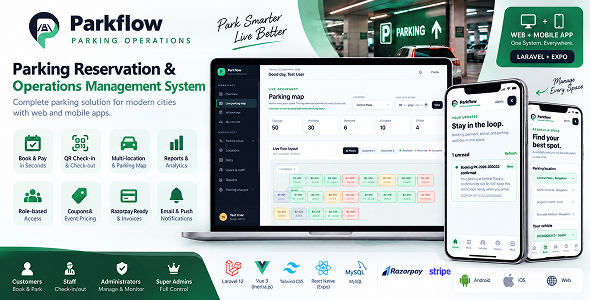
ParkFlow | Parking Reservation and Operations Management System Laravel and React Native Simplify parking operations and deliver a convenient reservation experience with...
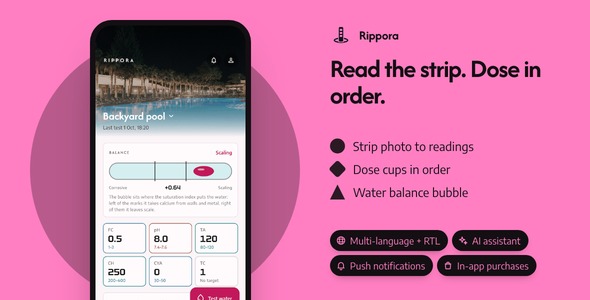
Rippora | AI Pool Water Test and Dosing App With Laravel Key Proxy Rippora | AI Pool Water Test and Dosing App...
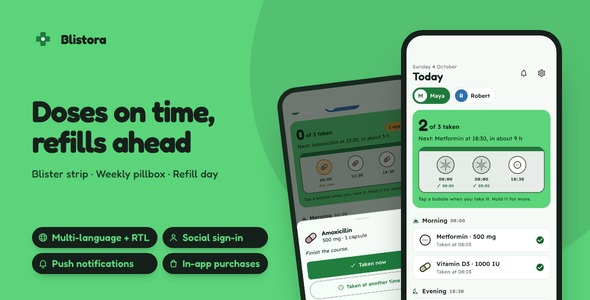
Blistora | Flutter Medication Reminder and Refill Tracker App With Laravel Cloud Backup Blistora | Flutter Medication Reminder and Refill Tracker App...
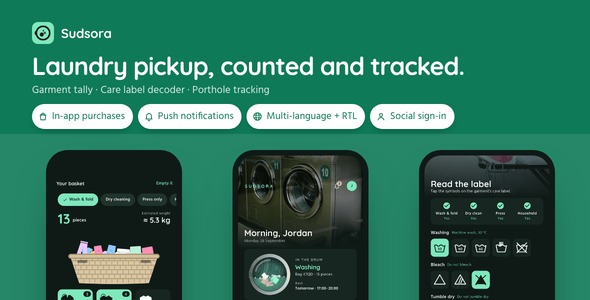
Sudsora | Flutter Laundry and Dry Cleaning App with Laravel Admin Simplify laundry services, streamline pickup requests, and manage cleaning orders with...
