
Chimpjar AccessiWidget – WordPress Web Accessibility Plugin is an accessibility-focused solution designed to help WordPress website owners make their websites more convenient and inclusive for visitors with different accessibility needs. It aims to provide an additional layer of accessibility support through an interactive widget that can help users adjust aspects of their browsing experience.
Website accessibility is an important part of modern web development. Visitors may have different visual, cognitive, motor, or reading requirements, and a website that is difficult to navigate can create unnecessary barriers. Clear content presentation, readable typography, accessible navigation, and adaptable interface elements can help improve the overall user experience.
Chimpjar AccessiWidget is intended to help website administrators introduce accessibility-related controls without rebuilding their entire website. By adding a dedicated accessibility widget to a WordPress website, businesses can explore additional ways to make website content easier to interact with and navigate.
Chimpjar AccessiWidget is a WordPress web accessibility plugin designed to support a more accessible browsing experience. Its widget-based approach can provide visitors with an interface for accessing available accessibility options.
For example, visitors may benefit from tools that improve text readability, adjust visual presentation, or make website content easier to navigate. These types of controls can be particularly useful for users who prefer different display settings when browsing websites.
The plugin is intended for WordPress website owners who want to incorporate accessibility support into their existing websites. It can be considered for business websites, blogs, online stores, educational platforms, service websites, and other WordPress-powered projects.
The exact accessibility controls, customization options, supported adjustments, and widget behavior depend on the plugin’s actual implementation and version.
1. Accessibility Widget Integration
Chimpjar AccessiWidget focuses on adding an accessibility-oriented widget to a WordPress website. A dedicated widget can provide visitors with a central place to access available accessibility settings.
This approach can make accessibility controls easier to discover without requiring visitors to search through different website pages.
2. Improved Reading Experience
Readable content is an important part of accessible website design. Accessibility tools may provide options for adjusting text presentation, helping visitors interact with website content more comfortably.
Depending on the supported controls, users may be able to customize aspects of text visibility and readability.
3. Visual Accessibility Options
Some visitors benefit from alternative visual presentation settings when browsing websites. Accessibility widgets can provide controls that help users adjust supported display characteristics according to their preferences.
Such options may be useful for visitors who experience difficulty distinguishing certain colors, reading low-contrast text, or viewing specific visual elements.
4. User-Friendly Accessibility Controls
A well-organized accessibility interface can help visitors discover and use available settings more easily.
Chimpjar AccessiWidget is designed around a widget-based experience, giving website owners a way to introduce accessibility-related controls without requiring visitors to understand technical website settings.
5. WordPress Integration
The plugin is designed for WordPress websites, making it relevant to website owners who use WordPress as their content management platform.
It can be considered for different types of websites, including business pages, blogs, portfolios, service websites, and eCommerce stores.
6. Support for Inclusive Website Experiences
Accessibility is not limited to one type of visitor or disability. Different people interact with websites in different ways, and additional accessibility controls can help accommodate a wider range of browsing preferences.
A dedicated accessibility widget can complement existing website accessibility improvements.
7. Customization and Website Presentation
Accessibility widgets generally need to fit naturally into a website’s existing design. Depending on the plugin’s configuration options, administrators may be able to customize aspects of the widget’s appearance or placement.
Users should review the available settings to understand how the widget can be adapted to their website layout and branding.
8. Additional Accessibility Support for Existing Websites
Website owners do not always need to redesign their entire website to begin improving accessibility. An accessibility plugin can provide an additional set of tools as part of a broader improvement strategy.
However, a widget should complement accessible website development rather than replace it.
Make Websites More Inclusive
A website should provide a usable experience for as many visitors as reasonably possible. Accessibility-oriented controls can help visitors with different needs interact with website content more comfortably.
Give Visitors More Control
Different users may prefer different visual and reading settings. A widget can allow visitors to access supported adjustments according to their individual preferences.
Improve Content Readability
Website content should be easy to read and understand. Accessibility tools can help improve the browsing experience for visitors who need alternative text presentation or visual adjustments.
Support Better Website Usability
Accessibility improvements can also benefit visitors who are browsing in challenging conditions, such as using smaller screens, experiencing poor lighting, or navigating websites with limited device capabilities.
Complement Existing WordPress Design
The widget-based approach allows website administrators to explore accessibility enhancements within their existing WordPress setup, subject to theme and plugin compatibility.
Support Business Reputation
Demonstrating a commitment to accessibility can reflect positively on a business’s approach to customer experience and inclusive website design.
1. Business Websites
Companies can consider Chimpjar AccessiWidget as an additional accessibility tool for their corporate websites. It may help visitors interact with service descriptions, company information, and contact pages.
2. WooCommerce Stores
Online stores serve customers with different browsing preferences and accessibility requirements. An accessibility widget can complement improvements to product pages, navigation, shopping carts, and checkout interfaces.
3. Educational Websites
Schools, training providers, and educational platforms can explore accessibility tools to support visitors accessing learning resources, course information, and educational content.
4. Blogs and Content Websites
Blogs and publishing platforms often contain large amounts of written information. Readability-focused accessibility controls can help improve the experience of visitors who regularly consume long-form content.
5. Government and Public Information Websites
Public information websites need to communicate important information to diverse audiences. Accessibility should be an essential part of their design and content management strategy.
6. Healthcare Websites
Medical clinics, hospitals, and healthcare providers can consider accessibility improvements to make service information, appointment details, and patient resources easier to access.
7. Agency and Client Websites
WordPress developers and digital agencies can explore accessibility plugins as part of their website improvement projects. They should also evaluate the accessibility of the underlying website rather than relying exclusively on a widget.
A typical implementation begins with an existing WordPress website. The administrator installs and activates Chimpjar AccessiWidget according to the supplied installation instructions.
After activation, the available widget settings can be configured to suit the website’s presentation and accessibility requirements. Depending on the plugin’s supported options, administrators may be able to adjust its appearance, placement, or available visitor controls.
Visitors can then interact with the widget through the website’s frontend and use the accessibility options provided by the plugin.
The exact installation procedure, available controls, and configuration workflow should be confirmed through the official product documentation.
Installing an accessibility widget does not automatically make a website fully accessible or legally compliant. Accessibility depends on the entire website, including its HTML structure, navigation, forms, images, documents, interactive components, and third-party integrations.
For a more comprehensive accessibility strategy, website owners should consider the following:
Website owners should also evaluate relevant accessibility standards, such as WCAG, and applicable legal requirements for their region and industry.
An accessibility widget can be a useful supplementary tool, but it should not be treated as a replacement for accessible design, development, content practices, and regular accessibility testing.
Before installing Chimpjar AccessiWidget on a live website, review the official documentation and verify the following:
It is recommended to test the widget on desktop, tablet, and mobile devices. Website administrators should also verify that accessibility settings do not interfere with navigation menus, forms, checkout processes, or other important interactive elements.
Chimpjar AccessiWidget can be considered by:
It is particularly relevant to organizations that want to introduce additional visitor-facing accessibility controls as part of a wider website accessibility strategy.
Accessibility should be considered an essential part of website usability rather than an optional design enhancement. Visitors interact with websites using different devices, assistive technologies, and personal browsing preferences. Providing a more adaptable interface can help make online information easier to access.
Chimpjar AccessiWidget offers a widget-based approach to introducing accessibility-related functionality into WordPress websites. It can complement existing accessibility improvements by providing visitors with access to the controls supported by the plugin.
For businesses and website administrators, it offers an opportunity to make accessibility part of their ongoing website management process. Combining such tools with proper development practices, accessible content, and regular testing can contribute to a more inclusive online experience.
Chimpjar AccessiWidget – WordPress Web Accessibility Plugin is designed to help WordPress website owners introduce an accessibility-focused widget and provide visitors with additional options for interacting with website content.
Whether you manage a business website, WooCommerce store, educational platform, healthcare website, or content publishing platform, accessibility improvements can help create a more inclusive browsing experience. Chimpjar AccessiWidget can be considered as one component of that effort.
For website owners looking to improve accessibility within their existing WordPress environment, this plugin provides a solution worth exploring. Review its supported controls, compatibility requirements, and configuration options, and combine it with comprehensive accessibility testing to build a website that is more usable for everyone.
1. All digital products are the most recent version, with no possibility of free updates. After payment, you can request an update to the most recent version for 5 days if a new version is released. We free support within 5 days.
2. If a license is required (Excludes WHMCS license , we provide only method not license), please contact us via email or ticket for assistance with activation. Our license is only valid for activation and does not include support.
3. We provide Mobile, PHP script installation services for $19.90 / ₹1700. Please create a backup after installation as we do not support re-installation. For mobile app source code, we do not offer installation services.
4. If you have any questions, please contact us by email [email protected] or create a ticket on this page
5. Please note that any digital products presented on the website do not contain malicious code, viruses or advertising. You will receive the original files from the developers. We do not sell any products that have been downloaded from other websites.
6. The response time can last up to 6 hours.
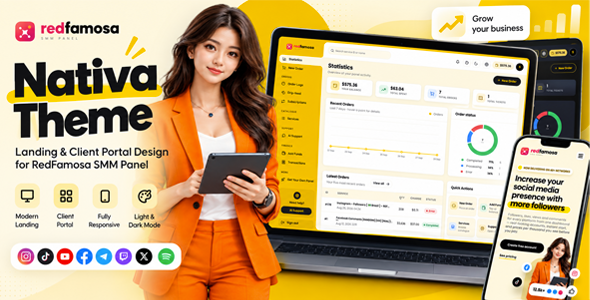
Nativa Theme - Landing & Client Portal Design for RedFamosa SMM Panel Nativa Theme is a modern and professionally designed landing page...
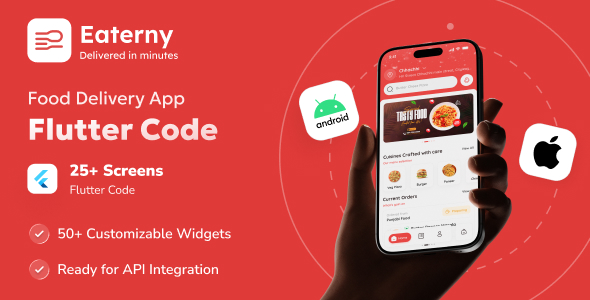
Eaterny | Food Delivery and Restaurant Flutter App UI Template Eaterny | Food Delivery and Restaurant Flutter App UI Template is a...
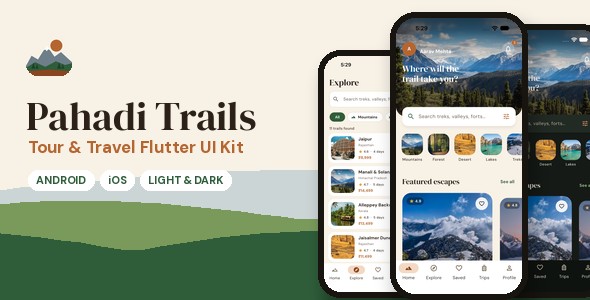
Pahadi Trails | Tour and Travel Flutter UI Kit Create an engaging travel booking experience with Pahadi Trails | Tour and Travel...
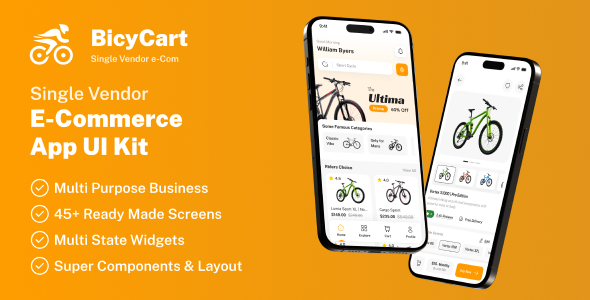
BicyCart | Single Vendor eCommerce Flutter App UI Template BicyCart | Single Vendor eCommerce Flutter App UI Template is a modern mobile...
