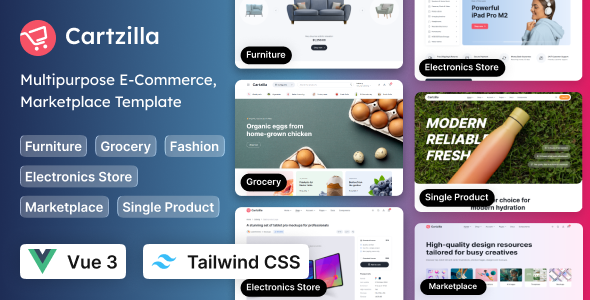
Cartzilla – Multipurpose E-Commerce Vue 3 Template (Tailwind CSS) is a modern front-end template designed for developers, startups, entrepreneurs, and businesses looking to build attractive and responsive e-commerce websites. Combining the flexibility of Vue 3 with the utility-first styling approach of Tailwind CSS, Cartzilla provides a practical foundation for creating online shopping experiences across a wide range of industries. Whether you are planning a fashion store, electronics marketplace, home décor shop, beauty products website, lifestyle store, or general online retail platform, this template can help streamline the development process and establish a professional visual identity for your e-commerce project.
With its focus on reusable interface elements, responsive layouts, and a structured front-end development workflow, Cartzilla can serve as a starting point for building shopping interfaces that are visually appealing and easier to customize. Developers can adapt its design to match different brand identities, product categories, and business requirements while working within the Vue 3 ecosystem and using Tailwind CSS for styling.
A successful online store needs more than a product grid. It requires a clear visual hierarchy, intuitive navigation, accessible shopping controls, and a consistent design that helps customers explore products comfortably. Cartzilla offers a modern design foundation that can be adapted to these requirements.
The template is suitable for creating storefronts with organized product sections, promotional content, category navigation, and product-focused layouts. Depending on the layouts included in the package, developers may be able to customize homepage sections, product displays, banners, and other common e-commerce interface elements to suit their specific business model.
Its multipurpose approach makes it useful for businesses that want to establish a distinctive storefront without designing every interface component from scratch. Colors, typography, spacing, imagery, and content can be adjusted to create a consistent shopping experience that aligns with the brand.
Vue 3 is a modern JavaScript framework used to build interactive user interfaces and component-based applications. Cartzilla uses Vue 3 as its front-end foundation, making it a relevant option for developers who prefer a structured, reusable approach to developing web interfaces.
Vue’s component-based architecture allows interface elements to be organized into manageable parts. Depending on the supplied project structure, developers can adapt individual components, reuse common interface patterns, and organize the codebase around the needs of the application.
This approach can be useful when building e-commerce experiences with multiple pages, product categories, navigation elements, and interactive controls. It also provides a foundation for connecting the front end to APIs, product data services, authentication systems, or a separate e-commerce backend when those integrations are implemented.
For development teams already familiar with Vue, Cartzilla can help provide a starting structure that fits into their existing workflow. Developers should review the included source files and package documentation to confirm the exact Vue version, dependencies, scripts, and build configuration.
Cartzilla uses Tailwind CSS, a utility-first CSS framework that allows developers to style interfaces through composable utility classes. Rather than relying exclusively on large, predefined stylesheet rules, developers can use Tailwind’s styling approach to control spacing, typography, colors, borders, alignment, and responsive behavior.
This makes it convenient to tailor the visual appearance of a storefront to specific project requirements. A business can adjust its primary colors, create consistent spacing patterns, refine product cards, or modify navigation layouts without having to redesign the entire interface.
Tailwind CSS is especially useful for teams that want a consistent design language across multiple pages. When used with reusable Vue components, styling decisions can be maintained more efficiently across repeated interface elements.
The exact Tailwind CSS version and configuration should be verified in the included documentation. Any customization should follow the configuration and conventions provided with the downloaded template.
Different online businesses require different shopping experiences. A fashion retailer may prioritize product photography and collection browsing, while an electronics store may emphasize specifications, comparison information, and promotional campaigns. A home décor shop may need spacious product layouts and editorial imagery.
Cartzilla can be adapted to a variety of online retail concepts, including:
These are potential applications rather than a guarantee of prebuilt industry-specific pages. The available page layouts and components depend on the actual template package.
Customers may visit an online store using desktop computers, laptops, tablets, or smartphones. A responsive interface helps maintain usability as screen dimensions change, allowing visitors to browse products and interact with navigation elements on different devices.
Cartzilla’s front-end design can be used to create layouts that adapt to different viewport sizes. Tailwind CSS provides responsive styling utilities that developers can use to adjust grids, spacing, typography, and element visibility across breakpoints.
When customizing the template, developers should test product listings, navigation menus, promotional banners, forms, and other interactive elements on both small and large screens. Product images should retain appropriate proportions, text should remain readable, and essential controls should be easy to access on touch devices.
Responsive behavior is an important part of the implementation process, so the finished website should be tested across the browsers and devices relevant to its intended audience.
Product discovery is a core part of an e-commerce website. Clear product listings help visitors compare available items, identify relevant categories, and navigate from general collections to individual product pages.
Cartzilla can provide a front-end starting point for organizing product-oriented layouts, depending on its included components. Developers can connect these layouts to product data and customize how items are displayed, including product imagery, titles, pricing information, descriptive text, and other fields supported by the implementation.
Category navigation can also be tailored to reflect the store’s catalog structure. For example, a large retailer may divide products into departments and subcategories, while a smaller store may focus on a few carefully organized collections.
Actual filtering, sorting, pagination, search, and product-data loading behavior should be confirmed in the supplied code. If these functions are not implemented in the template, they can be developed or connected to appropriate application services.
A product detail page helps customers understand an item before making a purchase. Depending on the supplied layouts, Cartzilla may provide a foundation for creating product pages that combine images, product information, pricing, selectable options, and calls to action.
Developers can adapt product page layouts to suit different types of merchandise. Apparel products may require size and color options, electronics may need technical specifications, and furniture may benefit from dimensions and material information.
The front end can be connected to a product catalog or backend service to display dynamic information. Features such as image galleries, stock status, variant selection, quantity controls, and related products should be implemented and tested according to the project’s requirements and the functionality provided by the template.
A well-organized product page can make information easier to understand and help establish a more consistent shopping experience.
Component reuse is an important advantage of a modern front-end framework. Instead of rebuilding common interface elements for every page, developers can organize repeated elements into reusable components and update them consistently.
Depending on its project structure, Cartzilla may support customization of common e-commerce interface patterns such as headers, navigation, product cards, content sections, buttons, and footer areas. Developers can review the included source code to understand how these elements are organized and determine which components can be reused or extended.
Reusable components can reduce duplicated code and make maintenance more manageable as the project grows. They can also help teams maintain a consistent appearance across different storefront pages.
The actual component structure, state-management approach, routing setup, and included utilities depend on the package. Reviewing the documentation before making substantial changes is recommended.
Modern storefronts often include interactive features that allow customers to browse, select, and manage products. Cartzilla’s Vue-based foundation can be used to develop these interactions as part of a complete e-commerce application.
Potential enhancements include search interfaces, category filters, product sorting, variant selection, wishlist controls, shopping cart updates, and interactive menus. The availability of any of these features in the downloaded package should be verified before relying on them.
Interactive elements need appropriate state handling and clear feedback. For example, adding a product to a cart should update the interface accurately, and selecting a product variant should reflect the selected option. Developers should also consider loading states, empty results, error messages, and accessibility when implementing these features.
A front-end template provides a visual and technical starting point, but a production-ready shopping experience may require additional application logic, backend services, and testing.
An e-commerce front end typically needs product information, inventory data, customer accounts, cart information, and order-processing functionality. Cartzilla can serve as a starting point for a Vue-based interface that connects to suitable backend services when the required integration work is completed.
Developers may connect the interface to REST APIs, GraphQL services, a custom Laravel backend, or another compatible commerce platform, depending on the project’s architecture. The appropriate integration method depends on the available APIs, authentication requirements, data structures, and business rules.
A complete online store may also require payment gateway integration, order management, inventory synchronization, customer account functionality, shipping calculations, and transactional notifications. These services should be implemented securely and tested independently.
Do not assume that a Vue template includes a complete e-commerce backend or ready-to-use payment processing. Confirm the product documentation and integration requirements before selecting it for a production project.
Brand consistency can help an online store look professional and recognizable. Cartzilla’s Vue 3 and Tailwind CSS foundation gives developers a practical starting point for adapting the interface to a particular business identity.
Customization may include:
The scope of customization depends on the supplied files and the developer’s implementation. Before launching the finished site, review all demonstration content, replace placeholder information, and verify that the design remains consistent across the complete customer journey.
Cartzilla may be useful for independent developers, freelancers, agencies, and development teams that want a starting point for an e-commerce front end. Using an existing template can reduce the amount of initial interface work and allow teams to focus more attention on business-specific functionality.
A typical workflow may include installing the required dependencies, reviewing the project structure, configuring the development environment, customizing the visual design, connecting data sources, and testing the finished application. Exact commands and requirements should be taken from the included README and package configuration.
Developers should also review dependency versions, build scripts, environment variables, and any configuration files before deploying the application. Keeping dependencies updated, protecting private API credentials, and following secure coding practices are important for long-term maintenance.
A polished storefront should be responsive, usable, and efficient. Performance can be improved by optimizing image sizes, avoiding unnecessary JavaScript work, reducing unused assets, and following appropriate code-splitting and caching strategies where supported by the application architecture.
Accessibility should also be considered throughout development. Navigation should work predictably, interactive controls should have meaningful labels, and text should remain readable against its background. Keyboard navigation and visible focus states can improve usability for a broader audience.
Before deployment, test the main shopping flows, including navigation, product browsing, form validation, mobile layouts, and any API-connected functionality. If cart, checkout, account, or payment features are added, test their behavior carefully in a suitable staging environment.
Actual performance depends on implementation quality, assets, dependencies, hosting, API response times, and the amount of functionality added to the project.
Cartzilla is suitable for developers and businesses looking for a Vue 3 and Tailwind CSS foundation for an e-commerce front end.
It may be a useful option for freelance web developers building storefronts for clients, agencies developing retail projects, startups preparing an online shopping interface, and established businesses modernizing their front-end experience. It can also support developers who want to learn from an existing e-commerce-oriented Vue project while customizing it for their own requirements.
Its value depends on how closely the included layouts and source structure match the intended project. Reviewing the live preview, package contents, documentation, and technical requirements before purchase can help determine whether it is the right fit.
Cartzilla – Multipurpose E-Commerce Vue 3 Template (Tailwind CSS) offers a modern starting point for developers who want to create customized online shopping interfaces using Vue 3 and Tailwind CSS. Its multipurpose positioning makes it relevant to a range of retail concepts, while its front-end technology stack supports component-based development and flexible visual customization.
From product listings and category layouts to branded storefront pages and API-connected shopping interfaces, Cartzilla can help establish the design foundation for an e-commerce project. Developers can extend that foundation with the business logic, backend integrations, security measures, and testing required for their specific application.
Before using the template in a live project, verify the included pages, components, dependencies, framework versions, licensing terms, and functional capabilities in the official product documentation. With appropriate customization and implementation, Cartzilla can become a useful foundation for building a professional, responsive, and brand-focused e-commerce experience.
1. All digital products are the most recent version, with no possibility of free updates. After payment, you can request an update to the most recent version for 5 days if a new version is released. We free support within 5 days.
2. If a license is required (Excludes WHMCS license , we provide only method not license), please contact us via email or ticket for assistance with activation. Our license is only valid for activation and does not include support.
3. We provide Mobile, PHP script installation services for $19.90 / ₹1700. Please create a backup after installation as we do not support re-installation. For mobile app source code, we do not offer installation services.
4. If you have any questions, please contact us by email [email protected] or create a ticket on this page
5. Please note that any digital products presented on the website do not contain malicious code, viruses or advertising. You will receive the original files from the developers. We do not sell any products that have been downloaded from other websites.
6. The response time can last up to 6 hours.
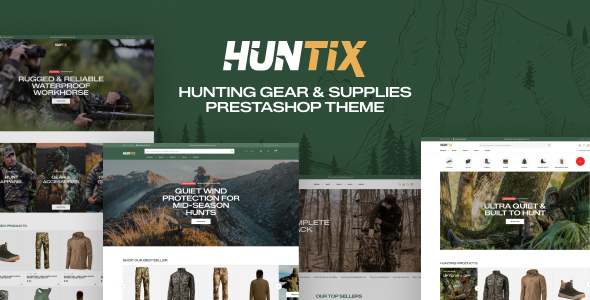
Leo Huntix Elementor – Hunting Gear & Supplies PrestaShop Theme Leo Huntix Elementor is a powerful and professionally designed PrestaShop theme created...
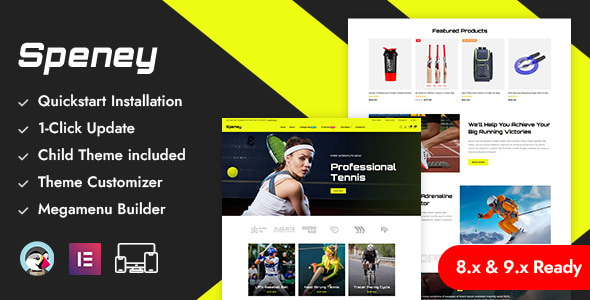
Speney - Sports Store Prestashop Responsive Theme Speney - Sports Store Prestashop Responsive Theme is a dynamic and professionally designed PrestaShop Responsive...
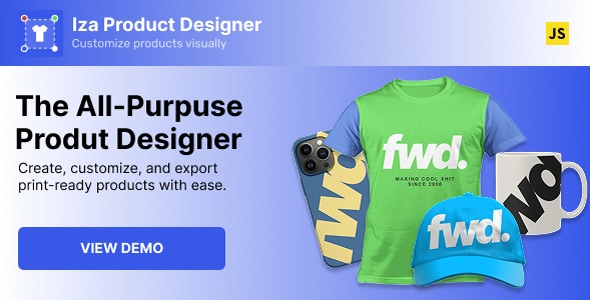
Iza JavaScript Product Designer Iza JavaScript Product Designer is a powerful web-based product customization solution that allows customers to design, personalize, and...
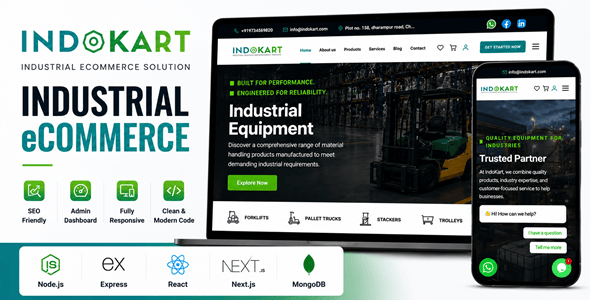
IndoKart | React Node.js eCommerce Platform With Admin Panel IndoKart is a modern and scalable eCommerce platform built with React and Node.js,...
