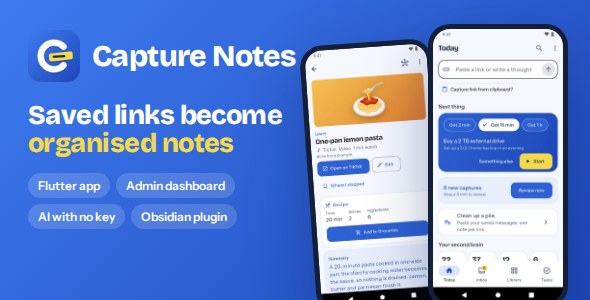
Capture Notes | AI Second Brain Mobile App With Admin Dashboard is a mobile application template designed for developers and businesses interested in building an AI-powered note-taking and personal knowledge management platform. Created around the concept of an AI second brain, this solution provides a starting point for developing an application that helps users capture ideas, organize information, and make their notes easier to revisit. With a mobile application and an administrative dashboard, Capture Notes can be considered by startups, SaaS entrepreneurs, software agencies, and developers looking to create a modern productivity solution.
In today’s digital environment, people collect information from meetings, personal reflections, research, tasks, and everyday experiences. Without an organized system, useful information can become difficult to find when it is needed. A second-brain application aims to provide a central place for storing and retrieving this knowledge, helping users turn scattered notes into a more structured personal information system.
Capture Notes is positioned for this productivity use case, combining a mobile-first concept with AI-oriented functionality. Depending on the features included in the original package, developers may be able to customize the app for personal note-taking, knowledge organization, intelligent search, and other productivity workflows. The accompanying admin dashboard can provide a foundation for managing supported application data and administrative settings.
An AI second brain is a digital system designed to help people capture, organize, and retrieve information more effectively. Instead of relying entirely on folders and manual searching, an AI-enabled knowledge application can use intelligent processing to make stored information easier to explore.
Capture Notes provides a starting point for developing this type of mobile experience. Users may be able to collect important thoughts, save useful information, and organize their personal knowledge within a centralized application, depending on the functionality included in the template.
Potential AI-powered workflows include summarizing long notes, identifying important points, generating concise descriptions, or helping users locate information through natural-language queries. These are common possibilities for AI productivity applications and should be verified against the actual features included in Capture Notes.
Developers should check whether AI functionality is already integrated, which providers or APIs are supported, and whether separate API keys or paid subscriptions are required.
A useful note-taking application should make capturing information quick and straightforward. Users often need to record an idea while traveling, save an important detail during a meeting, or write down a thought before it is forgotten.
Capture Notes is designed around a mobile productivity concept, making it a potential foundation for an application that supports convenient note creation and information management.
Depending on the included implementation, the mobile interface may be customizable to support note entry, content viewing, navigation, and other relevant workflows. Developers can adapt the visual design, typography, colors, icons, and supported screens to align with their product identity.
A well-designed mobile experience should prioritize readability, simple navigation, and clear actions. Users should be able to understand how to create, access, and manage their information without unnecessary complexity.
As a personal knowledge collection grows, organization becomes increasingly important. Notes can include meeting summaries, research findings, project ideas, reminders, reading notes, and personal reflections.
An AI second-brain application can help users maintain a more useful knowledge collection by combining organized storage with appropriate discovery tools. Depending on the template’s capabilities, developers may be able to support categories, tags, searchable notes, or other organizational features.
For example, a professional could organize information around projects and meetings, while a student could maintain separate collections for subjects, research, and study notes. Entrepreneurs could use the application to record business ideas, marketing plans, and important decisions.
The actual organization features available in Capture Notes should be confirmed in the source package. Additional capabilities may require modifications to the database, application interface, or backend services.
AI-assisted summarization can help users review lengthy information more efficiently. Instead of rereading an entire note, users may benefit from a shorter version that highlights the main ideas and important details.
Depending on the AI capabilities included in Capture Notes, developers could explore workflows for summarizing notes, extracting key points, improving text clarity, or transforming unstructured information into a more readable format.
These capabilities can be particularly useful for professionals who collect meeting notes, researchers working with large amounts of information, and students managing study materials.
AI-generated results should remain editable so users can correct errors, preserve important context, and retain their original information. Developers should also consider processing costs, response times, and data privacy when integrating external AI services.
AI features should not be assumed to be included simply because the product is positioned as an AI second-brain application. Buyers should review the official documentation to verify which features are implemented and which require additional development.
Capturing information is only one part of an effective second-brain system. Users also need to retrieve their notes when they become relevant.
Search functionality can help users find information by entering keywords, titles, or other supported criteria. More advanced AI search systems may allow users to ask questions in natural language and retrieve relevant information from their stored knowledge.
For example, a user might want to find notes related to a previous meeting, recall an idea recorded several weeks earlier, or review information associated with a particular project.
Depending on the included architecture, Capture Notes may serve as a foundation for implementing these workflows. Semantic search, embeddings, vector databases, and retrieval-augmented generation may require additional backend components or third-party services if they are not already provided.
Developers should confirm the available search capabilities and test how the application handles large collections of notes, incomplete queries, and relevant results.
The admin dashboard provides an administrative interface for managing the supported parts of the application. A central dashboard can be useful for monitoring application data, maintaining configuration settings, and carrying out administrative tasks without relying entirely on the mobile interface.
Capture Notes includes an admin-dashboard concept, making it relevant to developers who want to build a mobile productivity application with a corresponding management interface.
Depending on the modules supplied in the package, administrative capabilities may include viewing supported records, managing application content, or configuring selected settings. The precise functionality should be confirmed by reviewing the original dashboard and its documentation.
For a production SaaS product, the dashboard may also be extended to support user management, subscription administration, usage monitoring, or system configuration where appropriate.
Access to administrative features should be protected through suitable authentication and authorization controls, especially if the application stores private notes or personal information.
A mobile note-taking application typically requires a reliable way to store and retrieve information. Depending on its architecture, Capture Notes may use backend services and database components to manage notes, user records, application settings, and other supported data.
Developers should inspect the supplied project to understand how mobile screens communicate with the backend, where information is stored, and which API endpoints are available.
A well-structured backend can make it easier to maintain application data and introduce new features. Developers should consider data validation, error handling, access permissions, and efficient queries when extending the project.
If the application is intended for multiple users, data isolation is particularly important. Each user should only be able to access information they are authorized to view. Administrative access should be separated from ordinary user permissions.
The exact framework, database, and backend functionality included with Capture Notes should be verified from the original product documentation rather than assumed from its title.
A second-brain application can support a wide range of personal and professional workflows. By keeping useful information accessible, it can help users build a searchable reference library instead of repeatedly searching through disconnected documents and applications.
Capture Notes may be adapted for workflows such as:
These use cases depend on the implemented note-management and AI features. Additional functionality, such as reminders, attachments, collaboration, or task management, may require further development.
The user interface plays an important role in a productivity application’s usability. Users should be able to create notes, navigate their collections, and access important tools without unnecessary steps.
Capture Notes can provide a starting point for building a branded mobile productivity application. Developers may be able to customize supported screens, colors, typography, icons, navigation elements, and other interface components.
A clean layout can help users focus on their information rather than the interface itself. Clear text hierarchy, consistent spacing, useful empty states, and understandable actions can improve the overall experience.
The admin dashboard can also be adapted to match the visual identity of the product, creating a consistent appearance across user-facing and administrative interfaces.
The available customization options depend on the source code, design system, and technology stack included in the purchased package.
Privacy is especially important for an application that may store personal thoughts, confidential meeting notes, business information, or research material.
Developers should carefully review the application’s data storage and access-control mechanisms before launching a production service. Important considerations include secure authentication, server-side authorization, encrypted network connections, protected API credentials, and appropriate database permissions.
If external AI services are used to process note content, developers should understand what information is transmitted, how it is handled by the provider, and whether the service’s privacy terms meet the application’s requirements.
Sensitive information should not be exposed through logs, analytics events, error messages, or administrative interfaces without an appropriate reason and suitable controls.
For applications intended to provide private or confidential knowledge storage, additional protections may be necessary. End-to-end encryption, for example, requires careful architectural planning and may affect server-side AI search or processing capabilities.
A template can provide a starting point, but production security must be assessed and implemented according to the final application’s architecture and intended use.
A personal knowledge application may begin with a small collection of notes but grow significantly as users store more information. Performance should be considered from the beginning, particularly if the application will serve a large number of users.
Developers should test note creation, editing, retrieval, search, and any AI-powered workflows under realistic conditions. Efficient database queries, pagination, appropriate caching, and optimized API responses can help keep the application responsive.
AI integrations introduce additional considerations, including processing latency, usage limits, request failures, and API costs. Suitable loading indicators, error messages, and retry mechanisms can help users understand what is happening when an AI operation takes longer than expected.
The final performance of Capture Notes will depend on the implementation, hosting environment, database design, external services, and the volume of stored information.
An AI-powered productivity application can support several business models, depending on its features and target audience.
Potential options include a free tier with usage limits, paid subscriptions for advanced capabilities, or premium plans that offer higher AI usage allowances and additional productivity tools. These are possible business strategies rather than confirmed features of the template.
If Capture Notes is used to launch a commercial SaaS product, developers may need to implement subscription management, payment processing, usage tracking, billing notifications, and account-level limits.
AI usage costs should be considered carefully when designing pricing plans. A business may need to set reasonable usage allowances, monitor consumption, and communicate any limitations clearly to users.
Before selecting a monetization strategy, evaluate the application’s running costs, target market, competition, and the value offered by each subscription tier.
Capture Notes may be suitable for a variety of projects, including:
The best use case will depend on the application’s included features, technical requirements, and the level of customization needed.
Before purchasing or installing Capture Notes, review the official product demo, documentation, package contents, and technical requirements. Confirm the supported mobile platforms, development framework versions, backend requirements, database configuration, and any external services required for AI functionality.
A typical setup process involves preparing the development environment, installing project dependencies, configuring application settings, connecting the mobile app to the backend, and testing the supplied functionality.
If AI services are integrated, developers may need to configure API credentials, provider settings, usage limits, and billing details. Credentials should be stored securely and should not be exposed in a publicly distributed mobile application.
The admin dashboard and backend should be tested independently as well as together with the mobile app. Developers should verify authentication, note storage, data retrieval, administrative permissions, and error handling before deployment.
For a production launch, prepare the required privacy policy, terms of service, account-management workflows, and any disclosures related to AI processing and personal data.
Capture Notes offers a starting point for developers interested in building an AI-oriented note-taking and knowledge management product. Its mobile application concept and administrative dashboard can provide a foundation for organizing the user-facing experience and supported backend management functions.
The second-brain approach focuses on making captured information more useful over time. When combined with suitable search, organization, and AI processing capabilities, this type of application can help users maintain a more accessible personal knowledge collection.
For startups, agencies, and independent developers, a prebuilt template may reduce some initial interface and project setup work compared with developing every component from scratch. The actual time saved depends on the completeness and quality of the included implementation.
Buyers should verify the source code, included modules, AI integrations, and backend requirements to ensure the project matches their intended application.
Capture Notes | AI Second Brain Mobile App With Admin Dashboard is a potential starting point for developers and businesses looking to create a modern productivity application centered on note-taking and personal knowledge management.
Its AI second-brain concept can support workflows focused on capturing information, organizing notes, and retrieving useful knowledge. The accompanying admin dashboard can provide an administrative foundation for managing supported application functions.
Whether you are developing a productivity startup, building an AI-powered SaaS product, or creating a customized mobile application for clients, Capture Notes can help establish the initial structure of your project. Review the official documentation, verify the available AI capabilities, and evaluate privacy, security, and scalability requirements before deploying the application for real users.
1. All digital products are the most recent version, with no possibility of free updates. After payment, you can request an update to the most recent version for 5 days if a new version is released. We free support within 5 days.
2. If a license is required (Excludes WHMCS license , we provide only method not license), please contact us via email or ticket for assistance with activation. Our license is only valid for activation and does not include support.
3. We provide Mobile, PHP script installation services for $19.90 / ₹1700. Please create a backup after installation as we do not support re-installation. For mobile app source code, we do not offer installation services.
4. If you have any questions, please contact us by email [email protected] or create a ticket on this page
5. Please note that any digital products presented on the website do not contain malicious code, viruses or advertising. You will receive the original files from the developers. We do not sell any products that have been downloaded from other websites.
6. The response time can last up to 6 hours.
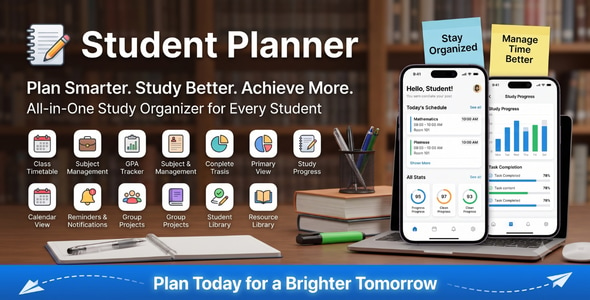
Student Planner | Study Tracker, GPA & Timetable Android App Student Planner is a comprehensive Android application designed to help students organize...
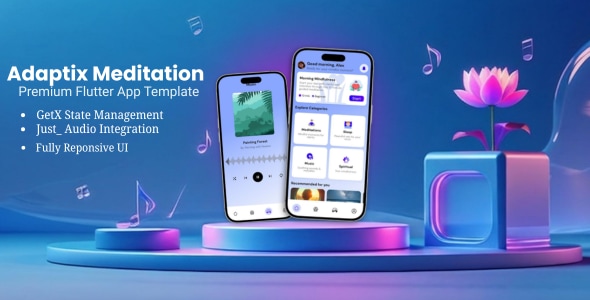
Adaptix Meditation | Flutter app Template Adaptix Meditation | Flutter app Template is a modern mobile application design solution created for meditation...
Tidewell | Flutter Doctor Appointment App With Live Wait Tidewell | Flutter Doctor Appointment App With Live Wait is a modern healthcare...