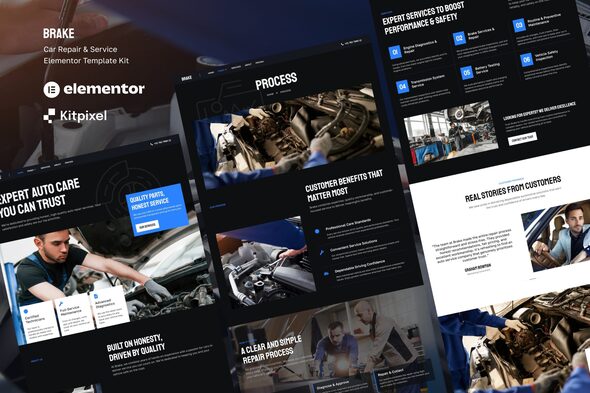
Brake – Car Repair & Auto Service Elementor Template Kit is a professional website design solution created for automotive repair shops, car service centers, vehicle maintenance businesses, auto mechanics, tire service providers, and automotive workshop owners. Designed for WordPress and Elementor, this template kit provides a convenient foundation for building a modern online presence that showcases automotive services, introduces your business, highlights workshop capabilities, and encourages customers to request service appointments or repair estimates. Whether you operate an independent garage, a specialized car repair workshop, an auto detailing business, or a multi-service automotive center, Brake can help simplify the website creation process while allowing you to customize the design according to your brand identity and business requirements.
A professional automotive website helps customers understand the services offered by a workshop, find essential business information, and learn how to arrange vehicle maintenance or repairs. When drivers experience vehicle problems or need routine servicing, they often look for a reliable service provider with clear information about available services, location, operating hours, and contact options.
Brake provides a design foundation for presenting this information through an organized and automotive-focused website. It can be adapted for businesses offering routine vehicle maintenance, mechanical repairs, diagnostics, brake servicing, tire replacement, oil changes, and other automotive services.
As an Elementor Template Kit, Brake supplies pre-designed website layouts that can be customized within a compatible WordPress environment. Instead of designing every page from scratch, users can adapt the available templates, replace demonstration content, update images, and personalize the visual presentation to reflect their business.
The result can be a professional website that communicates service offerings, establishes credibility, and makes it easier for customers to contact the workshop.
An automotive repair website should communicate reliability, technical expertise, and professionalism. Customers want to feel confident that their vehicles will receive appropriate attention, so the website should make service information clear and easy to find.
Brake can be customized to create a strong visual identity suitable for garages, repair centers, and automotive maintenance businesses. A structured layout, readable typography, relevant vehicle photography, and clear calls to action can help visitors navigate the website efficiently.
You can personalize the design using your company logo, brand colors, workshop photographs, service descriptions, and business information. Whether your brand focuses on premium automotive care, everyday vehicle servicing, or specialized mechanical repairs, the layouts can be adapted to suit your positioning.
For the best results, use authentic photographs of your workshop, technicians, equipment, and vehicles. Genuine imagery can help customers understand the type of service environment your business provides.
Brake is intended for use with WordPress and Elementor, a visual page builder that enables users to customize website layouts through an editing interface.
This approach can simplify website creation for automotive business owners, freelancers, and agencies that want to modify pages without manually coding every section. Depending on the included templates and available widgets, customization may include editing text, replacing images, changing colors, adjusting spacing, rearranging content sections, and updating calls to action.
WordPress also provides a flexible environment for managing service pages, publishing maintenance advice, updating business information, and extending website functionality through compatible plugins.
Before installation, review the official product documentation to confirm the required WordPress environment, Elementor version, theme compatibility, and whether Elementor Pro or additional plugins are needed for particular layouts or features.
Brake can be adapted for a wide range of automotive service businesses. By customizing the available layouts, workshop owners can explain their capabilities and help customers understand which services are available.
Potential service categories include:
These are examples of possible applications rather than a guarantee that the kit includes dedicated templates for every service.
A workshop can create individual service sections or pages that explain what each service involves, which vehicles are supported, and how customers can request assistance. Accurate descriptions help visitors understand the workshop’s capabilities before making contact.
Routine maintenance is an important part of vehicle ownership, and customers often want to understand which services a workshop provides before scheduling a visit.
With Brake, you can organize maintenance information into clear sections that describe routine inspections, oil changes, brake checks, tire services, battery maintenance, and other relevant offerings.
Each section can include a service description, suitable imagery, and a call to action directing visitors toward the appropriate enquiry channel. Where applicable, you can also explain service intervals, vehicle requirements, or information customers should provide when requesting an appointment.
Avoid making unsupported claims about repair outcomes, guaranteed performance improvements, or manufacturer authorization. All service descriptions should accurately reflect the equipment, expertise, and capabilities available at your workshop.
One advantage of using an Elementor Template Kit is the ability to begin with prepared layouts rather than designing every page independently. The exact pages included in Brake should be verified through the official product listing and live demo, but an automotive service website can benefit from the following structure.
Homepage: Introduce the workshop, highlight important services, communicate the business’s value proposition, and guide visitors toward contacting the team.
About Us Page: Present the company’s background, experience, values, and approach to vehicle servicing.
Services Page: Organize automotive repair, maintenance, diagnostics, and other workshop services into clear categories.
Service Details Page: Provide additional information about individual services, including descriptions, common customer needs, and relevant preparation instructions.
Team Page: Introduce mechanics, technicians, or service advisors through professional biographies and photographs where suitable layouts are available.
Projects or Gallery Page: Showcase workshop facilities, repair projects, equipment, or other relevant automotive work.
Testimonials Page: Present genuine customer feedback where permission has been obtained.
Contact Page: Display the workshop address, telephone number, email address, operating hours, and enquiry options.
These are suggested page applications rather than a guarantee that every layout is included in the kit. Check the actual template inventory before finalizing your website structure.
Every automotive business has its own service specialization, customer base, and brand personality. Customization helps ensure that the website accurately reflects these differences.
Brake’s Elementor-based editing workflow can support personalization of the supplied layouts, subject to the features included in the kit.
Customization possibilities may include:
For example, a premium auto repair center might emphasize its facilities and specialist services, while a neighborhood garage may prioritize affordability, routine maintenance, and easy contact options.
Keep the layout organized and ensure that customers can quickly find the services they need.
A useful automotive website should make it easy for customers to contact the workshop and request service information. Clear calls to action can guide visitors toward the next step.
Depending on your business model, you could add buttons such as “Book a Service,” “Request a Repair Estimate,” “Contact Our Workshop,” or “Explore Our Services.”
A contact or enquiry form can collect basic information such as the customer’s name, contact details, vehicle model, registration details where necessary, and a description of the issue. Collect only the information needed to respond to the enquiry.
If your workshop accepts scheduled appointments, a compatible booking plugin or external scheduling platform may be required. Advanced functionality such as real-time mechanic availability, service bay scheduling, repair order tracking, customer accounts, automated reminders, and online payments may require additional software or custom development.
Important: Brake is an Elementor Template Kit, not necessarily a complete garage management system. Appointment booking, workshop scheduling, vehicle history management, inventory control, invoicing, and repair tracking should not be assumed to be included automatically.
Vehicle repairs can involve important safety and financial decisions. Customers often want reassurance that a workshop understands their needs and communicates clearly about its services.
You can use the available layouts to present accurate business information, introduce qualified technicians, describe your service process, and explain how customers can request estimates or additional information.
Where appropriate, include genuine customer testimonials, authentic workshop photographs, relevant qualifications, and details about warranties or service guarantees that your business actually offers.
Clear operating hours, contact information, and location details also help customers plan their visits. Avoid publishing unsupported claims about certifications, manufacturer approvals, or guaranteed repair outcomes.
Many drivers search for automotive repair services using smartphones, especially when they need to contact a workshop quickly. A responsive website helps ensure that important information remains accessible across different screen sizes.
When customizing Brake, use Elementor’s responsive editing controls to review every page. Check that navigation menus, service descriptions, workshop photographs, buttons, and contact details remain readable and usable on mobile devices.
Pay particular attention to telephone links, enquiry forms, operating hours, and location information. These elements should be easy to find without unnecessary scrolling.
Responsive behavior can depend on the supplied templates, WordPress theme, Elementor configuration, and additional plugins. Test the completed website on smartphones, tablets, and desktop computers before publishing it.
Search engine optimization can help automotive workshops attract customers searching for vehicle repairs and maintenance services. Brake can provide a design foundation for organizing useful content, but search visibility depends on multiple factors beyond the template itself.
To support your SEO strategy, consider these practices:
For example, a local garage could create separate pages for brake repair, oil changes, engine diagnostics, and tire services if these are genuine offerings. Each page should explain the service clearly and provide useful information for prospective customers.
An SEO plugin can help manage metadata and other optimization settings. However, the template kit alone does not guarantee search rankings, indexing, or increased service bookings.
Automotive websites often use high-resolution images of vehicles, workshops, and repair projects. Optimizing these files helps reduce unnecessary loading delays.
To improve website performance, compress images, use appropriately sized media, avoid unnecessary plugins, choose reliable hosting, and configure caching where appropriate. Test important pages after importing the templates and adding your content.
Security also requires ongoing maintenance. Keep WordPress, Elementor, the active theme, and installed plugins updated. Use strong administrator passwords, maintain regular backups, and restrict administrative access to authorized users.
If your website collects customer contact information or vehicle details, ensure that forms are configured appropriately and explain how submitted information is handled in your privacy policy.
Setting up Brake generally involves preparing a WordPress website, installing the required page builder, and importing the supplied layouts according to the vendor’s instructions.
The precise installation process can vary according to the kit format, WordPress configuration, Elementor version, and required plugins. Follow the official documentation for product-specific instructions.
Brake may be suitable for several types of businesses and professionals operating in the automotive industry.
Car repair workshops: Introduce mechanical repair services and provide customers with clear contact information.
Auto service centers: Promote routine maintenance, inspections, and vehicle servicing.
Independent mechanics: Establish a professional online presence for local repair services.
Tire and brake specialists: Present specialized services and explain how customers can request assistance.
Automotive detailing businesses: Adapt suitable layouts to showcase cleaning, detailing, and vehicle appearance services.
Freelance web designers: Use the kit as a starting point for automotive client projects, subject to the product’s licensing conditions.
Digital agencies: Customize the available layouts for garages, workshops, and automotive service providers that need a WordPress website.
Before choosing the kit, review the included templates, software compatibility, licensing terms, and any additional functionality required for your project.
Brake should be evaluated as a website design resource rather than a complete automotive workshop management platform. Features such as advanced appointment scheduling, vehicle service history, repair order tracking, inventory management, technician allocation, invoicing, and payment processing may require separate plugins, external services, or custom development.
Check the official product listing and live demo to confirm the included page templates, widgets, assets, and installation requirements. Also verify whether Elementor Pro is needed for particular layouts or features.
Planning these requirements before installation can help you create a website that matches your workshop’s needs without assuming that advanced operational features are included in the template kit.
Brake – Car Repair & Auto Service Elementor Template Kit offers a flexible starting point for creating a professional website for automotive repair shops, garages, vehicle maintenance businesses, mechanics, and specialized auto service providers. Its WordPress and Elementor-based workflow can simplify page customization and help businesses present their services, showcase their workshop, communicate their expertise, and establish a consistent online identity.
By combining authentic workshop photography, clear service descriptions, responsive layouts, useful calls to action, and appropriate booking integrations, you can adapt the available templates to support your business goals and attract relevant customer enquiries.
Whether you are launching a new garage, expanding an established auto service center, or building a website for an automotive client, Brake can help streamline the design process while providing a foundation for a polished and customer-friendly online presence.
1. All digital products are the most recent version, with no possibility of free updates. After payment, you can request an update to the most recent version for 5 days if a new version is released. We free support within 5 days.
2. If a license is required (Excludes WHMCS license , we provide only method not license), please contact us via email or ticket for assistance with activation. Our license is only valid for activation and does not include support.
3. We provide Mobile, PHP script installation services for $19.90 / ₹1700. Please create a backup after installation as we do not support re-installation. For mobile app source code, we do not offer installation services.
4. If you have any questions, please contact us by email [email protected] or create a ticket on this page
5. Please note that any digital products presented on the website do not contain malicious code, viruses or advertising. You will receive the original files from the developers. We do not sell any products that have been downloaded from other websites.
6. The response time can last up to 6 hours.
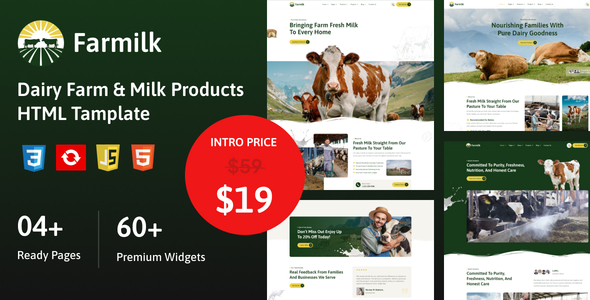
Farmilk – Dairy Farm & Milk HTML Template Farmilk – Dairy Farm & Milk HTML Template is a professionally designed website template...
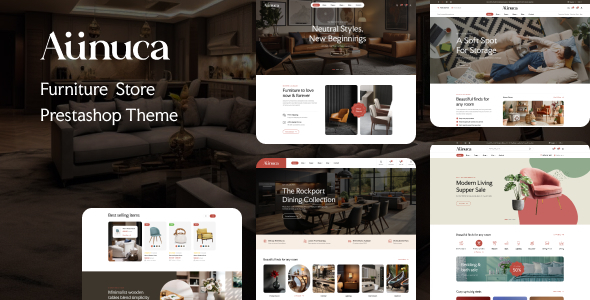
Leo Aunuca - Furniture Store Prestashop Theme Leo Aunuca is a modern and elegant PrestaShop theme designed specifically for furniture stores, home...
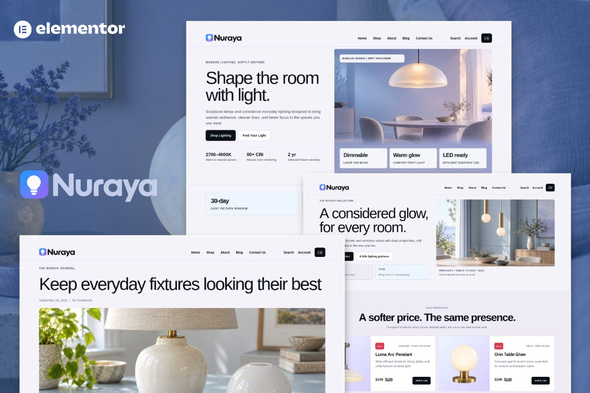
Nuraya - Lighting & Lamps Shop eCommerce Elementor Pro Template Kit Nuraya is a modern and elegant Lighting & Lamps Shop eCommerce...
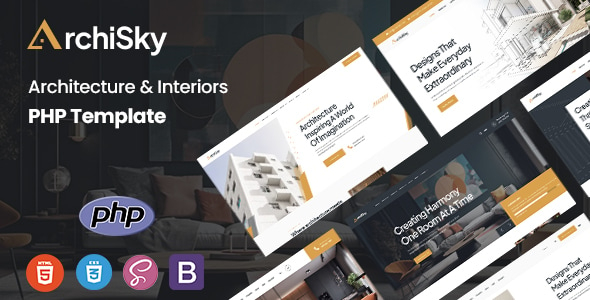
Archisky - Architecture & Interiors PHP Template Archisky - Architecture & Interiors PHP Template is a modern, elegant, and professionally designed PHP...
