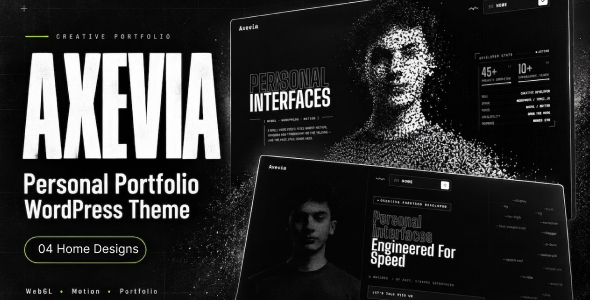
Axevia – Personal Portfolio WordPress Theme is a modern and stylish website solution designed for freelancers, creative professionals, developers, designers, consultants, and individuals who want to showcase their skills and achievements online. With a professional visual presentation and a portfolio-focused structure, Axevia provides a flexible foundation for building a personal brand, displaying completed projects, highlighting professional experience, and attracting new career or business opportunities.
Whether you are a web developer, UI/UX designer, graphic designer, digital marketer, photographer, content creator, or independent consultant, Axevia can help you create a professional online presence that reflects your personality and expertise. Its customizable WordPress design offers a starting point for presenting your biography, services, technical skills, project portfolio, work experience, and contact information in an organized format.
Built for WordPress, this theme allows you to customize supported page layouts, typography, colors, images, and content to match your personal identity. You can create a portfolio website that communicates your professional value and helps visitors understand what you do and how to work with you.
A personal portfolio website helps you present more than a résumé. It provides an opportunity to communicate your professional identity, working style, expertise, and achievements in a format you control.
Axevia can be adapted to introduce your professional background, explain your specialization, and highlight what makes your work distinctive. You can create an engaging introduction that summarizes your experience, identifies your core skills, and directs visitors toward your most important projects.
For freelancers and independent professionals, a well-organized portfolio can also act as a central destination for sharing work with prospective clients, recruiters, and business partners.
A strong portfolio allows visitors to evaluate your work and understand how you approach different challenges. Axevia provides a starting point for presenting projects through images, descriptions, and organized portfolio content.
You can showcase:
Each project can include a summary, objectives, your role, tools used, implementation details, and outcomes where appropriate. For stronger presentation, focus on genuine work samples and explain the value or results of each project.
Axevia can be customized to highlight your core skills and professional capabilities in a clear and accessible format.
For example, a developer might present programming languages, frameworks, tools, and application projects. A designer might highlight design software, visual concepts, and completed client work. A digital marketer could showcase SEO campaigns, advertising experience, analytics, and content strategies.
You can organize skills into categories such as technical expertise, creative abilities, business knowledge, and communication skills.
Present your capabilities accurately and keep the information updated so visitors can quickly determine whether your expertise matches their requirements.
A personal portfolio becomes more compelling when it explains the person behind the work. Axevia can serve as a foundation for creating an About Me page that communicates your background, professional journey, interests, and career objectives.
You can include employment history, education, certifications, achievements, and relevant experience. For independent professionals, this section can also explain your working process, preferred project types, and approach to collaborating with clients.
A professional photograph and a concise introduction can make the website feel more personal while maintaining a polished presentation.
For freelancers and consultants, a portfolio website can support lead generation by explaining the services available to prospective customers.
Depending on your specialization, you can create dedicated pages for:
Each service page can explain the scope of your work, your approach, relevant examples, and how clients can request a quotation or consultation.
Contact forms, booking integrations, and client management tools may require additional WordPress plugins.
Axevia provides a WordPress-based starting point that can be adapted to your personal visual identity and professional goals.
Depending on the theme’s supported customization options, you may be able to:
These options help you develop a portfolio that reflects your professional identity instead of relying on a generic presentation.
Recruiters, potential clients, and collaborators may visit your portfolio using desktop computers, tablets, or smartphones. A responsive website helps ensure that your work remains accessible and readable across different screen sizes.
Axevia can serve as a starting point for a mobile-friendly portfolio. After customization, test navigation menus, project galleries, text layouts, buttons, and contact forms across common devices to create a consistent browsing experience.
A well-organized portfolio can support your search engine optimization strategy and help people discover your skills and services through relevant searches.
Recommended practices include:
For example, a web developer could publish articles about website development or WordPress customization, while a designer could share design case studies and creative insights.
Search rankings depend on content quality, competition, technical SEO, website authority, and other factors. A theme alone cannot guarantee higher rankings.
Axevia can be adapted for a variety of individuals and creative professionals, including:
Its flexible presentation makes it a useful starting point for professionals at different stages of their careers.
A portfolio website should load efficiently and display project images clearly. When configuring Axevia, use appropriately sized images, reliable hosting, updated WordPress software, caching tools, and only the plugins your website needs.
You can also review accessibility, mobile usability, image optimization, and Core Web Vitals using suitable tools.
Actual website performance depends on hosting, theme implementation, image sizes, installed plugins, and configuration. Testing the completed website before launch is recommended.
Axevia is a WordPress theme intended to provide a design foundation for a personal portfolio website. Its exact features depend on the included theme package, supported plugins, and your configuration.
Before installation, review the live demo and product documentation to confirm the supported WordPress version, included page layouts, customization options, and any required page builders or plugins.
Features such as advanced project filtering, appointment scheduling, contact automation, membership functionality, or client portals may require additional plugins or custom development. Confirm which capabilities are included before planning your website.
Axevia offers a practical starting point for individuals who want to establish a professional online identity. Its portfolio-focused presentation can help you showcase your work, explain your expertise, communicate your professional journey, and encourage visitors to contact you.
Instead of building every page from scratch, you can begin with the theme’s available layouts and adapt them to your skills, portfolio, career goals, and personal branding.
Axevia – Personal Portfolio WordPress Theme is a suitable option for freelancers, developers, designers, consultants, and creative professionals looking to create a polished personal website.
With its focus on professional branding, project presentation, skills, and contact opportunities, it provides a flexible foundation for showcasing your expertise and building meaningful career or business connections.
Important Note: Before purchasing or installing, review the live demo, product documentation, included files, compatibility details, and plugin requirements. Replace demonstration content with your own biography, project examples, branding, and contact information. Advanced portfolio filtering, booking systems, and other specialized features may require additional plugins or custom development.
1. All digital products are the most recent version, with no possibility of free updates. After payment, you can request an update to the most recent version for 5 days if a new version is released. We free support within 5 days.
2. If a license is required (Excludes WHMCS license , we provide only method not license), please contact us via email or ticket for assistance with activation. Our license is only valid for activation and does not include support.
3. We provide Mobile, PHP script installation services for $19.90 / ₹1700. Please create a backup after installation as we do not support re-installation. For mobile app source code, we do not offer installation services.
4. If you have any questions, please contact us by email [email protected] or create a ticket on this page
5. Please note that any digital products presented on the website do not contain malicious code, viruses or advertising. You will receive the original files from the developers. We do not sell any products that have been downloaded from other websites.
6. The response time can last up to 6 hours.
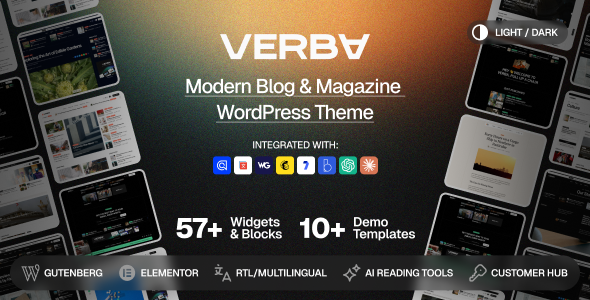
Verba – Modern Blog & Magazine WordPress Theme Verba – Modern Blog & Magazine WordPress Theme is a modern, elegant, and versatile...

Docaid - Medical & Health Care WordPress Theme Docaid - Medical & Health Care WordPress Theme is a modern and professionally designed...
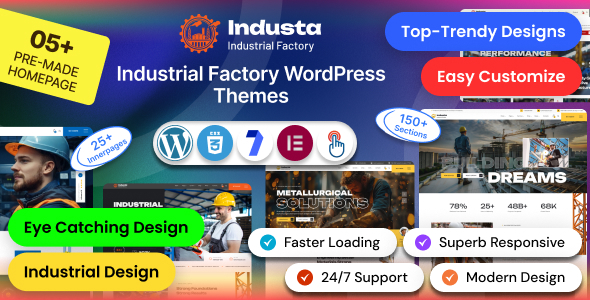
Industa - Factory & Industry WordPress Theme Industa is a powerful and professionally designed Factory & Industry WordPress Theme created for manufacturing...
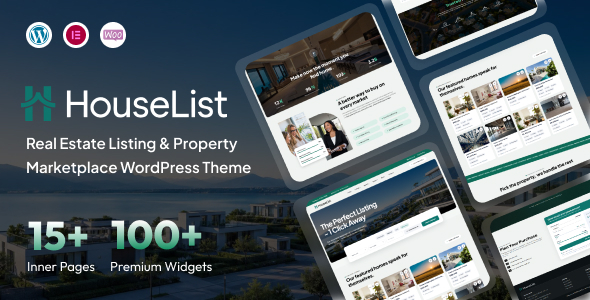
HouseList – Real Estate Listing & Property Marketplace WordPress Theme HouseList is a modern, professional, and feature-focused Real Estate Listing & Property...
